

Desertcart purchases this item on your behalf and handles shipping, customs, and support to South Africa.
🚀 Elevate your desk game with Honeywell’s 7-in-1 powerhouse — because multitasking deserves no limits!
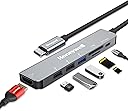
The Honeywell 7-in-1 Type-C Docking Station is a sleek, compact hub that expands a single USB-C port into seven essential connections, including a 4K HDMI output, USB 3.0 and USB 2.0 ports, SD/Micro SD card slots, and a 100W Power Delivery charging port. Compatible with all Type-C devices including MacBook, Thunderbolt 3 laptops, and PCs, it offers plug-and-play convenience, ultra-fast data transfer, and reliable power delivery, backed by a 3-year manufacturer warranty.


| ASIN | B0CHBHYLLR |
| Best Sellers Rank | #534 in Computers & Accessories ( See Top 100 in Computers & Accessories ) #18 in USB Hubs |
| Brand | Honeywell |
| Brand Name | Honeywell |
| Colour | Silver |
| Compatible Devices | MacBook Pro |
| Country of Origin | China |
| Customer Reviews | 4.3 out of 5 stars 1,359 Reviews |
| Data Transfer Rate | 5 Gigabits Per Second |
| EU Spare Part Availability Duration | 3 Years |
| Enclosure Material | Aluminum, Plastic |
| Hardware Interface | HDMI , MicroSD, USB 2.0, USB 3.0 |
| Importer Contact Information | Creative Peripherals & Distribution Limited Jayem Warehousing Pvt. Ltd., Sumeet Logistics, Building No. C-3,Gala No. 1 to 6A, At Village Kikse-Borivili, Opp. Rajdhani Dhaba, Mumbai-Nasik Highway, District Thane, Bhiwandi-421302. |
| Item Dimensions L x W x H | 12.3L x 2.8W x 1H Centimeters |
| Item Type Name | Docking Station |
| Item Weight Unit of Measure | 65 Grams |
| Manufacturer | Flat C 61/F, Block A, LA Rossa, Coastal Skyline 12 Tung Chung, Water Front Road Tung Chung, N.T., Hong Kong, Secure Connection Limited |
| Manufacturer Contact Information | Flat C 61/F, Block A, LA Rossa, Coastal Skyline 12 Tung Chung, Water Front Road Tung Chung, N.T., Hong Kong |
| Manufacturer Part Number | HC000017/LAP/CDK |
| Model Number | HC000017/LAP/CDK |
| Number of Items | 1 |
| Number of Packs | 1 |
| Number of Ports | 7 |
| Operating System | Mac OS |
| Packer Contact Information | Secure Connection Limited, Flat H , 11th Floor Tower 6, Grand Water Front, 38 SAN MA Tau Street, TO KWA WAN, KL Hong Kong |
| Product Features | Play, Plug |
| Special Feature | Play, Plug |
| Total USB Ports | 3 |
| Unit Count | 1.0 Count |
| Warranty Description | 3 Years Manufacturer Warranty |
D**.
An Excellent Multi-Functional Docking Station - A Must-Have OTG (On-The-Go) Accessory!
I recently purchased the Honeywell 7-in-1 Type-C Docking Station (Model No.: HC000017/LAP/CDK) from Amazon India, and I must say, it has far exceeded my expectations! This docking station is an absolute game-changer for anyone looking to enhance productivity and streamline their workspace. Design & Build Quality: The first thing that caught my eye was the sleek and compact design of this docking station. It has a premium feel, with a solid build that reflects Honeywell’s reputation for quality. The device is lightweight and portable, making it easy to carry around, whether I’m working from home, in the office, or even on the go. Functionality & Performance: This 7-in-1 docking station comes packed with an impressive array of features. The Type-C connection is seamless, and it instantly transformed my laptop into a fully equipped workstation. Here’s what you get: 1. HDMI Port: The 4K HDMI output is a standout feature. It supports crystal-clear video output, making it perfect for presentations, video editing, or simply enjoying high-definition content on a larger screen. I’ve used it with my 4K monitor, and the experience has been flawless. 2. USB 3.0 Port: One USB 3.0 port and Two USB 2.0 ports are incredibly fast, allowing for quick data transfers. Whether it’s connecting my external hard drive, mouse, or keyboard, I’ve experienced zero lag or connectivity issues. 3. SD/TF Card Reader: The SD and TF card slots are a great addition for photographers and content creators. Transferring files from my camera’s SD card to my laptop has never been easier. 4. Type-C 100W Power Delivery: The Type-C port with 100W power delivery is a thoughtful feature. It allows me to charge my laptop while using the docking station, which eliminates the need for multiple chargers and keeps my workspace clutter-free. Ease of Use: Setting up the docking station was a breeze. It’s truly plug-and-play, with no drivers or complicated software installation required. The connections are stable, and I haven’t encountered any issues with peripherals disconnecting or the docking station overheating, even during extended use. Value for Money: Considering the wide range of functionalities this docking station offers, it is undoubtedly great value for money. It has made my work life so much easier and more efficient, allowing me to connect multiple devices and peripherals with ease. Conclusion: The Honeywell 7-in-1 Type-C Docking Station (Model No.: HC000017/LAP/CDK) is a versatile and reliable accessory I highly recommend to anyone looking to expand their laptop’s capabilities. It’s perfect for professionals, creatives, and anyone who needs a powerful, all-in-one docking solution. I’m extremely satisfied with this purchase, and it’s earned a permanent spot in my tech arsenal.
U**I
Excellent Docking Station for All Your Needs!
I searched tons of other USB hubs both online and in the local market, and even tried out 5-6 from my friends before settling on this one. The Honeywell 7-in-1 TypeC Docking Station has exceeded my expectations and is truly a genius product. This device is incredibly versatile, turning a single USB-C port into seven functional ports. The Type C 3.0 port supports 100W PD charging, which is perfect for keeping my laptop powered while I work. The HDMI port is a standout feature, allowing me to mirror or extend my laptop’s display to my monitor in stunning 4K resolution. This has been great for both work presentations and streaming videos. The USB 3.0 port offers blazing-fast data transfer speeds of up to 5GBPS, while the dual USB 2.0 ports are perfect for connecting peripherals with speeds up to 480 MBPS. The SD and Micro SD card slots are ultra high-speed, making file transfers quick and easy. I also appreciate the Fast Role Swap PD 3.0 feature, which protects my devices from power fluctuations. This docking station is compatible with all Type-C devices, including my MacBook and Thunderbolt 3 devices, and the plug-and-play functionality makes it incredibly user-friendly. With a 3-year manufacturer warranty and reliable customer support, this docking station is a fantastic investment. Highly recommended for anyone needing a reliable, multi-purpose docking solution!
T**W
Highly Useful light weight and neatly designed Docking Station
Review after 18 months usage. I was circumspect before this purchase but my research landed me to this product and it works absolutely well. Incredibly sleek and lightweight, and a good looking gadget. Functionally, does its job without fuss. The 4k screen connector is good, sometimes picture quality on added screen can be a bit off, but connector re-plug usually fixes it. Two USB slots are taken up by mouse and keyboard connectors. An additional USB slot would have great. SD card slots are a bonus. Haven't faced any heating issues. Overall, I would recommend this product.
M**A
A good product
When you use pen d and sd card together it won't work , otherwise it works nicely.
K**0
Working as expected
Working good. Useful for the peoples who want to extend their Laptop display to big screen.
A**A
Worst dock that I have used
I already have a USB hub which does not have the HDMI connectivity and that's when I went for this product. The product worked well for first few weeks and then started creating trouble. I have connected a 27" monitor through HDMI cable, USB Jabra Headset, Lenovo USB wireless mouse dongle, and a Logitech Wireless keyboard dongle. Every hour, one of the devices will get disconnected and most of the times, its the USB headset. I work as a healthcare business so would be on lot of calls daily and the headset gets disconnected in between a call was quite frustrating. The headset will work only if I remove and plug in again. Also if you connect your Laptop PD charger to it, it will say its a slow charger notification and ask to switch to a faster one. I raised a complaint to Honeywell customer care and they came and picked up the product as it was under warranty. However, the sent the repaired product two weeks later and it still has the same problem. Now I am not getting the refund nor able to use the product. I now have to spend another 2-3k rupees on figuring out what product I have to buy next. Honeywell customer service is also bit crappy as they do not respond to your emails on time and the people are not reachable on phone that easily. Suggestion is go for a branded products like HP or Dell as they have more value than Honeywell products.
S**A
Honeywell 7 in 1 Docking Station
Honeywell 7-in-1 Docking Station I’ve been using the Honeywell 7-in-1 Docking Station for a bit now, and while it checks a lot of boxes for general productivity, it comes with some limitations you should know about—especially if you're particular about display output. The good: It supports high refresh rates at 1080p (up to 120Hz depending on your setup), which is great for smoother visuals in full HD. Build quality is solid, and it handles everyday tasks like data transfer, charging, and standard display output without issues. Now the caveats: 2K (1440p) is only supported up to 75Hz, which is a step down if you're aiming for smoother performance at that resolution. It supports 4K output, but only at 30Hz, which isn’t ideal for most workflows—especially content creation or high-res gaming. Most importantly, HDR content is not supported, even if your display is HDR-capable. This is due to the HDMI port being version 1.4, and HDR/refresh rates beyond 60Hz at higher resolutions typically require HDMI 2.0 or above. So if your needs are basic—say, office use or light content consumption at 1080p—it’s a decent dock. But if you're looking for high-res, high-refresh performance or HDR support, this one will leave you wanting more. Pros: Solid build and compact design Supports high refresh rates at 1080p Handy range of ports for general use Cons: 1440p capped at 75Hz 4K limited to 30Hz No HDR support (HDMI 1.4 limitation) A good option for casual users, but not ideal for anyone with a performance or media-focused setup.
A**A
Good product
Good product. If using this as a pass though charger to charge your laptop consider using a high wattage charger. If you use charger that came with your laptop and pass through this dock it will reduce the wattage and your laptop will show it as a slow charger. Consider charging your laptop directly and use this only to connect monitor, kbd, mouse and other devices.
K**L
Gayet iyi iş görüyor
Kesinlikle başarılı
Trustpilot
5 days ago
2 months ago