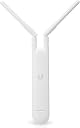
🚀 Elevate your workspace Wi-Fi game with Ubiquiti’s sleek, powerful mesh solution!
The Ubiquiti Networks UniFi AC Mesh is a high-performance 802.11ac wireless access point delivering up to 1167 Mbps speeds. Featuring Power over Ethernet for flexible installation and backed by a 3-year warranty, it combines compact design with reliable RouterOS-driven performance, ideal for professional environments seeking seamless, scalable Wi-Fi coverage.
| ASIN | B01NAAWOGO |
| Best Sellers Rank | #6,263 in Computers & Accessories ( See Top 100 in Computers & Accessories ) #146 in Whole Home & Mesh Wi-Fi Systems |
| Brand | Ubiquiti Networks |
| Color | White |
| Compatible Devices | Laptop, Personal Computer, Smartphone, Tablet |
| Connectivity Protocol | Ethernet |
| Connectivity Technology | 802.11ac, Ethernet |
| Control Method | Remote |
| Controller Type | Switch |
| Coverage | Directional coverage (with external antenna) |
| Customer Reviews | 4.8 out of 5 stars 2,360 Reviews |
| Data Transfer Rate | 1167 Megabits Per Second |
| Frequency | 1.17 GHz |
| Frequency Band Class | Dual-Band |
| Global Trade Identification Number | 00810354025792 |
| Has Internet Connectivity | Yes |
| Has Security Updates | No |
| Is Modem Compatible | No |
| Item Dimensions L x W x H | 1.34"L x 1.81"W x 13.94"H |
| Item Weight | 152 Grams |
| LAN Port Bandwidth | 1000 Mbps |
| Manufacturer | UBIQUITI |
| Maximum Upstream Data Transfer Rate | 1000 Megabits Per Second |
| Mfr Part Number | UAP-AC-M |
| Model Name | UAP-AC-M |
| Model Number | UAP-AC-M |
| Number of Antennas | 2 |
| Number of Ports | 1 |
| Operating System | UniFi OS |
| Router Network Type | Dual-Band |
| Security Protocol | WPA2, WPA3 |
| UPC | 810354025792 |
| Unit Count | 1.0 Count |
| Voltage | 24 Volts |
| Wi-Fi Generation | WiFi 5 |
| Wireless Communication Standard | 802.11ac |
| Wireless Compability | 802.11ac |
J**N
Dead Zones? What Dead Zones
The UniFi AC Mesh is like Wi-Fi on steroids—sleek, powerful, and ridiculously reliable. First off, setup in the UniFi Controller was smooth as butter. One click, a quick adopt, and boom—mesh magic. Suddenly my dead zones weren’t dead anymore; they were alive and kicking with strong, steady signal. Whether it’s the patio, garage, or way-too-far corner of the yard, this little guy keeps me connected like I’m standing next to the router. Speeds? Rock solid. I’m pushing 1167 Mbps like it’s nothing, streaming 4K, gaming online, and running video calls without a hiccup. And because it’s PoE, installation is clean—just one cable, no messy power cords dangling around. The design is slim and discreet—it looks more like modern art than a networking beast. But don’t let the looks fool you—this thing is tough. Rain, sun, or snow, it keeps broadcasting like a champ. In short: powerful range, pro-level features, and dead-simple deployment. The UniFi AC Mesh turned my network into a fortress of speed and stability. If Wi-Fi had a rockstar, this would be it.
T**S
Solid workhorse for UniFi networks.
I have a full UniFi setup and the AC-M is an outdoor workhorse. I've used it as an access point and as a repeater and for the money if you are looking for WiFi 5 outdoor kit for the UniFi family of products this is really hard to beat. Coverage is very good, they are reliable and fast, and offer good connectivity. This can be used as a standalone access point but in general there are better products for that since you have to run a UniFi network controller (which is available as a desktop or mobile application) to configure it, update firmware, etc - something with a built in configuration screen would be a better choice standalone. But for the price if you need something that can be out in bad weather and just work, it's still an okay option as a standalone.
J**O
Great AP
Perfect AP. Good coverage, speed and the UI is amazing
G**N
Works well, but not 100% reliable
Easy to setup with my Unifi appliance. I extended the range using this mesh network about .5 miles using 4 antennas, which works fairly well. Just keep in mind that each antenna will reduce your throughput by about 25% for each hop, so by the time I got to the 4th antenna I am only seeing 9mb/s for a 100 mb/s fiber connection. Still plenty of speed. The only downside is that you cannot control which antenna each connects to - sometimes they try to hop over the closest one and connect to one that is further away, which results in reduced speed. Still, much better than any other system I have researched for the price.
J**D
One device covers our entire gym
We needed to extend our Wifi to our gym/family life center at church. It's several hundred feet away from our main building. I didn't want to install multiple access points inside and out so I started with this. It was so successful that we didn't need anything else. This single extender is used as an access point and covers our entire gym, fellowship hall, and a good distance outside of that building. I could not be happier.
I**E
Awesome coverage, but tricky to get wireless Mesh working
I have this setup in a mesh configuration with a UniFi UAP AC-PRO First off, this is bigger than I thought. The unit itself is about the size of a long TV remote, and with the antennas added, the entire thing is about 18 inches long, then if you use the POE injector, count on another peripheral to go along with it. In other words, this is really designed for outdoor/office/industrial use, don't count on this to fit in discreetly with your living room decor. Setup is a bit tricky if you want to use it as a wireless mesh. The instructions that come with it don't really cover much in regards to this configuration, and the instructions on the UniFi website missed some important steps as well. Also, if you don't do things just right, the unit will just sit there in "disconnected" mode with no obvious way to start over. It took me a while to figure out that you need to do a factory reset and then "forget" the device in the UniFi Controller software if you need to start over. Anyway, the steps to get wireless Mesh working (for me at least) is to first connect it wired to your router so it can grab an IP address, wait until it shows up in the UniFi controller, do any configurations needed from the Controller, "trigger" the provision setting, disconnect it from your router, do another reset, then plug it in where you want it. It took me over 2 hours to finally figure out that sequence of steps. Now the good part. Once it's up and running, you will quickly forget how frustrating it was to setup, because WOW, it's made a huge difference in my wifi coverage. The part of the house where I could barely get coverage and streaming anything was near impossible, now has such a strong signal that everything comes up almost instantly and I can steam 4k videos with no buffering or delays. Better yet, that strong signal now covers a good portion of my 1/2 acre backyard as well. Overall, great device once you figure out how to set it up.
D**T
Need a BOOST? Get it!
Not a hard setup, and has excellent range! Not sure of it's "advertised" range of "300 feet", probably closer to 150 - 200 feet, ...but definitely a massive boost for any network. Handles the rain well if mounted outside as our is.
J**A
Great for traveling dj/audio work
I purchased this because a YouTuber that I watch had one and swears by it. When I first got it I had a slightly difficult time setting it up. I'm pretty tech savvy but this might be moderate to advanced. But then again, I don't go into my router settings via IP often. Once I finally got it hooked up to my behringer x32 rack, everything went smoothly. It is quick and responsive and for the price I'd say it was worth it. The body feels kind of fragile and the part that snaps closed feels extremely fragile at times. As a matter of fact, there's something that sounds like a little piece of plastic rattling around inside the body now. Although it works just fine. As far as the range goes, it has great range. I have been able to use my iPad about 100 ft away as long as I have it elevated and clipped onto a microphone stand and it does work. Like I said with my iPad, my behringer x32 rack, and my Dell laptop. So it's very compatible. Its appearance is sleek and even though it's white is not too large of a device. It is very lightweight. I use this in conjunction with the ubiquiti edge router.
Trustpilot
2 months ago
3 weeks ago