Buy anything from 5,000+ international stores. One checkout price. No surprise fees. Join 2M+ shoppers on Desertcart.
Desertcart purchases this item on your behalf and handles shipping, customs, and support to South Africa.
🚗 Upgrade your Highlander’s cockpit to smart, sleek, and seriously connected!
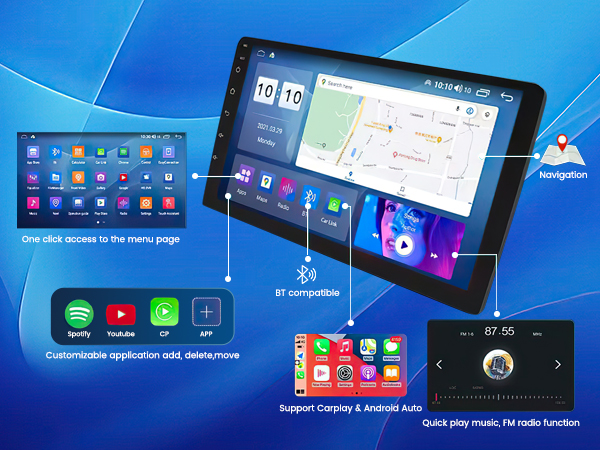
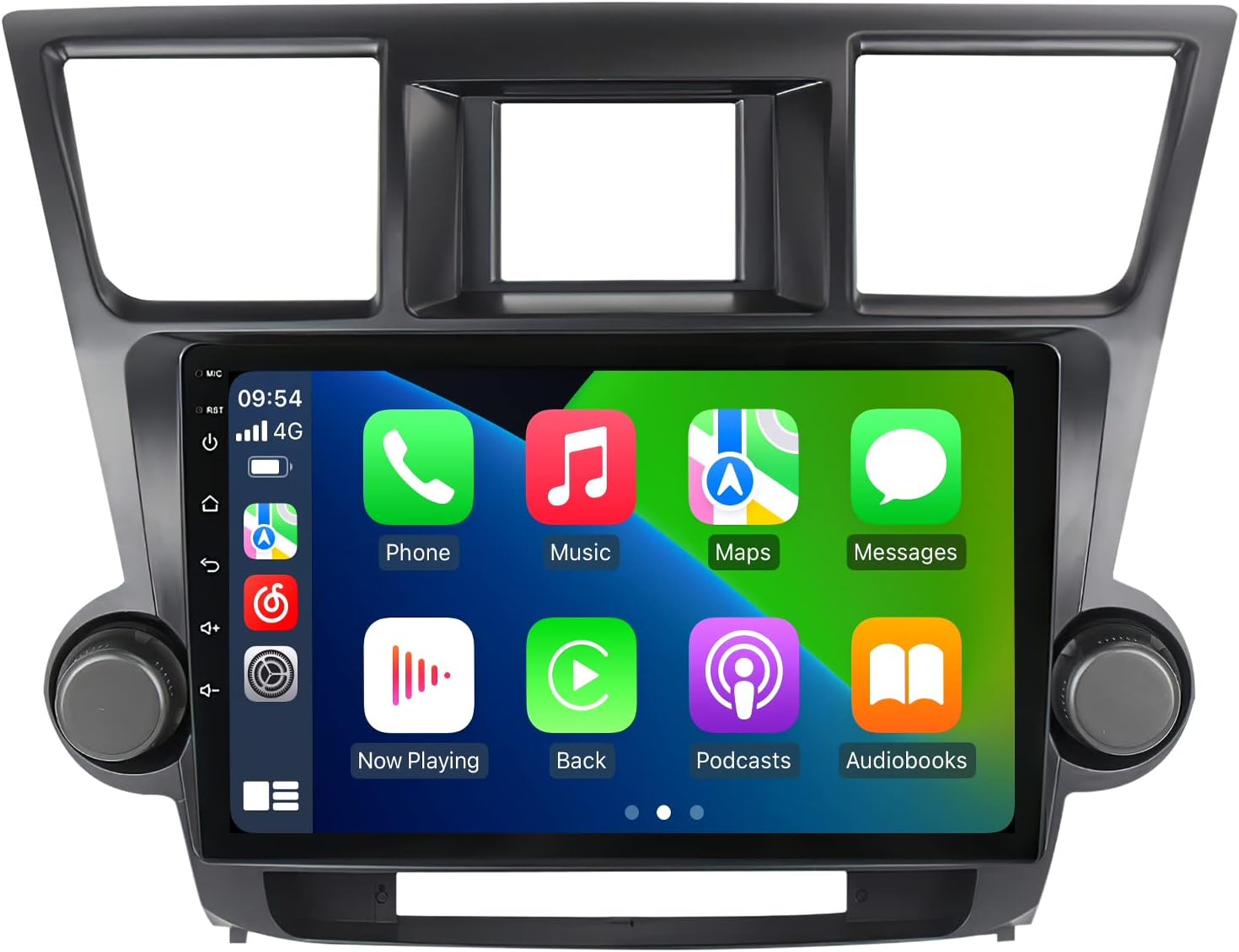
This 10.1-inch Android 14 car stereo is tailor-made for Toyota Highlander models (2008-2013), featuring an 8-core CPU, 4GB RAM, and 64GB storage. It boasts a high-res 1280x720 touchscreen, built-in CarPlay & Android Auto, 5G WiFi, GPS navigation with offline maps, Bluetooth hands-free calling, and FM/AM radio with DSP for premium audio—all designed to transform your driving experience with speed, clarity, and connectivity.


| ASIN | B0BXPBHMZ7 |
| Additional Features | Touchscreen |
| Are Batteries Included | No |
| Audio Output Mode | Stereo |
| Best Sellers Rank | #51,284 in Electronics ( See Top 100 in Electronics ) #548 in Car In-Dash Navigation GPS Units |
| Brand | RONGJI |
| Built-In Media | Radio, Cable Harness, User Manual |
| Compatible Devices | Smartphone |
| Compatible with Vehicle Type | Car |
| Connectivity Protocol | Wi-Fi |
| Connectivity Technology | Wi-Fi |
| Control Method | Touch |
| Customer Reviews | 4.3 out of 5 stars 94 Reviews |
| Display Type | LCD |
| Human-Interface Input | Touchscreen |
| Item Dimensions L x W x H | 6.5"L x 12.6"W x 14.5"H |
| Item Type Name | Head Unit Radio for Toyota Highlander 2009-2014 |
| Item Weight | 2.44 Kilograms |
| Manufacturer | Shenzhen Rongji Electronics Co., Ltd |
| Map Types | Worldwide |
| Memory Storage Capacity | 64 GB |
| Model Name | Car radio for Toyota Highlander 2008 - 2013 |
| Mounting Type | Panel Mount, found in image |
| Operating System | Android |
| Resolution | 720 x 1280 |
| Screen Size | 10.1 Inches |
| Special Feature | Touchscreen |
| Supported Satellite Navigation System | GPS |
| Touch Screen Type | Capacitive |
| Vehicle Service Type | Car |
| Warranty Description | 1 Year Warranty |
L**S
Delighted. Well worth the money and effort. Fix for poor outgoing sound in a call.
The radio in my 2012 Highlander completely failed and I thought this was a better alternative than taking a shot on a used one from Ebay. I picked out this Rongji head unit because it has working volume and tuning knobs - others have no knobs or fake ones. It came with Android 14. I also ordered the following: Adapter cable for the existing backup cam https://www.amazon.com/dp/B09J4YBCN4 Dual USB outlet https://www.amazon.com/dp/B0CTKGN5PK 12" antenna extension cable https://www.amazon.com/dp/B08MVCKKMS 3 foot 3.5mm Mic cable extender https://www.amazon.com/dp/B07SBRC4SY Trim retainer clips https://www.amazon.com/dp/B0C9TS91KM These came in handy. The unit came nicely packaged with other cables I needed - and some I didn't.I also ordered a data-only SIM card to enable 4G mobile - https://www.amazon.com/dp/B0C9K5VLH7 Not a pro but I'm fairly experienced doing similar work. It took a couple hours for the basic install. Customer service was quick responding to questions I had. You'll need a socket wrench set and a pry tool. Tips on installation: - Before I got to the car I wired the knob power leads and the reverse lead from the cam adapter cable lead into the unit's power cable. Rongji video shows twisting the wires together but I used heat shrink crimp connectors. This was the only wiring I required - everything else has a connector. There's a lot more wiring and fitting if you install the included backup cam. - See YouTube videos showing how to remove the old radio. - The hardest part is removing the vents from the old frame and reinstalling them on the new frame. I used toothpicks to hold the clips open while I pried the vents out. - I stuck the GPS antenna on top of the original small display, ran both the 4G antenna and SIM card holder just inside the glove box. The dual USB jack I got fit perfectly into the old USB slot. I ran the Mic extension under the dash on the driver side so I could plug in a microphone without taking it apart again. I stuck the external mic on top of the steering column - but see below. - Even with the antenna extension cable you need to hold it close to plug in the cables. Don't worry that there are Highlander cables and head unit wires, such as the RCA audio jacks, that aren't connected. So everything functioned properly, knobs, wifi, bluetooth, GPS, 4G, FM radio. The screen is beautiful and it sounds better than the OEM radio. The steering wheel controls also worked after a simple set-up. However, I had a couple issues. The image quality of my existing reverse cam was usable but pretty poor on this big screen. I considered wiring up the included camera but then found this replacement cam. https://www.amazon.com/dp/B0C9K5VLH7 It's an exact fit and plugs in - no wiring. You need to remove the inside door panel for access. Not HD but the image quality vastly improved. To adjust the guide lines, put the car in reverse and then long-press the screen. A second issue was poor outgoing sound quality while in a call, especially while driving. People could not understand me - low volume and garbled. Increasing the mic volume setting didn't help much. So I downloaded a sound recorder app to investigate and found the following: - The built-in mic picks up a lot of noise from the AC vent, less than an inch away in the Highlander. Unfortunately, there doesn't seem to be a way to disable it when you use an external mic. I tried covering the mic opening with tape - didn't help - so the noise is coming from inside. I was advised to take apart the head unit and remove the built-in mic from its circuit board. Yikes! - The external mic that's included has poor sensitivity so is overwhelmed by noise from the built-in mic My fix: - Use this noise canceling external mic https://www.amazon.com/dp/B08GCHSQ1L It has vastly better sensitivity. I installed it high on the driver's A-pillar, aimed directly at me. This went a long way toward solving the problem. - While in a call, I turn off the AC fan or shift air to the floor outlets to cut noise from the built-in mic. With these 2 steps, outgoing sound quality is fine. Overall, I'm delighted with this unit - a tremendous upgrade over the original radio. I canceled SiriusXM on this car but got it back via the app since I still have it on my other car. This pays for the 5GB/mo Spectrum Smart SIM plan that's more than sufficient for my use - mainly Spotify, Google Maps, and XM. This SIM accesses AT&T, T-Mobile, and Verizon networks and has better coverage than my phone. I didn't bother with Android Auto.
K**M
Great unit, AMAZING tech support, challenging but doable installation
I bought this to modernize my 2009 Toyota Highlander. Both Android Auto and Carplay work seamlessly on this radio, which is what I needed most, and the radio works fine. Also, I tied the backup camera to it, and it's nice to see the larger view. The installation was not easy, but also not too hard, and the tech support for this unit (via WhatsApp) was AMAZING. Very responsive and helpful. It was great to chat with a real person who understood my questions and helped me work through issues. Also, there were a lot of really helpful tips in the other Amazon reviews (some of which won’t make sense until you get into the installation and setup). A few things I wish I had known upfront, and some advice: 1. Find a YouTube video of a similar installation. Even if the head unit is different, the process of taking apart the dashboard will be the same. 2. Disconnect the negative car battery terminal while doing electrical work in the car. Don't reconnect everything and start the car unless you've reconnected the hazard light button or you'll get some sort of error with the airbag light. 3. A small ratchet, 10mm socket, and extender are very helpful for disconnecting the battery and for removing the old radio. 4. I do not own any special tools for removing car trim. I used a small metal putty knife and just went VERY SLOW. 5. The various wiring harnesses are all different sizes and shapes and there's really only one place to plug each thing into, so don’t worry about keeping track of what goes where. 6. When you open the box, you'll find the new screen already attached to the plastic trim, but almost everything else is loose wiring harnesses and parts for the knobs. Unfortunately, there are no real installation instructions or photos, but there is a one-page flyer that is helpful and a manual that helps explain some of the menu options once you get it running. 7. You'll need to salvage some pieces off of the old radio, including several of the yellow or red clips that hold the trim into the dash and six screws for assembling the knobs. These were small/cheap parts, and I wish these parts had just come in the box new. You'll also need to remove the air conditioning vent pieces from the old trim, which was tedious and frustrating to remove and reinstall. Just go SLOW to avoid breaking any of the plastic bits. Lastly, you'll need to remove the hazard light button from the old trim and install it in the new trim. This part was relatively easy. 8. Assembly of the knobs (which I like having!) wasn't too bad, but it was a little challenging to wire up the power. I wish this had a plug like everything else, to keep it easy. 9. On my Highlander, the small backup camera screen was mounted to the factory radio with a U-shaped metal bracket, which was then attached to the car frame with four screws. I had to take this off of the old radio and reattach it to the car frame. The wiring for this small screen is independent of the wiring for the head unit, so if you want your backup camera to show on the large screen of the new head unit, you'll need to purchase a separate wiring harness (about $30). The tech support person pointed me to the right piece to order on Amazon, and it was easy to install. The reverse signal wires were different colors on that wiring harness and the head unit wiring harness, but both had a label that said “back” so it was easy enough to match them up. 10. There are no instructions on where to mount the GPS or 5G antennas inside the dash. I stuck them both on top of the small existing backup camera screen, keeping the ventilation holes clear. 11. This unit comes with two external USB inputs. There are no instructions on where to install these. I drilled a hole in the plastic trim piece at the back of the pocket between the cigarette lighter and the old AUX jack and left them hanging out there. It would've been nice if these had been integrated into the trim, maybe by replacing the cigarette lighter or the AUX jack, as I no longer need either one with this new unit. 12. This unit comes with an external microphone with plenty of wire length. I placed it on top of the steering wheel column to keep it easy, but I think it could’ve extended up to the visor. 13. Most of the wiring had plenty of length to work with, except for the factory FM radio antenna. I just plugged this in last and made it work, but it would’ve been helpful to have an extension cable for this one. Note that the AM radio antenna won't plug into the new head unit. There seem to be a LOT of features and menu options on this radio, but I think many of them won’t work without adding a SIM card or connecting to wifi (and it’s easier to just use Android Auto or Carplay). I wish it was easier to switch the connection between different phones when there are multiple phones in range with Bluetooth on, but it seems like that can only be done by turning off Bluetooth on the other phones. Overall, great unit, AMAZING tech support, and a doable project for a first-timer.
K**R
Its tricky but works well.
After reading othe reviews I decided I would find someone else who had a lot of experience install this receiver. The screen is responsive, the Bluetooth connects seamlessly, and the UI is easy to use. However, we never got the knobs for volume and tuning to work. The man I hired read the instructions and again, he has installed many different head units in the past. The steering wheel for volume works fine, as does the touch screen itself. I would recommend having an additional 6 ft AV cable for the backup camera on hand. The length included wasnt long enough for my SUV.
J**B
Great Radio, Responsive and Knowledgeable tech support, Good Value.
This radio is a great value and has been working very well for me. I purchased it for my 2012 Highlander to improve the Bluetooth experience for calls (my factory Bluetooth kept cutting out) and to add CarPlay for better navigation and media access. The installation took a little time but was pretty straightforward. I highly recommend watching a few YouTube videos beforehand to understand how to remove the bezel and plastic components around the stock radio—this made things much easier. My install went smoothly overall. The only hiccup I had was with the backup camera. I purchased the adapter to connect the factory camera to the new unit, but I accidentally plugged the camera into the wrong RCA input. A quick WhatsApp support chat resolved this in under 5 minutes—the support team was fast, friendly, and knew exactly how to help. For mounting: I placed the GPS and 4G antennas on top of the existing LCD using double-sided tape and zip ties. I mounted the microphone on the steering wheel console. I routed the USB connectors to the existing cigarette lighter port and used a USB adapter to make everything fit cleanly in that space. The antenna wire on the factory radio was quite short, so I picked up an antenna extender from my local auto parts store to add some slack. Before final assembly, I zip-tied and tucked all the wiring to keep things neat. One of the reasons I chose this unit is because it was one of the few CarPlay radios that had functioning physical knobs. The functionality has exceeded my expectations, and the large screen has really modernized the Highlander’s interior. If I had to nitpick, the only thing that stands out is that the radio knobs don’t quite match the existing HVAC knobs—they’re slightly different in design. It’s not a big deal, but worth mentioning for anyone who’s picky about aesthetics. Bottom line: I wouldn’t hesitate to buy this radio again. Be prepared to spend a little time on the install and go slowly, but it’s completely worth the effort. The product is a good deal for the price, and the support team is top-notch.
M**S
Buy this radio, but read review for full details
This radio is awesome and is great value. It elevates and modernizes the interior and looks OEM. The screen is high resolution, very bright and is reasonably responsive. The layout is smart and easy to use. The assembly was straight forward but extremely tedious, particularly connecting power to the volume / tuning knobs and installing the vents. The volume / tuning knobs had to be spliced into the power connector to work properly. Acc (red) goes to acc (red) , grnd (blk) goes to grnd (blk). This ideally should be prewired as it is not plug and play and not a simple task, requiring cutting wires and crimp-on connectors. Removing the HVAC vents and installing them in the corresponding slots was also very tedious. Ideally, this radio would have retained the original HVAC housing as this would have made installation much easier. When removing the vents from the original housing, loosen each clip one by one. And carefully guide them into the new assembly, making sure you're passing the fork through the slot in the vent. My install went perfect except one of the vents is crooked. It was difficult to get into it the fork slots, as I didn't want to crack the assembly. I'll leave it alone as I'm not sure I can make it better. The power connector was a tight fit in the radio as well. I routed the USB to the glove box and taped the GPS and antenna on top of the rear view camera, trying not to block the air vents on top. I did not install the microphone or use the back up camera adapter. The radio settings were straightforward. It came with the correct can bus settings pre configured and the steering wheel controls were easy to set up. Wireless car play doesn't connect 100% of the time but it is fairly reliable, usually connecting the majority of the time within 10 secs. When it doesn't connect, it always comes back after closing and opening the app through the multitask window. A reboot of the system or a vehicle restart also works. Blue tooth audio is much more reliable and always connects. The built in microphone works but I have received complaints of my voice being low on phone calls. Otherwise, the system is nearly 10/10. I highly recommend buying this radio. It's made the I interior a nicer place to be. It reliably plays my tunes and I'm happy with it. Time will tell if the radio will last, but first impressions point to it holding up and being good quality. Don't hesitate, get it! Just be prepared for the install. Read the directions and watch YouTube videos about disassembling the 2nd Gen highlander dash. Also, the customer service is incredible and doesn't get much better. Levi is awesome and very helpful and responsive and it was a pleasure to communicate with him.
S**N
Great unit. Doable installation. Cheaper than most of the radios out there.
First this radio unit is very similar to those that are over $300 or $500 units. I bought this one for 2017 Highlander (no 360 camera). There is no proper instructions for installation. Even though installation seems confusing or hard, it's very straight forward if you pay attention to all the harnesses and connectors. Total installation time is about one hour including removing some parts of dash and car radio. It has AM/FM, Bluetooth, Wi-Fi, mobile internet, and whatever is stated in product description. CarPlay connects seamlessly (no delay) with both wire and wirelessly. I was able to use USB port from the car for wired CarPlay and android auto or data transfer like files, videos or music. You will need this adapter wire (https://www.amazon.com/ViaBecs-Aftermarket-Highlander-2012-2018-2015-2018/dp/B0CNPZVSK7) I was able to use built in microphone that comes with car. I was able to use built in GPS that comes with car (You don't have to use the GPS device that comes with the radio). You will need to purchase this wire (https://www.amazon.com/dp/B0CBP5TQ6Z?ref=ppx_yo2ov_dt_b_fed_asin_title). And built in microphone works. You don't have to use the microphone that comes with the radio. Overall, the build quality is good. Sound quality is good. Screen is very responsive and fast. Here is small couple of small problems with the unit. There is delay in backup camera video to come on unlike the stock radio which is very fast. Steering wheel control for phone pick up actually hanging up calls like "hang up" icon in apple CarPlay. Those are the small problem and will definitely figure out in the future. This is fix stars product. If you want to get the screen protector, here is the product link. https://www.amazon.com/dp/B0D1CDZB9K?ref=ppx_yo2ov_dt_b_fed_asin_title&th=1 For Data only SIM card: https://www.amazon.com/dp/B0C9K5VLH7?ref=ppx_yo2ov_dt_b_fed_asin_title
I**Y
Don’t Buy It.
Despite the nice appearance, this unit does not come with any installation instructions or a setup video. I dismantled my stock radio thinking the install would be so easy that it wouldn’t need a guide — what a miss. For a product that costs $250, leaving installation to guesswork is unacceptable. My advice: don’t buy it and waste your time.
D**H
Great product, Excellent customer support
I got this unit for the 2011 Toyota Highlander base trim with factory backup camera. The main purpose for this upgrade is to get Apple CarPlay for the old car. This unit has exceeded my expectations. There are many different aftermarket units for Highlander, but many of them only have knobs as decorations, only this unit has both knobs working at this price range. The wireless Apple CarPlay works flawlessly, factory backup camera works with additional harness which can be purchased on Amazon, steering wheel controls also work via the learning function of this unit. With Android 14 and 5G Wi-Fi (or you can use 4G SIM), I can download more App to the unit and have more functionalities I need, for example, I can connect my dash cam to the unit and use the dash cam app to display views and settings on the 10.1 inches large screen. For the hardware, the unit is metal case and comes with a fan that can be set to turn on when the unit exceeds a certain temperature. All the wires and harness are included (except the one for backup camera). The unit also comes with 2 USB ports, I use one of it to power my dash cam behind the trim pieces, I expose another USB port using panel flush mount (can be purchased on Amazon) for data transfer. Beside the unit itself, the trim piece comes with the unit also fit properly for the Highlander. The custom service is also fabulous, they respond to all my questions and concerns, and help me to make sure everything I need from this unit is working correctly. kudos to Levy! Few suggestions though 1. It will be great if the backup camera harness is included. 2. The way to connect the wires for the knobs can use some improvement. My first attempt failed when I followed the way suggested in the support video, I ended up cutting the wire and using wago to splice the wires together. 3. The Power key at Panel is actually set to mute by default and the Panel Key learning is a bit of confused. User needs to clear all the keys first in order to make changes. The Clear and Save buttons in Panel Key Learning are not stand out because they look the same as other function options that can be set to the keys. Alos, the wording for some function options may need improved, such as "Black" is actually "Screen Off".
A**R
Excellent produit et service à la clientèle
Super impressionné par le produit! Pour l'installation bien prendre le temps de s'informer comment faire, car c'est assez simple, mais il y a des erreurs de débutant à absolument éviter. Je n'avais pas débranché la batterie par exemple. J'ai ainsi complété l'installation et la caméra de recule ne fonctionnait pas, les clignotants de la voiture non plus ainsi que l'unité centrale d'air chaud et froid. Finalement ce n'était qu'un fusible que j'avais fait brûler parce que je n'avais pas débranché la batterie. Après avoir changé le fusible tout marchait super bien! Mon conseil, est de demander à Chat GPT les erreurs communes à éviter avant de démarrer l'installation! J'ai fait le test et tous les conseils étaient bons! Il y a aussi pas ma de vidéos youtube qui donnent de bonnes indications! Un énormes thumps up au service à la clientèle qui m'a répondu par courriel à la vitesse de l'éclaire! Franchement un 5 étoile bien mérité! J'espère que mon partage d'expérience pourra en rassurer et aider!
P**7
Easy to install and worked with all the steering wheel controllers
The best product, it’s better then the expectation
C**D
Good and bad
Cool screen alot of cool features but apple carplay keeps connecting and disconnecting randomly so often that i had to disconnect it and only use Bluetooth, also poor microphone quality nobody hears me and service is no good i tried to contact them and it took forever and finaly got answered in chonese saying they cant do nothing so for 500$ its alot
Trustpilot
2 weeks ago
2 weeks ago