Desertcart purchases this item on your behalf and handles shipping, customs, and support to South Africa.
⚡ Upgrade your workflow with speed and reliability that keeps you ahead!
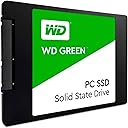
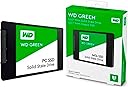
The WD Green 240GB Internal SSD is a high-performance 2.5-inch SATA III drive offering up to 545 MB/s read speeds, backed by a 3-year warranty. Designed for laptops and desktops, it combines shock resistance and broad OS compatibility to deliver reliable, efficient storage for business, gaming, and personal use.


| ASIN | B076Y374ZH |
| Best Sellers Rank | 25,806 in Computers & Accessories ( See Top 100 in Computers & Accessories ) 142 in Internal Solid State Drives |
| Box Contents | SSD |
| Brand | Western Digital |
| Brand Name | Western Digital |
| Cache Memory Installed Size | 1 |
| Color | Green-Performance |
| Compatible Devices | Laptop |
| Connectivity technology | SATA |
| Customer Reviews | 4.7 out of 5 stars 33,976 Reviews |
| Data Transfer Rate | 6 Gigabits Per Second |
| Digital Storage Capacity | 240 GB |
| Digital storage capacity | 240 GB |
| Enclosure Material | plastic |
| Form Factor | 2.5-inch |
| Global Trade Identification Number | 00718037858494, 10718037858491 |
| Hard Disk Description | Solid State Hard Drive |
| Hard Disk Form Factor | 2.5 Inches |
| Hard Disk Interface | Serial ATA |
| Hard disk form factor | 2.5 Inches |
| Hard disk interface | Serial ATA |
| Hard-Drive Size | 240 GB |
| Hardware Connectivity | SATA 6.0 Gb/s |
| Hardware Platform | Linux, Mac, PC |
| Installation Type | Internal Hard Drive |
| Item Type Name | WD WDS240G2G0A 240GB Green 2.5" 7mm SATA III Solid State Drive |
| Item Weight | 30 Grams |
| Manufacturer | Western Digital |
| Manufacturer Part Number | WDS240G2G0A |
| Media Speed | Greater than 545 MB/s |
| Model Name | WDS240G2G0A - WD Green |
| Model Number | WDS240G2G0A |
| Network Connectivity Technology | SATA |
| Number of Items | 1 |
| Product Features | Shock Resistant |
| Product Warranty | 36 months |
| Read Speed | 545 Megabytes Per Second |
| Special feature | Shock Resistant |
| Specific Uses For Product | Business, Gaming, Personal |
| UPC | 718037858494 |
| Unit Count | 1.0 count |
I**R
Great SSD product - great for Laptop gaming - giving my Laptop a new lease of life
For me this WD 2Tb SSD was a fantastic option, as an upgrade for my Laptop and worth the money. Even though I bought and installed the WD GREEN SSD's for what I needed this SSD for, mainly gaming and fight simulators. Then adding this SSD into my Lenovo IdealPad 500-15ISK laptop gave me fantastic performance increase. Where games took 5 - 7 minutes to load, on a aging HDD. This same software loads and is playable, within 1 -2 minutes. Which is better measure of performance, rather that 200/300Mbps read/write times. Also added benefits swapping to this SSD gives me, Upgrading or applying software on my laptop, is much a faster, backing up my disk contents is faster, remote or network access to disk contents, much faster. I just wish I had done this upgrade a few years ago. If you are currently on the fence around purchasing this product.......then don't be, it is worth it. Trust me when it comes to every-day performance, then WD Green is a good as, WD Blue and will give your old Laptop or PC a new lease of life
A**N
Good upgrade for a speed boost
Installed in a Dell Netbook (cheap low-powered laptop). I found the netbook was struggling performance wise with a standard hard drive, so purchased this SSD and the difference is staggering. The netbook is now more responsive and boot up is literally 5 secs- this has made the netbook more useable again. People spend hundreds on new processors and memory for pcs in the search for speed gains, however as an IT engineer for the last 20yrs, I can assure you that the best bang-for-bucks upgrade you can do for your system is replace the hard drive with an SSD. The Western Digital brand is a solid, reliable make which is backed up with a decent 3yr replacement warranty for piece of mind. Easy to install on most systems, this upgrade will improve your system and bootup time. Highly recommend and probably the cheapest/quickest upgrade you can make to any current PC system.
G**S
Brilliant SSD but spend a few quid more and get the Blue one if you can.
First off if you wish to boot your OS off this SSD go and get the WD Blue SSD for a few pounds more. Basic simple SSD here, I boot my OS off it but it lacks its own built in RAM which would normally contain a map of where your data is saved. Instead it's saves on the SSD itself so it just takes that slight bit longer to load up my OS than a WD blue. Regardless it came and I banged it straight in no messing. Had to move to sata port 4-6 as 1-3 were for disk drives, once I did that it ran at full read/wright speed. Ive had it in about 2 months now with no issues what so ever and it is significantly faster than my old HDD, I bought it in a pinch and it is well worth the money but I will get a Blue in future for reliability and that little bit more speed. I never knew this before I bought mine so maybe you should know just so one day in years time your wd green doesn't eventually end up as non degradable waste.
J**M
Solid SSD *UPDATE 4/1/2019*
UPDATE 4.1.19 (knock 1 star off) Since using this as a scratch disk and recording, I've noticed any footage I record on OBS becomes corrupted and shows significant packet loss and stuttering in game. The SSD is now solely used for editing videos as I suspect that heavy timeline scrubbing may have caused this issue. Note: still a good SSD for every other purpose. EDITED 8.9.18 REVIEW While most people would get this to put their operating system and core programs, I use this solely for the purpose of editing (scratch disk). Essentially, I'm going to put this SSD through its paces. I hate editing on a hard drive since I am bottlenecked by the read speeds, using an SSD as a scratch disk should alleviate stuttering and playback issues. Since WDs offering is basically a sandisk SSD, I knew that the performance is what I expected. If you are going to get this to put windows or whatever, then I highly recommend this size if you just need something cheap and cheerful, but more importantly reliable. You won't be disappointed by the boot times either.
J**C
so easy to install.
I bought a mini thinkcentre without a drive just put this in and installed a operating system off a USB drive of zorin and installed it onto this SSD drive . IT now takes about twenty seconds to boot and sign in fantastic . IT also recognises my camera external hard drive which is a western terabyte . and my printer too. so fast too would recommend it.
V**S
Splendid device, fast and well priced.
I've been using this product since April and has never had any issues with. For what I've been using it, which is mining, it has performed well and 120gb is more then adequatefor it's purpose. It is small, lightweight, narrow and thin, silent and above all fast! I can say that I've been using WD products for a very long time and has never let me down nor did it cause any issues even if minor. Product arrived well packed and in time agreed when making the purchase, price is very suitable if you don't have a big budget yet you still hope to get a good performance out of it. I am personally very pleased with this product and would recommend it as a standalone or an addition to other drives.
G**E
Valuable Solid State Drive
This SSD was installed into my mums budget computer that I built for her Christmas last year (2017) and used the WD Green 120GB M.2 but have now added this SSD to the build this year for extra storage for her music and stuff. The M.2 from Western Digital is now a year old and is still working strong without slowing down with Windows 10 and other software being installed on this SSD and would also help if you are upgrading your laptop as this will also help with battery life. There are a few settings within Windows 10 that need to be set up to help make sure your SSD won't slow down but if you search online I’m sure you will find them but would recommend doing a clean install of any Operating System onto this SSD but if you really have to clone the drive then I would recommend you use AOMEI Backupper Standard as it’s free to download and use for cloning the drive without any problems as I have cloned a clean install of Windows 10 onto another SSD as an OS backup WD gives you 3 years warranty for this SSD but will probably never need to use it as I still have old HDD from WD and they are still working without any problems at all
M**E
Great value for money
I bought 3 of these to pep up the performance of some older Dell Core Duo USFF machines, the extra speed on start up made the users very happy, they felt like they'd got new machines. I also put one in an i3 laptop and the stretch in battery life was noticeable too. 240Gb is plenty of space unless you're storing lots of video I used Macrium reflect to do the cloning, it's free, reliable and easy to use. TIP 1: Before cloning remove programs you don't use and delete downloads you don't need, particularly for programs you've installed. Then remember to empty the recycle bin, No point in wasting time cloning junk! TIP 2: If you've time, and this can take hours, do a hard drive cleanup, including Windows updates, this can free up a surprising amount of space and speed up your machine too.
R**Y
Love WD SSDs!
Great performing drive at a very reasonable price!
W**R
Pretty fast and easy to install...
My original laptop hard disk drive was failing, getting too many bad sectors. Also disk I/O was taking 100% CPU often due to issues with hard disk. Running chkdsk to find and fix errors didn't help much. So decided to go for this SSD after reading the reviews. Got the SSD on time, and installing was pretty straightforward. If you go to Western Digital website, you can download the partition software that you can use to clone your HDD. I downloaded it and used the new SSD in a external SATA to USB enclosure and cloned my HDD. I then replaced the HDD with the SSD. It worked straightaway without any issues. Bootup is in few secs now compared to almost 40-50 seconds earlier. Machine also appears faster now, with Edge/Chrome browsers with multiple tabs all being pretty fast now. Overall, pretty happy with it as I have been using it for a month now. Wholeheartedly recommend this to anyone.
O**C
Speed
This product fulfills plenty my expectations. Speed is great, sturdiness and reliability.
A**E
Western Digital implacable.
Comme toujours Western Digital société fiable. Produit solide et qui réponds à leurs spécificités. Hautement garantie et pour avoir déjà eu des produits Western Digital, il dure généralement au delà des 20 ans.
M**0
Velocità di lettura e scrittura notevolmente
allora direi che Il WD Green SSD offre un miglioramento significativo rispetto agli HDD tradizionali, riducendo i tempi di avvio del sistema operativo e delle applicazioni. Sebbene non sia l’SSD più veloce sul mercato, soddisfa le esigenze di utenti comuni, come navigazione web, elaborazione documenti e streaming multimediale. - Velocità di lettura e scrittura notevolmente superiori rispetto agli HDD. - Affidabilità garantita da Western Digital, un marchio rinomato nel settore dello storage. - Consumo energetico ridotto, ideale per laptop e PC con alimentatori limitati. - Compatibilità universale grazie al formato 2.5" SATA. - Prezzo competitivo rispetto ad altre soluzioni SSD. - Capacità limitata per utenti che necessitano di maggiore spazio di archiviazione. - Non adatto per applicazioni intensive o per utenti professionali che richiedono velocità NVMe. - Prestazioni inferiori rispetto ad SSD di fascia alta o con interfaccia NVMe. - Upgrade di vecchi PC: Perfetto per sostituire HDD lenti, migliorando drasticamente i tempi di avvio e caricamento. - PC secondari: Ideale per sistemi dedicati a usi leggeri, come navigazione e multimedia. - Build economiche: Ottimo per configurazioni budget-friendly che non richiedono archiviazione di grandi dimensioni. - Combina il WD Green SSD con un HDD tradizionale per ottenere un equilibrio tra velocità e spazio di archiviazione. - Utilizzalo come disco principale per il sistema operativo e le applicazioni, riservando un disco più capiente per dati e file multimediali. Allora è una scelta eccellente per chi cerca un’unità economica e affidabile per migliorare le prestazioni del proprio PC. Nonostante la capacità limitata e le velocità medie rispetto a SSD di fascia alta, offre un notevole miglioramento rispetto ai tradizionali HDD. È ideale per utenti che desiderano un'esperienza fluida senza spendere troppo.
Trustpilot
3 days ago
1 month ago