Buy anything from 5,000+ international stores. One checkout price. No surprise fees. Join 2M+ shoppers on Desertcart.
Desertcart purchases this item on your behalf and handles shipping, customs, and support to South Africa.
โก Print Fast, Connect Smart, Label Like a Pro!
The Brother QL-810WC is a professional-grade thermal label printer delivering ultra-fast printing speeds of up to 110 labels per minute in sharp black and red. Featuring easy 2.4 GHz WiFi and USB connectivity, it supports mobile and desktop printing for versatile office and business labeling needs. Compact and energy-efficient, itโs designed to streamline your workflow with high-resolution 300 dpi output on cost-effective DK series labels.


| ASIN | B0BTTVDJDM |
| Additional Printer Functions | Print Only |
| B&W Pages per Minute | 110 ppm |
| Best Sellers Rank | #12,987 in Office Products ( See Top 100 in Office Products ) #49 in Desktop Label Printers |
| Brand | Brother |
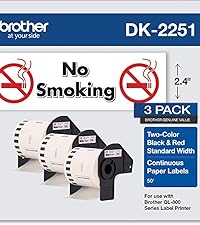
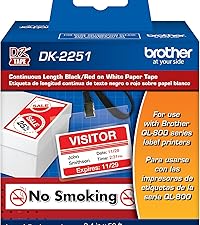
| Built-In Media | Brother QL-810wc Label Printer, P-touch Editor Software & Driver, AC Power Adapter, USB Cable, & Starter Rolls: DK-1201 Die-cut Address Labels (100 labels) and DK-2251 Continuous Red/Black Length Paper Tape โ 2.4โ (62mm) x 16.4โ |
| Color | Black |
| Color Depth | 1 bpp |
| Color Pages per Minute | 110 ppm |
| Compatible Devices | Android, Laptops, PC, Smartphones, iPhone |
| Connectivity Technology | USB, Wi-Fi WPA3 |
| Control Method | App |
| Controller Type | Android, iOS |
| Customer Reviews | 4.0 out of 5 stars 86 Reviews |
| Dual-sided printing | No |
| Duplex | Simplex |
| Hardware Interface | USB |
| Ink Color | Black, Red |
| Item Dimensions D x W x H | 5"D x 9.2"W x 5.7"H |
| Item Type Name | Direct Thermal Printer |
| Item Weight | 2.4 Pounds |
| Manufacturer | Brother |
| Maximum Copy Resolution Black and White | 300 dpi |
| Maximum Copy Resolution Color | 600 dpi |
| Maximum Copy Speed Black and White | 110 ppm |
| Maximum Media Size | 11 x 17 inch |
| Maximum Print Resolution Black and White | 600 Dots Per Inch |
| Maximum Sheet Capacity | 200 |
| Maximum print Resolution Color | 600 dpi |
| Model Name | Model: QL810WC Differentiator: New Processor |
| Model Number | QL810WC |
| Model Series | QL |
| Number of Trays | 1 |
| Other Special Features of the Product | Energy Star |
| Output sheet capacity | 200 |
| Paper Size | DK Series Labels and Tapes |
| Print media | Labels |
| Printer Connectivity Type | USB, Wi-Fi WPA3 |
| Printer Output Type | Color |
| Printer Type | Thermal |
| Printing Technology | Thermal |
| Processor Count | 1 |
| Resolution | 300 x 300 |
| Special Feature | Energy Star |
| Specific Uses For Product | labeling various items |
| Total USB 2.0 Ports | 1 |
| Total Usb Ports | 1 |
| UPC | 012502672371 |
| Unit Count | 1.0 Count |
| Warranty Description | 2 year limited |
| Warranty Type | Limited |
N**N
Great for QSL Cards
Works great! I bought it to print labels for my QSL cards but have been using it to make mail labels with for other packages.
S**T
Works Great with our Clover POS
I bought this printer for my Clover POS system. Its very easy to sync to the Clover and prints quickly. Only tricky issue which has nothing to do with the printer is selecting the right size of printer roll and compluter size configuration.
A**S
I love it
Still works to this day easy to connect to the internet and to devices and works great for our church
W**D
garbage, absolute garbage
brother software sucks. i have tried 20 times to get this damned thing to work. it will not connect, software is garbage. the installer keeps asking for the print spooler (wtf???)
!**!
Fussy printer
Very finicky. Needs to be reset often to connect.
N**R
Way too difficult to install.
Edit: Finally, got this to install and work by some intuitive guesses and luck. Changed review to four stars from one. Called their support line. Keep in mind, they have very limited knowledge about the product and software. They only could help specifically, with reinstalling the software and printing a test label. Also, the instructions don't always match up with the outcome printed in the instructions or what is expected. Somehow, this may connect to wifi without having to know the network code. Maybe, because there is already another Brother printer that knows it? Also, be aware you may be asked for the device's password while trying to use some of the software. Only by luck when trying to reset the network connection by pressing the power button and cutter button, and then pressing the cutter by itself, it printed out some report on the labels. On one of them was the default password. The default password will have to be changed after entering it, but it doesn't tell you that directly. This is done in the WPAdmin software. And here is where it tells you to update the firmware, several times. At first, the printer may not appear. Even if other Brother printers do. Press the search or seek button, and it looks for other devices. This whole process took about 4 hours. Original: Could not get it to work. Installation instructions confusing. Installed using USB cable, now would like to connect using Wi-Fi. Not easy to figure how to update settings. And when opening some software, an error saying the driver is missing, even after installing the driver.
F**E
Excellent label printer
Really great label printer. Easy to set up and use with Brother's software. It works well with generic labels, unlike the competitor machine.
C**.
Brother makes great stuff
Love this new Lable printer. I have had other Brother products, mainly label makers, and this one is just as nice to use as the others in the past. I have only had experience with Zebra printers before this new one, but they both work great and get the job done.
Trustpilot
1 month ago
1 week ago