Desertcart purchases this item on your behalf and handles shipping, customs, and support to South Africa.
๐จ Elevate your workspace with precision, comfort, and styleโbecause your productivity deserves the best.
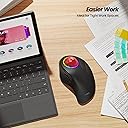
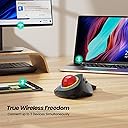
The Nulea M505B Wireless Trackball Mouse combines ergonomic design with advanced functionality, featuring a 44mm index finger trackball for reduced wrist strain, 5 adjustable DPI levels for precise control, and multi-device Bluetooth/USB connectivity. Its rechargeable battery lasts up to 45 days, complemented by customizable RGB lighting, making it an ideal choice for professionals seeking comfort, efficiency, and a modern aesthetic.


| Additional Features | Ergonomic Design |
| Antenna Location | Office |
| Asin | B0BR7KX422 |
| Battery Average Life | 90 days |
| Best Sellers Rank | #831 in Computer Mice |
| Brand | Nulea |
| Button Quantity | 6 |
| Color | RGB Backlight |
| Compatible Devices | Latop, PC,Computer |
| Connectivity Technology | Bluetooth, USB |
| Customer Reviews | 4.4 4.4 out of 5 stars (741) 4.4 out of 5 stars |
| Enclosure Material | Plastic |
| Hand Orientation | Right |
| Hardware Platform | Laptop, PC |
| Manufacturer | Nulea |
| Mfr Part Number | M505B |
| Model Name | M505B |
| Model Number | M505B |
| Mouse Maximum Sensitivity | 1600 dots_per_inch |
| Movement Detection | Trackball |
| Number Of Batteries | 1 Lithium Ion batteries required. (included) |
| Operating System | Android,Windows |
| Power Source | Battery Powered |
| Range | 10.0 meters |
| Style Name | Modern |
| Unit Count | 1 Count |
| Warranty Description | 1 year |
User
Somebody's Finally Reviving The Logitech Marble FX, Best Trackball Shape Ever!
These are beautiful. They are reminiscent of Logitech's well known "Trackman Marble FX" which was discontinued many years-ago. Those were the best shape a trackball was ever made in, but they just stopped making them. They were so good I never forgot, and when I was recently looking at trackballs, I was happy to find this, and a few others, using a very similar shape to the Marble FX.So I ordered one. It was a wired version, and aggressively low-priced. While Logitech knows it's finger-controlled trackballs are popular, after having some sort of patent dispute and needing to discontinue the lovely "Marble FX," they continue to this day to make the smaller, less lovely "Trackman Marble." This is NOT the same as the "Marble FX," which is no longer made. But it's worth noting, I went through at least four "Trackman Marbles" over the years, wearing them out using them every day, and they always cost about thirty dollars - Logitech has now raised the price of that mediocre offering ... the Trackman Marble, to one hundred and eighty dollars USD. Wow!!... while some innovative companies are actually daring to imitate the beautiful but patent-issue-plagued original "Marble FX" for the first time! I counted three different products, branded differently with some small differences, but they are all basically the same, all clones of a Marble FX.How refreshing! I bought a second one!Before the first one even arrived!The second one I bought is this one, with wireless features. I have it plugged into USB on a Mac Studio desktop*so it will stay charged up, and when my trackpad nags me about charging it, I can just swap that USB cable out of the front of the trackball. Working great so far. It does seem to have a "give me a second" wake-up feature, probably owing to the fact it's wireless so it goes to sleep after awhile. So I just shake it around and it wakes up.This trackball has five resolutions accessible by pressing a button on the bottom of it, and I found a middle value to work well for me. It paired easily with bluetooth. In the hand, it feels comfortable and reminds me of the "correct" trackball design I missed so much from years past! The ball (I got a red one) is big enough and there are buttons galore. I have only used right-click, left-click and there's a nice wheel to scroll.There's a half dozen more button-programmable things I haven't fiddled with. But when I rest my hand on it, my thumb appropriately falls onto the left-click button (which is important!), which has the largest button-surface of all the buttons on that side. It's easy, comfortable and starting to feel like home.*I'm using this with a Mac Studio. It's plug and play, and is working wirelessly with the dongle never removed from its underside (it's using Bluetooth, while that dongle is for 2.4 GHz direct wireless to USB). I have a trackpad AND trackball (a great way to roll) and having just left-click and right-click buttons working out of the box, and the scroll wheel too, is all I'm going to need. I can't comment on usability of the other buttons with a Mac.Maybe I'll try that later.I'll keep both of them. These are WELL WORTH the price (currently under $50 USD). Note from my experience using both this and one of the others that look just like it, they appear to be nearly identical, and there was at least one more I didn't buy which looked also nearly identical. So if you're going for the shape and feel, you'll probably be quite happy with any of them. This one is darker black than the other and has a more velvety surface texture.I'd recommend buying one of these even if you weren't intending to replace your mouse or trackball right now; you'll be glad you did. I had a long history of mouse-caused-wrist-pain which was relieved when I switched to using a finger-manipulated-trackball. I can't recommend this product highly enough! :)
User
Fantastic Trackball
I have used a large ball Logitech trackball (rollerball) or decades, and it finally wore out, so I was challenged in finding something similar that had a similar ergonomic feel as well as a button layout. This trackball is super similar to what I had been used to and works great. It is wireless and easily rechargeable using a USB-C connector cable. It is super easy to clean and to customize to the feel and speed you desire, and can be connected to different devices wirelessly or with a USB cabled connection. It holds its charge well, and alerts you when it is time to be recharged.My only challenge has been with the left thumb button as my old trackball had a longer button that was further forward on the trackball, so I had to retrain my thumb on how to use this new trackball, which I am finally and comfortably able to do. I highly recommend it.
User
Initial impressions - Very Impressed
So using this trackball for the first 10 minutes and I'm extremely impressed. Im coming from an Elecom HUGE wireless model and this trackball blows that one out of the water.Pro's:Build quality. It feels VERY sturdy. Especially compared to the cheap feeling of the Elecom plastic. (i dropped my Elecom HUGE off my bed one time onto carpeted floor and 2 buttons snapped off.) The plastic case has an extremely comfortable almost soft rubber finish coating on it. Hard to describe but doesn't feel like its plastic. Ball is extremely smooth. Ball pops out easily but doesnt fall out holding it upside down. I'll go as far to say its the smoothest trackball movement I've ever used. And i've been using trackballs for over 20 years.Button layout / Triggers / Scroll wheel - The buttons are quiet but not completely inaudible. Scross wheel is smooth with a good tension as to not accidentally scroll when not intending to.Non programmable buttons. With my Elecom HUGE you could program the buttons but most the time they didn't work correctly in almost all applications, making the extra buttons useless for me.Ease of installation. Plug N play using the USB dongle. Also paired right up to my phone.Auto off feature. Mouse turns off after 30 minutes of inactivity. Wish this time was a little shorter say maybe 10-15 minutes but not a deal breaker.DPI settings. The 5 different DPI modes allow for extreme precision if needed and fast enough to zoom all over my ultrawide monitor with ease.PRICE. This is by far the most affordable trackball I've ever bought and the features/build quality/feel is better than almost every trackball I've ever used.Con's:Even if you turn off the light, it still lights up when moving the ball, but it's very dim so not a huge deal.That's all I can think of for now.__________________________________________________________________I'll update this review with battery life once I reach a point where I'll need to recharge it.If you're looking for an affordable wireless fingertip style trackball, this is a no-brainer. Im debating buying a couple just to have as backups they're so affordable.
User
The most comfortable trackball I have ever used
I've been a trackball user for about 12 years at this point, but the only trackballs I've used have been thumb trackballs. I have had Logitech M570s, M575s, and a couple of MX Ergos. I decided to give a finger trackball a try and the Nulea M505 was reasonably priced for something I may or may not have liked.After I received the Nulea M505B, I had a few day adjustment period to not left click randomly, but by the end of the first day, I can say I immediately loved the design. It's incredibly comfortable, fits your hand well, and the large trackball is something I can say I enjoy a lot more than the typical thumb sized ones. It simply feels more intuitive and more natural to use a trackball this way. I ended up buying an additional one to have on hand for when this one dies and just in case I couldn't find a replacement of the same design.Functionally, you would think that the function of having your right click be on your ring finger be weird, but you adjust pretty fast. All the clicks are easy to register and I haven't had any issues there. Scrolling works well, and the middle click is just the right stiffness so it's easy to press but not accidentally when scrolling fast.The only negative thing I can say about this mouse is the device switching is on the bottom, and I switch between 3 different devices regularly while working from home so it gets somewhat annoying having to lift to switch connections. However, switching to a different device, whether it's the wireless, or one of the Bluetooth connections, it's fast. I have had zero issues when reconnecting to the previous devices and it's always been connected before I even set the mouse back down.
User
If only it had bearings instead of little plastic nibs
I absolutely loved this trackball mouse, which functioned excellently right up until it didn't. The size and texture was perfect, not cheap plastic feeling. The lights were fun, and the rechargeable battery perfect. The feel and response was spot on. The only ongoing issue was dust would clog on the little plastic nibs that support the ball. And those little plastic nibs are the failure of the trackball mouse after only a year and a half. The trackball doesn't ride on rollers, bearings, or wheels. It rides on three little plastic nibs. After 1.5 years, those nibs are totally gone and moving the trackball is pretty much impossible. I've had to replace the device after only 1.5 years of use. Disappointing since I think it's reasonable to expect many years out of a mouse.It breaks my heart to give only three stars because the device was so outstanding. If they had used bearings instead of plastic nibs, I'd still be using it and this would be a 5-star review.
User
A well designed trackball at a good price
I've been through a lot of mice, touch pads and trackballs over the years. After using the touch pad on my laptop computer for the past couple of years, I was having trouble with shoulder and arm pain. I know from past experience that a trackball would relieve the stress on my shoulder. So I went shopping for a good compromise between quality and cost. I was surprised that this trackball has the same specifications as trackballs costing more than twice the price.Setup on Windows 11 with Bluetooth took less than two minutes. Most of that was finding the right menu on Windows. I did spend some time playing with settings only to return to the default setting.The buttons on the bottom are generally only needed when first setting up. The trackball goes to sleep to conserve battery and wakes when you touch it. The DPI button is redundant with Windows and you are unlikely to switch the link choice once it is set up.The feel of the trackball is nice. Pointer movement and scrolling are smooth and pointer accuracy is good enough for cad and graphics programs. Switches have a light touch with no sense of pressure or bounce. Left button is on the thumb along with the scroll wheel and page forward and page back buttons. The right button is to the right of the ball. The housing has rubbery pads on the bottom to keep it from sliding around on the desk. The housing is heavy enough to have a solid feel.The trackball arrived with the battery at 85% and topped up quickly when connected with the supplied USB-C cable. An LED indicator shows the charging state, red when charging and green when done. There is a light ring surrounding the ball that looks pretty but doesn't appear to serve any practical purpose. It can be turned off.I'm happy with my purchase and would recommend this trackball to anybody needing one.Edit: IMPORTANTIf the trackball fails to connect with your computer by bluetooth, depress and hold the bluetooth selection button on the bottom of the trackball until the bluetooth led flashes rapidly. Windows should now detect the mouse and establish a connection to it.
User
Quality mouse with a smooth, solid, satisfying feel
I've been using an elcom thumb trackball mouse for a couple of years. I was "underwhelmed" when I got that one, as it has a very cheap, jankety feel to it. This one, the Nulea, is what I was hoping for when I ordered the elecom. The Nulea has a very solid feel, the trackball is insanely smooth and satisfying to use. The buttons have a very solid click (my elcom will audibly click sometimes, without registering on the computer. Very annoying.) It has a nice matte finish to it. I imagine that'll probably wear through fairly quickly, but it sure looks and feels nice while it's new.Even though it took me a couple of times to get used to, I prefer the index finger location for the trackball, as it feels easier for me for fine motor skills.It pairs nicely with my PC and my iPad via Bluetooth. I haven't tried the dongle, I'd rather not have that hanging up on my computer bag when I put my computer away. So far, it seems that I won't have to. Yay!The only thing that I am not impressed with is the scroll wheel with the iPad. It seems to vary in speed as you scroll through content (perhaps in relation to what you scroll through? I haven't figured that out yet). I'll be spinning it as fast as I can and the page I'm on will be barely crawling by, then it will suddenly lurch forward at a speed you would expect, then return to it's turtle pace, seemingly randomly.I've only used it for a short time on my PC, but the scroll wheel seems to behave perfectly on it.It came charged, I have not had to charge it yet. Nice not to have to put batteries in it.Packaging was really nice, I typically don't care about that much, but unboxing this thing made me think that it was going to be high quality. I have not been disappointed.I love the size of the trackball, but I kinda wish the whole mouse were smaller. It is reasonably comfortable, but I'd like to take it with me sometimes, and it is huge. There is palm support engineered into the back of this thing. It seems to me that they could have eliminated that by chopping 2" or so off of the back and allowed your palm to rest on the desk, then made the whole mouse 1/2-3/4" shorter, vertically. But, maybe they tried that and this felt significantly better? If your not packing it in your computer bag, it's fine as it is.Bottom line, even with my minor gripes, this is my favorite mouse to date. This thing is solid and is very satisfying to use!
User
95% Replacement of the Microsoft Trackball Explorer (TBE)
I used a TBE for several years, including needing to repair the unit based on it no longer being manufactured in the late aughts - early teens. But eventually, it could no longer be repaired, and replacement options were (much) too expensive.For the years after, I transitioned to the Kensington Trackball Elite, which was nice, but frankly, the ergonomics of the trackball were not quite the same. The best feature was the scroll ring around the trackball, which meant that any input outside of the ball and scroll ring was simply a push with the thumb or fingertip.Recently I had tried different trackball models to see if there was one that felt like the TBE to no avail (Elecom HUGE among others). But none of them had the same hand positioning, and the need to manipulate the scroll wheel with the thumb screwed up the resting hand positioning on the unit.That is until I ran into this trackball model from Nulea. The hand positioning is exactly the way it was on the TBE, and while the hand rests on the unit, it is in a totally relaxed and natural position. The only difference is that on TBE, the button above the scroll wheel was the right mouse button, and the forward/back buttons were on the top surface actuated by the ring and pinky fingers; on the Nulea, forward/back resides above the scroll wheel, and the right mouse button is on the top surface. I don't necessarily prefer that, but the hand positioning is so good that I am learning to live with it.Honestly, the perfect product would be this shape and incorporating a scroll ring like the Kensington Trackball has as opposed to scrolling with the thumb wheel. It would prevent having to move the thumb so much and make a killer product. Until then, this seems to be as close to perfect as one can get.But to be clear, I am so happy to have found this product. It's the best thing I have run into since TBE. If you were a former owner of one and are thinking of getting back to a replacement, don't hesitate.
User
Top, top, top
Estava com receio de comprar, com medo de nรฃo me conseguir adaptar. Mas quando recebi e o testei achei super intuitivo, fรกcil adaptaรงรฃo. Diminuiu as dores do pulso e dedos e neste momento nรฃo consigo pensar noutro tipo de rato....
User
GOOD TOOL FOR MOST APPLICATRIONS
EASY TO USE AND HELPS REST HAND
User
Bluetooth
Super comodissimo
User
A good choice
This is a perfect choice against Kensington
User
Sehr gute Haptik
Liegt gut in der Hand und sehr genau.
Trustpilot
2 weeks ago
3 weeks ago