🔥 Ignite your creativity with precision laser power!
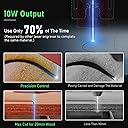
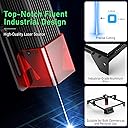
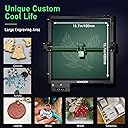
The Longer Laser Engraver is a professional-grade CNC machine delivering 10,000mW laser power with 0.01mm precision and speeds up to 10,000mm/min. Its durable aluminum build includes safety features like protective shielding and auto-stop. With a 400x400mm engraving area, WiFi connectivity, and broad software compatibility, it’s engineered for artists, designers, and makers seeking fast, accurate, and versatile engraving on wood, metal, leather, and acrylic.


| ASIN | B0C3CJ9ZJ3 |
| Best Sellers Rank | #655,752 in Arts, Crafts & Sewing ( See Top 100 in Arts, Crafts & Sewing ) #1,932 in Jewelry Making Engraving Machines & Tools |
| Brand | PrintCraft |
| Brand Name | PrintCraft |
| Color | Black |
| Customer Reviews | 4.3 out of 5 stars 65 Reviews |
| Global Trade Identification Number | 00850038712563 |
| Included Components | Laser Module |
| Item Dimensions L x W | 15.7"L x 15.7"W |
| Item Type Name | Laser Engraver |
| Manufacturer | PrintCraft |
| Manufacturer Part Number | PCLE10 |
| Manufacturer Warranty Description | 2 year manufacturer |
| Material | Aluminum |
| Material Type | Aluminum |
| Model Number | PCLE10 |
| Number of Items | 1 |
| Operation Mode | PCLE10 |
| Product Dimensions | 15.7"L x 15.7"W |
| Style | Industrial |
| Style Name | Industrial |
| UPC | 850038712563 |
| Unit Count | 1 Count |
L**H
Perfect for a beginner!
This is my first experience with an engraver, and I have no regrets. I've been wanting to purchase one, and I finally decided on this one. I was quite pleased with my choice! It was very easy to set up and get started using right away. From opening the box to finishing my first project, it only took a couple of hours. It comes with a pdf user guide and a reference guide for different types of materials, wrich made it very easy to get started. It also came with a program to create the files needed, which was simple to understand and user-friendly. No need to purchase other software. I started out with several test engravings to try it out. The program came pre-loaded with a few starter designs. I tried the compass design on my plastic phone case, and it turned out perfect! I tried a couple of other trials on scrap wood, and they worked really well too. Just a tip: the more uniform the wood is, the better the design turns out, but I'm sure that's true of any engraver. It also worked well on glass. Be sure to read the directions because it works a little differently with glass. But when I followed the directions, it turned out amazing! I engraved a metal knife and a pair of scissors too. They look so professional! No one would guess they were homemade. I even engraved a tortilla shell because it said it works on food. I was surprised to see that it really looks nice! For my first big project, I bought a bamboo cutting board and designed my own custom design. I used the included software to prepare the file for engraving. It worked beautifully! I gave it as a gift, and the recipient was shocked when i said that I made it at home! Everyone thought it was made professionally. I set up the engraver on a table in my living room, and it does produce a little bit of smoke while it's engraving wood, but it's not overwhelming, and it's to be expected. It actually smells nice in my opinion. It's not particularly loud, and it works very quickly. The only thing missing is the tumbler attachment. The picture shows engraved glasses and tumblers, but rounded surfaces like that require an attachment that is sold separately, so I haven't had a chance to try that yet. Overall, I'm really impressed with this engraver, and I'm glad I purchased it! It worked great on different types of wood and bamboo, metal, glass, plastic, and even food! I can't wait to try some more projects!
W**N
Easy to Use / Beginner Friendly!
This was my first foray into laser engravers. I did a lot of research before choosing the Longer Ray5 10W Laser Engraver. I decided on a 10W diode laser because they seemed to be at a decent enough price point (about $500) that I could get started with Laser Engraving without throwing a whole lot of money into the process. The 5W lasers looked like they were too weak / slow and the slightly lower cost didn't justify the loss of power and features. The 20W lasers looked a lot more versatile, but they had a huge jump in price! So I narrowed down the field to 10W diode lasers. I looked over the Atomstack A5, the xTool D1, and the Creality Falcon 10W before choosing the Longer Ray5. The main reasons I chose the Longer Ray5 were the price and value. The Ray5 was the only one of the 4 machines that came with a touchscreen control. I also looked at the accessories that could be added with the Ray5 - there are extension kits to expand the size of material you can work with, a rotary roller so you can engrave cylinders (like Yeti tumblers!), an enclosure to help limit laser exposure and fumes from the engraving, different size tables to support your work, and an air assist kit. I didn't know what an air assist kit was, but it basically blows air around where the laser is engraving in order to reduce heat and remove debris and smoke/dust from the contact point. I couldn't be happier with my purchase! I ordered the Ray5 on a Saturday and it was delivered the next day on Sunday. The box was a lot smaller than I expected - I have a 3D printer with nearly the same machine footprint as the Ray5 and the 3D printer box was easily twice the size of the this one. Upon opening the box, the user manual presented itself, and underneath a foam sheet all the components were neatly and securely packed in their own separate compartments. This is one of the most securely packaged items I have ever received from Amazon, but the components themselves were easy to remove from the foam. Assembly took me about 30 minutes. I've never assembled a laser engraver before, but I am fairly handy and the instructions were easy to follow. Once assembled, I popped in the included SD card, put on the included laser safety glasses (very important!) and ran a couple of the test files. The engraver comes with 3 small sheets of basswood so you can start playing right away. I was impressed with the speed and resolution of the included test files. Each of the images printed in a minute or two (I didn't time it, I was so enchanted at watching the laser zoom around - WEAR EYE PROTECTION!) and the LCD display showed a progress bar so you had an idea of how long the process would take. All in all, I am very happy and satisfied with this purchase! Would definitely purchase again.
G**N
Might Assume Too Much
First, I am having a wonderful time learning to use this engraver. Second, the engraver is just the intitial purchase because it is good to have a honeycomb steel bed and a ventilation system as well. Third, unless you are experienced with laser engravers, there is a learning curve and not enough information provided with the printer so you have to take the initiative to find it. Fourth, if you use Apple/Mac computers like I do, there is only one software (LightBurn) that seems to fit and you will have to buy that after a trial period. Fifth, if you are new to this, there are ongoing purchases of material to engrave (like wood) as well as a Rotary Roller Upgrade Kit if you want to engrave tubular items such as bottles, glasses, etc. and they sent me the wrong one of those so I am awaiting their second attempt to send the correct item.
D**R
Perfect for beginners and experienced crafters.
After several days of research I purchased this as a Mother's Day gift for myself, and it's become a fun family project. It came well packaged with all parts securely packed in foam. With a well produced video included in the product listing, putting it together took less than 30 minutes. With absolutely no arguing between myself and my husband. After watching the product video and several others on YouTube, I felt comfortable enough to try out the engraver on the included wood samples. After a few tries, we moved on to other items and fell in love with the ease of use and the quality of the engraving and have used it for several projects including new tags for the dogs and personalized our youngest sons wallet. Another great selling point is the fact that accessories are available and within most budgets. We've since added the rotary roller and laser bed so that we can continue to create wonderful projects.
D**G
Easy to set up and easy to use.
I am retired and this is my first engraver. It is amazing and a lot of fun. I always wanted one. I hit the ground running. There is a learning curve however, I have had no problems with this system. Easy setup and easy to operate. I have made a few mistakes however there are plenty of YouTube videos to help me along the way. I added a rotary system for Glass beer mugs and cups, Stainless Steel travel mugs, as well as hat patches and key chains... the list goes on. It didn't take long to start getting orders for custom items. Everything I have done I have been able to sell. I will probably get a second one just to do wood and flat projects. ( I can keep my rotary system in place) If you decide to grab one, be creative and have fun. Be safe and don't look at the light.
L**P
A Crafter’s Dream!
I was so excited to try this so I can start making engraved gifts for my loved one’s. When I opened the box I was a little nervous to learn the laser can make you go blind but it came with protective goggles. I had my son-in-law help me set it up cause he’s a machinist and understands this stuff better than me. It probably took an hour to get it set up but that’s because we were careful to watch the unboxing video each step of the way. I wouldn’t say it was hard though. Once set up I installed the MKSLaser App on my iPhone and picked a picture online to use with one of the test wood pieces that came in the kit. Then I used this website https://www.longer3d.com/blogs/about3d/mkslaser-longer-ray5-smartphone-app to help guide me on how to use the app. It took a little trial and error to figure it out but once we did it worked great. It did create some smoke smell so I opened the windows and turned on a fan which cleared it out fast. Other than that it felt safe to use with the goggles on. I’m thinking about using the LightBurn program going forward as it may be a little more user friendly and I also plan to buy the adapter to hold curved objects for engraving. All in all I think this will be a great tool for crafting and gifting.
R**H
Disappointed
The YouTube reviews all speak well of them however my experience with the Ray5 10watt is not as stellar. Pros: Well packaged Easy to assemble Decent quality parts Laser seems powerful enough. Cons: No limiting switches Control board screen is poor quality Gantry crashes often without warning. Motherboard issues.
A**S
UPDATED: (had to return) More than expected - so excited
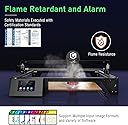
This came packaged SO well. The hardware was individually bagged, and even marked with the corresponding step in the instructions. If you got stuck at any point, it came with a flash drive of videos on how to put it together. LOVED!!! It was bigger than expected so I am going to have to rethink my placement, but I can’t wait to get started. Going through video tutorials and will let you know. UPDATE: Unfortunately I ended up having to return this product. The first problem I had was the flame/fire warning going off repeatedly. This was a feature I was excited about when I bought the product, but it ended up being SUPER sensitive. I found some YouTube videos that said if you are using it in a sunny space, the sun can set it off. When the flame detection goes off, it halts in the middle of the project and you have no choice but to turn off the machine and restart. You cannot resume your project. I was wasting so much material I reached out to the Longer company via the support email on the instructions. They did give me a code to input that stopped the alarm from going off. I thought maybe there was a learning curve to getting the settings right, but after I finally got the desired turn out, the VERY next item I tried to work on (same material, same settings), it barely engraved. This product has so many good reviews, I really think I got a defective one or something. I was able to get some very pretty slate coasters made, but any time I tried to work on wood (just regular birch/basswood) it was an inconsistent fiasco. I really wanted this to work out, but for the price, I expected it to work well and it just did not.
Trustpilot
2 days ago
1 day ago