💽 Clone Like a Pro, Store Like a Boss!
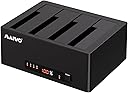
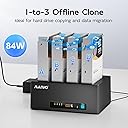
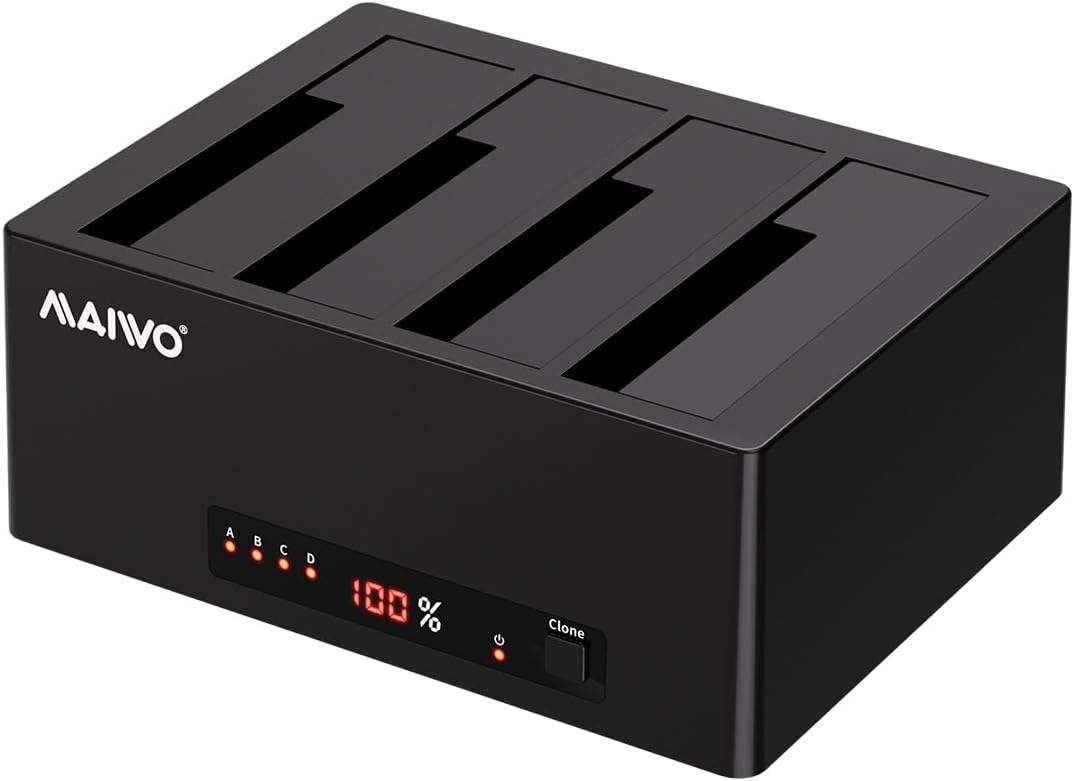
The MAIWO 4 Bay Hard Drive Docking Station is a professional-grade SATA HDD/SSD duplicator and reader supporting up to 96TB total storage. Featuring USB 3.0 with 5Gbps transfer speeds and 1:4 offline cloning, it enables fast, tool-free backups without a PC. Its robust 12V 7A power supply ensures stable operation, while broad OS and device compatibility make it an essential hub for data management, recovery, and batch processing.


| ASIN | B0BCFNDVGY |
| Best Sellers Rank | #64 in Hard Drive Docking Stations |
| Compatible Devices | 2.5 and 3.5 inch SATA HDD SSD |
| Customer Reviews | 4.0 4.0 out of 5 stars (179) |
| Data Transfer Rate | 5 Gigabits Per Second |
| Date First Available | August 30, 2022 |
| Hard Disk Form Factor | 3.5 Inches |
| Item Weight | 1.05 pounds |
| Item model number | 4 Bay Dock Clone |
| Manufacturer | MAIWO |
| Material | High-Strength ABS Plastic |
| Max Number of Supported Devices | 4 |
| Memory Storage Capacity | 96 TB |
| Product Dimensions | 6.54 x 5 x 2.56 inches |
D**A
(MAIWO 4 bay Hard Drive Docking Station) It works! I bought one before this one, THAT works!
I don't recall drive docks being this responsive. I didn't know what to write because this thing just works as it should but I think I've had some goofy ones recently and this one doesn't give me a hassle. If you need to just get something that's not broken, and not want to spend effort on searching for something that should just be a simple purchase, well this is that, your simple purchase, it just works, doesn't get in the way. I got this one primarily because it didn't give me the impression that it would clone (overwriting) one of my other drives, if I sneezed near it. I almost forgot to mention , this isn't the first one of its brand that I purchased. After testing it for awhile I got another one, this is the other one.
J**M
retired
great works good
J**Z
Straight Forward, Gets the Job Done.
An old desktop I had with several hard drives in it that served as a file server gave out. I didn't want to have another dedicated endpoint to simply host hard drives over my home network so I decided to get this dock. I have no intention of using the cloning functionality so I cannot speak to the product in that regard. However, for providing access to my files on my drives, this devices works fine. I have 2 3.5 and 2 2.5 drives inserted into the dock and the dock is connected via USB 3.0 to my Dell monitor which itself is connected to my Mac Mini. At first I wanted a USB-C connection (or was thinking of getting an adapter), but the USB 3.0 connector worked fine for me since my monitor (which serves as a hub) had a USB 3.0 port anyways. Setup was fine, transfer speeds are on par with the standards used, and the drives, either 3.5 or 2.5 (and even then, the fatter and slimmer 2.5s), sit comfortably and securely. You can insert and remove drives with the dock still plugged in. One star is knocked off for the less than ideal build materials (just a hair above too plasticy) and the drive indicator lights being rather generic and bleed into one another. Overall a decent and quick solution for my drives, I can access my files locally with ease, or across my network through my Mac Mini.
Q**E
Works Great
Update ----------------------------------------------------- Two of the harddrives got corrupted and is unable to use unless formatted. It was working without any disconnects, I dont know why but it kept corrupting the drives.... I attempted to transfer data between two external HDDs, but the speed I was getting was ~41 MB/s. But using this, I’m consistently achieving speeds of 185-190 MB/s. Also much simpler to use, as it only requires one power cord to power both drives. I haven't tried the offline clone function yet, but so far, this product has been outstanding!
E**P
Yesiree Bob
I have four internal hds and two external. This works perfectly for the internals. Be sure to use the right power supply with it. I mixed mine up and the drives kept dying. Anyway…
R**Z
More than expected
Works great, simple to use, lightweight practical design, quality build look kind of delicate.
A**R
Not a problem reading the drives.
Not a problem reading the drives. PC recognize it immediately.
S**D
THIS IS A MAIWO "K3082A"! Know that "A" is very important!
THIS IS A MAIWO "K3082A"! Thia AMAZON is a spiffy Ad, but NO mention of a Model number anywhere?! The MAIWO website DOES finally show the "K3082A" model, but no PDF/manual download is offered?! Please know that "A" is VERY important because Google WILL substitute OTHER models with similar numbers that are NOT the same Station! Example: The "3082" has NO front "LED PROGRESS DISPLAY" and MORE top buttons?! 'That manual' will direct you to push buttons we don't have. At MAIWO "steps" ARE shown, but Step 2 says, 'plug in the power cable... then install the drives', "the lights start flashing" and THIS BOTHERS ME because almost ALL drives should be powered DOWN when connecting (and disconnecting)!? This is to protect the Drives from 'random voltage spikes' AT the "hot" SSD SOCKET inside! Now SOME HOT drives are swapped "HOT" on huge mainframe computers, but those Drives are highly protected from spikes. I am trying to backup my "Win 10 Pro x64" SSD to a larger SSD Drives, but the 'standalone mode' (no PC) did not work for me? I have tried 3 different SSD mfg, but none would boot after cloning? I am going to install Macrium Reflect Technician and then EaseUS Partition Master next; then retry cloning again?
P**T
Facile d'utilisation et d'installation. Semble faire le travail sans difficulté.
N**.
Simple et fonctionnel
G**D
I am using mine to connect a couple of external SATA hard drives to my home server for JellyFin and file storage. So far it is working well. I've not tried the clone function yet as it wasn't a requirement.
J**.
I bought this 4-bay SATA USB dock almost two years ago, and for a long time it behaved like a good little device. Plug it in, drop in drives, everything worked. Life was good. Then one day—poof—it stopped working. No warning. No drama. Just dead. I contacted support, hoping for help. Instead, I got a polite shrug and a 15% discount offer on a replacement. “Do I want to buy another one that might quit after two years?” Yeah… no thanks. Turns out the warranty is only one year, so repairing it was officially not their problem. That stung, especially since I have SATA-to-USB adapters that have been working happily for 5–10 years. Suddenly this “deal” didn’t feel like much of a deal at all. At this point, I had nothing to lose. So I became a hero. I peeled off the rubber feet, removed the screws (four for the case, five more for the motherboard), and opened it up like a treasure chest. Inside, I went hunting for the dreaded enemy… SMOOOOOO. Armed with my finest tool—the mighty TOOTHPICK (strong enough to poke, gentle enough not to destroy)—I carefully inspected and cleaned the board. On the bottom side, near a SATA power solder joint, I found suspicious smoo that looked like it might be causing a short. I cleaned between the solder contacts, reassembled the unit, and took a deep breath. I plugged it in. BOOTED NORMALLY. No error. No drama. I dropped in a few drives for testing, and—YES—it worked! The dock lives again! Honestly, thank goodness it was out of warranty, or I’d still be waiting weeks for shipping instead of fixing it myself in an afternoon. I’ve put it back into service, now running four 3.5" SATA drives at a normal load. I’m happy again… cautiously happy. Will it last forever? Time will tell. But for now, the adventure has a happy ending.
K**.
The docking station disconnects and reconnects to my computer randomly, even after I provided much better power supply unit and the USB cable.
Trustpilot
2 weeks ago
1 month ago