Desertcart purchases this item on your behalf and handles shipping, customs, and support to South Africa.
🦶 Step up your workflow game with the ultimate hands-free control!
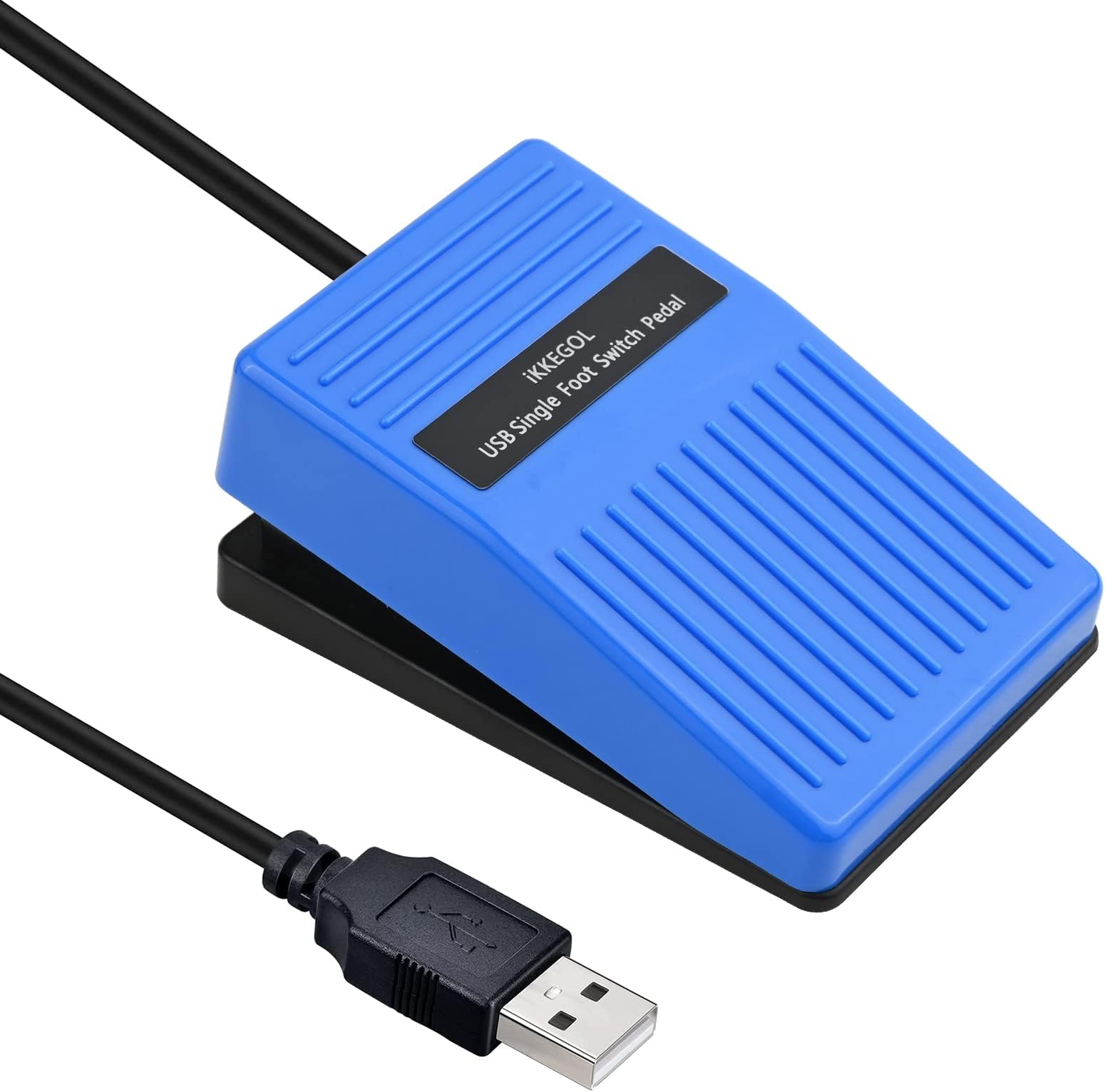
The iKKEGOL Upgraded 2023 Digital Optical USB Foot Pedal is a single programmable footswitch designed for gamers, streamers, transcriptionists, and professionals seeking hands-free control. Featuring a quiet, responsive optical switch with a 6.2ft USB cable, it supports customizable key, mouse, multimedia, and game commands across Windows, Mac, Linux, and more. Its sturdy build and anti-slip feet ensure stable use, while plug-and-play functionality makes setup effortless. Perfect for boosting productivity and reducing repetitive strain, this foot pedal transforms your workflow with versatile, ergonomic control.
| ASIN | B0BWTRBLNP |
| Best Sellers Rank | #300 in Computer Keyboard & Mouse Combos |
| Brand | iKKEGOL |
| Brand Name | iKKEGOL |
| Button Quantity | 38 |
| Color | Single Pedal |
| Compatible Devices | Gaming Console |
| Connectivity Technology | USB |
| Controller Type | USB Foot Switch |
| Customer Reviews | 4.5 out of 5 stars 209 Reviews |
| Included Components | Foot pedal |
| Item Dimensions | 3.9 x 2.5 x 1.5 inches |
| Manufacturer | iKKEGOL |
| Manufacturer Part Number | IKG-10020C |
| Model Number | 10020C |
| Number of Buttons | 38 |
| Package Quantity | 1 |
| Unit Count | 1 Count |
| Warranty Description | 12Months |
M**K
Smooth, Responsive, and Perfect for Workflow Efficiency
The iKKEGOL Upgraded 2023 Digital Optical USB Foot Pedal has been a great addition to my setup. It’s super responsive and works exactly as described. Setup was quick, and the included software made it easy to assign custom commands. The build quality feels solid, with a low profile and smooth action. It doesn’t slide around while in use, and it registers every press without lag or misfires. Whether you’re using it for transcription, push-to-talk, streaming commands, or productivity shortcuts, it performs reliably. If you're looking for a hands-free solution to speed up your workflow, this is a smart, affordable option that actually delivers.
G**R
Used to make and experminent, works great, sturdy, stays in place
Very well put together and works well for what I using for. Has great weight to holding in place so I'm not searching for it under my desk My brother likes it and said much better and easier to use and set up... and was easy to program for the raspberry pi device he made for.
S**D
Very multituse and works easily
Love it so much that I wish I got the double option!
M**L
Works, but. . . .
Functions, but has a lot of issues. The spring is way too strong and the hinge makes an annoying creaking sound. There is a lot of travel before the switch activates. The switch is an optical beam interrupt and the flag starts about half an inch above it. This is designed the be stomped on while listening to loud music. Without and software , it is just a one button keyboard, so if you want to use other software, this thing just sends the letter "B".
L**G
Worked great with Discord
Installed this with a desktop computer for use in Discord. It was easy to install - just install the software and plug in a USB. The directions on where to get the software were included in the package and worked just fine. I configured mine as both a push to talk and push to mute with Discord. Since Discord was looking for a keyboard key stroke for these things I programmed the same key for both options. It's working like a champ ! It has freed up a button on my mouse and makes it easier to talk while doing other things with my hands. As a previous reviewer noted, it is smaller than I imaged a foot pedal would be, but it works just fine. I haven't used it for very long (~ 1 week) so can't comment to long term durability, but for the price ($16) it is a good value for those wanting to try this out.
D**N
Great product
I use this for push to talk in game. Works great and flawlessly. A cheap easy way to use less keys and keep fingers on keyboard where they need to be.
K**E
Works well.
Even though the software looks like it's still from the Windows 7 era, I was able to download it, program the pedal and then move the pedal to another computer and it retains it's function. Very pleased with both the programability and the funtion. It works perfectly. No issues with it connecting to Windows 11. It's not completely quiet but good enough for me. It is a little bit light and slides across the floor so i added some traction tape underneath.
B**N
Little to no instructions.
I purchased this to use as a on/off control for a microphone. I haven't found the instructions that explains how to do this. I am an IT technician, so SHOULD be able to figure this out, BUT alas, have been unable to.
K**R
Does not function as a Joystick. 'Game' menu is useless in Footpedal 7.4.4
The 'Game' option to use Joystick inputs does not work. It would have to come up as a HID-compliant game controller in Human Interface Devices as well. This image is from the Footpedal 7.4.4 software available on Ikkegol's website. The ElfKey software which also functions does not have this 'Game' menu. This is very disappointing as the ElfKey software does have an option to 'Hide in Tray' so it could easily run a virtual gamepad to facilitate this function. I am going to have difficulty reprogramming the internal microcontroller because the part number has been filed off the 16pin chip inside the pedal. It is possible to use Keyboard keys beyond F12 (such as F13 to F24) for programs such as Discord. It is NOT possible to use Joystick Button 1 in Teamspeak, Ventrillo or other chat software that supports Joystick inputs for push-to-speak. However while playing a Video Game this device can interfere with the amount of keys pressed at once during complicated maneuvers if also set to a keyboard and pressed down. There is a 'Key Press Limit' in most games and some operating systems. Windows 95 to 2000 has a 6 key press limit. XP removes this limit but many older games are still set to 6 keys at once. I am going to have to continue to use the Sewing Machine pedal I have wired into a 'USB Joystick Controller Board' (also available on Amazon, just use that as a search term) usually used for Arcade stick projects for the exact functionality I am looking for. It is a mouse with keyboard keys to device manager. Similar to a mouse with a number pad, 1 entry in Device Manager. It is not however a Mouse and Keyboard and Joystick device. I have a product like that and it puts 3 entries into Device Manager. For the lack of Controller support and filing off the chip info, 1 star. If/when ElfKey's tray icon also runs a Virtual Joystick (source code is very easy to find for that) and it would get 4 stars. Still get -1 for filing off chip info. If you find the device loud on press, an inch of foam tape above where the cord attaches will make it nearly silent.
G**.
Me llegó un artículo usado y dañado
Mal, me llegó un artículo ya usado y sin los aditamentos de adentro del pedal.
Trustpilot
2 months ago
2 months ago