


Desertcart purchases this item on your behalf and handles shipping, customs, and support to South Africa.
🎮 Upgrade your Wii, upgrade your game — nostalgia never looked this sharp!
The Kaico Wii to HDMI Adapter converts your Nintendo Wii’s component video signal into crisp HDMI output, supporting both NTSC 480i/p and PAL 576i/p formats. Compatible with RVL-001 and RVL-101 Wii models, it offers a simple plug-and-play experience with no extra power needed, delivering enhanced picture quality on modern HDTVs. Backed by a 12-month warranty, this compact adapter is the perfect upgrade for retro gamers seeking vibrant visuals and hassle-free setup.
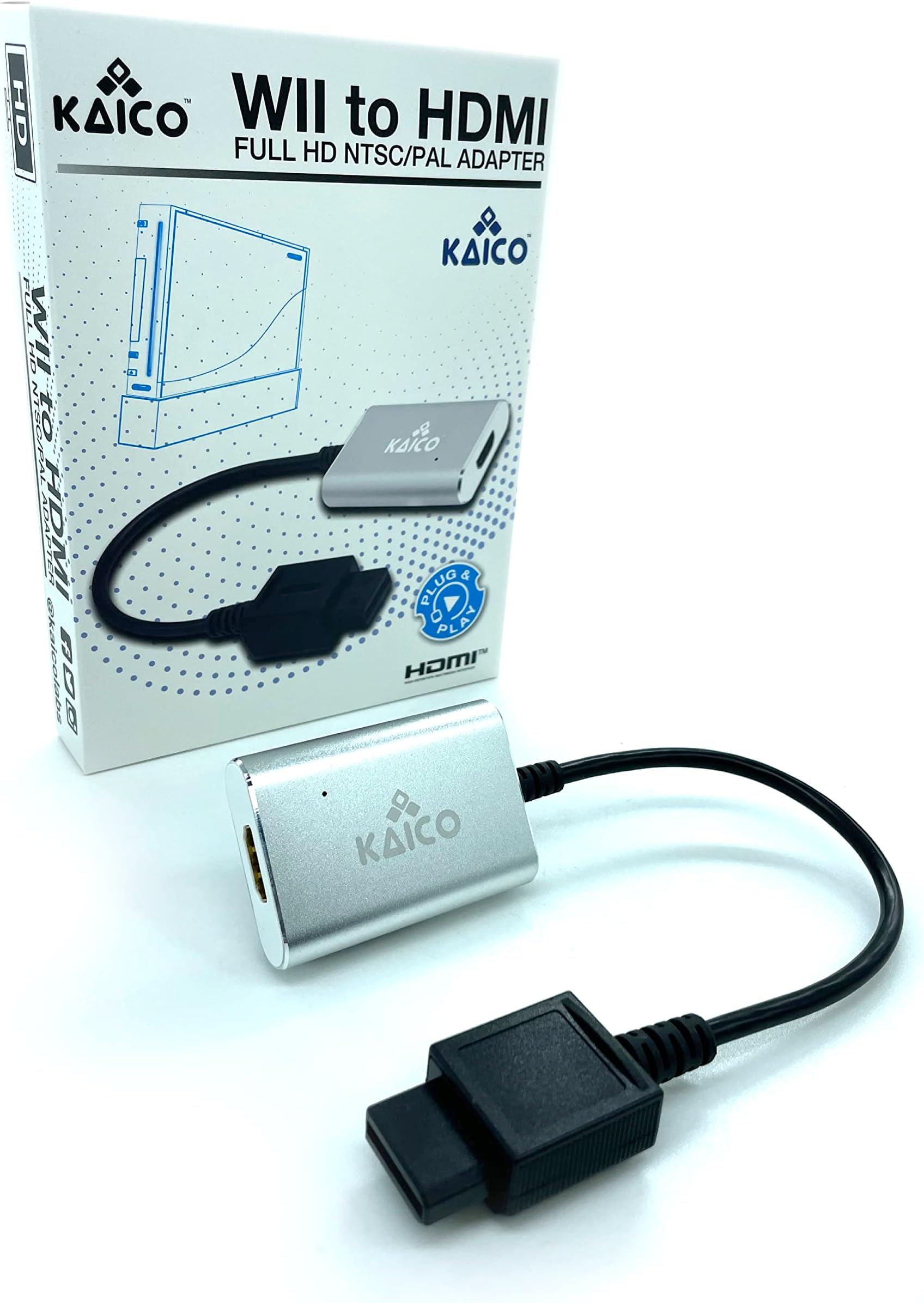


| Asin | B0BNQJM18X |
| Best Sellers Rank | 4,186 in PC & Video Games (See Top 100 in PC & Video Games) 57 in Wii Accessories |
| Brand Name | Kaico |
| Colour | black |
| Compatible Devices | Nintendo Wii |
| Connector Type | HDMI |
| Country Of Origin | China |
| Current Rating | 1 Amps |
| Customer Reviews | 4.3 4.3 out of 5 stars (538) 4.3 out of 5 stars |
| Eu Spare Part Availability Duration | 10 Years |
| Item Dimensions | 6 x 4 x 1.5 centimetres |
| Manufacturer | Kaico |
| Model Number | Kaico-RVL-001/101 |
| Number Of Items | 1 |
| Number Of Ports | 2 |
| Package Quantity | 1 |
| Power Plug Type | No Plug |
| Product Finish Type | hdmi |
| Product Warranty | 1 Year Warranty |
| Specific Uses For Product | TV |
| Unit Count | 1.0 count |
| Warranty Type | Limited |
User
Just the job
This adaptor gives the same quality of picture as the separate component cables. Perfect.
User
Looks great!
Looks great, plug and play straight out the box. No colour issues on LG TV.
User
Decent but imperfect Wii HDMI solution
So, the short form of this review is that if you’re looking for a solution to connect your Wii to an HDMI only TV, this does work. Simply plug and play.I really bought this in preparation for the future since it seems manufacturers are phasing out older connection types, but my current TV does actually have component inputs, so I was able to compare this adapter with the official Nintendo component cable.In terms of sound, it’s great. No noticeable quality loss and good volume. I was perfectly happy in that regard.The differences start with picture quality. I’d read in other reviews that the adapter produces a dark image and this was true for me. Compared to the component connection, the image is very noticeably darker. Simply increasing brightness settings on the TV is not a good solution because it results in a washed out image. However, if you do buy the adapter, I would strongly recommend experimenting with the various display mode presets on your TV, or if you feel comfortable, changing advanced settings if available. I was able to find presets that made the game look significantly better. That said, regardless of the marketing text, I also don’t believe the image is quite as clean as with the component cable.Finally, I’ve experience no noticeable input lag and no problems with signal consistency.
User
Excellent product, superb picture!
Plug and play, so simple to use, and seriously upgraded the picture quality of the wii when used on our widescreen smart tv. Recently decided to dust off the wii for the grandkids to play with and we're so disappointed in the blurry picture that it was destined for the tip. Decided to try an adapter first and so pleased that we did. Not sure the grandkids will get a look in now we've rediscovered out love of wii bowling and wii golf 🙂
User
The best Wii HDMI adapter I’ve used
Works great. No noise, flickering or diagonal lines across the image like I’ve had in the past with some cheaper adapters. I’ve seen some reviews of this say the image is a little dark. I haven’t found that but you can always adjust your tv settings if that’s an issue for you.I run my Wii + Kaico adapter through an HDMI input switcher with no issues at all. The Portholic adapter I was using previously isn’t compatible with my new Sony tv (even when connected directly) and the signal would disappear and reappear every few seconds, making it unusable. This solved that issue too.I do like that this has a flexible cable. This means the adapter + the HDMI cord don’t protrude out the back of the console as much. The Wii can now sit closer to a wall or the back of a cabinet. With other solid adapters the Wii would have to sit quite far forward.This is the best solution I’ve found to connect to a modern TV. It’s at least as good as connecting via component cables (inputs my current display doesn’t have). Bare in mind the Wii is not an HD console but I’ve found setting the Wii screen type to 480p gives the best results.
User
Garbage
Don't waste your time or money on this garbage. Half the time you don't get a display, and when you actualy do, the picture is all washed out and dark. I will be returning for a refund
User
Worth the money
I bought a different adaptor first and had colour issues. I got this one as an alternative and it was spot on from the off. Easy to setup, correct colours, and no problems. I should have gone with this one to start off.
User
Works as advertised
Works as advertised
User
Impeccable
Ça fonctionne très bien, l’image est bonne. Produit conforme à mes attentes
User
Bien producto
Funciona perfecto
User
Excellent
Excellent la qualité est au rdv
User
Fungerar över förväntan!
Fungerade över förväntan! Kan varmt rekommendera för att koppla upp Wii via HDMI.
User
Gelungener HDMI-Adapter für die Wii – empfehlenswert! 😊
Ich bin mit dem Kaico Wii-zu-HDMI-Adapter sehr zufrieden und nutze ihn hauptsächlich, um Wii- und GameCube-Spiele über meine Wii an einem modernen Fernseher zu spielen.Die Grafik wird durch den Adapter natürlich nicht auf echtes HD- oder 4K-Niveau angehoben. Auf meinem Philips Ambilight 4K mit 55 Zoll wirkt das Bild im Vergleich zum normalen AV-Kabel für mich trotzdem deutlich angenehmer. Besonders Texte und einige Texturen erscheinen klarer und weniger verschwommen. Über das AV-Kabel waren sie zwar ebenfalls lesbar, auf Dauer empfand ich die Darstellung aber als anstrengender für die Augen. 👀Bei normalen Wii-Spielen fällt mir der Unterschied je nach Spiel unterschiedlich stark auf. Bei vielen GameCube-Spielen ist die Verbesserung für mich deutlicher erkennbar. 🎮🔌 Anschluss und HandhabungDer Wii-Stecker ist fest mit dem Adapter verbunden. Man steckt den Adapter daher direkt an die Wii und verbindet ihn anschließend mit einem HDMI-Kabel mit dem Fernseher. Eine zusätzliche Einrichtung war bei mir nicht notwendig: anschließen, den richtigen HDMI-Eingang auswählen und losspielen. 👍Da der Stecker fest verbaut ist, achte ich darauf, dass der Adapter nicht durch das HDMI-Kabel nach unten gezogen oder unnötig belastet wird. Probleme hatte ich damit bisher keine.Mein Exemplar unterschied sich optisch leicht von den Abbildungen auf der Produktseite. Alle benötigten Anschlüsse waren jedoch vorhanden und der Adapter funktionierte bei mir sofort.✅ Vorteile🎮 Besonders bei einigen GameCube-Spielen sichtbar klarere Bildwirkung👀 Texte und Texturen wirken für mich weniger verschwommen⚡ Einfache Plug-and-Play-Nutzung ohne zusätzliche Einrichtung📺 Funktioniert bei mir problemlos an einem modernen 4K-Fernseher💰 Das Preis-Leistungs-Verhältnis passt für meine Nutzung❌ Nachteile⚠️ Die ursprüngliche Auflösung der Spiele bleibt bestehen – echtes HD oder 4K darf man nicht erwarten🔌 Durch den fest verbauten Stecker sollte der Adapter nicht unnötig belastet werden⭐ FazitFür meine Nutzung hat sich der Kaico Wii-zu-HDMI-Adapter als einfache und zuverlässige Lösung erwiesen. Das Bild wirkt auf meinem Fernseher angenehmer als über das normale AV-Kabel und die Einrichtung ist unkompliziert. Wer seine Wii an einem modernen Fernseher über HDMI anschließen möchte, könnte mit diesem Adapter ebenfalls zufrieden sein. 😊🎮
Trustpilot
2 weeks ago
2 months ago