🖨️ Print smart, live sharp—your all-in-one productivity sidekick!
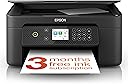
The Epson Expression Home XP-4200 is a sleek, space-saving 3-in-1 printer offering wireless printing, scanning, and copying with 1440 dpi resolution. Featuring duplex printing and a 2.4-inch LCD, it supports easy mobile connectivity via Wi-Fi and Wi-Fi Direct. Its affordable individual ink cartridges and included 3-month Readyprint Flex trial make it an ideal choice for efficient, high-quality home or small office use.


| ASIN | B0BB778PHR |
| Are Batteries Included | No |
| Best Sellers Rank | 270 in Computers & Accessories ( See Top 100 in Computers & Accessories ) 4 in All-In-One Printers |
| Colour depth | 24 bpp |
| Compatible devices | Smartphones |
| Connectivity Type | Wi-Fi |
| Controller type | Android |
| Customer Reviews | 4.3 4.3 out of 5 stars (706) |
| Date First Available | 19 Aug. 2022 |
| Dual-sided printing | Yes |
| Form Factor | Printer |
| Guaranteed software updates until | unknown |
| Included components | Printer-Power lead -Inks |
| Item Weight | 4.3 kg |
| Item model number | C11CK65401 |
| Manufacturer | Epson |
| Max copy speed (black and white) | 33 ppm |
| Max input sheet capacity | 100 |
| Maximum Supported Paper Size | A4 |
| Maximum black and white print resolution | 1440 dpi |
| Maximum colour print resolution | 1440 dpi |
| Power consumption | 4.8 Watts |
| Print media | Paper (plain) |
| Printer resolution colour vert. max. | 3657.6 Centimeters |
| Product dimensions | 3.75D x 5.77W x 2.42H metres |
| Scanner type | Photo |
| Sheet size | 9x13 / 10x15 / 13x18 / 20x25 |
| Warranty type | Limited Warranty |
| Wattage | 4.8 watts |
J**C
Excellent printer and easy to use
Lovely printer. So much better than the last few i bought from another brand which were so hard to work with. This one was so easy to install and print without any fuss. Finally i can feel less stressed every time i go to print or scan something, knowing that it will actually work.
A**R
Good little printer.
Easy installation, got to use WiFi to connect to phone. Have to register the printer with Epson make sure you have the 6 character password that's on a small label under the scanner lid. Works well with smart scan app. You can also connect to a pc or laptop with a USB cable. All straightforward .
B**O
Good specification for the price. Excellent print quality but build quality lacking in places.
I bought this printer to replace my aging Canon MG5753 as it seemed to be a like-for-like replacement, with a slightly higher specification and much faster print speed. My first impression straight out of the box wasn't that great as a slim plastic cover that fits beside the paper feed tray fell off whilst I was removing the printer from the protective bag. I soon got it clipped back on but it wasn't a great start. There are a few slightly flimsy-feeling parts to this printer - that cover, the output tray and the console buttons, which resemble the kind of keys you got on a Sinclair ZX81 computer in the early 1980s. The display console itself can be tilted upwards to give you a better view of the screen and buttons. The process of setting up the printer is very easy though and you definitely don't need an app or a laptop to do so. In the interests of research, I did it without and the most fiddly part was inputting my Wi-Fi password using the cursors on the control panel. The Wi-Fi reception is excellent and better than my previous printer. After fitting the supplied ink cartridges, you need to align the print heads and it's all done automatically as part of the setup process, which took about 15 minutes to complete. This does use a little bit of ink so it's just as well that you get some included. On the subject of ink cartridges, you can buy 'compatible' ones (as I have) complete with chips that the printer will recognise. Whilst they cost roughly the same as Original Equipment ones, they're high capacity so should last a lot longer. Remaining on the subject of ink, the heated piezo print head used on this printer apparently results in a small amount being deposited in an 'ink receptacle' which you need to unscrew and empty from time to time - perhaps an automatic job for whenever you change the cartridges. EDIT: Actually, I've since found that you have to replace it as it can't be emptied because the ink is absorbed by felt-like pads within the receptacle. I've gone through two sets of cartridges and the receptacle is only about 2% full. You can buy replacement ones for a few pounds if you shop around. Print quality really is great with smaller type faces being crisp and clear. Colour reproduction is vivid and should meet most domestic needs. The print speed doesn't appear to be quite as fast as the maker claims but A4 b/w letters take 4-5 seconds to complete. The print queue lag is quite lengthy by comparison to my last printer and takes some 45 seconds before the printer begins after clicking 'print.' You have to physically turn on the printer to start printing as it doesn't have an 'auto-awake' function if it's left plugged in to the mains but switched off at the printer. However, you can leave it on standby for as long as you want by adjusting the relevant setting. The rest of the functions (scan, copy etc.) are easy to navigate, and the dual sided print function is accessed via the print manager function on your laptop or mobile app, or on the printer console if you're using it to photocopy. The mobile app is pretty good and is easy to download and use. Besides using it to control print jobs, you can also do other things like check the ink level. On the whole, this is a very good printer for the price. It's been a while since I bought one for domestic use but this one does everything I need it to do and the print quality and speed is a definite step up from my old one.
M**T
Reliable, easy to use, and great value
The Epson Expression Home XP-4200 has been a great addition to my home office. Setup was quick and the WiFi connection worked on the first try, which isn’t always the case with printers. Printing quality is sharp and vibrant for everyday documents and photos, and the 3-in-1 features (print/scan/copy) make it really convenient. The scanner is surprisingly clear, and copies come out crisp. It’s also compact enough to fit on a small desk without feeling crowded. Overall, a reliable multifunction printer that does exactly what I need it to. Great value for the price.
S**L
Excellent printer
I have just finished setting up the XP-4200 and must say how easy it was having just had the XP-2200 and sending it back because it was useless. The print quality is very good and the speed is also very good. Would definitely recommend this printer for home use
T**E
Really poor set up
I know it was cheap but poor quality Had a nightmare trying to set up, even when was connected wireless it said failed , i just got fed up and sent straight back I cant comment on the print quality as it never actually managed to do that. But it is v cheap.
A**A
Very pleased.
Be aware this is a WiFi only printer. Works great. Doesn't print through an app so easy to use. Great value for money. Takes compatible ink cartridges with ease
R**R
Simple but not the best.
Not exactly the best printer I have owned, although I have always purchased more expensive printers, not very economical with the inks, paper feed tray is rather awkward to load, you have to be standing up to see the blue markers.
J**A
Great value and quick delivery
A**R
Takes a long time to even get started. Too many error checks on this item - very clear from the beginning that epson means this cheapo printer to be super ink hungry. When I rang epson support service they said "the only way you can get the promter setup quick is if you now buy all the error setup ink cartridges in xl - only xl- thats the only way" yeah right...thats around $150. NO THANK YOU. thats not even Guranteed that the product will work. Returning this crap
Trustpilot
2 days ago
3 weeks ago