Desertcart purchases this item on your behalf and handles shipping, customs, and support to South Africa.
🚀 Elevate your home network to pro-level speed and security—because buffering is so last decade.
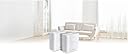
The ASUS ZenWiFi XT9 AX7800 is a powerful tri-band WiFi 6 mesh system designed to blanket your home with ultra-fast, reliable wireless coverage up to 5700 sq ft. Featuring cutting-edge ASUS RangeBoost Plus technology, it ensures strong signals across multiple rooms and floors. With speeds up to 7800 Mbps, a 2.5 Gbps WAN port for lightning-fast wired connections, and lifetime free AiProtection Pro security, this system is built for smart homes demanding seamless streaming, gaming, and IoT device management. Easy to control via the ASUS Router app or web interface, it’s the ultimate upgrade for professionals who refuse to compromise on connectivity.


| ASIN | B0BHL9T17Y |
| Antenna Location | Business, Gaming, Home |
| Antenna Type | Internal |
| Best Sellers Rank | #10,912 in Computers & Accessories ( See Top 100 in Computers & Accessories ) #194 in Whole Home & Mesh Wi-Fi Systems |
| Brand | ASUS |
| Built-In Media | Power adapter, Quick Start Guide, RJ-45 cable, Warranty Card, XT9 White 2pack |
| Color | WHITE |
| Compatible Devices | Gaming Console, Personal Computer, Smart Television, Smartphone, Tablet |
| Connectivity Protocol | Wi-Fi, Ethernet, USB |
| Connectivity Range | 5700 square_feet |
| Connectivity Technology | Ethernet, USB, Wi-Fi |
| Control Method | App, Touch |
| Controller Type | App Control, Push Button, Web GUI |
| Coverage | 5700 square feet |
| Customer Reviews | 3.9 out of 5 stars 426 Reviews |
| Data Transfer Rate | 7800 megabits_per_second |
| Frequency | 5 GHz |
| Frequency Band Class | Tri-Band |
| Item Dimensions L x W x H | 6.3"L x 2.95"W x 6.36"H |
| Item Type Name | Wireless Router |
| Item Weight | 1.6 pounds |
| LAN Port Bandwidth | 2.5 Gigabit |
| Manufacturer | ASUS |
| Maximum Upstream Data Transfer Rate | 3900 megabits_per_second |
| Mfr Part Number | ZENWIFI XT9 2PK WHITE |
| Model Name | ZenWiFi XT9 |
| Model Number | XT9 (W-2-PK) |
| Number of Antennas | 6 |
| Number of Items | 2 |
| Number of Packs | 2 |
| Number of Ports | 4 |
| Operating System | ASUSWRT |
| Other Special Features of the Product | Guest Mode, Internet Security, Parental Control, QoS, WPS |
| RAM Memory Installed | 512 MB |
| Router Firewall Security Level | True |
| Router Network Type | Mesh |
| Security Protocol | WPA-Enterprise, WPA2-Enterprise, WPS |
| Special Feature | Guest Mode, Internet Security, Parental Control, QoS, WPS |
| UPC | 195553593311 |
| Voltage | 110 volts |
| Warranty Description | 3 years warranty ARR |
| Wi-Fi Generation | Wi-Fi 6 |
| Wireless Communication Standard | 802.11ax |
| Wireless Compability | 802.11ax |
T**V
ZenWiFi XT9 Review
Review Asus ZENWiFi XT9 This is a review of the 2 unit Mesh system: a router and a node. Asus has done an excellent job of making a very sophisticated system easy to use for the novice. But if you are not a WiFi expert you can get into trouble quick. Fortunately, I do have a good deal of knowledge about these things, but I am far from the “know-it-all” status. I consider Asus the Lexus of computers and WiFi systems. In my opinion it is premium quality equipment. If you are buying a product like this there are some things, you should know. The 5 GHz band, from 5.1 through 5.9 it is a wild and crazy world, it is not completely regulated and there are no real solid rules and regulations to live by. Each company making a mesh system has some flexibility on how they can implement their system in this very undefined area, the 5 GHz band. I selected this system because it seems to be the best WiFi 6 and complete Mesh system out there. I did not feel the WiFi 6e, 7, or 8 is ready for me, maybe 6 or more years down the road. Things you need to know: 1. Model and serial numbers. The Model and serial numbers are on the outside of the box for the two pack – router and node. Those box numbers are used for warranty and registration. 2. Use the Asus Router App on your phone to set it up, you can use the Web Gui later for regular maintenance and adjustments after your system is up and running. 3. Intel WiFi Driver fact sheet “Advanced WiFi Helper Tip” – pay attention to it. It may be very important to you, so do not overlook it. There is no mention of it in the instructions or on the Asus web site, that I know of. I recommend using the Intel WiFi Driver check-up from the Intel download center even if your WiFi card is not listed. That automatic checking by Intel seems to work perfectly and it may improve your laptops. First Set-Up out of the box: This mesh system will establish a WiFi backhaul first. That is accomplished with the second 5-GHz Band, it has the 4x4 antenna and it is 100% rock solid and fast. If you can, I suggest you run it that way at least a couple of days before going to ethernet backhaul. I will venture to say most users will continue in that manner; after all it is an exceptionally strong WiFi backhaul, with only one caveat that I am aware of. As I understand it, the first 5-GHz Bank only has a 2x2 antenna (the caveat). I wanted the absolute maximum speed for all WiFi clients that needed it, so I went with Ethernet backhaul. Now WiFi clients that need the fastest speed, have it with the second 5-GHz band. There are way too many “pros” to list for this product, most of them you will see in the sales literature. Some biggies are: Trend Micro built in. 4 ethernet ports on router and node. USB ports on both units, back up media, or print servers, and many more. A GUI interface that is Top Drawer. Cons: No detailed and complete instruction manual, thus nothing is cataloged or indexed. The Asus web site only provides about half what you may search for. I get better results by doing an internet search, which will often take me to Asus for details on the product. It is odd that Asus does not provide that directly. However, the WEB Gui Links for specific support topics will usually answer about 80% of your questions in a detailed manner. It would be nice if both 5-GHz Bands had the 4x4 antenna. I think you can get that in their products that cost a lot more. DFS, this is part of the non-structured, partially regulated, and unregulated, mess of the 5-GHz world. It appears that Asus has done a very good job to work around the madness. So far, I have had only “one” occurrence when the second 5-GHz band went off-line. It could have been a radar (of any source), it could have been a neighbor next door, or it could have been a result of my “fine” tunning. As of now, it appears that the Asus “auto” mode of channel selection has found a way to bypass the radar issues, only time will tell if that is a true statement. I used a defined SSID for each of the three bands, that is I did not use “Smart Connect” after going to ethernet backhaul. This allowed me to “target” my three bands. For your heavy-duty WiFi Laptops using the 4x4 mode this could make a big difference in the speed. YMMV. I strongly recommend this product.
D**.
Fast speed, great coverage, finicky setup
This replaced an older Linksys router and extender, providing better coverage over all three floors and reaching outside to our Ring system. Coverage and performance is far better using the mesh routers even though the previous system was also WiFi6. Setup was a bit harder than anticipated, having to individually connect each router to a hardwired connection to update and bring the system online, rather than just bringing them close per the directions. After that it has worked well with a few (perhaps 2-3 in several months) dropouts/slowdowns requiring a reboot. Reboots are typically required after a FW update otherwise speed is degraded. After power outages (all too frequent) the system usually recovers cleanly. Signal strength is now consistent from upper floor office to the basement media room, and connection to the outside Ring devices is reliable (unlike the previous system). I now have four mesh routers rather than a main router, extender, media nodes (WAPs), and powerline nodes so the system is much simpler. The ASUS app is good, allowing me to monitor, set conditions, update, check connections, and verify speed and QoS.
A**A
Doesn't Live Up To The Reviews
I bought this router based upon reviews, and boy was I disappointed. Set Up was easy and system was super fast and powerful. I had used the system in bridge mode after my Firwalla and after a few days I noticed the faults. 1: Could not register the units because ASUS kept coming back with incorrect serial numbers (they were correct) 2; Could not get back into the web router settings. This is where you make the major changes, such as bridge vs router 3; Several devices just would not connect 4: the satellite unit just went off-line after the third day. I even tried a factory reset, but all to no avail. 5: tech services could not be reached online since you need to enter a serial number, which ASUS would not accept. Calling was useless: on hold for 30 minutes and then I gave up Packed up the system and sent it back. I'll stick with my eero pro6 set-up for now. It is a slow but a steady proformer.
G**E
Works great but is it durable. I guess we will see.
Two years ago, I decided to replace my traditional router with a mesh WiFi system. Since I'm an ASUS fan, I chose the ASUS ZenWiFi XT9 AX7800 Tri-Band WiFi 6 Mesh System (2-pack). I'm fairly computer-savvy, but the initial setup wasn't as straightforward as I expected. It definitely took more time than setting up a single router. Learning how the mesh system worked was a bit of a challenge, but after some reading and a little trial-and-error, I eventually got everything configured and running properly. The results were impressive. My WiFi now provides reliable coverage for more than 5,000 square feet, and the overall signal strength throughout my home has improved significantly. Now for the downside. After about two years, one of the routers suddenly failed. It simply wouldn't power on. I even tried swapping the power supply, but that made no difference. It was completely dead. Since I had been happy with the system's performance, I bought another two-pack, which expanded my network to three mesh nodes. At any given time, I typically have 20 or more devices connected, and the system handles them without any issues. I also like that I can manage the network either from my desktop or through the mobile app. Overall, I'm very pleased with the performance and coverage of this mesh system. However, I'm disappointed with its durability. A 50% hardware failure rate after only two years isn't very encouraging. Only time will tell whether this turns out to be a good long-term investment.
Z**F
Whole home coverage
So, I had a Netgear XR700 that managed to cover my whole home. The router is in the basement sadly not centered but at one end of the house. The house is about 6000 sq ft. Sadly that Netgear got all messed up and while I managed to get it running again with open source software it was never the same. Finally the wireless just wasn't working well at all. I replaced it with another Netgear that was supposed to be a direct replacement although it was much less expensive so I had doubts. Well, that one was terrible. So, after much debate and research I decided to try out the Asus XT9 AX7800 2 pack. I wish I had done it sooner. Let's start with setup. I'm an IT professional and normally I ignore all of the instructions and just turn routers on, login directly and set them up by hand. Well, this time I decided to read the instructions and follow them. I put the app on my phone and walked through the wizard. It couldn't have been easier. I had the network back up in less than 10 minutes. I had a few devices with static IP's and once i found the correct screen I got those setup as reservations. I duplicated my original WiFi SSID and password so 95% of my devices attached with no intervention or with a simple reboot. The main device is in the same location in the basement. The second device is one floor up and on the front of the house vs the back of the house. It is not hard wired as I don't have easy access to make that happen. I have full power everywhere in the house. I have not done any fancy testing for speeds but doing a simple speed test I am getting 800+MB anywhere I go with both phone and laptop. The only issue I have is one that most will not need to deal with. I have a game server in house that needs some port forwarding to function. I still haven't managed to get that working again. I have the exact same forwarding rules setup as I did on the old router but sadly, it just isn't working. This device is not inexpensive but I spent $400 on the last Netgear to get things working so I wasn't too put off by the price this time. I would highly recommend this device if you have a larger home.
P**S
Powerful, expandable, with WebUI and Smartphone App management options
I bought both the XT9 2-pack in Black and XT9 single-pack in white for a total of 3 node AIMesh network. They all set up reasonably quickly and easily, starting with the one in the two-pack which is clearly marked on the front as the one to start with. Then I added the 1-pack white XT9. I'm not using ethernet backhaul, depending instead on 5G wifi for the backhaul. My internet connection is not that great, so I am not able to really test the 2.5Gbps WAN or LAN aggregation features. My clients are a handful of PCs (variously connected via wifi, wired directly, or wired through a switch), a handful of android mobile devices, smartTVs, and a dozen or more IoTs [thermostate, smart bulbs, etc]). WiFi coverage is pretty good, and the system is fairly powerful in terms of features, although the documentation is not that great. It tells you what you can set, but rarely explains why you would want to make one selection over another. I like that you can admin it via a web-browser, which is one reason I did not go with other brands which require a phone app. That being said there are some features which are only available in the app, and others which are only available in the webUI. For example: In the app, you can set some interesting "parental" controls such as ad blocking, malicious content blocking, etc. The way to do this in the webUI is not very clear or perhaps not even possible. In the WebUI, you can "Manage" the different nodes of the mesh and do things like set the USB port for different purposes. As an example, on one node, I have a USB Drive serving uPnP media service. On another node, a different USB HDD is serving files via Samba and (LAN-restricted) FTP. Some features don't seem to work such as the ability to make the WPS button control the LED. And some of my devices (Smart Bulbs especially) don't seem to bind to the nearest mesh node, instead binding to the farthest one, which surprises me. Another thing that baffles me: 2 of the Cat5e-connected devices on my second node show "yellow" in the app (with vague description and confusing "Things to check"). One is a smartTV and the other is a connect AV-Receiver, both purchased this year. The one wired device showing green is a 10 year old Laptop. One thing I really don't like is that you cannot NAME the different nodes for where they are located. Yes, you can label them (as I've done) for Office, Living Room, and Master Bedroom, but when you see them in a list they all say "ZenWiFi XT9". Overall, this is a powerful system, more powerful than the single-node netgear WiFi router I've been using for years. I'm glad I upgraded!
B**R
Great Router(s)
I purchased the XT9 2-pack mesh system after having issues getting acceptable service from the Verizon CR1000A and extender mesh. I had an older ASUS router when I was at a different home (and had the Comcast router on Bridged mode) and I had nothing but good experiences. I did a lot of research on mesh systems in general and found the Eero, Google and even the TP Link were lacking in the customizable features and included parental controls that the ASUS still had - so then I did research comparing various ASUS routers. I thought about the XTE12 but that just seemed overkill for me - and at twice the price-point of the XT9, I wasn't biting. At first, I only setup one XT9 router to replace the Verizon CR1000A router and extender I was using - and I noticed an immediate improvement with just a single XT9 router in speed and signal strength (range through walls/floors) vs. the meshed Verizon system. After a couple of days, I setup the 2nd AP using wireless back-haul (dedicated 5-2Ghz channel) and moved the 2nd unit around to figure out where it provided the best overall coverage. What I quickly realized - and ONLY due to where I had the initial router setup - I would actually benefit from a 3rd XT9 and a 3-unit mesh system, so I ordered a 3rd unit. Was it overkill - likely yes :) ... but I have 3 teens with 8-10 devices each and I wanted to ensure things were as good as they could be. Plus it was a combination black-friday cyber-monday deal so I was able to bag all 3 units for less than a single XTE12 normally retails for. With the 3rd unit, I was able to setup units 2 and 3 on opposite ends of the house (router is in the office, which is pretty much front-middle of my house). I kept all 3 units on the main/entry floor - as I noticed the signal to the basement and to the 2nd floor was just fine, especially with 3 units covering both ends and the middle. I receive 1GB service from Verizon - and, depending on the speed test server I connect to, time of day, overall external traffic, etc. - I can see download and upload speeds in every room of the house using the 3-unit XT9 mesh of up to 800MBps - although the usual speeds I'm seeing (on average) are 350 +/- 100. And that's quite acceptable for wireless backhaul and wireless device connectivity. A couple of things I ran into, though. First - I live in a neighborhood with a lot of traffic and I noticed, with the Mesh enabled, the entire network would disconnect for 1-2 minutes randomly, but often (I'd say every 1-2 hours). This was clearly not acceptable. I did some research and found I needed to (a) disable the roaming assistant, and (b) use a downloadable app like WiFi Analyzer to figure out what 2.4 and 5 channels my neighbors were flooding so I could manually change the channels my routers were using - and ever since those two changes, I've had amazing and consistent speed and connectivity for all of the devices in the house. I decided to leave the Verizon CR1000A router broadcasting it's IoT (2.4) signal for all of my smart devices, which also means they don't clutter the view of connected devices when I use the ASUS router app. I also have a Verizon Extender which is wired-backhaul via the coaxial so the wife and I have ethernet connections for work-from-home, and one MoCa adapter that can be used by the kids for wired-backhaul gaming. They can fight over who gets to use it (hahaha). Finally - I didn't like the auto-assignment of some stay-put devices in my home moving from one AP to another, so - for a select few devices like TVs, Echo Dots, etc. that stay in a single room, I bound them to specific AP's so that the bound devices are pretty evenly distributed across the 3 XT9 routers. I also turned on website logging (parental controls), assigned the kids devices to various "family groups" so I could pause one kid at a time if need be, and used the QoS feature to change the bandwidth usage priorities so WFH was #1 (sorry kids). I quickly realized this feature could also be used to push "Gaming" priority way down the list if wife and I were looking to get the kids off the games without them knowing we paused them. Nothing worse than lagging games - and if it's "Verizon's fault" (they have no idea) maybe it's best to just give the games a rest and come watch a movie with us! Sneakily encouraged family time. The kids are happy - nobody is complaining anymore. Next on my list of potential add-on's would be (a) hard-wired back-haul - which should be pretty straight forward in my house; and (b) opening up the 5-2GHz channel for device consumption. I may also consider getting a couple more MoCa adapters so the kids don't have to share for PC-based or console-based gaming.
B**I
Killed My HD Homerun and Nvidia Shield / Plex
Tried to like this, wanted to love it. Watched & listened to all the great reviews, so I knew I couldn't go wrong on this. Most of it was good and yes, the speeds are everything they claim. Setup was Clockwork, they lead you through the process, so even dummies like me can breeze through it First Problem: Could not access my HDHomerun, something was blocking the built-in Tuners. Second Problem: Nvidia Shield (my Plex server) also blocked. I spent over three hours (over a period of four days) with Asus tech support ... spent countless hours digging through every nook & cranny of the app (and web interface). Next Problem: The GUI Interface is cluttered, crowded, Non-Intuitive and difficult to navigate & understand. My previous mesh system was the 2nd gen google, which was always easy to understand and allowed me to use anything I plugged into it (such as my HDHomerun and Nvidia Shield). Biggest Problem: My girlfriend was trying to figure out how to set up a Guest Network on the app. Accidently clicked "Hide SSD" and that completely, totally Nuked the entire wifi system. Killed the app, cleared the cache, etc. and rebooted it ... frozen, nothing worked SO ... tried logging into the web UI and blocked. Back to Asus Tech Support with minimal holding time. The poor guy was reading to me from an older version and older android app. Asked politely to escalate the trouble call, next guy (also nice) was not able to help after an hour on the phone. Packed it all up, printed label and returned it. Plugged my old google 2nd gen router and two nodes, everything just as it was. HD Homerun, Plex server, etc. I really wanted to love this, wish it would have worked. Thank Heavens I bought this from Amazon, as returns are easy. Return process, by the way, takes about a month on this.
S**S
Came with USA plug
Unit looks fine and arrived ahead of time. Came with a USA plug, which isn't stated anywhere. Only 3 stars as I've now got to buy a USA to UK adaptor.
H**N
Oseriös säljare - undvik
Produkten verkar säkert vara bra, men jag kan tyvärr inte bedöma den eftersom den fortfarande inte har kommit fram. Jag väntar fortfarande på återbetalning efter 8 veckor, så vi får se hur ärendet slutar.
C**N
Fácil de instalar con un Móvil o Celular.
No es tan fácil de instalar directamente con la pc o laptop, me funciono mejor con uno solo conectado y usándolo como mesh, que usando los 2 como mesh, ya qué cuento con un router principal. El segundo, cuando lo instalaba, no distribuian bien el trabajo. Preferiría usar uno solo o tal vez los 2 pero 1 como router y el otro, como mesh.
A**I
Pésima relación precio calidad
La señal del repetidor no conectado vía ethernet es mala y eso solo cuando logra establecer una conexión. Para el precio que pagas deberías de recibir mejor calidad de producto, mejor regreso a Deco.
K**D
arrived with non-uk plug
Arrived with a non-uk plug. Useless.
Trustpilot
2 weeks ago
2 months ago