Buy anything from 5,000+ international stores. One checkout price. No surprise fees. Join 2M+ shoppers on Desertcart.
Desertcart purchases this item on your behalf and handles shipping, customs, and support to South Africa.
🎮 Power, speed & clarity — dock like a pro, game like a legend!
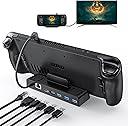
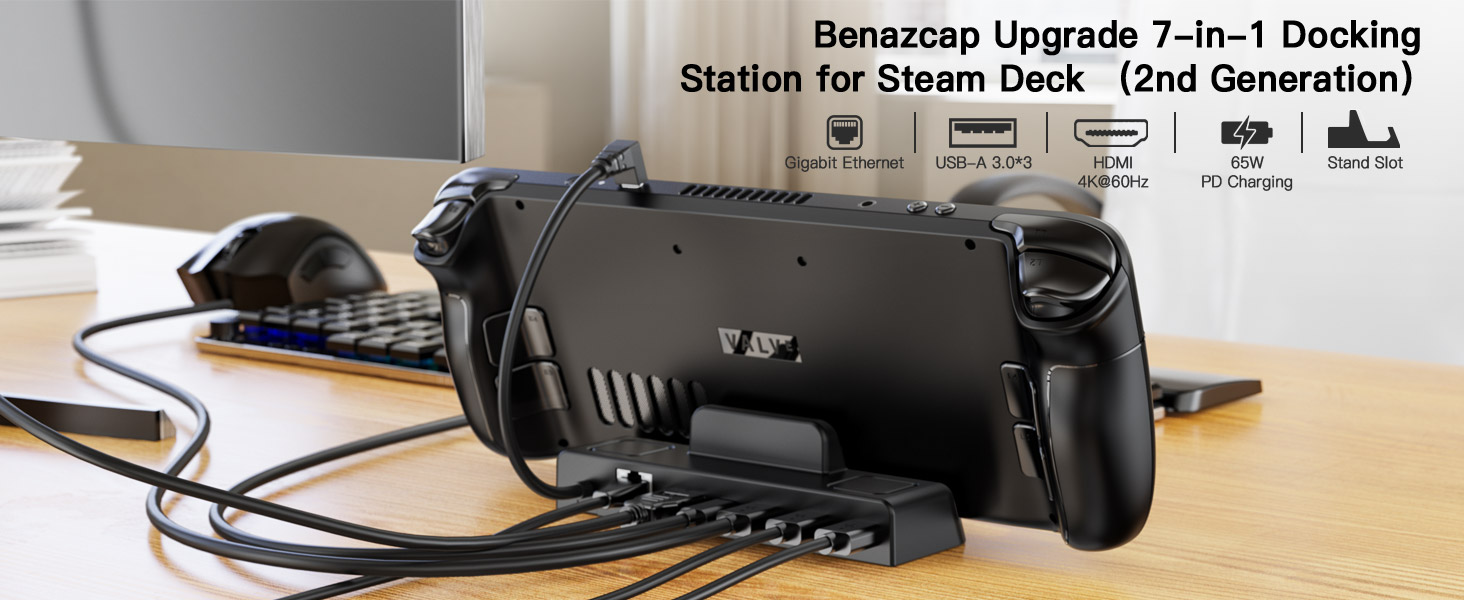
The Benazcap Docking Station is a premium 7-in-1 hub tailored for Steam Deck OLED (2023) and 2021 models, featuring 4K@60Hz HDMI 2.0 output, 65W power delivery for fast charging, a Gigabit Ethernet port for stable wired internet, and three USB-A 3.0 ports for high-speed data transfer. Compatible with a wide range of USB-C devices, it transforms your handheld gaming into a desktop powerhouse with seamless connectivity and performance.


| ASIN | B0BBRMT1MY |
| Best Sellers Rank | 7,559 in Computers & Accessories ( See Top 100 in Computers & Accessories ) 75 in Docking Stations |
| Brand | Benazcap |
| Brand Name | Benazcap |
| Colour | Black |
| Compatible Devices | Valve Steam Deck, devices with USB-C ports such as Nintendo Switch, iPads, Samsung tablets, and Android cellphones |
| Compatible devices | Valve Steam Deck, devices with USB-C ports such as Nintendo Switch, iPads, Samsung tablets, and Android cellphones Compatible devices Valve Steam Deck, devices with USB-C ports such as Nintendo Switch, iPads, Samsung tablets, and Android cellphones See more |
| Customer Reviews | 4.2 out of 5 stars 810 Reviews |
| Hardware Interface | USB |
| Hardware interface | USB |
| Item Dimensions L x W x H | 12.4L x 7.9W x 3.3H centimetres |
| Item Weight | 0.19 Kilograms |
| Manufacturer | Benazcap |
| Number of Ports | 7 |
| Product dimensions | 12.4L x 7.9W x 3.3H centimetres |
| Total HDMI Port | 1 |
| Total USB Ports | 3 |
| Total USB ports | 3 |
| Wattage | 65.0 |
P**E
Far better than expected.
Saw reviews stating this trickle charges the Steam Deck and some that mentioned no such thing like it wasnt an issue so I bought this just to see how it went. The result is that the device works perfectly, I have not noticed any trickle charging so I wonder if the reviewers who left reviews sating as such perhaps plugged their official Steam Deck charger into this hub and got those results, which makes sense as the Deck needs the 45w the official cable gives, but if you plug that into this hub which needs power as well, then add in anything you plug in like USB devices then that equates more power draw. I have a PSU which has multiple USB-C and USB-A plugs to power multiple devices and 1 of the USB-C outlets gives out 65W so i plugged this into this HUB and connected the hub to the Steam Deck and I have zero issues powering my Steam Deck so far. HDMI is working as intended on my 27" BENQ Monitor and a rando brand 13" portable Monitor, ethernet also works perfectly fine, disabled Wifi on the Deck just to make sure and out of nowhere what i did not expect was my New World game to work properly, no idea why, I have read wifi is an issue for some, perhaps the ethernet fixed that issue for me? who knows. This is pretty much the perfect HUB solution for me so far with the official one currently nowhere in sight, my only 1 gripe is that a few comments above stated that the same brand protector/case works in the stand/hub, which it does, however the metal back adds just enough bulk that the device stands up a bit too upright rather than seated back as usual. Remove the official case and the Steam Deck sits in at the expected angle. This small gripe with the viewing angle is only an issue if your trying to use the Steam Deck IN the hub, if you have HDMI plugged in and you are using a bluetooth controller then its no big deal.
A**S
Works great on my ROG ALLY
I bought the Asus ROG Ally for primarily using when on the road or away from my main PC, whilst I have used my Ally for mostly that I found myself playing games on it so much that when I got home I wanted to swap from handheld mode to keyboard / mouse mode. This was the perfect docking station to help assist with that, I have a Roccat Sova plugged into this along with ethernet, another HDD via USB and this all connects to my TV meaning I can swap from handheld gaming to gaming from the sofa with a keyboard & mouse in minutes. I paired it with an 100W charger which powers all my connected devices and allows me to play with the ROG Ally in 30w Turbo mode. So far I have had zero problems from the dock. It looks very smart, most of the cable connections are on the back of the device helping to hide some of the mess, and the rubber grips in the gap for the handheld really help to hold the Ally in place. The only niggle I have is when the dock is empty it can lift up a little at the front as the weight of the dock isn't enough compared to the cables plugged in the back, I fixed this by adding a small strip of 3m double sided adhesive tap on the bottom near the front of the dock. Overall this has been a great addition for my handheld! It's not the cheapest on the market but I think the price is reasonable for the features which really helped make my Ally more accessible and allowed me to have an easier time swapping from handheld mode to desktop mode. Would highly recommend to anyone wanting a similar setup
A**X
Versatile and Efficient Docking Station for Steam Deck
I recently purchased the Docking Station for Steam Deck, and it has greatly enhanced my gaming and productivity experience. This docking station offers a range of connectivity options and features that make it a must-have accessory for Steam Deck owners. Pros: Versatile Connectivity: The docking station provides multiple ports, including a 4K@60Hz HDMI 2.0 port, a Gigabit Ethernet port, and 3 USB A ports. This allows for seamless connection to external displays, wired networks, and various USB devices. Enhanced Gaming Experience: The 4K HDMI port supports high-quality video output, allowing for immersive gaming on larger screens. It enhances the visual experience and makes gaming sessions more enjoyable. Reliable Ethernet Connection: The Gigabit Ethernet port ensures a stable and fast network connection, minimizing latency and providing a smooth online gaming experience. Convenient USB Ports: The 3 USB A ports offer flexibility for connecting peripherals such as gaming controllers, keyboards, mice, and external storage devices. Easy Setup: The docking station is straightforward to set up, simply connecting it to the Steam Deck via the USB-C port. It requires no additional drivers or software installation. Cons: Limited USB-C Ports: The docking station only provides a single USB-C port, which limits the ability to connect additional USB-C devices simultaneously. Size and Portability: Due to its additional ports and functionality, the docking station is bulkier than the Steam Deck itself, which may affect its portability for some users. Overall, the Docking Station for Steam Deck is a valuable accessory for Steam Deck owners seeking enhanced connectivity and functionality. Its versatile ports, including 4K HDMI, Gigabit Ethernet, and USB A, provide seamless integration with external displays, wired networks, and various peripherals. While it has limitations in terms of USB-C ports and bulkiness, its overall performance and convenience make it a worthwhile investment for an improved gaming and productivity experience.
R**K
perfect works as expected with 60w charger
works perfectly with a usb c 60w charger, keyboard mouse and ethernet port, hdmi out work perfectly, would recommend dock is sturdy and steam deck feels secure when docked.
M**.
Its actually pretty good !
Edit: I putchased original Deck and after tests it looks like oryginal Deck has the same issue with USB controllers, in fact even worse. I returned original and keept this one! I changed from 1 star to 5 stars and left my old review below. Also to takle problem with weak power in USB which cause problem with Xbox wireless with dongle, I using USB extender and it's work's ok! (link below) https://amzn.eu/d/bxqYFQi This item has potential. However, a huge downside is that USB ports are unusable. It looks like there is not enough power in them. I have problem with every wireless device which connect with USB dongle (mouse and two controllers). I tried two of these docking stations and the problem is exactly the same... So it is not one off unfortunately... I also followed manufacturer suggestions from listing and purchased 65W charger for over £20 and it doesn't help to fix the problem at all. So overall I wasted 2 weeks with both docks, and spend over £20 for something that ultimately I don't need. Unfortunately I wasn't offered any fair solution from seller... My advise is to go straight for OEM Steam Docking Station and avoid time and money waste on products like this one ..
O**S
Worked great for exactly one month, and then broke
Worked great for 1 month - all features working as expected, 1gbps ethernet, 4k60 HDR over HDMI, USB3. Steam deck had no problems with it. The benazcap case for the deck does indeed fit it. My one gripe was that, with the perfect length non-removable USB-C cable, if you're plugging and unplugging the deck a lot because you're switching between using it as a portable and playing games on the TV, it feels like you have to be very very careful whenever you unplug it, and eventually the cable will break. Being able to plug your own cables in would be great here; maybe replace the fixed cable with another USB-C port and a detachable cable of the same length. Unfortunately, the dock itself broke today - the day AFTER the one month Amazon returns window. Argh. It appears to be power-cycling as the ethernet port is rapidly flashing both lights and the lights on a USB2 hub I connected are also rapidly flashing - the steam deck no longer acknowledges any connection to the dock, so it isn't charging it, there's no TV output, no ethernet, no USB. Unplugging and replugging everything several times and leaving the dock unplugged hasn't fixed it. Just seems to be fried internally.
G**E
Great quality dock
Feels slightly cheaper than the other options and weighs very little compared to the official dock but works just as well - very small for its size and offers plenty of connections and great stability of image with no input lag
J**N
Works well
Only just received this, but have gave it a go and so far so good!
Trustpilot
2 months ago
1 day ago