💻 Cool your core, light your lore.
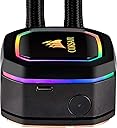
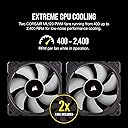
The Corsair iCUE H100i RGB Elite is a premium all-in-one liquid CPU cooler featuring a 240mm radiator, dual 120mm AF Elite PWM fans, and 16 dynamic RGB LEDs. Designed for high-end Intel and AMD processors, it offers powerful cooling performance with whisper-quiet operation modes. Fully customizable via Corsair's iCUE software, it synchronizes lighting and monitors system temps, making it a must-have for millennial pros who demand both style and substance in their PC builds.


| ASIN | B0829RTMKY |
| Air Flow Capacity | 75 cfm |
| Best Sellers Rank | #499 in Water Cooling Systems |
| Brand | Corsair |
| Brand Name | Corsair |
| Compatible Devices | Desktop |
| Cooling Method | Water |
| Customer Reviews | 4.6 out of 5 stars 9,360 Reviews |
| Global Trade Identification Number | 00840006616672 |
| Included Components | Two 120 millimeter corsair ML series magnetic Levitation PWM fans |
| Item Dimensions L x W x H | 11.02"L x 4.72"W x 1.18"H |
| Item Type Name | Corsair Liquid Cooler |
| Item Weight | 2.93 ounces |
| Manufacturer | Corsair |
| Material Type | Copper Aluminum |
| Maximum Rotational Speed | 2400 rpm |
| Model | CW-9060043-WW |
| Noise Level | 25 db |
| Number of Items | 1 |
| Number of Packs | 1 |
| Part Number | CW-9060043-WW |
| Power Connector Type | 4-Pin |
| Product Dimensions | 11.02"L x 4.72"W x 1.18"H |
| UPC | 840006616672 |
| Unit Count | 1 Count |
| Voltage | 12 volts |
| Warranty Description | 5 year |
O**D
Fantastic AIO cooler
This is my second purchase of a Corsair AIO watercooler and I was not disappointed. Just as with my previous Corsair H60 purchase, the iCUE H100i Pro XT was easy to install, built very well with excellent fit-and-finish, and the cooling performance was and is excellent. I used the H100i Pro XT to cool two processors at separate times - an overclocked Core i7 2600K (2nd-gen) and a Core i7 9700 (9th-gen). When I used to run a system with the Core i7 2600K, I kept experiencing thermal throttling on a modest 4.0GHz overclock on the crappy stock Intel heatsink and fan (from 3.4GHz base/3.8GHz Turbo Boost). Once I installed the H100i Pro XT, my 4.0GHz overclock idled in the high-20's to low-30's (down from 72 C idle), and peaked around 50 C (down from 98 C). Even after I increased the 2600K's overclock to 4.5GHz (with an Offset voltage of +0.055V), I idled around the mid-30's and peaked at 61 C while gaming or running CPU stress tests. After switching over to a new motherboard and an Intel Core i7 9700, I experienced similarly low temperatures - idle in the mid-30's and peak at 57 C while playing Assassin's Creed Odyssey. Since I can't overclock the Core i7 9700, I'm instead running it at full all-core Turbo Speeds using Intel XTU and ThrottleStop. Even at an all-core core speed of 4.5GHz, both of my idle and peak temperatures are low, and I never hit the thermal throttle limit. Considering I live in very warm southern California in a house with poor ventilation, I'm even more impressed by the performance of the H100i Pro XT. The only hiccup I experienced was getting the RGB lighting to turn on. As it turns out, I had to connect the RGB SATA power cable to a 5-wire SATA power cable from my PSU. When I initially had it connected to a 4-wire SATA power cable from the PSU, the RGBs refused to light up, despite the iCUE software saying that my lights were activated. Besides that initial stumble, everything else has been peachy - cool RGB lighting control, adjustable fan speed and noise, and no concerning noises coming from the water pump. 5 stars all the way~!! 👍
A**E
Good product, easy to install
Easy to install, zero issues after years of use. As far a I can tell it works great, would recommend and use again.
S**S
Really helps keep it cool.
My standard Ibuypower went bad in just over a year so I needed one that was MUCH better quality. Did the research on this and it seemed to fit the bill. Cooling-wise, it works VERY well. I do 3d graphic rendering and lots of big photo files. While rendering on my AMD 3900x at 100% load across all cores, I think the max I have hit is 65. Most times it will hit 61-62. Just pottering about doing the normal stuff I'm in the low 50's/high 40's. For a two fan cooler, this is pretty damn decent IMHO. Lights are a nice addition (I didn't care about them), but it looks really nice with the different RGB styles they have available. Matches the ram with coloring changes. Install was a bit of a pain tbh with the Asus board I had, and that was only the CPU part. Clip holders were different to what was on there already and they were MUCH easier. Still, once hooked on. Simple to tighten. 4/5 for that aspect of things. Thermal paste was and seems to be fine for what came with it. I can always take off, clean up and install my own artic silver if needed later on (which was the plan if this still ran hot). At this time, I don't think I need to upgrade the thermal paste since it runs fine. All in all. Pretty easy to install. Looks great. keeps it nice and cool. The software that comes with it, is nice. I like that I can add different fans and things to the dashboard. The software also gets a thumbs up. Total 4.75 out of 5
G**S
This is *the* cooler to get for hot CPUs
I have gone through a whole SAGA of trying to cool a 3950x processor and the Corsair iCUE H150i RGB Pro XT is the only cooler that I would deem worthy. If you want your computer to run at base clocks / configuration and not be overheating and freezing up, this is the only option. Remarkably this cooler is more readily available and less expensive than other coolers that are vastly inferior. Because your chip is square, you want to find a cooler with a square waterblock. This immediately rules out the various coolers from NXZT, ThermalTake. You want 6th generation pumps if you're going with a cooler outsourced to Asetek. You want as much cooling surface area as possible (forget the 120mm / 240mm coolers, they will not cut it with a 3950x, 280mm is borderline). First things first, I am referring to the Corsair iCUE H150i RGB Pro XT and *not* the inferior Corsair iCUE H150i RGB Pro, you want the XT version. The XT version has a brand new pump that is the best pump that Corsair is putting in coolers. This cooler has a radiator with 43200 mm^2 of fan-cooling. I tried the: * ThermalTake Floe 360, would not adequately cool the 3950x, idle temps at 55c - I tried repasting with 3 different thermal pastes, reseating the board, nothing would get it under 55 *idle* - When considering AIO coolers, you probably don't want a tiny circle that barely covers your chip * Corsair H115i (came close to keeping the 3950x under 50c but it would hover there 50/51) * Corsair H100i (not even) Upgrading my AIO cooler to the Corsair iCUE H150i RGB Pro XT, boom instantly 10c cooler than the ThermalTake Floe 360 garbage with virtually no noise (balanced plan). 5c cooler than the H115i under balanced cooling plan. I don't care to overclock but cooling is *critical* on the AMD chips because they have an internal mechanism that adjusts the clock speed based on heat so if your cooler can't handle the chip it will run slow - this means that things like benchmarks will be similar to a 3900x if you don't have adequate cooling. Benchmarks for the chip instantly shot up as well, roughly 10% faster and more stable now.
D**.
BIG GAINS! See the screenshots for yourself. (UPDATE 4/19/2022 AT BOTTOM)
First time install using liquid cooler been a PC enthusiast for 23 years. at $89 dollars You get the quality feel of Corsair products that was easy to install for a first time user. It is a closed loop the liquid coolant is provided. It's an AIO so this is more for the beginner or for the person who doesn't want all the extra that come with open loop coolers experts and experienced liquid cooling users tend to use. - 74C full load down to 50C ish- Big gains considering I was using an after market cooler from MSI If you have a high end chip like a 5950X as I do you start to see real performance gains when the chip is properly cooled. Sure 5950X's are expected and designed to run at temps up to 90C "Considered Normal by the AMD Engineers" But you won't be getting 100% performance from the chip as it gradually heats up the curve is designed to gradually to lower clock speeds until you actually hit 90C considered thermal throttle limit for the 5950X So whether you have high end Intel or AMD CPU, I recommend a top of the line high end cooling solution so you can experience all that hard earned money you sank into that high end chip. ----- On a side note. the pump uses a MICRO USB interface that connects to the USB header on the MOBO. Micro USB is inherently flawed by design as in the housing gets loose or worn out easily given connection problerms. This pump continues to reset and freeze I can tell due to the OS making the "USB Disconnect" Sound and I was like what is that???? Then I noticed the RGB on the pump will stop or freeze and then reset the RGB effects on the pump This is not an issue with the actual function of the cooling I will attempt to re-seat the USB Micro cable into the pump before reaching out to product support. Besides my minor issue which is most likely unique to me. Go ahead and buy this product. Great price point @ Great Gains --------------------------------------------------------------------- UPDATE 4/19/2022 --------------------------------------------------------------------- UPDATE TO RGB AND DEVICE PRESENCE ISSUES WITH CORSAIR iCUE & RGB LIGHTING FAILS. There is no STANDARD protocol created by IEEE when it comes to RGB lighting, Each manufacturer of RGB protocols write their own proprietary code for this. The issues I and many others have reported with issues about the RGB lighting or the device failing to show up in the iCUE software is a driver issue. Only the RGB seems to be affected (and device presence in the iCUE app) PUMP function is power driven, there is no ON/OFF for the pump so to speak. You plug it in and it pumps. I fixed my RGB / Device Presence issue. From the get go I have experienced issues like this with ALL of Corsair's RGB products. (Some other issues were caused by my MSI board RGB taking over the Corsair Hardware This was fixed with a software switch found in (iCUE Settings > Software & Games) Unfortunately that only fixed my MSI Mystic Sync from taking over RGB on Corsair devices. It didn't fix the pump RGB / presence issues. To fix that I had to go into the BIOS (Switch to Basic View) and turn off RGB completely on the mobo. Now Corsair's RGB software is the only one running on the PC. Issues have been resolved completely. I'll update if issue returns. HOPE THIS HELPS!
N**N
It’s Corsair it’s solid without an arm and leg
Still working good after 6 years with my Ryzen CPU. No leaks and good radiator but it gets dusty fast
F**A
You won't waste your money.
The Corsair iCUE H100i RGB Pro XT has truly impressed me with its cooling capabilities. The 240mm radiator, combined with high-quality fans, effectively dissipates heat, keeping my CPU temperature consistently low even during demanding tasks and intense gaming sessions. I've noticed a significant improvement in performance, and my PC now runs quieter and cooler. Its exceptional cooling performance, ease of installation, customizable RGB lighting, and quiet operation make it a top-tier choice for both novice and experienced PC builders and enthusiasts. With Corsair's iCUE software, you have complete control over your cooling system and lighting, ensuring that your PC not only runs efficiently but also looks stunning. If you're in search of a high-quality liquid cooler that delivers on both performance and aesthetics, look no further. The Corsair iCUE H100i RGB Pro XT is a fantastic investment that will keep your PC running cool and looking cool for years to come.
A**I
Awesome Cooler!
Love the cooler! Corsair never disappoints, and this is no exception. I don't quite understand why this awesome AIO gets such negative reviews here, other than one minor snafu during installation everything went great. The radiator is very high quality, and is nice and beefy. The ML fans that come with it are amazing, heavy and really push a lot of air. I did have an issue with one of the eight screws that attach the fans to the radiator. The one in particular did not want to go all the way in, and I put a lot of force on it. But the other seven went in with no problem, so the one isn't too big of a deal. The screws themselves are much higher quality than other reviewers make them sound, and even with all the torquing I did the head showed no signs of stripping. Performance so far is fantastic. Much better than the Cooler Master G100m it replaced. Idle temperatures around 30c, with temps during Prime95 stress testing in the mid 60s. Here are my specs for reference: Case: Phanteks P300 Mobo: MSI Gaming Plus Z390 RAM: 32GB Corsair Vengeance Graphics: nVidia RTX 2060 SUPER Cooler: Corsair H100i RGB Pro XT CPU: Intel i5-9600K The included manual isn't the best in the world, but should be enough if you know what you're doing. If not, there are many YouTube videos installing this exact cooler. Hardest part was getting all the parts together and routing cables for a clean appearance. I still have some work to do, but it looks fairly decent. You will need a spare USB header for the iCue software, not sure why people complain about that, most motherboards have at least 2 2.0 headers. Bottom line, don't listen to the naysayers and buy this cooler! It's the most recent version, the black looks amazing against the RGB.
M**L
🔥 Recensione dettagliata: Corsair iCUE H150i RGB Pro XT 🔥
🔥 Recensione dettagliata: Corsair iCUE H150i RGB Pro XT 🔥 Se stai cercando un dissipatore a liquido all-in-one (AIO) affidabile, efficiente e con un’estetica accattivante, il Corsair iCUE H150i RGB Pro XT è una delle migliori scelte sul mercato. Questo modello si distingue per le sue prestazioni eccellenti, il design premium e il software avanzato, rendendolo ideale sia per il gaming che per il lavoro ad alte prestazioni. 📌 Design & Costruzione Il Corsair iCUE H150i RGB Pro XT si presenta con un radiatore da 360mm, perfetto per build di fascia alta e per chi necessita di un raffreddamento avanzato. Il design è moderno e minimalista, con una pompa a liquido ben costruita e illuminazione RGB personalizzabile sul blocco della CPU. Le ventole incluse sono le ML Series da 120mm, che utilizzano la tecnologia levitazione magnetica, garantendo un funzionamento più fluido e duraturo rispetto alle ventole tradizionali. 🔧 Installazione & Compatibilità L’installazione del Corsair H150i RGB Pro XT è semplice e intuitiva grazie al sistema di montaggio rapido. Il dissipatore è compatibile con una vasta gamma di socket, tra cui: ✅ Intel: LGA 1700, 1200, 115X, 2066, 2011 ✅ AMD: AM5, AM4 Il kit include tutto il necessario per l’installazione, dalle staffe ai cavi di collegamento, e il processo di montaggio è ben spiegato nelle istruzioni. 🚀 Prestazioni Termiche Uno dei punti di forza del Corsair H150i è l’eccellente capacità di raffreddamento. Grazie al radiatore da 360mm e alle tre ventole ML Series, il dissipatore mantiene la CPU a temperature basse anche sotto carichi elevati, come il gaming o il rendering video. Modalità standard: Mantiene temperature ottimali con un rumore quasi impercettibile. Modalità massima potenza: Ideale per overclocking e carichi intensivi, garantendo prestazioni eccellenti. Zero RPM Mode: Le ventole si spengono automaticamente quando la temperatura è bassa, garantendo silenziosità assoluta. Nel confronto con altri AIO di fascia alta, il H150i RGB Pro XT si posiziona tra i migliori, con temperature inferiori rispetto a molti competitor. 🎨 Illuminazione RGB & Software iCUE L’illuminazione RGB integrata nel blocco della pompa è completamente personalizzabile tramite il software Corsair iCUE. Con iCUE è possibile: ✅ Regolare gli effetti RGB con ampia personalizzazione. ✅ Monitorare le temperature in tempo reale. ✅ Impostare profili di raffreddamento personalizzati per ottimizzare il rumore e le prestazioni. L’integrazione con altri prodotti Corsair permette di creare una sincronizzazione perfetta con ventole, RAM e altri componenti RGB del brand. 🔇 Silenziosità & Efficienza Uno degli aspetti più sorprendenti del Corsair H150i è la bassa rumorosità. In condizioni di utilizzo normale, il dissipatore è praticamente silenzioso. Anche in carico massimo, il rumore delle ventole rimane contenuto rispetto ad altri dissipatori AIO della stessa categoria. Le ventole ML Series con levitazione magnetica sono un punto di forza, riducendo l’attrito e garantendo un funzionamento silenzioso e duraturo nel tempo. 📌 Pro e Contro ✅ PRO ✔️ Prestazioni di raffreddamento eccellenti 🔥 ✔️ Radiatore da 360mm per dissipare al meglio il calore ✔️ Illuminazione RGB personalizzabile con Corsair iCUE ✔️ Ventole ML Series silenziose ed efficienti ✔️ Software iCUE avanzato per il monitoraggio e la gestione ✔️ Installazione semplice e compatibile con Intel e AMD ❌ CONTRO ❌ Il prezzo è elevato rispetto a soluzioni più economiche, ma giustificato dalla qualità ❌ Richiede spazio nel case per il radiatore da 360mm 🏆 Conclusione Il Corsair iCUE H150i RGB Pro XT è uno dei migliori dissipatori a liquido per chi cerca il massimo delle prestazioni senza compromessi. Con un raffreddamento eccezionale, un design accattivante e un software avanzato, è perfetto per PC gaming, workstation e overclocking. 💡 Se vuoi un AIO di fascia alta, silenzioso e con ottime performance, questo modello è una scelta eccellente! ⭐⭐⭐⭐⭐ Voto: 5/5
L**O
Wie erwartet
Direkt schon vorn weg, ich hätte den Tausch von meinem Dark Rock Pro 4, schon deutlich eher auf die H150i pro XT umlegen sollen. Zum Produkt: + Einfache und schnelle Montage, alle Teile lassen sich Butterweich montieren. + Die Kühlleistung auf meinem i9 9900K der H150i pro XT ist absolut kein Vergleich zu dem Dark Rock Pro 4, einfach nur Klasse. + Die Pumpe ist gar nicht , bis sehr sehr wenig wahrnehmbar im Hochleistungsbetrieb. - Die Standard-Lüfter verfügen leider nicht über RGB und man gute Lüfter dazu kaufen muss, sofern man dieses Feature haben möchte. - Moderater Preis, aber angemessen. Kann die H150i pro XT einfach nur weiter Empfehlen, ist ein absolutes Spitzenprodukt für einen stolzen Preis, der jedoch gerechtfertigt ist.
A**R
EFSANE.
Zaten Corsair’den başka marka kullanmadım bu zamana kadar h100i GTX modelinden bu modele geçtim. İşlemcim ryzen 7 5800x boşta 28 ila 30 derece arasında yükte mac 48 veya 50 dereceye çıkıyor. Kalitesini anlatmaya gerek yok zaten. Teşekkürler corsair ve amazon.tr
J**M
Kapot product ontvangen via Warehouse deals
Na een goede deal gevonden te hebben via Amazon warehouse deals de cooler afgelopen woensdag ontvangen. Na het openen van de doos viel mij gelijk op dat 1 van de schroeven/boutjes afgebroken was. Na een moeizame installatie (met de kapotte schroef/bout) alles aangesloten. Terwijl de PC opstartte gaf de cool unit geen verlichting. Verder deed de cooler wel zijn werk want de temperatuur van mijn CPU was goed. Na verschillende pogingen qua aansluitingen deed de verlichting op de cool unit het niet en werd deze niet gedetecteerd door mijn PC. Al met al jammer dat Amazon een defect product verkoopt via Warehouse deals en daarbij zet dat alleen de doos beschadigd is.
A**み
良く冷えます。
初の簡易水冷です。 光るFANではありませんが、十分冷やしてくれています。 ※思ったより冷えていたので、温度ちゃんと測定できていないのではないかと思うぐらいでした。 CPU:5950Xに使用していますが、大満足。 現在はOCしていませんが、Precision Boost Overdriveで簡単に調整しベンチマークで確認。手動だと、ずっとは使えないので・・・ 10分のベンチマークテストで70℃程度と素晴らしい温度でした。電力を消費する割に機能アップしないので今はしていませんが、ずっと使用もできるとおもいます。 ちょっと熱くなるCPUにはおすすめの簡易水冷だとおもいます。
Trustpilot
1 month ago
4 days ago