Desertcart purchases this item on your behalf and handles shipping, customs, and support to South Africa.
🚀 Upgrade your speed, save your energy, and own the future of storage!
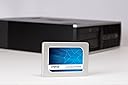
The Crucial BX300 480GB 3D NAND SATA SSD delivers ultra-fast sequential read/write speeds up to 555/510 MB/s, powered by advanced Micron 3D NAND technology. It offers over 300% speed improvement and 45x better energy efficiency compared to traditional hard drives, all in a compact 2.5-inch form factor ideal for both desktops and laptops.
| ASIN | B073W4N5KB |
| Additional Features | Portable |
| Best Sellers Rank | #2,257 in Internal Solid State Drives |
| Brand | Crucial |
| Cache Memory Installed Size | 480 |
| Color | Black |
| Compatible Devices | Desktop |
| Connectivity Technology | SATA |
| Customer Reviews | 4.2 out of 5 stars 516 Reviews |
| Data Transfer Rate | 6 gigabits_per_second |
| Digital Storage Capacity | 480 GB |
| Form Factor | 2.5-inch |
| Global Trade Identification Number | 00649528783370 |
| Hard Disk Description | Solid State Drive |
| Hard Disk Form Factor | 2.5 inches |
| Hard Disk Interface | Serial ATA |
| Hard-Drive Size | 480 GB |
| Hardware Connectivity | SATA 6.0 Gb/s |
| Hardware Platform | PC & Mac |
| Installation Type | Internal Hard Drive |
| Item Weight | 3.53 ounces |
| Manufacturer | CRUCIAL TECHNOLOGY |
| Media Speed | 510 megabytes_per_second |
| Mfr Part Number | CT480BX300SSD1 |
| Model Name | BX300u00a0 |
| Model Number | CT480BX300SSD1 |
| Number of Items | 1 |
| Read Speed | 555 megabytes_per_second |
| Special Feature | Portable |
| UPC | 649528783370 |
S**G
It's Alive!
Brought my 2011 mac back from the dead. Boot up went from 10 minutes to 30 seconds. Shutdown takes about 10 seconds or less. Fairly easy to install. A bit intimidating at first but it was really not that hard. Hardest part was creating the Bootable USB installer. Only glitch was the need to reset the clock because I went with a fresh install without formatting the drive first. I did not want any remnants of the prior drive. Definitely have a 2nd computer handy to research any problems and to keep the instructions handy. I used the instructions from the crucial site for the hard drive install and the instructions from Mac Rumors to create the bootable USB installer. Took about 40 minutes and then an hour or so to install the OS and another several hours to add the apps and settings and email etc.. Well worth the effort.
L**A
Teaching my "old dog" new tricks...
I'm enjoying the results of this SSD in my older desktop. It used to take a minute and 45 seconds or so to boot into the desktop (Win10) and load a browser. Now I'm seeing more like 35-40 seconds to reach the same point. Programs load and run lots faster, too. I used Macrium Reflect, which I already had, to clone my HD to this SSD. It performed flawlessly. I did have to add a 2.5" to 3.5" adapter to fit the drive bay in my desktop.
S**T
Drive good, Acronis cloning software bad
The drive is good but the Actonis True Image HD 2015 that Crucial provides does not work. This is frustrating expecially since I just used the version of Acronis that WD provides this week (to install a WD Black SSD in another computer) and it was both flawless and didn't require registration or a key to be entered. Why is Crucial using a bad version of Acronis and making us jump through hoops just to install it? They've got to fix that. I ended up using MiniTool Partition Wizard Free 10.2.2 instead. it was easy and worked on the first try. Acronis would simply say it needed to restart the computer, but then after restart it wouldn't actually do anything. MiniTool does the restart and then does it's job. Many reviewers in the past month are complaining about Acronis. Crucial, are you going to do something about it?
B**S
Went from barely usable to makes me happy.
Breathed new life into an aging laptop. Older HP 15 could not support more ram, and was painfully slow. It now boots in 5 seconds and page load times are vastly improved. Went from barely usable to makes me happy.
C**M
and then come back like nothing happened
I purchased this brand of hard drive because it was stated as being compatible with my computer. The first one took about 4 trys to get the computer to recognize it, and then the transfer was done. After final installation, the computer would hang up (HD light on steady) for about 1 minute, and then come back like nothing happened. Of course, I couldn't do anything while I was waiting. And this happened at least once per hour, so I ordered a replacement. That one wasn't recognized by the computer at all. So, I am returning that one. I bought the Samsung, and that one worked flawlessly. Easy data transfer, no hangups, and great speed. I'm done with Crucial; get the Samsung!
J**.
I am extremely pleased with this fantastic drive
I am extremely pleased with this fantastic drive . Normally use Samsung SSD's but read a lot of great things about Crucial's brand new BX line of SSD's so I decided to give them a try , and have NOT been disappointed . Great customer service as well . Any questions I had were answered with quick email responses , and the one occasion I had to call Crucial , their service was amazing . Give them a try . You'll be glad you did .
N**3
Great drive good price
FAST and efficient for my Mac mini server. It has become my internal boot drive. Impressive speed improvement from a spinning drive. I use external RAIDs for all data and dual external backup drives with all but real time backup with Carbon Copy Cloner. From time to time I force boot from each one and they work perfectly albeit slow compared to the Crucial. I use Crucial memory and drives for all my needs and my clients' IT needs.
J**.
Great performance improvement for older Dell OptiPlex tower.
Dependable SSD from a great company. This was purchased to replace a 7200rpm hard drive in a Dell OptiPlex tower. With the addition of a mounting adapter it fit perfect and improved performance significantly.
Z**X
Rien à dire il fonctionne très bien
Ce modèle à de quoi satisfaire avec son prix abordable et des débits en lecture/écriture qui sont tout à fait corrects, vous pouvez même installer le logiciel d'optimisation c'est encore plus rapide sous Windows 10. Le contenu de la boîte n'a rien d’exceptionnel mais on trouve tout de même à l'intérieur de celle-ci un petit cadre d'adaptation d'épaisseur ainsi qu'une notice comportant un numéro de licence pour le logiciel Acronis à télécharger. J'ai utilisé Acronis pour copier mes anciens SSD de 128 Go et 256 Go ainsi que le logiciel Macrium en version gratuite (vraiment bien) par précaution afin d'avoir 2 fichiers images distincts de sauvegarde de mes disques avant de tout effacer.
L**C
Un vieux PC avec des perfs qu'il n a jamais eu !!!!
J'ai installé ce disque sur un vieux PC portable i5 sous W10 qui a 10 ans maintenant. J'ai gagné en fluidité de fonctionnement et de rapidité au démarrage. J'ai utilisé le logiciel fourni pour la copie de l'ancien disque dur sur le nouveau. Le seul problème rencontré est que j'ai utilisé un cable USB/SATA générique et le logiciel ne reconnaissait pas la marque du disque (Crucial) et ne voulait pas faire le backup. En cherchant chez le constructeur j'ai trouvé une solution pour contourner le problème. Sinon acheter le cable de la marque Crucial ca devrait fonctionner sans problème. Puis après rien a dire, le backup, install et démarrage sans soucis il faut faire le calcul, nouveau PC entre 600 et 1 000 euros et reinstaller ses applis/données voire de nouvelles licenses mais ca sens le neuf ou investir dans un disque SSD pour une 100 aine d euros (ya moins cher) et une a 2 heures d installation. J'ai fait le choix de changer le disque SSD plus par gout de bidouiller car c'est clair que mon PC n'a pas de USB3 ou de nouveau port USB-C, les bus ne sont pas aussi rapide, le ventilateur fait du bruit, il chauffe et le processeur/carte graphique ont des perfs a la traine par rapport aux nouveaux PC .... mais ca fonctionnait et ca fonctionne mieux et suffisant pour mon besoin
D**R
Works well and easy to install
I bought this to upgrade an older Core2 2.4GHz PC that was already using a 64GB SSD plus 500GB HDD and Windows 10. I wanted the extra capacity as my 64GB C: boot drive was very nearly full, despite my best attempts to move as many programs and data to the HDD as possible. The installation process was surprisingly quick and easy using the special (locked) Crucial version of Acronis clone software, which is available as a free download from the Crucial web site. If you read the instructions published by Crucial you might be lead to believe that you need a USB to SATA interface cable to connect the new drive to your PC ready to clone the existing boot drive to. This is undoubtable true for laptops and probably many desktops too, but I found that I could temporarily disconnect my internal SATA DVD drive and use the cables to connect the new SSD instead and the Acronis software found it automatically when using its Clone Tool. I suspect that this gives faster transfers than via USB, especially if you only have USB 2.0 ports as I have and not USB 3.0. With the data transfer done (it took only a few minutes) I swapped out the old SSD for the new Crucial drive (I didn't need the supplied spacer for my HDD bay), reconnected my DVD drive and powered up to find Windows 10 running just as I had hoped for. But I am surprised to find that not only do I have the extra capacity but the whole PC seems to be running a lot faster and smoother. I expect the BX300 read and write speeds are somewhat faster than my old Samsung drive but the speed improvement seems to be greater than that might account for. Perhaps the old drive was nearing its end of life and had slowed as a consequence? Or maybe the Windows Page file just worked better with more storage space? Either way, I am very pleased with the end result and if you too are looking to upgrade an older PC I can recommend this Crucial SSD.
R**0
Problème avec le logiciel crucial
Ce que je n'ai pas aimé c'est que le logiciel crucial qui permet de d'augmenter les performances x10 ne fonctionne pas car le disque n'est pas détecté,aussi il est impossible d'envoyer une demande d'assistance avec leur logiciel car les message ne sont pas envoyés et si je contact crucial il n'y a aucune réponse en retour.
S**R
schnelle SSD und weitgehend problemloser Austausch
Die BX300 hat eine alte Intel Series 320 SSD mit "120" GB ersetzt die am volllaufen war. Einsatz in einem Acer V3 771G von Anfang 2013. Der Umbau war fast problemlos. Acronis True Image 2015 nach Anleitung runtergeladen (288 MB) und aktiviert, neue SSD per USB3 Adapter ( Sabrent USB 3.0 zu SSD / 2,5-Zoll-SATA-Festplatten Adapter [Optimiert für SSD, Unterstützt UASP SATA III] (EC-SSHD) ) angeschlossen. Aus dem laufenden Windows (8.1) ging's mit dem clone nicht - hat nur wieder in das installierte System gebootet. Hab mich nicht lange mit Bootreihenfolge etc aufgehalten und gleich die Rescue CD gebrannt, davon gebootet und dort den clone angestossen. Verwendet habe ich die manuellen Einstellungen und bei der Partitionierung alles was nicht von den alten Partitionen belegt war der Systempartition zugeschlagen. Das eigentliche Kopieren war über USB3.0 in wenigen Minuten erledigt. Nach Hardwareumbau hat der Laptop problemlos von der neuen SSD gebootet, ausser, dass das noch etwas schneller ging als gewohnt keine Auffälligkeiten. Ein erster Test hat die bereits von anderen geposteten Ergebnisse bestätigt. Nach Aktivierung von Momentum Cache in Crucial Storage Executive (download bei crucial.../se, 182 MB) gab es nochmals eine deutliche Verbesserung der Messwerte - siehe Bild. Ob das Auswirkungen im realen Betrieb hat sei dahingestellt. Nach den Messwerten wäre die BX300 10x so schnell wie die alte Intel Series 320. Die Firmware war bei Lieferung aktuell (M2CR010), könnte man ggfs. über Storage Executive aktualisieren. Das ist natürlich nur der erste Eindruck, Langzeiterfahrungen hat noch keiner, ist ja brandneu. Sollte es Probleme geben werde ich ergänzen.
Trustpilot
2 months ago
2 weeks ago