🖨️ Print smarter, faster, greener — because your business deserves the best.
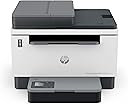
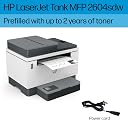
The HP LaserJet Tank MFP 2604sdw is a high-volume, black-and-white multifunction printer designed for small businesses. It delivers fast 20 ppm printing with automatic duplex, comes prefilled with up to 2 years of original HP toner for up to 5,000 pages, and offers versatile connectivity via dual-band Wi-Fi, Ethernet, and mobile app. Certified for energy efficiency and sustainability, it also features advanced security to protect your data, making it the ultimate productivity partner for professional environments.


| ASIN | B09ZVQCF4M |
| Additional Printer Functions | All In One |
| B&W Pages per Minute | 20 pages_per_minute |
| Best Sellers Rank | #128,985 in Office Products ( See Top 100 in Office Products ) #859 in Computer Printers #2,715 in Printer Toner Cartridges |
| Brand | HP |
| Built-In Media | Getting Started Guide, Power Cord, Toner Cartridges, Warranty Guide, printer |
| Color | white |
| Color Depth | 1 bits_per_pixel |
| Compatible Devices | Laptops, PC, Smartphones, Tablets |
| Connectivity Technology | Wi-Fi |
| Control Method | App, Remote, Touch |
| Customer Reviews | 3.5 out of 5 stars 334 Reviews |
| Duplex | Automatic |
| EU Spare Part Availability Duration | 2 years |
| Hardware Interface | Ethernet, USB |
| Initial Page Print Time | 7.9 seconds |
| Ink Color | black |
| Item Dimensions D x W x H | 12.26"D x 16.46"W x 13.58"H |
| Item Type Name | Multifunction Printer |
| Item Weight | 20.9 pounds |
| Manufacturer | HP |
| Maximum Copy Resolution Black and White | Up to 600 x 600 dpi |
| Maximum Copy Speed Black and White | 20 pages_per_minute |
| Maximum Media Size | 8.5 x 14 inch |
| Maximum Print Resolution Black and White | 600 x 600 dpi |
| Maximum Sheet Capacity | 250 |
| Model Name | LaserJet Tank 2604sdw |
| Model Number | 2604sdw |
| Model Series | 381V1A |
| Number of Drivers | 4 |
| Number of Trays | 1 |
| Other Special Features of the Product | Network-Ready |
| Output sheet capacity | 250 |
| Paper Size | 4 x 6 to 8.5 x 14 |
| Power Consumption | 390 watts |
| Print media | Envelopes, Labels, Paper (plain) |
| Printer Connectivity Type | Wi-Fi |
| Printer Output Type | Monochrome |
| Printer Type | Laser |
| Printing Technology | Laser |
| Processor Count | 1 |
| Resolution | 600 x 600 |
| Scanner Type | Flatbed |
| Series Number | 381 |
| Special Feature | Network-Ready |
| Specific Uses For Product | Small businesses with high volume black-and-white printing needs |
| Total Usb Ports | 1 |
| UPC | 195908729327 |
| Unit Count | 1 Count |
| Warranty Description | 1 year |
| Warranty Type | limited warranty |
| Wattage | 5000 watts |
A**E
Update firmware
I bought 2 for my office. They print fast and clear. Took hrs to get up and running the first time. Kept getting an error and then lock out. Couldn’t complete setup. Was on the phone with tech support for almost 3 hrs trying different drivers and installing different ways. I asked at the beginning about firmware update and was told it didn’t matter. It did. After everything failed I asked for a firmware update again and the tech agreed to update it. As soon as updated and restarted the printer finished installation and was working great! The second printer install was easy. Did the update first thing and was installed in 5 minutes, up and running.
I**M
WORKS IF YOU ARE A WITCH MAYBE OTHERWISE DO NOT BUY
I swear this printer is possessed by a vindictive spirit. It literally started printing something as I opened this window to write thie 1 star review, after an hour of being a diva and refusing to connect with wifi or acknowledge the one job it was invented to do, print. It worked fine and connected great when we bought it and followed the directions. Then we got a new internet provider, and it has been the most erratic and incomprehensible machine I have ever owned in my life ever since. I follow all the directions, and it does whatever it wants. It would almost be better if it stopped working altogether, and never printed. But sometimes, in the middle of the night, it will print somethig you asked it to print 12 hours ago and then canceled. Sometimes, it prints right away, good little soldier. I guess buy the one with the screen on it instead, I would say get another brand, but I don't think any printer brands really are like GOOD and print unless you work in an office and know a guy whose whole job is to make printers and projectors work..in my HOURS of trying to get this POS to work, it appears you can input your wifi info directly to the printers with little keyboards on them, so you could try that! I just can't believe this is where we are. AI is trying to write novels, it wants to drive cars, and I CANNOT FIND A PRINTER THAT PRINTS WITHOUT ME CASTING SPELLS AND CUSSING AND HOPING FOR THE BEST. I really don't know what to tell you, but if you buy this particular piece of junk and end up being woken in the night, counting on it whatsoever, getting the work done in the hour it took you to fight with it, that's on you.
E**4
Stopped working within 3 months
Printer worked well for 3 months and then abruptly stopped. All lights are flashing and it cannot connect to wi-fi. HP AI virtual chat and support system was of no help. Attempt to connect to live human agent takes more time than I have to wait. The smart app shows that the printer was set up but now it cannot find it even though both the printer and app are supposed to be connected to the same wi-fi. Seems like a complete system failure and the return window has closed. Note: Input serial number into the HP website support multiple times and it sends back an error.
J**N
Great printer
I have used this printer for three years and it has performed perfectly. The cost for toner is wonderful.
T**5
The app is buggy, but the printer works without issues
First the negatives: The paper tray with the electronics seems a bit flimsy and the digital screen is hard to read and lacking actual info. The app never completed setup so I'm not sure how I'm supposed to get 2 years of free toner as promised. Positives: When I called for support to set up the wifi out of the box, the support person was patient and helpful. I spoke to a live person right away. The purchase date in his system was way off. He had me send my receipt to support email and it was fixed. I'll say that again: THE SUPPORT WAS SUPERIOR! HP is tried and true for a printer, in my experience. I've printed a ton of stuff now with no cartridge problems or jams. This is a huge relief from the alternate brand color Deskjet that can't seem to print 2 consecutive pages without some kind of problem. I mostly print in B&W, and I'm happy to have this reliable work horse. Thank you HP!
S**D
Piece of Junk
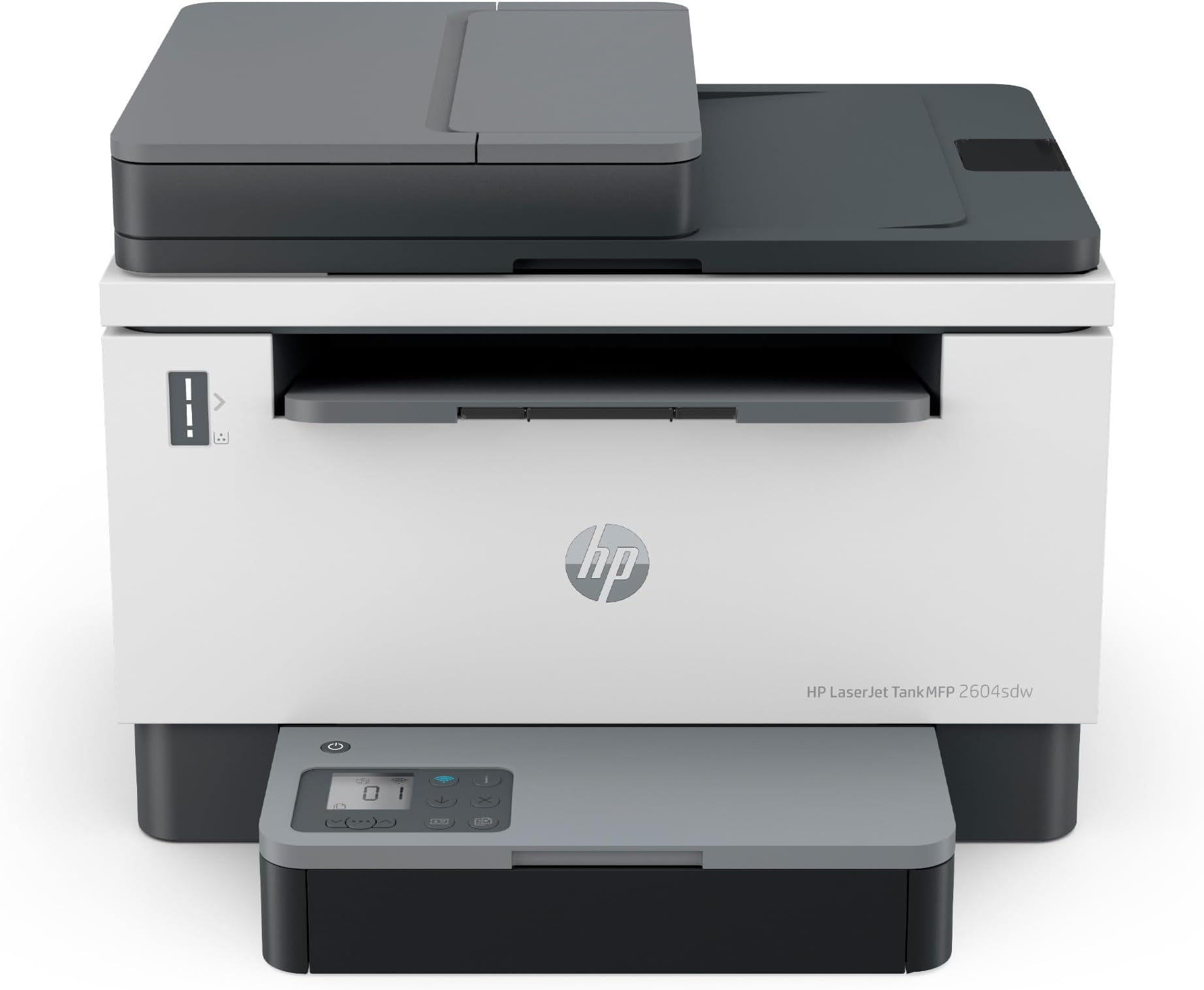
I purchased this printer as a replacement for my old HP OfficeJet 8620. That printer was a workhorse, never had a problem, I loved the Instant Ink program. So when the printerhead died, I thought, well, I've gotten my money out of this one so I'll upgrade rather than replace the part. That was the wrong choice. I had a few requirements for a printer - Duplex, autofeed printing, scanning, and copying. Isn't too crazy for a 3-in-1 printer in 2020. Nope, only 1 home printer fit that requirement. BE CAREFUL on the HP site. They will say it will scan doublesided, but that means it will scan one side and then it will scan the other side separately and you can shuffle them into the order you want in the app. Fine for a couple of pages, not fine for 50+ pages of scanning. Once I figured that out and got this printer I bought it, got it quickly. 2 DAYS later, the printhead failed. I should have taken that as a sign from the universe that this was the biggest joke of a printer and an absolute piece of junk. I didn't. I went through amazon and got a replacement. This printer does not talk to half of my programs on my computer. So i have to save documents as a .pdf or something and then open them and print them that way. It disconnected from the network daily, so much so, I finally hardwired it to my computer just so I could get work done without restarting my printer all the time. It cannot tell when it is out of paper. It just keeps trying to pull from the tray. For all eternity. So you can't open the tray to add paper. If you do manage to slide the tray open between the pulls, it assumes there is a paper jam, will half the time become unresponsive and have to be restarted. The paper tray is an absolute joke. So flimsy and requires superhuman strength to get it wiggled back in when you add paper. It cancels prints just whenever. The 8620 could take multiple jobs and save them in its memory so you could just put it all in, then walk away while it works. Copying or printing or both - just get it all queued up and it will get it all printed. This one - a NEWER version - will do one job at a time. You must stand there and put in each job as the previous one finishes. The 8620 would do scanning 100% on the printer. It would scan and send the pdf to the computer. Easy peasy. There was a program to edit or whatever, but for 99% of scan jobs, that was adequate. This one will do zero scanning without the program being open and INTERNET AVAILABLE. Not a big deal for most people, but I live in the country and sometimes the internet is out. And apparently, even though my printer is hard wired, it needs internet to scan. The little screen is in a stupid location. It sticks up in front of the scanning bed so if you need to scan a book, it is right in the way of where the book could lay flat. I hate this printer so much I want to throw it out the window almost daily and I will NEVER buy a HP printer again unless I can find an 8620 somewhere to refurbish. I should have written a review in 2020, but I wanted to see if maybe it was just the "newness" of it and it would be better once I got used to it. 3.5 years later, I pray daily for a meteor to come through my roof and obliterate this printer.
L**H
2 años después sigo con cartucho lleno y la uso todos los días, la amo!
La compré desde el 2024 y la uso todos los días, imprimo de 4 a 6 hojas diarias, tal vez más. El cartucho sigue lleno! es una maravilla! NUNCA me ha fallado, no se si otros modelos recientes salieron malos pero la mía nunca de los nuncas ha fallado, es una impresora que compraría nuevamente sin dudarlo, pero creo que me durará muchos años y los reemplazos de tinta son muy económicos también. 10 de 10, la recomiendo ampliamente. Si no leen el instructivo tal vez por eso no pueden conectar la impresora al wifi, no lo se, pero en lo personal es una excelente impresora que trabaja todos los días a la perfección.
J**Y
HP Laser Jet-Tank MFP 2604 issues
The printer wouldn't complete the setup in the HP app. I tried many times to complete setting up the printer in the HP app and was never able to finish because tha app woul freeze up. Since the printer would print from my phones and devices I didn't try at a later time to complete setup. As soon as the printer was out of warranty it quit working. I called HP support and they were not able to fix the printer. I was transferred to another service tech and he wanted $200 to fix the problem. I declined. I cannot recommend this printer because it quit working as soon as the one year warranty was up and HP support was no help.
H**N
Súper good
Great, easy to install and use, great print quality!
A**K
fake tech support
On HP site is fake tech support. They call you from India and ask to install SUPPORT program on your computer to help with WIFI installation of your printer than you have to agree to access to your computer. At this moment I have erased the program and scan for virus. HP site was down for ink- ( powder ) refill. No support from original HP site for installation and software update.
Trustpilot
2 months ago
1 month ago