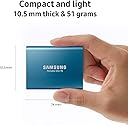
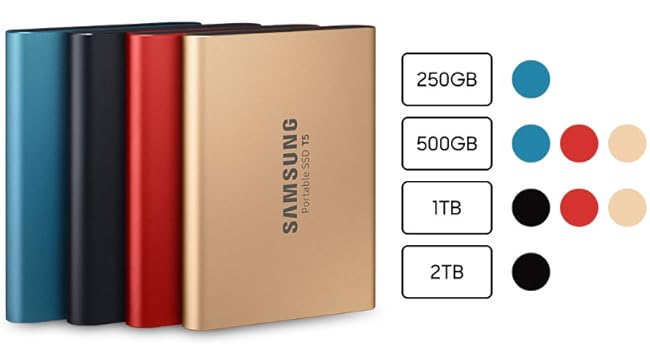
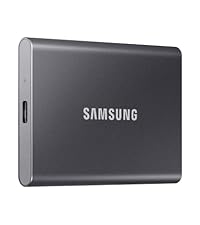
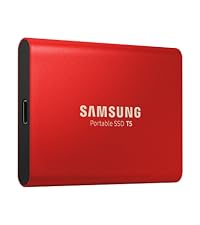
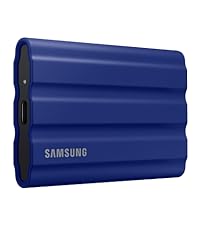
⚡ Carry Speed, Security & Style in Your Pocket!
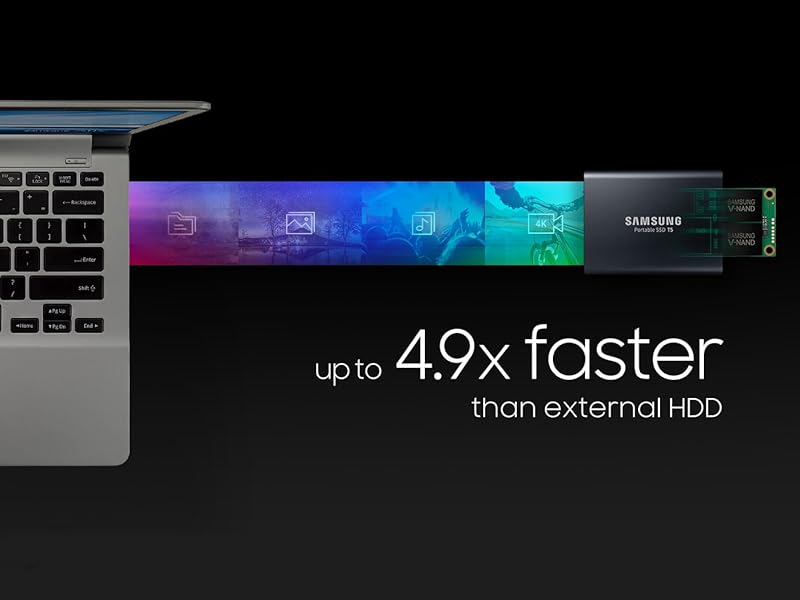
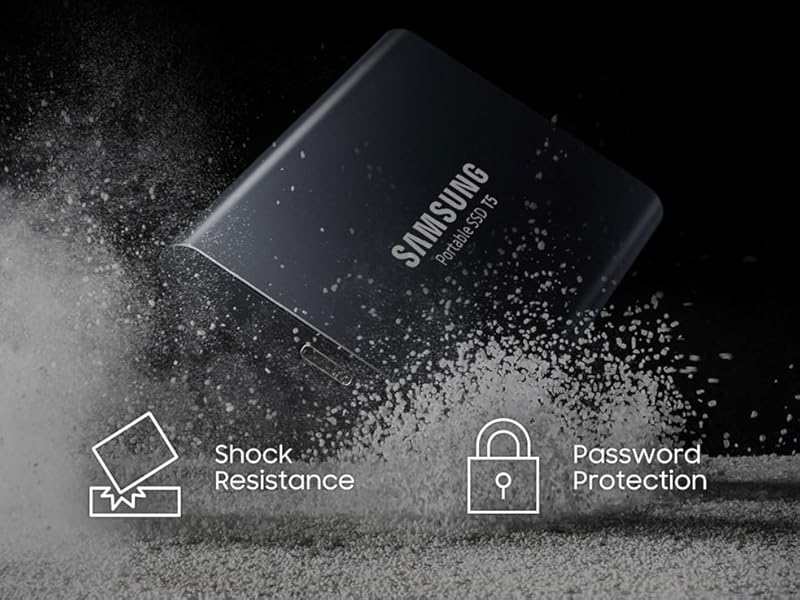
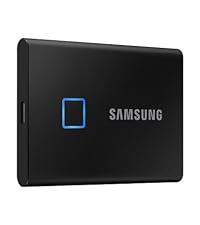
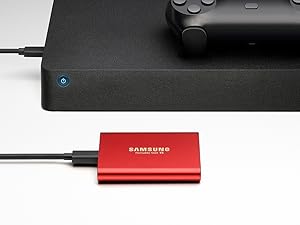
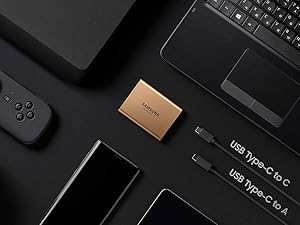
The Samsung T5 Portable SSD 1TB combines cutting-edge V-NAND technology with ultra-fast USB 3.1 connectivity, delivering up to 540MB/s transfer speeds in a sleek, shock-resistant metal case. Its compact design and AES 256-bit encryption make it the perfect secure, portable storage solution for professionals and creatives on the move.


| ASIN | B073H552FJ |
| Additional Features | Superfast read write speeds |
| Best Sellers Rank | #196 in External Solid State Drives |
| Brand | Samsung |
| Built-In Media | 2 cables, user manual, T5 Portable SSD |
| Cache Memory Installed Size | 1 |
| Color | Black |
| Compatible Devices | Desktop, Gaming Console, Laptop, Smartphone |
| Connectivity Technology | USB |
| Customer Package Type | Standard Packaging |
| Customer Reviews | 4.8 out of 5 stars 17,717 Reviews |
| Data Transfer Rate | 540 megabits_per_second |
| Digital Storage Capacity | 1 TB |
| Enclosure Material | Metal |
| Form Factor | 2.5-inch |
| Global Trade Identification Number | 00887276226316 |
| Hard Disk Description | Portable |
| Hard Disk Form Factor | 3.5 inches |
| Hard Disk Interface | USB 3.0 |
| Hard Disk Rotational Speed | 540 rpm |
| Hard-Drive Size | 1 TB |
| Hardware Connectivity | USB 3.0 |
| Hardware Platform | PC;Mac;Android OS |
| Installation Type | External Hard Drive |
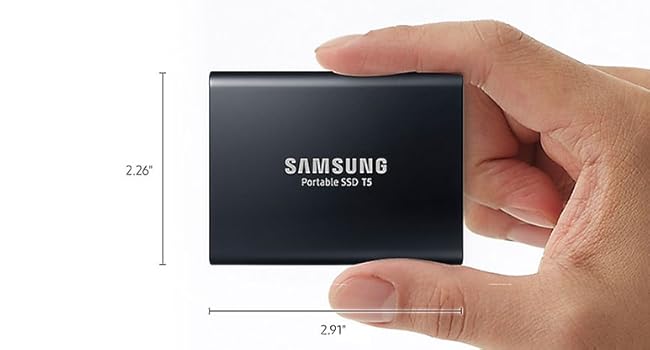
| Item Dimensions L x W x Thickness | 2.91"L x 2.26"W x 0.41"Th |
| Item Type Name | Samsung Electronics MU-PA1T0B/AM T5 Portable SSD, 1TB USB 3.1 External |
| Item Weight | 1.76 ounces |
| Manufacturer | Samsung Electronics |
| Media Speed | 540 |
| Mfr Part Number | MU-PA1T0B/AM |
| Model Name | Samsung T5 |
| Model Number | MU-PA1T0B/AM |
| Number of Items | 1 |
| Special Feature | Superfast read write speeds |
| Specific Uses For Product | personal, gaming, business |
| UPC | 887276226316 783976837480 |
| Warranty Description | 3 Year limited |
D**P
Small, Durable, and Fast
This is an impressive little device. I am impressed with the look, and the apparent durability of the drive. In classic Samsung style, the drive is a good looking accessory especially for my Dell Precision 5530. I believe the drive will be very durable it is made of what feels like aluminum and is sealed on the ends. I would not hesitate to put this in my pocket for quick and easy transport. The big question for me was about the speed. I have owned many external drives that claim to be fast, but I still can't run my VMs directly from the drive. I tested both the USB C and the USB A cables to know which I would have to use. With both connectors the T5 really delivers. I can't tell a difference between this drive and an internal SATA SSD installed directly on the SATA bus. I have included some screenshots of the benchmarks I did on each connection type. The external drive basically saturates the SATA protocol bandwidth, AWESOME! On the Thunderbolt 3 Type C port, I was seeing full SATA capability on the large reads and writes. However, when it is hooked to the USB 3.1 type A connector (the rectangle one) it seems as if the USB overhead slows down the large sequential operations by 10% or so . However, the USB 3.1 A out performed the thunderbolt 3 connection when it came to 4k and 4k QD performance. For me the 4k performance is most important as that is what the OS does constantly. The 10% or so drop in performance on the large sequential files in reality will not materially affect the performance of the VMs. I officially brand these drives as AWESOME and they will be my new go to drive when I need high performance low cost external storage.
K**Z
Reliable, Fast, and Convenient
I’ve been using the Samsung T5 Portable SSD 1TB for several months now, and I have to say, it’s an excellent choice for anyone needing fast and reliable external storage. Whether I’m working with large files for video editing or just backing up important data, this SSD does the job without a hitch. Design & Build Quality: The T5 has a sleek, compact design that fits easily in my bag or pocket. It's lightweight and made from durable, metal material that feels sturdy but not too heavy. The build quality is top-notch, and I don’t worry about it getting scratched or damaged from everyday use. I’ve also dropped it a couple of times, and it still works perfectly—it's definitely built to last. Speed & Performance: The 540MB/s read/write speed is incredibly fast, especially when compared to traditional hard drives. I use it to transfer large video files and it handles the job without any slowdown. Transferring a 10GB file takes just a couple of minutes, which has really sped up my workflow. Compatibility & Ease of Use: I’ve used it with Windows and Mac, and it works seamlessly with both. It comes with both USB-C to USB-C and USB-C to USB-A cables, which makes it compatible with a wide range of devices. Setting it up was super easy—just plug it in, and it works right away without any complicated software installation. Security: The AES 256-bit hardware encryption is a great feature if you’re concerned about data security. I use the password protection feature, and it works perfectly to keep my files safe. Battery Life: The T5 doesn't need an external power source, which makes it convenient for travel. It’s powered directly through the USB connection, so I don't need to worry about carrying extra cables or chargers. Conclusion: Overall, the Samsung T5 Portable SSD 1TB has been a fantastic addition to my tech gear. It’s fast, durable, and portable—everything I need in a reliable external storage drive. Whether you’re a professional or just need extra storage for everyday use, this SSD is a great choice. Highly recommended!
K**N
Exactly what I needed
I recently upgraded to the SAMSUNG T5 Portable SSD 1TB, and I must say, it's been a game-changer for my workflow. The drive's compact size makes it highly portable, and the 1TB storage capacity provides ample space to store all of my files and projects. The transfer speed of up to 540MB/s is lightning-fast, and it has significantly reduced my file transfer times, which has saved me a lot of time. I appreciate that the drive is compatible with both PC and Mac, and it's incredibly easy to set up and use. Overall, I highly recommend the SAMSUNG T5 Portable SSD 1TB to anyone looking for a reliable, fast, and highly portable external solid-state drive for their data storage needs.
T**E
Very Good (with one caveat)
First, the case was not included. That was an extra purchase. Just to be clear it’s in the pics only because I highly recommend at least a small “EVA” case since it is light weight and probably wouldn’t hold up to being crushed or dropped. The case recommended was perfect. It’s a great drive. Good construction/ metal outer casing. Large capacity @ 2TB is perfect for 4k footage. Decent/ reasonable price. Good performance. Apx 500mbs synchronous. Fast enough to work with 4K prores on the go. Certainly the fastest external I have. See pics for screen grab. Very compact and easy to carry. However, it doesn’t like extension cables in the least. This is not a fault of the drive, just a fault of crappy and wildly different USB C standards. So far it seems to only work with the original cables. I had trouble even mounting the drive with cables other than the original. I’m using an Abelton USBC card on my Mac Pro and the Samsung seems to prefer the type A gen 2 port on one of my machines. On the other machine USBC is fine. They have slight differences. With a direct connection I get full speed. So far longer cables and adapter cables seem to crush the performance ranging from slow to slow as molasses. I’ll update when I find a better cable longer than 1-3 FT. In the mean time I’m ok with the short cable as long as I get full speed. The only Other gripe I have is purely aesthetic. I hate that the label with the serial/ model number and bar code is on the front of the drive. Ugly staring at it on my desk. Samsung please just laser etch it in next time.
A**R
Great buy
This external hard drive is by far the best one I've used. I have bought many others for personal use for data backup and for expanding my game capacity on my Xbox One and this Samsung SSD outshines others such as WD and Sandisk. This product is not only small and compact, a plus in my books, but also has very easy-to-use and streamlined software included. None of the extra stuff like WD likes to force on you. Now, maybe this review is a bit skewed, as this is my first external SSD drive. But hardware aside, the software alone makes this drive better. However, the hardware in this little drive is very powerful. I use it now to transfer large drawing files between the server at work and my laptop for when I work at home. The files in an architecture office can get pretty massive, but this drive handles everything like a charm. I am able to transfer everything I need back and forth in less than a minute. On my old drives, this amount of data would have taken at least 2 or 3 minutes, if not more. The physical product does feel like it could be somewhat fragile, just like all pieces of technology. However, there are economical cases available for this product that ensure everything you need is in one place and that the drive remains unharmed in transit. While on the pricey end of the spectrum, I am very happy with this product. From here on out if I need another external drive I will be looking back to this Samsung T5 SSD. Hope this helps.
Y**0
Fast, sturdy, portable, dependable SSD
I've been waiting to buy a portable 2TB SSD for a while now. I've looked at many different brands, SanDisk, G-Drive, Glyph, etc... But I didn't want to spend a lot of money. I picked up this T5 as an Amazon Deal of the Day so I got an awesome price! I also finally got to try Amazon's 5 month, no interest, item payment plan lol. Thanks for giving me another reason to keep my Prime account, Amazon! I uploaded a pic of a quick speed test using Samsung Magician. I imagine it would be faster if my laptop didn't also have a regular WD Black HDD inside, as well as a Samsung Evo 860 M.2 SSD as my OS drive. I wanted to be able to use this for Windows 10 backups, and for Android phone backups. It comes formatted as exFAT file system, for use with Android devices and such. I deleted the exFAT partition and created a new 1.5TB NTFS partition, and a separate 500GB exFAT partition, so I can now use it for both Windows and Android :-) Samsung T5 is in a nice, sturdy aluminum case that is kind of a matte finish, so it doesn't smudge and hold fingerprints like shiny aluminum. It is very small and lightweight, so very portable. I love the USB-C to USB-C connection! It has a 3 year warranty as well, so I'm pretty confident it will last. I will update this review if anything changes!
M**M
So Far So Good
My primary reason for purchasing this SSD T5 was to download large video from my iTunes Library in case they were lost or some odd copyright issue (but likely not likely to occur since they are always in the Purchase column forever -but it did happen to me twice a decade ago - & Apple refunded me the funds) - & to have much video on disc in case I was overseas & wanted a large library available if iTunes or App TV was unavailable. And so far, it has been one successful test run. At first I was confused on how to setup and all Samsung has for MAC users is the Indicator software that tells you that the SSD drive is setup (with Password), working, & secure, not the ability to Transfer/View like the Magician software would do for PC users. Nevertheless, it is quite simple to do with Finder on MAC, and so, you can either 1) move by each movie (or select all) by finding your Video Library under Computer at left top of screen, and drag it to the Samsung drive in Finder, or copy all videos that you can (if already dowloaded to your computer, and transfer will occur immediately. 2) Or, you can (did this after moving what I had already downloaded to my MacBook PRO from iTunes) set up your iTunes Library downloads for future to move right to your T5/other. So, you just find that original file & change it by clicking on Samsung T5 (short version step) & it will download straight to your SSD T5 (will of course take longer, but a step you would have to do anyway taking it from itunes to another location, computer, or external disc).....wish you could transfer much faster from iTunes - if someone knows a faster way let me know, but I am on Tethering mode & my only choice & atm, an older iPhone and older MAC, so may have something to do with it....fixing the former issue next week. Also, I was then able to test to see if a video would play and the several videos I tested played right away on QuickTime Video player on the laptop, so success! I may look for another player later on. And, you can then remove the older Library that was already on your computer and taking up space on the Hard drive, and once you fill up your External disc can then move more Videos/other to the hard drive if you want. And by moving files directly to SSD from iTunes, you more easily keep track on what you have transferred (still learning this, but feel good about it thus far. I could see a better advantage from maybe having the X5 or other faster drive, but for the money, and not being in a major rush, this is working great for me so far (T5 slower speed). I hope no major surprises occur, but if they do, I will try and update this review in the future. One thing I did notice - I attempted to play a movie downloaded to my MacBook Pro on my desktop MAC PRO, but it would not play - but no big deal since I would only be needed it on the laptop for my future purposes indicated. Also, I did not need to format the disc like some have done or shown via video since it is already in the ExFat? mode. I did nothing extra, except for following the most simplistic instructions. I bought 2 of these, so could download some from each computer. Happy so far.
N**)
Best External SSD on the Market.
Unbelievable. Extremely Impressed. So Fast! Straight out of the Box without formatting did everything I asked of it. Super lightweight, USB-C cable clicks in which is not usually the case, but it makes me feel it's not going anywhere, not that USB-C goes anywhere anyway. It transfers 10 Gb movie files like it's a laser cutting through Butter. 60 Gb 4K movies from my none SSD external drive took about 5 minutes, but that is a limitation of all the non-direct transfers and adapters. If I had it on my MacBook Air it would be much faster. Just tried that and it took 2 minutes. It runs very hot, but with no moving parts no noise obviously. It had been in the cold outside and now it's hot to the touch. Played a 4K movie with HDR straight from my Macbook Air to my 55" LG C7 OLED HDR 4K TV and it was smooth. This is a workhorse. I can tell. One day I would love a 50 Tb version of this or more. Highly recommend. Well worth the price. If I have any issues I will update this review. So far smooth sailing. Pulling it out of the Macbook Air was a bit of a pain. Connection may be too tight.
G**O
Excelente Produto!
Super Rápido, simples de usar e configurar o sistema de segurança de dados ofertado pela Samsung. Melhor compra que fiz em anos!
M**K
Great Product at a Great Price
Best part is the cheaper price than buying it in my local computer store.
Y**J
Great SSD
Great portable SSD for storing media! Fast read and write transfer speeds!
A**D
ممتاز وكما بالاعلان
ممتاز وكما بالاعلان
M**B
Solid, blazing-fast SSD
There is no better device for fast, portable storage out there short of the Thunderbolt 3 version (that's also significantly pricier). I've been using it for close to a year now and it handles everything I throw at it like a champ with sustained read and write speeds of around 500 MB/s (slower but still responsive with random access). It's also super small and light but still extremely solid with a metal casing and quality cables rated to USB 3.2 Gen 2 (formerly USB 3.1 Gen 2). The supplied software is useless unless if you want to make use of the included encryption which would limit portability in a significant way. I would advise you use third party software if that's something you're worried about or your OS's tools if that's something you have access to (FileVault and Bitlocker). Lookout for clearances on this product if you're not in a hurry as you'll be saving quite a lot of money!
Trustpilot
1 week ago
5 days ago