🚀 Upgrade your notebook’s network game with Intel AX210 — speed, stability, and style in one sleek card!
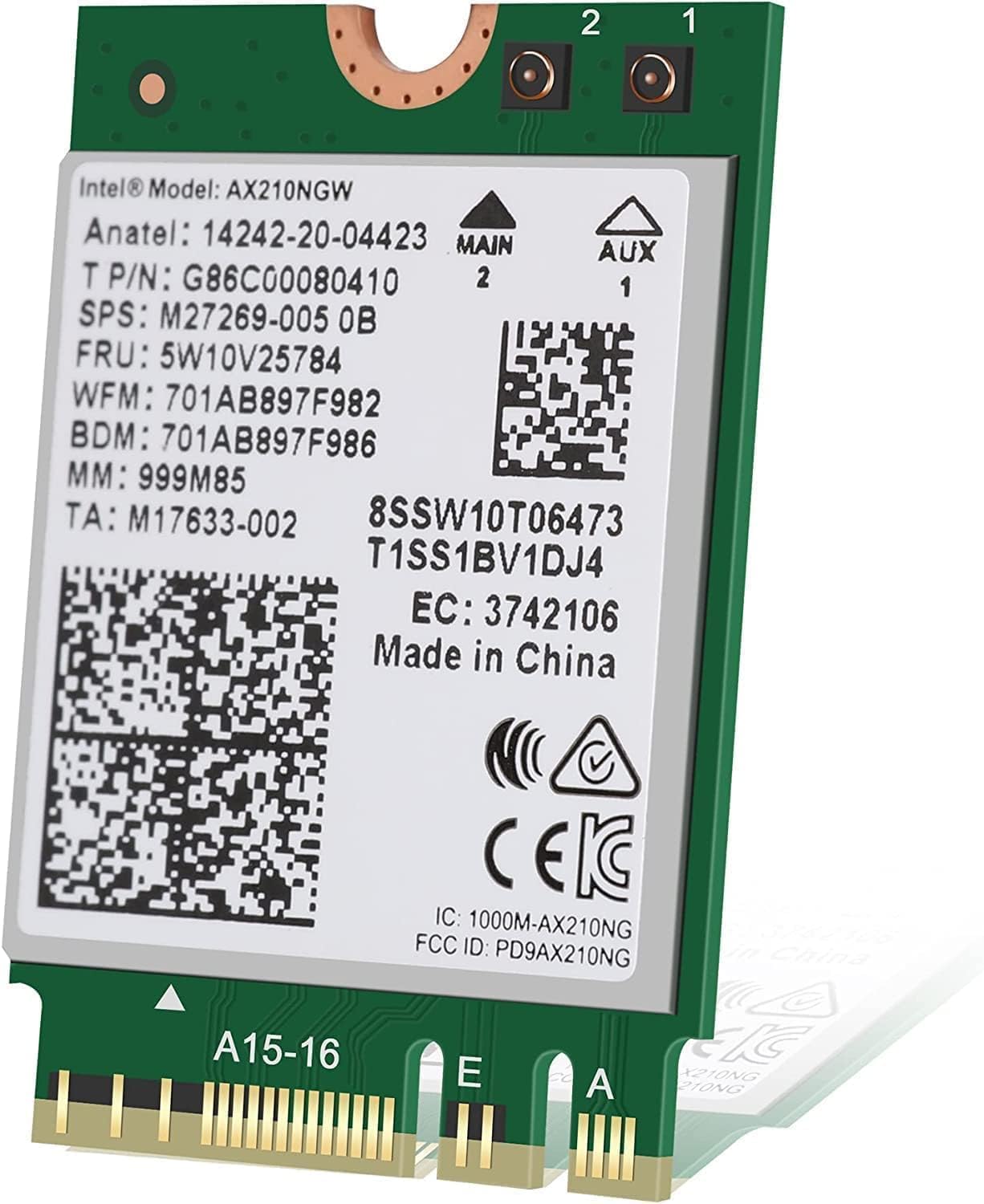
The Intel AX210 Tri-Band Wi-Fi 6E Bluetooth 5.3 Network Card is a cutting-edge M.2 adapter delivering ultra-fast 5374 Mbps tri-band wireless speeds, enhanced Bluetooth 5.3 connectivity, and power-efficient Wi-Fi 6E technology. Perfect for professionals and gamers seeking future-proof, low-latency, and stable wireless performance on compatible Intel-based notebooks.
| ASIN | B0B4T696W5 |
| Best Sellers Rank | #14 in Internal Computer Networking Cards |
| Brand | Intel |
| Color | multicolor |
| Compatible Devices | Laptop |
| Customer Reviews | 4.7 out of 5 stars 1,043 Reviews |
| Data Link Protocol | IEEE 802.11a |
| Data Transfer Rate | 5374 Megabits Per Second |
| Hardware Interface | Bluetooth |
| Item Dimensions L x W x H | 1.2"L x 0.9"W x 0.1"H |
| Item Weight | 3 Grams |
| Manufacturer | Intel |
| Product Dimensions | 1.2"L x 0.9"W x 0.1"H |
| UPC | 735858471077 |
A**I
Review for Intel AX210 Tri-Band Wi-Fi 6E Bluetooth 5.3 Network Card
I recently upgraded my asus rog laptop with the Intel AX210 Tri-Band Wi-Fi 6E Bluetooth 5.3 Network Card, and the difference has been impressive! Installation was straightforward—just make sure your device supports M.2 2230 A+E Key slots and that you have the necessary drivers ready (Intel provides them on their website). Performance: Wi-Fi 6E Support: This card takes full advantage of the 6 GHz band, providing faster speeds and lower latency compared to standard Wi-Fi 6. If you have a Wi-Fi 6E router, you’ll notice a big boost in download speeds and reduced interference. Stable Connection: I’ve experienced strong and consistent signal strength, even when multiple devices are connected. No more random drops or lag spikes during gaming or video calls. Bluetooth 5.3: The Bluetooth upgrade is a nice touch—faster pairing, improved range, and more stable connections for wireless peripherals like headphones and controllers. Pros: ✅ Blazing fast speeds with Wi-Fi 6E (if you have a compatible router) ✅ Improved Bluetooth 5.3 for better wireless device connectivity ✅ Stable and reliable performance with low latency ✅ Backward compatible with Wi-Fi 6 and older standards ✅ Great value upgrade for older laptops Cons: ❌ Requires a compatible M.2 slot (not all laptops support it) ❌ 6 GHz band only works with a Wi-Fi 6E router Final Verdict: ★★★★★ (5/5) If your laptop supports it, the Intel AX210 is one of the best upgrades you can make for faster Wi-Fi, better Bluetooth, and future-proof networking. It’s a must-have for gamers, streamers, or anyone needing high-speed wireless connectivity!
A**N
Best WiFi 6E card for Laptops
The Intel AX210 Tri-Band Wi-Fi 6E Bluetooth 5.3 Network Card is an excellent upgrade for those looking to boost their wireless connectivity. With support for Wi-Fi 6E, it unlocks the 6 GHz band, delivering faster speeds, lower latency, and improved network efficiency—perfect for gaming, streaming, and high-bandwidth tasks. The Bluetooth 5.3 ensures better range and reliability for wireless peripherals. Installation is straightforward for most modern motherboards with an M.2 slot, though compatibility should be checked beforehand. Overall, it’s a future-proof, high-performance network card at a great value.
J**N
Good speed and very good at maintaining a connection even in crowded spaces
This card worked great and was mostly a breeze to install. The hardest part was attaching the antenna connectors, which is a limitation of the industry standard design, not the device itself. The Wifi 6E is noticeably better at maintaining a connection than my old Wifi 5 card, and the bluetooth seems to have better range as well. Overall, I'm very pleased with the upgrade.
M**Y
WiFi-6e upgrade to HP Envy 360 20217, Good WiFi speed improvement!
Not sure if this was for the Wavlink model purchased. I had another that was cheaper slightly that had problems with antenna connection as well as replacement. The Wavlink version worked perfect, antenna’s connected fine and vastly improved the WiFi-6e speed of my HP Envy 360 Convertible. Well worth the upgrade! Just too bad I couldn’t go with Wifi-7, but the socket didn’t support those modules. However, happy with the upgrade.
K**.
Great Device! Highly Recommended!
Great choice! Very high quality device. Since installing the AX210, I’ve has flawless performance. Everything works fast, with no service interruptions. I was having issues on the stock cards that came with two Asus laptops I bought. The Wi-fi would randomly drop, and require reboot, or complete shutdown of the computer to recover. This occurred on both windows and linux. I’m glad that the AX210 works so well!
S**N
Great upgrade, careless packaging.
It was very easy to install and was a huge upgrade compared to the wifi card that came pre installed on my PC's motherboard, it greatly improved my download and upload speeds. The only annoyance was trying to get the two ribbons for my wifi antenna connected to the board, which took longer than I'll ever admit, but that's hardly the fault of the card. One major complaint isn't about the card itself, but with the way it was packaged and shipped. It came in a large bubble wrap envelope and at first I thought that the package was completely empty, but then I opened it and saw that the wifi card was wrapped in a plastic baggie with absolutely no kind of protection. Luckily the card works with no issues, but I looked through reviews and saw others complain about the same thing, I just can't believe just how careless Intel is with shipping these things.
K**S
Card is gold standard. Wifi and Bluetooth. Fast.
Works plug and play and don't forget you need antenna with cables! BE CAREFUL. The U. FL connectors are NOT designed for multiple installations and can handle 6-10 repeats. They pop in and out like snap buttons so place flat with pressure, typically small flat blade screwdriver to push. Use some magnification to see and NO your reading glasses are not enough! Be well friends…gold standard for wifi and Bluetooth. Fast and stable.
M**.
Works great as replacement of old laptop WiFi card, but some Bluetooth settings tweaks required
The "Killer" WiFi card in my Acer Predator Helios 300 started to die, so I bought this as a plug-and-play replacement as it works great! Installation was as easy as first downloading the Intel driver, shutting down my laptop, unscrewing the bottom, disconnecting and taking out the old card, inserting this one, then putting everything back together and booting up. HOWEVER, after doing the swap the Bluetooth didn't work right away and I had to take these steps to make it work: 1) Go to Device Manager, select "show hidden devices", expand the Bluetooth section, uninstall all the greyed out entries, 2) Still under Device Manager, expand the Universal Serial Bus Controllers section and uninstall "Unknown USB Device (Device Descriptor Request Failed), then finally 3) Do a Power Flush (unplug the charger, shut down the laptop, hold Power for 60 seconds, plug it back in and boot up).
Trustpilot
1 month ago
3 weeks ago