Desertcart purchases this item on your behalf and handles shipping, customs, and support to South Africa.
🚀 Elevate your workspace with panoramic power and sleek simplicity
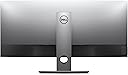
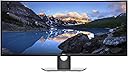
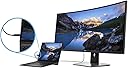
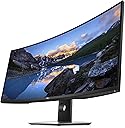
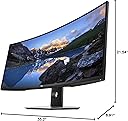
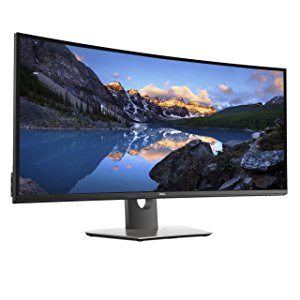
The Dell U3818DW is a 38-inch curved ultra-wide monitor featuring a 3840x1600 4K UHD resolution, 99% sRGB color accuracy, and USB-C connectivity that consolidates power, video, and audio into one cable. Designed for professionals craving expansive screen real estate, it supports dual-PC KVM control and offers an anti-glare coating with 350 cd/m² brightness for comfortable, immersive viewing. This monitor blends cutting-edge tech with productivity-enhancing features, making it a top-tier choice for multitasking millennials seeking both style and substance.


| ASIN | B073FHWTPL |
| Additional Features | gaming monitor |
| Aspect Ratio | 21:9 |
| Best Sellers Rank | #170,017 in Electronics ( See Top 100 in Electronics ) #3,763 in Computer Monitors |
| Brand | Dell |
| Brightness | 350 cd/m² |
| Color | Black |
| Color Gamut | 99 |
| Connectivity Technology | USB Type C |
| Contrast Ratio | 1000:1 |
| Customer Reviews | 4.5 out of 5 stars 735 Reviews |
| Display Resolution Maximum | 3840 x 1600 pixels |
| Display Technology | LCD |
| Display Type | LCD |
| Global Trade Identification Number | 00884116268376 |
| Hardware Connectivity | Bluetooth 4.0, USB |
| Image Contrast Ratio | 1000:1 |
| Included Components | DisplayPort cable, Drivers and documentation media, Factory Calibration Report, HDMI cable, Monitor with stand, Power cable, Quick Setup Guide, Safety and regulatory information, USB 3.0 upstream cable, USB Type-C cable |
| Item Dimensions D x W x H | 8.91"D x 35.2"W x 21.54"H |
| Item Type Name | Dell Ultrasharp 38 Curved Monitor U3818DW |
| Item Weight | 26.7 pounds |
| Manufacturer | Dell Marketing USA, LP |
| Model Name | Monitor |
| Model Number | U3818DW |
| Mounting Type | VESA mount |
| Native Resolution | 3840x1600 |
| Number of Component Outputs | 3 |
| Picture Quality Enhancement Technology | Wide Color Gamut, Fast Response Time |
| Pixel Pitch | 0.23 |
| Power Consumption | 9 watts |
| Refresh Rate | 60 hertz |
| Resolution | 4K UHD 1600p Ultra Wide |
| Response Time | 5 milliseconds |
| Screen Finish | curved |
| Screen Size | 38 inches |
| Screen Surface Description | curved |
| Series Number | 38 |
| Shape | Rectangular |
| Specific Uses For Product | business, personal |
| Total Number of HDMI Ports | 2 |
| UPC | 884116268376 884116338062 884116338161 |
| Viewing Angle | 178 degrees |
| Voltage | 120 volts |
| Warranty Description | 3 Years Advanced Exchange Service & Limited Hardware Warranty |
| Warranty Type | 3 Years Manufacturer Warranty |
G**M
Amazing monitor! If your due for an upgrade this is the monitor for you!
It was time to retire my old laptop and as part of the upgrade I purchased this amazing monitor. First, the beautiful design with 38 inches of real estate takes less space on my desk than two monitors. You don't need to install cumbersome desk or wall mounts and fiddle around with positioning them on your desk. By not needing extra wall mounts you are already saving yourself up to $200 which is better spent on a high end monitor like this. As far a set up, it's simple and took 5 minutes to assemble and set up. Some say the input ports are hard to find, but I plugged into the Thunderbolt port in under thirty seconds with no issues. Once I was plugged in I was up and running and able to set up as many page views as I wanted in about two minutes and ready to start working. I tell you right now I will save lots of money not having to print different pages to be able to see everything I need to get my work done. Thats another savings from using a State-of-the-art monitor like this beauty. All your work is right in front of you, easy to see, and very easy to cut and paste between different open files on the monitor. The screen resolution is outstanding and I'm still waiting for my Thunderbolt dock to fine tune the set up and get the most of the new monitor. Even though this is a pricey machine, you will save the cost of the monitor and more from less printing, not having to purchase space wasting monitor stands, and increased productivity with having everything you need to work right in front of you with very easy access. And that just for starts. I haven't started to push the limits on the monitor and will update the review if I can think of anything else worth mentioning. Very happy with this purchase. Bravo Dell!
M**N
Excellent Choice for DAW
I did allot of research on widescreen curved monitors before purchasing the Dell U3818DW. I needed a single monitor to replace the multiple monitor setup my for DAW recording studio. I bought a new audio desk and I needed to find the widest monitor possible to fit in between the racks built into the desk. Since the reviews were all consistently positive on this model and the size was right I decided to spend the extra money and purchase this one. So far I have been really happy with it and everything worked out perfect in terms of fitting the workspace, monitor arm, screen resolution and compatibility with Microsoft Windows 10. All of my software (Yamaha Studio Manager and ProTools 2019) also worked beautifully. The sharpness of the image, reduced glare and the wide format are perfectly suited to cram all of these applications onto one large viewing area. So it appears I can finally say goodbye to the multiple monitor configuration that I have been using. The other features that this monitor has is a built in speaker and a USB hub which came in handy to connect my wired keyboard and mouse since I do not use wireless in my studio. The speaker is OK and works as a good output for Windows OS sounds and playing music when my studio monitors are off. Not world beating audio quality but a serviceable alternative to using a separate speaker system. No additional cables or wires were necessary using the HDMI/Display Port cable to the computer. All in all this a well built and engineered piece of monitor technology and for the price point it was a perfect choice for my studio application. As with all things time will tell on the longevity and durability of the product but for now I am really pleased. I have not used the Dell software for using multiple input sources but that is something that I will likely explore down the road. As it is now I have not had to load any additional software or drivers so that is one less thing to contend with.
N**Z
Works well with my 2018 MacBook Pro 13"
I had a lot of angst in choosing this monitor vs the equivalent LG vs a cheaper 4k 43" monitor. I had concerns about quality and warranty service on the LG, which has official support for Mac. This Dell has no official support for Mac, but does have a good reputation for quality. In the end I decided on the Dell and so far have been happy with it. This is 100% a work monitor for me, so I'll only be commenting from that aspect. Also, work for me is email, programming, powerpoint, etc, nothing to do with video editing or high-end graphics. One of my primary concerns was unscaled ppi since I wanted as much real estate as possible - my previous dual monitors had around 94 ppi. This Dell rings in at 109 PPI which was at the upper bound of what I wanted. A 43" 4k monitor is 102 ppi, which is better but I ultimately decided 43" is just too huge to fully utilize the whole screen, plus current 43" monitors aren't curved. The 109 ppi turns out to be fine. In the attached photo I have a PDF at 100%, and the same PDF slightly zoomed. Ditto for the web browser. I do tend to zoom in by a notch or two, but not always. I've also pulled the monitor forward a bit so I sit closer to it than my previous 94 ppi monitors (24" 1920x1200 resolution). The other major concern I had is screen-sharing on web calls. 4k (or 3840x1600 in this case) is just too high-res for screen sharing. So I've been using the PBP (picture by picture) feature to split the screen. I reduce the resolution of the shared screen to 1080p and it works perfectly. To do this I just add a display port cable to my MBP in addition to the usb-c, and it all works perfectly from my one MBP. The monitor doesn't switch automatically - you have to go into the menu and select PBP so that's a bit of a hassle but overall it works great. I only do this once or twice a week - if I had to do it every day then I'd probably just reduce the resolution of the whole screen instead of splitting it. For the usb hub capability I only use my Logitech mouse's usb receiver plugged in to the Dell, and it works fine. Moving the mouse doesn't wake the Mac, but tapping a key on the magic keyboard does the trick. Note that usb-c doesn't have enough bandwidth to support both the near-4k resolution and high speed usb (usb 3.0 I think?), so if you rely on an external hard drive at usb 3.0 speeds, you'll need to either connect it directly to your MBP or use DisplayPort for the video feed and usb-c for the data feed to drive the Dell's usb hub capability. Other reviewers have noted that you can't control the volume of the Dell speakers from the MBP and that is correct. However the problem is that MacOS doesn't support that functionality, so it's not a fault of the Dell. You can see in one of the attached photos that I use a Jabra bluetooth speakerphone anyway, so I bypass the Dell's speakers entirely on conference calls. If any readers are hesitant about the curve, you absolutely shouldn't be. I was initially hesitant about the curve until I realized that with my dual monitors I had them angled in towards me. So the curved monitors do the same thing you'd do if you had multiple monitors anyway. If anything, I now think I'd like a more aggressive curve for any future monitor! Some final odds and ends. I use a single usb-c to connect to the Dell and it works great (until I need to do PBP as noted). I use my MBP in clamshell mode as you can see in the photo. Turning the Dell off while the MBP is on and in clamshell mode causes issues so I just leave things alone and let the MBP sleep on its own, and then the Dell sleeps on it's own, and everybody is happy until I tap my magic keyboard and everybody wakes up the next morning. Overall I'm very happy with this Dell (except now wishing for an 8k 43" ultra wide curved monitor in the future!). I hope this review helps anybody who's sitting on the fence, especially MBP users.
J**.
Great monitor for business applications.
I'm not a gamer, so wasn't' looking for 144hz refresh rate offered by some large ultra wide screen gaming monitors. I needed multiple inputs as I wanted to use this with my Windows desktop PC and my work computer which MacBook Pro 16 which has all USB C connectivity. Some reviews report that this shouldn't support charging on the MacBook Pro as it requires 90 watts, but it looks like they at some point upgraded the design and mine supports 100 watts per the manual. I am able to charge the MacBook Pro as well as connect audio and video feeds over a single USB C cable connection which is great for keeping my desk uncluttered. The multiple HDMI inputs are also solid although I only use one. I originally intended to use the built in KVM, but ended up getting Logitech MX Keys keyboard and MX Master 3 mouse which natively support up to three devices, so they connect to my MacBook Pro via Bluetooth and my PC via the Logitech Unifying receiver. I love that it has a big work space without the interruption in the middle like a dual monitor setup presents. I really like it overall and the image is sharp with good color saturation and contrast and the warranty seems much better than other monitors in this class. There are two things that kept me from giving it five stars: While I'm not a gamer and don't need 144hz refresh, it would be better if it was a 120hz panel (it's a 60hz display) as it would make for smoother scrolling on big docs. Changing inputs is a little clunky. It requires multiple button presses and navigating a short menu with controls that are on the bottom right edge of the monitor. It would be better if the more advanced settings were buried in the menu with just a simple input button to toggle between the inputs as I change between computers multiple times a day. It's probably not my forever monitor, but I am very happy with it and think it's likely the best choice in it's form factor for a power business user that's available today.
C**G
Best USB Type-C Monitor for Productivity
My company, Purely Cloud, has standardized on USB Type-C monitors and laptops. We have Lenovo ThinkPads, Dell XPS 15 and 13, and MacBook Pros deployed for our MSP clients and internal users. The main reason is to remove clutter and simplify the user experience. It's awesome running ONE cable from the monitor to computer to provider power, data, and video. The extra vertical resolution and curve makes all the difference in usability along with the proper 100W USB Power Delivery versus other monitors that only do 60W/less than the 100W. It only has 60 Hz refresh rate, but it's perfect for productivity and fine for non-hardcore gamers. Everything looks crisp and it's a real joy to use the monitor daily. Build: This thing is built like a tank! Dell UltraSharps have a great reputation for a reason. It arrived via UPS double-boxed with many "heavy" stickers slapped on it. The manufacturer's box is extremely thick with plenty of packaging to keep it safe during transport. The monitor has a quality heft to it and can be VESA mounted. Connectivity: 1 x DisplayPort 1.2 (HDCP 2.2) 2 x HDMI 2.0 (HDCP 2.2) 2 x USB 3.0 Upstream port 2 x USB 3.0 Downstream port (side) 2 x USB 3.0 Downstream port (bottom) 1 x USB Type-C (Alternate mode with DP1.2, Power Delivery, and USB2.0) The built-in speakers are decent but aren't for audiophiles. That's not a ding considering there are no built-in speakers that are up to par. Overall, this monitor is everything I was looking for and will need for many years to come. It's well worth the price and I won't hesitate to buy many more to come until the next greatest thing or a larger size comes out with the same vertical resolution. 1) No display manager software for Mac, but Mac needs to get with the times and update their display management so it's at least equal to the awesome Windows 10 display management. 2) Built-in monitor speakers can be controlled if used with USB Type-C Windows PC. For Mac users, unfortunately, the same cannot be said. 3) Changing inputs is not the easiest due to too many button presses. Auto detect does not do a good job if you have multiple devices plugged in.
B**N
As they say, one can't be too rich, too thin, or have too much screen real estate
I am now good - for now - on the third point. Incredible monitor, but a challenge to get a working one from Amazon. I received two damaged units when ordering from Amazon (one with a cracked LCD, the other would cut in and out during the first couple of hours of operation). [I'll spare you the details, but it was just really bad transshipping by Amazon.] I finally ordered directly from the manufacturer and received a unit in perfect working order. Even the second monitor which would cut in and out was quite nice overall, but a fully-working one: wonderful, amazing, glorious. I purchased it to replace an old Dell 30" (U-3011). That model had a 2560 x 1600 resolution, and a number of the other displays north of 32" were going down to 1440 vertical resolution, and I didn't want to give up the vertical real estate. With the slightly higher dot pitch/smaller pixel size on this one, plus the narrow bezels (1 cm, top, right & left, 1.5cm bottom) this unit is noticeably shorter than the 3011, which surprised me. I run it via Display Port with a Titan. I have not yet used the KVM features since I tend to just use Remote Desktop across my various computers, but I will test it out and report if any difficulties - tested, works fine, see update below). Last comments: * Along with the narrower bezel, this monitor is thin.and the stand is made very durably, but cuts a fairly trim profile. Overall, the design keeps the monitor feeling as small as it can given its size. * I primarily use it for software development & typical office productivity apps, so I can't speak to its color fidelity for photo, video, etc, however the colors seem very "true" to my layman's eyes. * Integrated speakers are quite powerful - even at 40% on the monitor-side control, I am usually turning videos down to 30%/40% volume on the computer as well. * The one give-up compared to all the large-size Dell's I've had in the past: no card reader. I have one in my PC and there is no shortage of options for USB card readers, so this isn't a big deal. A user asked in the comments about whether the screen would need some further elevation for comfortable viewing. It does not for me, but others may feel differently based on their height/chair/desk/etc. Details: at the full stand height, the viewing area is from 6.75" to 21.25" above the desk surface (i.e. vertical midpoint of monitor is 14" above the desk). Update (Sept 12 2017): I did get around to using the KVM features - works great. Plugged my wireless mouse & keyboard dongles (Anker & Microsoft respectively) into the monitor's USB ports, added the USB cables between computers and using the on-screen menu associated the specific HDMI and DP ports to the correct USB. I used it for switching between a Raspberry Pi and my desktop PC. Note that there are only two USB in ports on the monitor, so one might want a powered hub if more than two USB devices were to be shared between the two connected computers.
T**J
A Positive Review Specifically For MacBook Pro Users
I have this Dell 38 inch Ultrawide connected to a 2019 MacBook Pro 16. It looks great once you do a few things, and here are some helpful things I've learned: To get the best intended 4K resolution, you must open Display Preferences, the click on 'scaled' while holding down the Alt/Option key. This shows you actual resolutions, not the size thumbnails. Click on the 3840 x 1600 resolution. It makes a big difference from the default setting. Also, to get the upstream/downstream USB ports on the Dell to activate was tricky. No USB-C to USB adapters I own worked with the Dell upstream USB cable into the USB-C MacBook port. I ordered this one-- https://www.amazon.com/gp/product/B0817RYVKG/ref=ppx_yo_dt_b_asin_title_o01_s00?ie=UTF8&psc=1 --and it works perfectly. If you're having issues with getting the USB ports on the Dell to activate, including the charging ports, this is the fix. The monitor itself is charging the MacBook 16 flawlessly when using USB-C for video, but there are some issues with waking from sleep mode at night. If I have a solution to that I will update this, but I don't mind the tradeoff of having to shut down... as this monitor is highly rated, doesn't skimp on warranty, and everything else about it is fairly spectacular. It's an excellent MacBook Pro monitor solution with a seamless USB-C connection and great picture quality. Not perfect, but very close to it.
C**N
ABSOLUTELY worth the price!
Let me start off by saying that I am a graphic designer (Creative Director actually) for an agency and I am incredibly picky about the equipment I use. I have been using an LG 5k 27" Usb-C display with my 15" Macbook Pro since they were released over a year ago. I had debated on buying a second LG display because I needed the extra real estate, but had heard some good things about the super wide displays form LG, Dell, etc. I haven't had much luck with non-Apple displays working nicely with my Mac and was super nervous about making this leap...also considering that this wasn't a 4K/5K monitor. But I read all the reviews and watched all the unboxing and demo videos on YouTube and decided to make the leap. So, this monitor arrived today and all I can say is...WOW! It has exceeded EVERY expectation I had. It's gigantic on my desk for starters. It's color, while not as vivid as the 5K, is actually more accurate to actual color for print that the LG display which makes my job easier. BUT the color profile and screen clarity is exceptional. I expected some banding as I have come to see with other non-Apple monitors, but this had none. Colors are beautiful and everything is very crisp. I'm actually trying to figure out how I can buy another one of these, but they probably won't fit on my desk. I'm VERY happy with it and it performs incredibly. ZERO complaints from me and I am VERY picky!! I would def recommend this to anyone considering buying it. You won't be disappointed.
P**W
Amazing Monitor - Paired with M1 Mac mini
I switched from 2 x 27' 1080 monitors to this Dell Ultrasharp 38' IPS ultrawide recently. Very impressed so far, here are my initial impressions: The Pros: -38' w no bezel is more usable for myself than the 2 x 27' with bezel. -Picture Quality is awesome, great colours, text is super crisp. -Speakers are surprising good, replaced the cheap sounder I was using before. -Slim bezels, monitor looks beautiful from all angles. -Easily supported by Amazon Basics 'Ergotron' Monitor Arm - built in kvm works well Cons -It debuted in 2017, so likely will be refreshed in the near future, I believe the 34' Ultrasharp just got an update. -Expensive -M1 Mac cannot currently adjust monitor brightness, and volume controls with the keyboard
C**N
NO es flicker free! como dice Dell.
Compré este monitor pensando que es flicker free como dice Dell en las especificaciones de su página web: "This TUV-Certified1 monitor has a flicker-free screen with ComfortView" pero NO lo es, Dell miente, lo grabé con mi cámara Canon mark II con el shutter en alta velocidad y si parpadea, este parpadéo no se nota a simple vista, sólo se ve con cámaras en grabación en slow motion como las del iphone o cámaras de foto como la mark II con shutter en velocidades altas, hace poco tuve que regresar también un monitor acer de 43 pulgadas "et430k" porque también pone Acer en sus especificaciones que es flicker free o flicker less pero tampoco lo es al igual que Samsung que miente y dice que sus monitores son flciker free y NO lo son, a la larga cansa la vista mucho y uno no sabe porque es, no se ve a simple vista el parpadeo o flicker en estos monitores. También grabé mi monitor Asus pg348q y mi monitor BenQ BL3200PT y sus fabricantes dicen que son flicker free y estos dos monitores SI lo son, no se ve ningún parpadéo a travez de la Canon Mark II, se ve una imagen sólida y esto ayuda a que no se canse la vista y puedas estar delante del monitor mucho más tiempo y no dañes tus ojos tan fácilmente.
L**O
perfecto para trabajar
Para mi es muy bueno, si tienes buena vista puedes tener 3 ventanas a la vez. Mas todo lo que implica usbc como unico cable, una peana muy buena, la posibilidad de usar dos ordenadores a la vez y la gran calidad en general que proporciona Dell
C**.
Expensive, But Mostly Worth the Price
Excellent screen with fantastic picture quality. The colour calibration was nearly perfect, requiring only very minor tweaks in DisplayCAL. If you don't have a hardware calibration tool, you can be pretty sure the colour profile is accurate. I'm using this with a 2018 MacBook Pro 15", connected to a Thunderbolt 3 dock, and then via DisplayPort 1.4 cable. Have had no issues on Mac like many of the other reviewers mentioned. The USB-C cable provided with the Dell monitor isn't Thunderbolt 3, but actually maxes out at USB 3.1 speeds, which is more likely the issue than any OS compatibility. Get a certified Thunderbolt 3 cable, and any issue should be remedied.
F**A
Perfect Monitor
The best monitor I have used so far. Very clear and accurate color rendition. Best for huge spreadsheets, video and photo editing, and autocad.
Trustpilot
1 month ago
1 day ago