


Buy anything from 5,000+ international stores. One checkout price. No surprise fees. Join 2M+ shoppers on Desertcart.
Desertcart purchases this item on your behalf and handles shipping, customs, and support to South Africa.
🖨️ Elevate your home office with smart, speedy, and seamless printing.
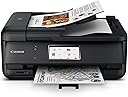
The Canon PIXMA TR8620a is a wireless all-in-one inkjet printer designed for home office professionals. It delivers sharp prints at 15 black-and-white and 10 color pages per minute, supports automatic duplex printing, and features a 200-sheet paper capacity. Integrated Alexa connectivity enables smart ink monitoring and reorder without subscriptions. With versatile functions including copying, scanning, faxing, and a 20-sheet auto document feeder, it combines convenience and efficiency in a sleek, compact design.


| ASIN | B09TRZLPXP |
| Additional Printer Functions | All In One |
| B&W Pages per Minute | 15 ppm |
| Best Sellers Rank | #7,769 in Office Products ( See Top 100 in Office Products ) #17 in Ink Tank Printers |
| Brand | Canon |
| Built-In Media | PIXMA TR8620, Documentation, Set of Standard Ink Tanks, RJ-11 Telephone/Modem Cords, Power Cord |
| Color | Black |
| Color Depth | 16, 8 Bits |
| Color Pages per Minute | 10 ppm |
| Compatible Devices | PC, Smartphones |
| Connectivity Technology | wireless |
| Control Method | Touch |
| Controller Type | Android |
| Customer Reviews | 4.0 out of 5 stars 6,181 Reviews |
| Display Type | LCD |
| Dual-sided printing | Yes |
| Duplex | Automatic |
| EU Spare Part Availability Duration | 1 Years |
| Hardware Interface | USB |
| Ink Color | Black |
| Is Electric | Yes |
| Item Dimensions D x W x H | 13.8"D x 17.3"W x 7.5"H |
| Item Type Name | Inkjet Printer |
| Item Weight | 17.4 Pounds |
| Manufacturer | Canon |
| Maximum Copy Resolution Black and White | 4800 dots_per_inch |
| Maximum Copy Resolution Color | 4800 x 1200 dpi |
| Maximum Copy Speed Black and White | 15 ppm |
| Maximum Media Size | 8.5 x 14 inch |
| Maximum Print Resolution Black and White | 4800 x 1200 dpi |
| Maximum Sheet Capacity | 100 |
| Maximum print Resolution Color | 4800 x 1200 Dots Per Inch |
| Model Name | CNTR8620A |
| Model Number | 4451C032 |
| Model Series | PIXMA TR8620a |
| Number of Trays | 2 |
| Other Special Features of the Product | 20-sheet ADF for scanning and copying, Borderless printing up to 8.5 x 11" and square format printing, Built-in auto duplex printing, Five individual ink tank system, Wireless printing |
| Output sheet capacity | 20 |
| Paper Size | 8.5 x 11.7, 8.5 x 14.0 |
| Power Consumption | 15 Watts |
| Print media | Glossy photo paper |
| Printer Connectivity Type | wireless |
| Printer Output Type | Color |
| Printer Type | Inkjet |
| Printing Technology | Inkjet |
| Processor Count | 1 |
| Resolution | 4800 x 1200 |
| Scanner Type | Flatbed |
| Series Number | 86 |
| Special Feature | 20-sheet ADF for scanning and copying, Borderless printing up to 8.5 x 11" and square format printing, Built-in auto duplex printing, Five individual ink tank system, Wireless printing Special Feature 20-sheet ADF for scanning and copying, Borderless printing up to 8.5 x 11" and square format printing, Built-in auto duplex printing, Five individual ink tank system, Wireless printing See more |
| Specific Uses For Product | Home, Office |
| Total USB 2.0 Ports | 1 |
| Total Usb Ports | 1 |
| UPC | 013803348323 |
| Unit Count | 1.0 Count |
| Warranty Description | 1 year |
| Warranty Type | Limited |
P**R
Absolutely Great for What It Is
Look: You want a high volume, super durable, high quality printer that'll print long-documents? This is not your best choice for that. But for a compact, low-cost, color ink-jet that'll print a few pages when I need it to? I found this to be an EXCELLENT choice. MY specific use for this printer is as a "luggable" -- that is, I can bring it with me (in the car) to different locations. For example, when I'm away for a couple of weeks at a seminar that I can drive to. It's not going to set any speed records, but it's very reliable (particularly when you connect to it via USB) and the print quality is absolutely decent. When it's either THIS or (a) buy a 3x as expensive "portable" printer, (b) torture myself by attempting to use the hotel's printer in the "business center" (i.e. the alcove off the lobby)? Give me this printer any day. I have also very successfully connected to is using Wireless Direct and over "regular" WiFi via a router. Just no problems at all. Recommended, for what it is.
W**A
A great multi featured printer for the right price in todays crowded printer market.
Just set up my new Canon TR8620a printer. It's everything I wanted in a home printer. My old canon printer finally bit the dust after many years of faithful service. [ my big cat pushed it off my desk]. Unfortunately finding a like replacement really can't be done easily or at a price like my old one. But let me tell you, this TR8620a printer is everything I wanted in a home printer. A large touch display for quick settings. Dual feed trays. Multiple sheet feeder for copying and scanning. Will print 8 1/2 x 14 paper and card stock. It can print at 4800 x 1200 dpi for excellent photo prints. It prints relatively fast for a home printer. Easy set up in about 15 minutes, although my WI-FI took a few minutes on my desktop, but no minutes on my laptop from across the house. Easy use, especially if you are familiar with Canon printers. Best of all, no expensive all in two type of ink cartridges common in most new printers. The TR8620a uses five individual cartridges at a reasonable cost and it uses alternate brand ink cartridges with no problem at an even better cost. This was a biggie for me. My old Pixma printer used five ink cartridges and I saved a ton of money over the years on ink only having to replace one cartridge that was out of ink. It even has a fax feature. Haven't used a fax for years. But if Aunt Betty wants me to send her a fax, I've got it covered. It does NOT have Bluetooth but prints from my android phone no problem on my network. This brings up why this printer has all these features. It is not a new release printer. It was released in early 2022. That means Canon might drop support in 203x. Canon did stop supplying a manual in the box so have to get one online. But hey, my old printer was about 10 years old and I never needed support and parts and ink are still available. All in all this new Canon TR8620a is a good buy comparatively and I look forward to many years of trouble free printing. You don't know how much you miss a printer until you don't have one.
A**R
WORST PRINTER & PHONE APP EVER!!
This will be my very first 1 star review, but I cannot help myself. I spend days and weeks researching every printer I've ever bought. I was in a bit of a hurry and only spent a few hours looking around before deciding on this one. HUGE mistake. The reason it is affordable is because it's not even worth the current price. I already own a strictly for photos printer and needed something for my home office/personal use. Canon has done good by me and the past, and it was at least 4 stars, so should be fine, right? SO Wrong. The set up was fairly simple but getting my phone connected to it was a straight nightmare. Even after it successfully connected, it consistently gave me a no "no printer available" warning the entire 1.5 hours I spent on it. 1.5 hours to print ONE document. The app is absolutely trash. Seriously the worst, slowest, least user friendly device app I have ever encountered, printer or otherwise. It took FOR-EV-ER every single time I selected any option the made the app connect to the printer. Every single time, ever single option I chose. Even selecting "Printer Status" took over 7 minutes to simple tell me it was online. But the best part was the quality, for sure. I needed to print a single document. Just 1. It took me over an hour to print a just halfway decent copy. The black ink look ash gray in the first few copies, and not very black by 6 (the aforementioned halfway decent print which i decided to accept and be done). I got a "Printer Block"error, after error, over and over and over again, with no block to be found anywhere. The last copy I printer was no even very good, let alone great. The ink was dull and much more gray then black. I was able to FINALLY remove the page borders the printer kept inserting despite the settings corrections I did MULTIPLE times, but the only way I got them removed was through a third party app that adjusted the dimensions. In other words it dumbed it down so even this garbage printer couldn't justify another useless copy. I almost never leave bad reviews, but I could not live with myself if I didn't warn any future possible buyers to TURN BACK. Oh and after 5 copies my ink was almost halfway gone, just for the cherry on top. If you are considering giving this device a chance, one more time, It is a TRICK, Don't do it!
B**J
Not a patch on my MX922 but better than expected.
Like many others I was super happy with my very robust and well built Canon MX922. Sadly it became inflicted with the dreaded b200 "error" code and no matter what I did I was unable to get it to reset. Knowing that a repair would be very costly, I opted for the new one and along came the TR8620a...... There are some very fair reviews on this printer which I checked carefully before buying. Reasons for going this brand and model - the print cartridges appeared the simplest and cheapest to replace vs HP and their appalling rort of "6 months instant ink", I had been very happy with the 922 and so hoped that a new Canon would be a better option and it had all the features i needed including document feeding....however its only a one sided feeder as best as I can tell. So onto the unpacking - and it definitely has to be said that the quality of the build of this printer is a mere faint shadow of the MX922. Definitely a very nasty flimsy feel to the various panels and opening parts. It is more compact and much lighter though. The initial setup went fine with the print alignment process and then it was time to try and connect it to the various networks and computers/phones This was a pleasant surprise in that mostly it went very easily and took no time at all. Of course my work pc requires an administrator access to download the software, but in the meantime I plugged in an old USB printer cable (yes the old school with the square printer output plug) and lo and behold was able to print to it straight away. Scanning worked similarly well and is actually better quality than the MX922. By this time I had connected my iphone and ipad without issue (just make sure everything is on the same wifi network) and did some test prints which turned out very well. So I cant complain (yet) about the print quality or ease of setup. I have no intention of using it for anything other than printing or scanning, so Ill leave it to others to comment on the fax quality. The one glitch so far is that my positively ancient macbook which is so filled with "other" crap that I cant download a new OS. So Im on X El Capitan v 10.11.6 with no room for an update. When I tried to download the driver it just said "error with this OS". No surprises, but since its up and running on the much newer ipad we are ok there. So....Im not yet of the view that this truly is a 1 star printer. I will make the caveat that Ive only printed a few pages and so far so good....but I fully reserve the right to update this review down the track. In the meantime CANON suggest you go back to making a less flimsy more solid feeling machine like the MX922 - no question the new one is not a patch on the old!
H**L
Excellent printer, happy after one year.
ETA: the printer has been working well. Recently, I had an unusual job requiring the printing of hundreds of pages. It worked flawlessly. Also, it is very easy to refill the ink, which Aoyama is recommended. Do not buy Canon cartridges, a waste of money. Just a few drops of ink will make the cartridges like new. Strongly recommend this printer. Previous review: The only requirement for a printer is just to work - to do its job when needed. This one has been tested for several weeks, not 20 years like one of my previous printers, thus, it is too early to rate. Nevertheless, I hesitated quite a bit because of negative reviews before buying; and this review with "nominal" 5-star is just to allay the fear of someone who might hesitate like me: 1- Setting up isn't that smooth, but it is hard to blame Canon, because the printer has many features, functions, so, smart things are usually a bit complicated. One has to be patient to go through and set it up correctly. Once it is done, with all the Canon software (just basic, not fancy) installed, it will do its job. 2- Printing: since it is new, hard to know when "paper/carriage jams" will occur. I threw away my 3-yr old HP printer because even though it was hardly used, the "paper/carriage jam" problem was beyond tolerable, not to mention misprinting, misaligned on non-common media such as envelopes, checks, labels, etc. Hence, those are the things I tested on this Canon, and so far, with two trays, one cassette for letter-size paper, and one rear feeder for uncommon sizes, the printer works. It works, that was all to be asked of it. How many years (or months) will it work is a different matter. Bottom line, not fancy, but it works so far because it is new. Its print quality is decent for its class of inkjet printers in a similar price range. Photo printing on Canon glossy paper is quite nice looking. I don't have a need for heavy printing, just occasional usages, less than a dozen pages at a time with regular black/color. So far, it is very nice and trouble-free. In particular, I recalled frequent problems with my previous HP inkjet printer when printing thick and odd-size envelopes. This one so far is very reliable. I only hope that it will continue working without HP's classic "paper/carriage jam" troubles. A last note: it is well-known that HP makes money by selling very expensive ink. The rate of ink usage of this printer so far is much better than that of HP. So, if one is considering a low-end full-function, all-in-one printer, I would recommend this over any equivalent HP. I will never buy a HP again.
K**J
Very pleased with performance and consumables.
Many years ago, I was the proud owner of a Canon PIXMA printer (sorry, can't remember the model) when quality was paramount in the build, operation, interface and resolution, and the consumables. Prior to that ownership, I used other manufacturers and models and found the Canon line superior. With other units, I experienced clogs jets, high ink use and slow print and scan speeds. After some years, my Canon would no longer come 'online' to my WiFi and even direct PC linking was intermittent despite returning it to factory reset or attempting technical support. As I searched for a replacement, I checked out the current offerings and found most to be wanting...an evident lack of quality in construction, noticeable loss weight (heft), and features. I looked at other manufacturers and aside from 'buying to try', couldn't find a another manufacturer without spending a fortune for a home printer. I opted not to go the ink tank route since I print only occasionally (a lot when I do) and tank reviews are mixed requiring frequent printing. I purchased a different Canon model, and didn't like the print speed, noise and rate of ink consumption. I have that unit away and purchased this model and am pleasantly surprised by the differences. I had some experience with an earlier version of this model (purchased for a relative), that had the same front panel, front/rear paper loading options, SD chip option, WiFi connection and ink replacement features. I didn't see any of that as off-putting - in fact, rear loading (especially for heavier stock) is a plus. So cutting to the chase: I'm please with this model. The GUI/LED panel has all the functions you could look for and is intuitive...you don't actually need a manual. Linking to the WiFi was simple and quick. The print speed is faster than I anticipated and ink consumption is clearly better than the prior Canon unit. The network experience is good (laptop) , particularly when using Canon Inkjet Smart Connect (and likewise the mobile app when printing from it - both iPhone and iPad). Scanned images of documents, etc. are crisp, although I wish it would offer more than 600dpi when doing photos or images, but in those cases I use my iPhone/iPad for captures. Bottom line: Canon still makes a good product 'tho the trend has been to use cheaper materials - more plastic parts noticeable in heft and feeling less solid. But all the competitors are doing likewise. And ink consumption is a problem across all lines, but that's where they make their most profit even with tank units. There appear to be complaints about WiFi setup and performance; I have not encountered any issues with Canon software setup, and I will say that this touch screen interface is much easier than other Canon units. Lastly...there are complaints about having to raise the control panel to print - freeing up the space for paper tray loading and exiting prints. But I don't really find that so annoying. The backlit LED panel is large and the touch screen easy to access, navigate and the functions intuitive. I wish the ADF could handle two-sided originals, but again not necessarily a deal breaker for me - it might be if I had large double-sided documents to scan or copy. I hope this helps.
L**9
LOVE our Canon Pixma 8600 Series All-in-One Printers- but, just wish they lasted longer
This is my 4th Canon PIXMA TR8600 series home office printer and I purchased one for both of our adult children. I LOVE it because it does everything (copies, scans, great software, print quality, auto-feeder, easy wi-fi connectivity, prints photos, has a FAX feature that I still use once in awhile, SD card reader, and it is very easy to set up and maintain/change ink cartridges; HOWEVER, they are affordable, precision machines that are NOT built to last for more than about 2800-3200 copies and three years. I am sure that Canon's own lab tests will dispute this under ideal test-lab conditions, but I have had (4) now, and the durability of its platform is not designed for the long haul. Each failure has been slightly different from mechanical to electronic. I am not using it excessively or in a business environment, I am recently retired (Ford Motor Company) and prefer its `All-in-One' features vs. using a phone as our kids rely on since graduating from college where printing assignments was still required for some classes. Bottom line, thank you Canon printer engineers - extremely well done - and, to me it is worth it's relatively short lifespan given its excellent features and reliable functionality...... until its not :)
B**H
Good product, bad delivery
The printer itself bravo! The way it was delivered already open like this really bothers me. Get your crap together Amazon, this is a very expensive printer and I am not happy with the delivery. Now I feel like it has missing items or something!
I**E
Compleja
Compleja para configurarla
J**S
No sé puede configurar con la lap, y venía mal empacada, bailando en la caja
Muy complicado empatarla con la lap top, además instrucciones nada claras
Trustpilot
3 weeks ago
2 weeks ago