Buy anything from 5,000+ international stores. One checkout price. No surprise fees. Join 2M+ shoppers on Desertcart.
Desertcart purchases this item on your behalf and handles shipping, customs, and support to South Africa.
🚀 Compact Powerhouse: Elevate your desk, dominate your day!
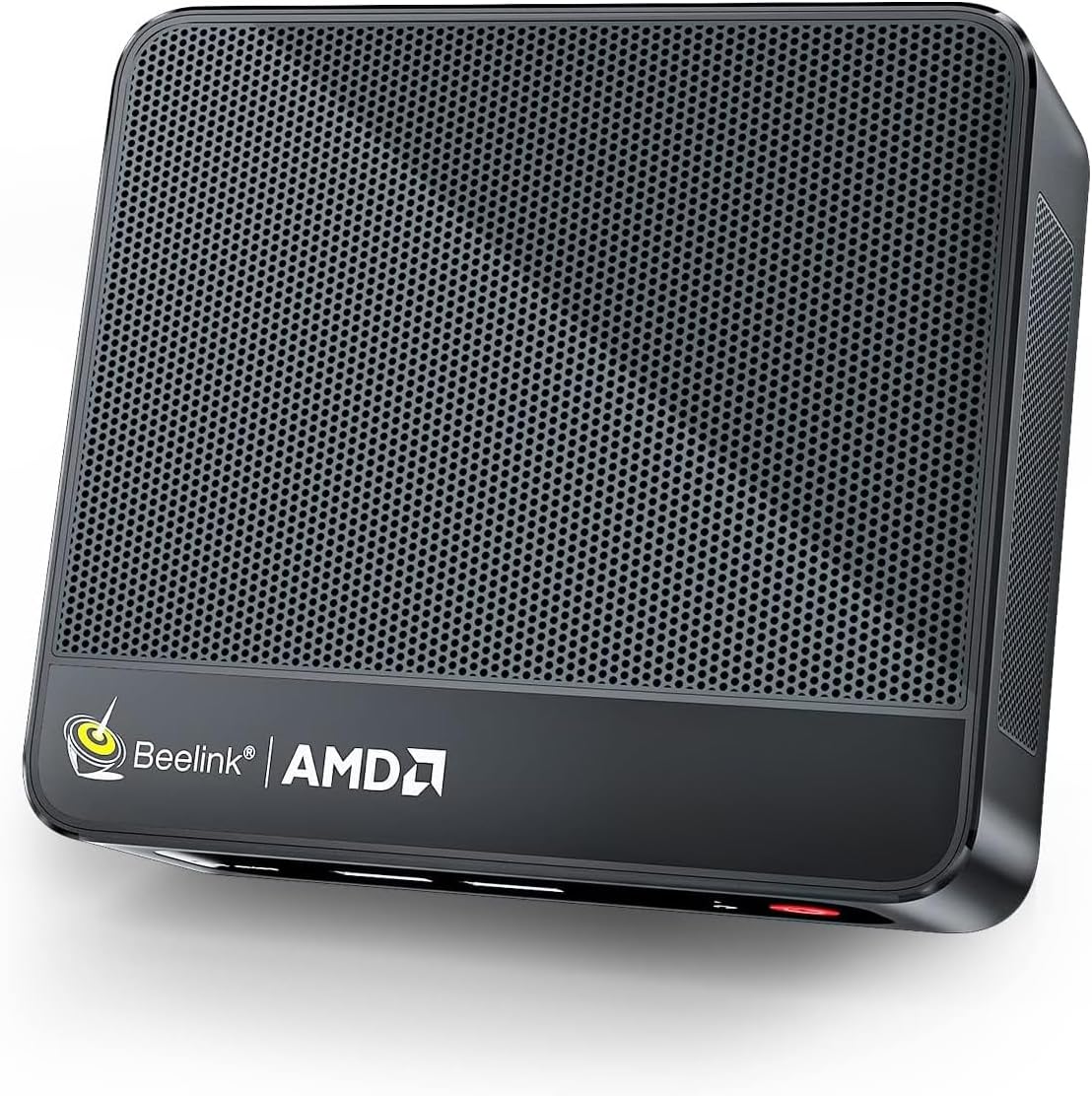
The Beelink SER5 MAX Mini PC packs an AMD Ryzen 7 7735HS 8-core/16-thread processor clocking up to 4.75GHz, combined with 24GB LPDDR5 RAM and a 500GB PCIe4.0 NVMe SSD. It supports triple 4K@60Hz displays and features advanced connectivity including WiFi 6, Bluetooth 5.2, and 2.5G LAN. Designed for professionals craving powerful multitasking, creative workflows, and a sleek, space-saving design, it offers versatile ports and lifetime technical support with a 3-year warranty.


| ASIN | B09SYR619R |
| Additional Features | office,business,home entertainment,Online courses,supermarket,industrial CNC,Billboard,Plex server |
| Aspect Ratio | 16:9 |
| Best Sellers Rank | #1,875 in Computers & Accessories ( See Top 100 in Computers & Accessories ) #49 in Mini Computers |
| Brand | Beelink |
| Built-In Media | 1 x HDMI Cable, 1 x Mini PC, 1 x Power Adapter, 1 x User Manual |
| CPU Model | AMD Ryzen 7 |
| CPU Model Number | AMD Ryzen 7 7735HS |
| CPU Model Speed Maximum | 4.7 GHz |
| CPU Speed | 4.75 GHz |
| Color | black |
| Compatible Devices | External Storage Drive, Headphone, Keyboard, Monitor, Mouse, Printer, Projector, Speaker |
| Connectivity Technology | USB |
| Cooling Method | Fan |
| Customer Reviews | 4.0 out of 5 stars 339 Reviews |
| Display Resolution Maximum | 3840x2160 Pixels |
| Display Type | 4K UHD |
| Graphics Card Description | Integrated |
| Graphics Card Interface | Integrated |
| Graphics Coprocessor | AMD Radeon Graphics 12core 2200 MHz GPU |
| Graphics Description | Integrated |
| Graphics Ram Type | DDR4 SDRAM |
| Hard Disk Description | SSD |
| Hard Disk Interface | Serial ATA |
| Hardware Interface | 2.5mm Audio, 802.11 ac/b/g/n, SATA 3.0 Gb/s, USB 3.0, Unknown |
| Human-Interface Input | Buttons, Keyboard, Mouse |
| Keyboard Description | Standard QWERTY keyboard |
| Keyboard Layout | QWERTY |
| Manufacturer | Shenzhen AZW Technology Co.,Ltd. |
| Memory Clock Speed | 3200 MHz |
| Memory Slots Available | 2 |
| Memory Storage Capacity | 500 GB |
| Model Name | SER5 |
| Model Number | Beelink |
| Model Year | 2026 |
| Native Resolution | 3840 x 2160 |
| Number of Component Outputs | 3 |
| Operating System | OS |
| Personal Computer Design Type | Mini PC |
| Power Consumption | 54 Watts |
| Power Plug Type | Type A - 2 pin (North American) |
| Processor Brand | AMD |
| Processor Count | 8 |
| Processor Series | AMD Ryzen 7 |
| Processor Socket | FP6 |
| Processor Speed | 4.75 GHz |
| RAM Memory Installed | 24 GB |
| RAM Memory Technology | DDR4 |
| RAM Type | DDR5 RAM |
| Ram Memory Maximum Size | 24 GB |
| Resolution | 3840 x 2160 |
| Security Features | Windows Defender, Windows Hello |
| Specific Uses For Product | Business |
| Style Name | office,business,home entertainment,Online courses,supermarket,industrial CNC,Billboard,Plex server |
| Total Number of HDMI Ports | 1 |
| Total Usb Ports | 4 |
| Unit Count | 1.0 Count |
| Video Output | HDMI |
| Video Output Interface | HDMI |
| Video Processor | AMD |
| Warranty Description | 3 Year Warranty |
| Wireless Compability | 2.4 GHz Radio Frequency, 5 GHz Radio Frequency, Bluetooth |
| Wireless Network Technology | Wi-Fi |
| Wireless Technology | Bluetooth 802.11a/b/g/n/ac, 5 GHz Radio Frequency, 2.4 GHz Radio Frequency |
T**T
Best Yet from Beelink
I have purchased 5 Beelink "Tiny PC's" for myself and family. All of them have performed flawlessly so far, and my first purchase, the GR5 with the Ryzen 5 3550 4C-8T CPU has performed flawlessly for two years. About a month ago, I purchased the sixth Beelink, the incredible GR9, which has the Ryzen 9 5900 HX processor, 32 gigs of 3200 RAM and a 500 NVMe SSD. I am NOT a gamer, but I use 2 or 3 big monitors all the time. Most of the work I do with the GR9 is simulation and using Office, email, and web surfing. My simulations have taken 15 minutes on the GR5, so I bought the GR9 thinking things would speed up. Running on Windows 11 Pro, you have the opportunity to increase an Application's Speed (from Normal to Fast to Realtime) and Processor affinity, which means how many cores an App can use. The affinity table shows that the GR9 has 16 processors. One way to speed up my simulations is to run multiple copies of them simultaneously. I have done this extensively on the GR9 and now for a month or two on the GR9. The performance increase in the GR9 is astounding. With the GR5 running 4 simultaneous Simulations, each App task was getting 17-19 percent of CPU, and the overall system was running at 69 to 80% CPU. The GR5 fans were clearly audible, but thanks to Beelink for building enough fans to keep the CPU cool. I destroyed a beautiful Microsoft Surface Book with 4 cores running 4 copies of a lengthy simulation. The Book just stopped and could not be fixed; but I was able to retrieve the SSD drive. The GR9 runs completely differently. With one core running, the GR5 took 142 seconds to finish a simulation. With 7 cores running, the GR9 completed all seven simulations in 103 seconds, generating 7 times as much data in 72.5% of the time! In addition, the CPU utilization was only 54% and I seldom heard any fans running. For my needs, I am sure that the GR9 is a superlative machine for doing serious number crunching. I highly recommend the GR9 for number crunching. I have not done any gaming, so I cannot comment on the gaming performance of this machine. But since the GR5 was marketed as a gaming machine, I am sure the GR9 will give the biggest gaming performance you could expect from a Tiny PC. Running Win11 Pro,
D**K
Small footprint, well built, powerful.
I purchased the SER5Max AMD Ryzen 7, 5800H CPU, 32 GB DDR, and a 500 GB drive. I am running two Acer 23-inch displays one using HDMI-HDMI and the main DP to HDMI. The PC fired up almost flawlessly. Windows 11 pro was activated when I logged into my main Microsoft account, which I also use for my old Asus Windows 10 laptops. The only issue was an AMD software error, a common one it seems, when the versions of the graphic card and the software don't match. I fixed that issue by downloading an updated checker from AMD. That program downloaded and installed the correct Adrenaline package for my unit. So far so good. The mini is fast 4.4 as compared to 1.4 the Intel i5 CPU in my laptops. I have had no other install problems at all. I use an Epson scanner, a Brother all-in-one printer, and two four-port USB hubs with two extra hard drives. I also use FXsound which tended to switch from the Realtek speaker output to what the PC sensed was the sound in my Acer monitors. The circuit is there, but no speakers reside in the Acers, so I had to disable that channel. Beelink's support site seems adequate. I joined the tech forums.. They can be most helpful when needed. I mounted the unit on the back of one monitor with the included VESA bracket.
C**N
Good So Far: Music Production
For gaming, you will not be playing AAA titles. But that's not what I bought this PC for. As you can see in my video, I have a home studio with a treated room. I need a PC to run my DAW, and a small amount of plugins. The Beelink Ser5 Max is solid. It came with 32gb of RAM, and plenty of USB ports for musicians. I have my interface and wireless keyboard/mouse plugged in, leaving the front ports for iLok keys and MIDI devices. The WiFi connection is great. If you are a musician, you know how important backups are. The SATA port holds a drive underneath for backing up my data. The port is fast. I have no issues rending tracks, and doing 1080p video editing. Again, for gaming...maybe look elsewhere. This is a workhorse PC, not a fancy looking gaming device.
A**E
clicking noise
I had many doubts when buying this computer, the comments were very mixed, against and in favor ,In the setup I started to do all the Windows 11 updates, until then there was no problem, the speed was fast, the truth is I was surprised compared to my old computer, the performance was the same, the problem started when I started to watch videos, a strange noise was heard during the playback of the videos,something like a clicking noise,The noise is quite annoying, I changed the cables and tried different things ,I updated all the drivers, reset the operating system, and nothing, the noise persists , Unfortunately, all the reviews were right: it's not a good product. It's better to buy a brand-name computer that won't cause these types of problems
B**M
Excellent value, works great out of the box
I mostly run linux, and I got this mini pc so I could use it for doing online exams for schools, because their lockdown software won't work with linux. So this machine is primarily used for web browsing and school assignments, as well as online video recording and the like. In that role, this machine is absolutely exemplary. What I like best about this machine, and is something that makes me recommend it (and the company that makes it) highly, is that unlike most "consumer" computers that are loaded with gobs of bloatware -- this is loaded with plain vanilla Windows 11 with no bloatware or other garbage. So it runs clean and does exactly what it should right out of the box. This is a fairly powerful machine with 32G of RAM and 8C/16T so I am certain it can be used for more than I am using it for -- but that is not stuff that I tested. As a machine for doing school exams, it works flawlessly.
M**L
Stopped Booting Had to Return
Overall this was a pretty great little computer until it stopped Booting. Thankfully I was able to return it for a refund. My wife was so pleased with the first unit she had me order again so we will see how it goes a second time may have to change review.
J**Y
Absolute best wifi of any computer i tried but gpu errors and many crashes.
I had beelinks since 2020 and loved them. simple and just worked. They were old and one of the wireless nics couldn't be upgraded so i had to switch. I tried the Ser3 and then this, the Ser5 both had stability and Windows Update issues. I finally settled on the Dell OptiPlex 7020 and it was amazingly solid. all windows updates completed within a few hours and then it's just been perfect. so sad that this one didn't work out: i truly wish it had.
G**6
Better than I anticipated
I have had friends in my home office and question why I have 2 monitors and yet, no computer. It's that small... I am impressed with the price and performance of this unit. I do quite a bit of Graphic work and there's never a hiccup from this computer. I've not used it for gaming but given its exceptional performance for pretty high end, resource grabbing graphics programs I use, I'm very happy with it.
T**1
BEWARE! RANDOM REBOOTS/SHUTDOWNS - UPDATED
so I purchased a SER 5 Max (6800U) for the sole purpose of a LaunchBox/BigBox emulation station. everything appeared to be going well until I noticed the PC rebooting. at first, I thought it was because of the automatic Windows updates - it is a brand new PC after all. however, even after all the Windows updates, the PC will randomly reboot with no apparent trigger. under load, or completely idle. at times, the PC will reboot several times in a row, immediately upon entering Windows. along with the reboots, the PC will also randomly shutdown completely and needs to be manually powered back on. this is rather unfortunate, because aside from these issues, the PC actually fulfills my use case perfectly. this is my first mini-pc and i became a fan of the small form factor, but i simply can't recommend a product which exhibits these issues with less than 24 hours of use. Beelink support was unable to determine the cause of the issue and just kept giving me generic solutions including even going as far as re-installing Windows 11, and opening the unit to testing the RAM. again, this should absolutely not have to be a thing for a brand new product. returning for a refund 100% UPDATE - I have probably never done this, and seeing a review go from 1 star to 5 stars is rare, but Beelink support pulled through, sent me another power adapter, and my new PC is rock solid stable. Ran a couple of stress tests on it, and it passed with flying colors. 40 degrees on idle, and stays between 70-80 on load. runs quiet and cool and like I previously mentioned, is perfect for my use case of a Launchbox/BigBog emulation station. Now it's only day 3 of not seeing a single random reboot/shutdown, but considering I was seeing these multiple times a day, I would consider this a success. the replacement power adapter was noticeably bigger than the stock one - if I had a note for Beelink, it's that the 6800U SER5 Max should be shipped with the new adapter for sure.
M**I
الجهاز ممتاز
جهاز محمول خفيف وقوي وجودته ممتازة. عملي بالنسبة لي . الغيت عملية الارجاع وجالس استخدمه . يستاهل كل ريال.
E**A
Excelente artículo
Excelente tamaño y funcionalidad
A**R
Add some money and buy better
I bought this mini pc because of a review I read. Serves me right for listening. Most reviews complain about locking and was blaming it on the week power supply. But I was thinking it was the nvme overheating. It is a pcie 4.0 nvme and most of those require a heatsink. I have an extra heatsink so when I received the pc I opened it to put the heatsink on right away. Well that wasn't going to happen. There is no room for the heatsink to fit. There is a metal rod goes up between the 2 nvme slots and the heatsink was hard against that rod and wouldn't allow the card to fit into the connector. So ended that. Now I'm hoping it won't overheat on me. So after putting the bottom back on I hooked it up to the and turned it on for the first time. Nothing!!! Power light came on but it did nothing. I remembered that was a reset hole on this so I got a pin from my cell phone (none supplied with the pc) and reset it. When I turned it on the fan started. That was a relief. It then went through the Windows 11 first start (I hate Windows). After it was all done and Windows was updated 3 times I thought I was ready. NO I WASN'T!! Had no wifi, bluetooth or sound! I had to go on their support site and I found out there were missing drivers. For *hris* sake! Your selling a brand new pc that isn't ready to be used and saying absolutely nothing about it. Bottom line is.. They are selling a machine that isn't ready to be sold and saying nothing and you are left to figure this out yourself. I will say this for it... Its fairly fast and it didn't lock up on me and it took me about 2 hours to get everything done (although there is still non-working hardware in the windows devices list). My fear is that if it starts locking up because of the nvme there is nothing I can do about it. Some people replaced the power supply with a higher powered one and that seems to have worked for them but that could simply be because when electronics heat up they draw more power and the original power supply may not be able to supply enough. but circuits drawing more power than normal usually don't last long. Update: I finally hooked this up to my livingroom tv. When I turned it on everything booted up fine....or so I thought. The drivers I had to find out about myself were no longer working. It now has no sound, wifi or bluetooth again! Now a 1 star rating. Would go lower if I could. This was absolutely not ready to be sold. I assume I will have to remove the drivers and re-install them again....and then what??? Do it again the next time I turn it on??? I want to call it junk but it actually isn't. It just was not ready to be sold. Don't buy this machine. Had I known I would stay away from Bee products.
S**Z
Buena PC a precio Inmejorable
Completamente Satisfecho con esta PC, el procesador Rysen 7 es suficiente para sacarle provecho. Use mi TV de monitor. Los juegos con ese procesador se ven lo suficientemente bien.
Trustpilot
3 weeks ago
1 month ago