Buy anything from 5,000+ international stores. One checkout price. No surprise fees. Join 2M+ shoppers on Desertcart.
Desertcart purchases this item on your behalf and handles shipping, customs, and support to South Africa.
๐ Tiny Board, Massive Potential โ Power Your Next Innovation with RP2040-Zero!
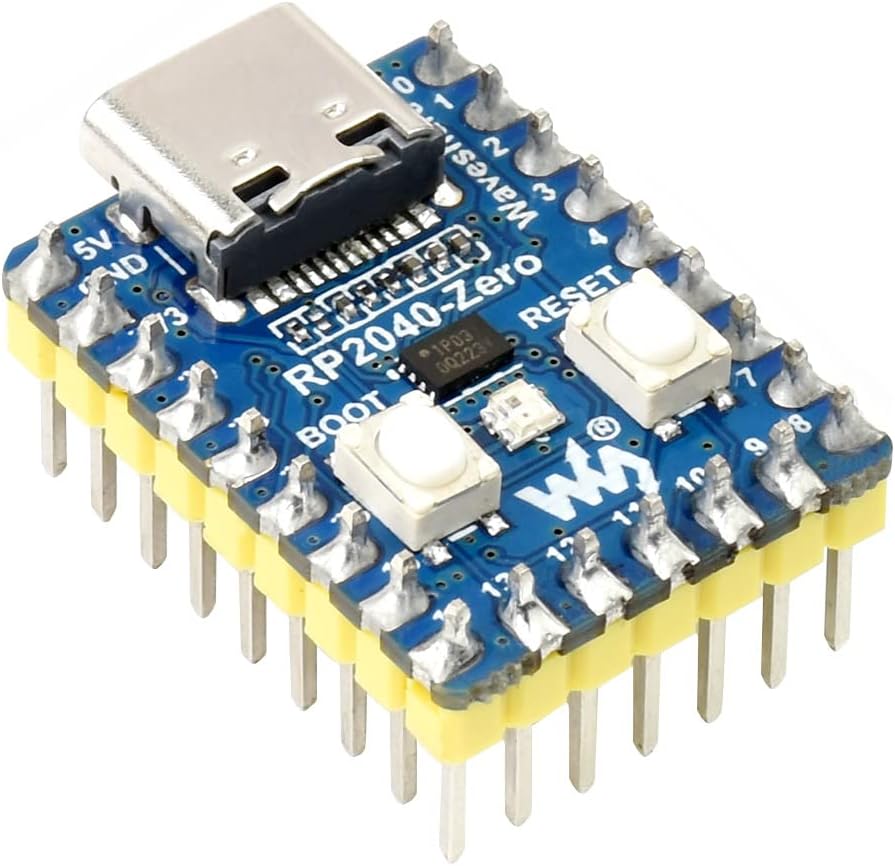
The waveshare RP2040-Zero Mini Board is a compact, high-performance microcontroller board featuring the Raspberry Pi RP2040 dual-core Arm Cortex M0+ processor running up to 133 MHz. Equipped with 2MB flash, 264KB SRAM, a modern USB-C connector, and 29 multifunction GPIO pins, it supports flexible development with extensive SDKs and tutorials. Its castellated module design allows easy integration into custom hardware, making it ideal for professional projects, education, and rapid prototyping.
| ASIN | B09PBCN9MW |
| Best Sellers Rank | #753 in Single Board Computers (Computers & Accessories) |
| Brand | waveshare |
| Built-In Media | RP2040-Zero-M x1 |
| Compatible Devices | Computers (PCs, laptops, tablets), USB-C enabled devices, microcontrollers, external devices with matching interfaces |
| Connectivity Technology | GPIO, I2C |
| Customer Reviews | 4.5 4.5 out of 5 stars (54) |
| Manufacturer | Waveshare |
| Mfr Part Number | RP2040-Zero-M Mini Board |
| Model Name | RP2040-Zero |
| Model Number | RP2040-Zero-M Mini Board |
| Operating System | Linux |
| Processor Brand | Raspberry Pi |
| Processor Speed | 133 MHz |
| RAM Memory Installed | 2 MB |
| RAM Memory Technology | SRAM |
| UPC | 717186097389 |
D**R
Great format
Great smaller size and USB-c
D**K
Now my go-to micro solution
Perfect postage stamp size micro for projects and student education applications
T**R
Great
Great little board
S**R
Decent
Not much use
C**R
With headers soldered all around, it won't fit into a breadboard
Just keep it mind if you are an experimeter like me.
S**U
No boot instruction
No documentation
Z**3
Use the raspi pico instructions
This little board is pretty good. Make sure to use the pico instructions just like the documentation says. You have to press the 'boot' button before plugging in the USB and it shows up as a storage device. When you drag a uf2 firmware file into it it automatically reboots and installs the firmware. I've been having issues with micropython on the board failing but i'm still testing to see which firmware is the best. I'll follow up when i test it more. micropython code fails and also doesn't show the whole error code on upycraft. Edit fixed it it was my error. Edit, only one day later and the code works. The library i was using was out of date. I used the raspberry pi pico firmware with the uf2 file just loaded via usb. Remember press boot before plugging in and it shows up as a flash drive. No drivers needed. This little thing works well. The onboard LED is RGB so you need to "import neopixel" if you are using python to control the onboard usb. This will probably be my goto microcontroller going forward :D. Very happy with it.
Trustpilot
3 weeks ago
1 week ago