Desertcart purchases this item on your behalf and handles shipping, customs, and support to South Africa.
🚀 Elevate your home Wi-Fi game—fast, smart, and future-ready!
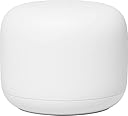
The Google Nest Wifi AC2200 (2nd Gen) Mesh System delivers robust dual-band Wi-Fi 5 speeds up to 1200 Mbps, covering up to 1600 sq.ft. per unit. Designed for modern homes, it supports over 200 connected devices, features WPA3 security, and integrates Google Assistant for smart voice control. With automatic network optimization and easy app management, it ensures seamless, buffer-free streaming and reliable connectivity throughout your space.
| ASIN | B09NSDHQ8J |
| Antenna Location | Home |
| Antenna Type | Internal |
| Best Sellers Rank | #2,533 in Computers & Accessories ( See Top 100 in Computers & Accessories ) #114 in Whole Home & Mesh Wi-Fi Systems |
| Brand | |
| Color | Snow |
| Compatible Devices | Personal Computer |
| Connectivity Protocol | Wi-Fi |
| Connectivity Range | 1600 square_feet |
| Connectivity Technology | Wi-Fi |
| Control Method | App |
| Controller Type | Google Assistant, Nest |
| Coverage | 1600 sq. ft. |
| Customer Reviews | 4.2 out of 5 stars 236 Reviews |
| Data Transfer Rate | 1200 megabits_per_second |
| Frequency | 5 GHz |
| Frequency Band Class | Dual-Band |
| LAN Port Bandwidth | 1200.0 Mbps |
| Manufacturer | |
| Maximum Upstream Data Transfer Rate | 1200 megabits_per_second |
| Model Name | AC2200 |
| Model Number | AC2200 |
| Number of Items | 2 |
| Number of Packs | 2 |
| Number of Ports | 3 |
| Operating System | Google Proprietary OS |
| Other Special Features of the Product | Access Point Mode, WPS |
| Router Network Type | wireless |
| Security Protocol | WPA3 |
| Special Feature | Access Point Mode, WPS |
| UPC | 697333827611 |
| Wi-Fi Generation | Wi-Fi 5 |
| Wireless Communication Standard | 802.11ac |
| Wireless Compability | 802.11ac |
K**N
Works great, and note that router can be used as either a router or an add-on point
I needed two more add-on points to provide better coverage in my U-shaped brick ranch-style home that has had additions added over the years. Not only is the exterior of the house all brick, but the family room and master bedroom are additions that have bricks on all four walls, thus severely impeding the wifi signals. So I decided to buy a couple more add-on points to supplement the 3-node network I already had (one router plus 2 add-on points). I actually found this two-node set with a router and one point selling for cheaper than I could buy two points, so after verifying that a router can be configured either way, I bought it. If you have the same need, don't hesitate to buy a router instead of a point if it's cheaper. Although one would think it should be more expensive, and it originally was, I suspect because few people are now purchasing these routers since they're older technology and not what Google Nest is currently selling, the demand for routers has really dropped, whereas the demand for add-on points has continued to be strong. When you install the router, it asks you if you want to configure it as a router or a point. It's that easy! Choosing point will make it work exactly like any other point. It simply doesn't use the router circuitry and it will show up on your network as just another point. Just remember that the router and point aren't the same size, if that matters to you. Also the feature set is a bit different: the points have speakers and microphones; the router doesn't, whereas the router has two ethernet jacks (downstream and upstream). But I just installed the router as another point and other than the minor size difference and the fact it doesn't have mic and speaker, which I don't use anyway, it works the same. Tip: I downloaded a free open-source Android app called WiFi Analyzer by VREM Software. I've used it several times over the past decade and it works great. For best results you need to disable an Android setting on your phone called Wi-Fi Scan Throttling. It only needs to be disabled while you're using the analyzer, then you can turn it back on. Using the analyzer lets you very accurately measure your wifi signal and place your points in the exact best location. It's not always intuitive! And it's amazing how even a few inches can make a big difference in your signal. In my situation, I needed to place my bedroom point in the doorway, as it was the only place I could get a direct line-of-sight connection to the router without having a brick wall in the way (no, I don't have bricks showing in my bedroom; the bricks are buried in the foot-thick walls, covered by drywall). Once I realized where the bedroom point needed to go, I purchased a Delidigi ABS Wall Mount https://www.amazon.com/dp/B083NCFM83?ref=ppx_yo2ov_dt_b_fed_asin_title&th=1 which I attached to the inside of my plastic bedroom door (I assume a traditional wooden door would also not impede the signal nearly as much as my brick wall). I was able to place it in the most optimal position for the signal, while also not bumping the wall when the door was fully opened. Some small Command cable clips made the installation surprisingly neat. And it works great! My main point here is to download the wifi analyzer app and experiment with it. You'll likely find you can improve your wifi performance significantly simply by locating places with the strongest wifi signals. Remember that adding wifi points does not inherently speed up your network. To the contrary, it slows it down! Every relay slows down your bandwidth. In my family room I have the slowest wifi of anywhere in my house, as the signal goes from my router to the living room point, then through a wall to a dining room point, then a line-of-sight connection to a point sitting on an end table in my family room. Each link slows down the bandwidth as the signals need to be received, then retransmitted to the next point. So don't expect to magically get the same bandwidth at each point. My broadband service is 1 gigabit coming from the cable company to the modem. My modem is an older model that peaks at about 850 megabits, which is plenty fast enough for my needs and isn't motivating me to buy a new modem yet. The Nest speed test shows about 850 at the router. But by the time I get to the family room via multiple hops, I usually get between 100 and 150 megabits at my device, depending on what kind of device and where it's located. It's plenty of bandwidth for our TV and other devices. But the point here is that there is a balance to be struck between the signal strength and bandwidth. For example, if I only had my router and one point in the family room, I'd have a direct connection between those two devices, so no relay delay. But the signal would be so weak I'd get very little bandwidth, even though the router is being fed 850 from the modem. Putting one or two intermediate points between the two ends of the house introduce some relay delay, but each point has a strong enough signal with its adjacent components that it can pass along a higher bandwidth. If you're a network engineer, I'm sure you can contradict a dozen mistakes I made in explaining this, but I think you'll agree that for a non-engineer like myself, my conclusions are correct, even if I used the wrong terms.
J**S
Easy setup, solid signal
I ordered the Google Nest WiFi Router and Access Point because my old router was dying and was no longer reliable. I used to work in a company that resold refurbished consumer electronics, and was impressed at the range this router had! I received my order yesterday morning and set the router up this morning. I have been just as impressed with it as I was with the same one of its make and model at the refurbished electronics company I tested. I'm counting on no more "globe of death" on the lower right-hand corner of my Windows 11 screen and no more drop outs. So far so good, but only time will tell.
J**1
Easy setup but still requires an external modem
I love them so much at my house that I bought them for my girlfriend’s house. She set them up while I was deployed to make her Internet stronger throughout her house so that she would be available whenever I had time to call her now whenever we get a bigger house together, we will have for them to use across the whole house that will link together
K**K
It's a great product as both your WiFi mesh and Google nest home devices. I strongly recommend it.
The product is really good and delivery service was good too. No more deadzones in my 7500 SQ FT house. What I did get irritated was initially some of the WiFi points took way too long to add into my setup and then later on I had realised that I was supposed to install all the devices and WiFi points all at the same place before I placed it away in different rooms. So please make sure you add all your routers and WiFi points together in a room before putting them in different rooms of your house. The brick walls are tricky but overall, I do have coverage everywhere. The product is accurate when it comes to technical quality.
B**R
Must have for larger spaces.
A mist have if you need to extend your Wi-Fi network. The system was easy to set up using the Google home app and it gives a lot of control over various wifi connected devices. The coverage is pretty good and you can add more points for more coverage. The reliability and speed is on par with our normal router.
N**.
Setup Timed Out Loop
Every time I attempt to setup the 2nd point everything works but once I get to the final “last steps” it times out and doesn’t complete. I’ve factory reset both the point the one connected to the modem. Stupid device for how much it costs. Switching to Amazon’s version.
U**T
Reliable quality.
Reliable quality. Had experience with the previous generation and this one does not disappoint.
M**R
I cannot recommend this product, unfortunately.
TLDR: I upgraded from gen 1 to gen 2 and experience nothing but issues. Changing to another mesh net. While I dont consider myself a google 'stan' by any means. I do put a lot of trust in their products because they have made my life a lot easier in a lot of ways. I have Google Nest cams, google home hubs, google home minis, and google chrome cast scattered throughout my place, all working great. I bought the first Gen Google Wifi, and it was an almost revolutionary experience. On average got a complain once or twice every 3 or 4 months. Other than that, completely revolutionized the wifi network in my home. So I upgraded to the Gen 2 (Nest Wifi). Worked okay for the first week, then randomly the Google Nest Points (not the router) would go offline, requiring a power cycle. I reached out to Amazon and Google, and neither of them could solve the issue, they just gave me the run around. I'm a tech person, so I know when the person on the line is just trying whatever to fix my problem. So now my Nest Router goes offline randomly, and my nest point goes offline more randomly. Its quite frustrating because it brings down all my wifi devices with it. I didnt have these problems with Gen 1.Unfortunately, this gen had put me off to Google Wifi as a whole. Amazon refuses to let me return the product because its 5 days past their policy, and Google support just gives me random task to try so they can pretend they resolved the issue.
J**D
Works well
Fast delivery and works perfectly
A**R
Great
Works perfectly. Very easy to set up.
A**O
Mi mejor compra en 2023
Este equipo mejoró la estabilidad del internet en toda mi casa. Fácil de instalar y un dato que yo desconocía es que los point funcionan como bocinas con el asistente google.
M**K
Working well
Great product works well very slick design at a great price
A**D
Buen producto
Tengo mayor cobertura de señal, encima es mucho más estable
Trustpilot
1 week ago
2 months ago