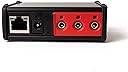
Desertcart purchases this item on your behalf and handles shipping, customs, and support to South Africa.
🌟 Bridge your IR devices to the smart home era — control at your fingertips!
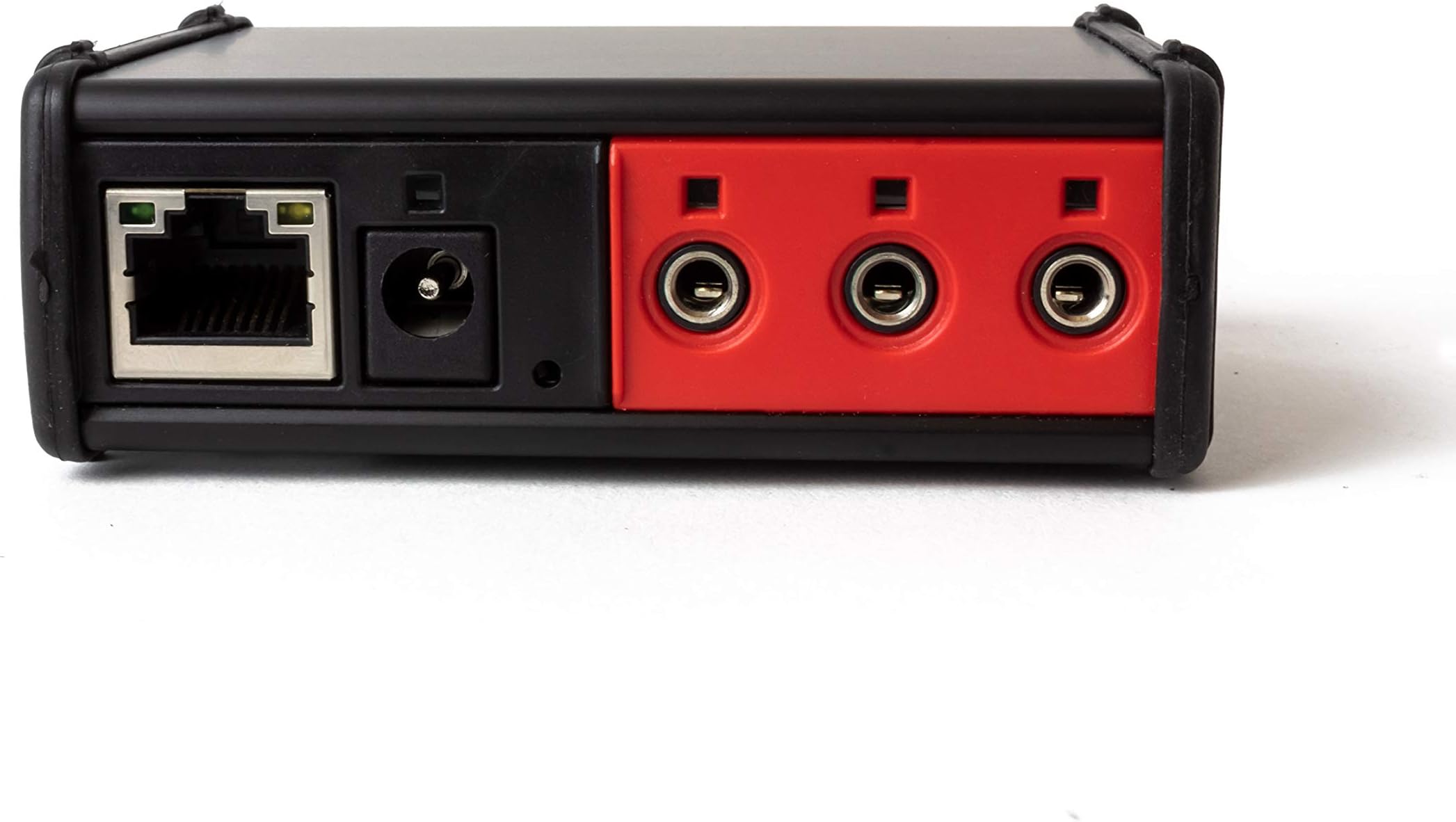
The Global Caché IP2IR iTach TCP/IP to IR Converter transforms up to three infrared devices into IP-enabled smart home components. Compatible with PC, iOS, and Android control apps, it offers remote access and easy web-based setup. Its flash upgradeable firmware ensures longevity and adaptability, making it an essential bridge for integrating legacy IR devices into modern home automation networks.


| ASIN | B003BFTKUC |
| Best Sellers Rank | #179,087 in Tools & Home Improvement ( See Top 100 in Tools & Home Improvement ) #225 in Home Automation Hubs & Controllers |
| Brand | Global Caché |
| Built-In Media | Global Cache IP2IR iTach Wired TCP/IP to IR |
| Color | black & red |
| Compatible Devices | Monitor |
| Connector Type | RJ45 |
| Current Rating | 300 milliamps |
| Customer Reviews | 4.3 out of 5 stars 126 Reviews |
| Finish | Matte |
| Global Trade Identification Number | 00810466010181 |
| Input Voltage | 16 volts |
| Item Dimensions | 3.1 x 1.3 x 3 inches |
| Item Type Name | device-servers |
| Item Weight | 1.44 ounces |
| Item dimensions L x W x H | 3.1 x 1.3 x 3 inches |
| Manufacturer | Gefen |
| Mfr Part Number | ITACH IP2IR |
| Model Number | ITACH IP2IR |
| Number of Items | 1 |
| Number of Ports | 3 |
| Package Quantity | 1 |
| Power Plug Type | No Plug |
| Specific Uses For Product | DVD Player, Monitor, TV |
| UPC | 810466010181 |
| Unit Count | 1 Count |
| Warranty Type | Extended or Limited |
M**L
Best option for integrating IR devices with a home automation network or otherwise sending commands from TCP
I do not believe the average home consumer purchases this type of device, so I'm writing this for the semi educated consumer that understands what they are buying or trying to achieve. This device acts as a "bridge" between two commonly used protocols: TCP and Infrared. Global Cache is one of the leaders in these types of devices, used by many home automation companies to integrate home automation controllers with receivers, TVs, and just about every type of device that has a remote control and takes infrared commands. Centralized home automation is not just for the uber-rich or the professional installer anymore. A Do it Yourself (DIY) community of people are out there that have built many great tools for building your own home automation solution. With the communization of devices like an iPad, you can use software to design your own remote control. These types of devices are critical to controlling devices in your house. RS232 is substantially better at delivering commands to a device than infrared, but many times you have no choice. In that case, this is the best device for bridging that gap to include infrared devices in your home automaton scheme. Keep in mind that infrared cannot give you feedback (such as acknowledgement that the device received the command, or the ability to ask a device a question - What is the currently volume level?) where RS232 and TCP do. So, if you want to communicate with a device via a home network, RS232 or TCP are preferred. These devices work great with a home automation package called Indigo by Perceptive Automation, and can be integrated using a plugin called Global Cache. Certainly these devices can be used with just about any home automation system, but these are two of the best for the DIY market. Feel free to reach to me if you have questions.
M**M
Works great with OpenRemote & iRule
This is an awesome little device. The single IR blaster included works quite well. The two adhesive emitters were easy to set up and worked fine with a 25 foot 2.5mm stereo extension cable, to control a projector on/off. The IR learner was hard to use at first. Just put the iTach and the remote control on a flat surface, point the remote's emitter at the back of the iTach with about 2 inches distance between the two. There's a pinhole reset button that apparently also includes the recessed IR receiver. You may need to angle the remote, so it's IR emitter has a "line of sight" directly into this little hole on the back of the iTach. I get frequent crashes with the iLearn software if I use any of the functions except learning a code, trimming it, and saving it. Reconnecting the iTach (it apparently times out after a while), clearing windows, etc, caused the program to eventually crash. Other than that the iLearn and iConvert tools work perfectly. I tried both OpenRemote and iRule, and settled with iRule because I couldn't figure out how to get repeating IR codes to work smoothly with OpenRemote for my Motorola set-top-box. iRule occasionally goes into a mode where it fails to send commands to the iTach, but I think this mostly has to do with my Nook Tablet's groady wireless. Otherwise iRule and the iTach work together perfectly, including the extensive IR device library available with iRule. If using OpenRemote, assign the iTach a static IP _before_ programming a bunch of commands to save yourself a lot of grief when your DHCP server decides to play musical chairs.
B**P
This is the IR to IP adapter to get
This product works great! It was exactly the device that I was looking for.
M**R
great idea, but seriously poorly executed;
great idea, but seriously poorly executed; the hardware seems well constructed but the documentation and tutorials are as bad as you will ever find anywhere. - 3.5mm ports not numbered and no manual or documentation indicating how to derive port numbering - A set of IR xmitters or something is included but the package no where indicates what is included and impossible to derive what was included. - The binaries on the web site are not signed and un-recognized by windows - Documentation on the binaries (Learn, test, etc) is non-existant or very poor, with many features not documented at all - In the new world of AI it is hard to understand why they did not engage an AI agent to produce useful documentation. - While It has been possible to get iLearn capture the IR codes, I have yet to get transmission to work. - This could have been an amazing product but lacks basic efforts to support the user with documentation or tutorials even after looking up IR codes in the database they have and writing python to send them, it is clear this device simply does not work
C**S
Audio Visual remote control - via iPhone or iPad.
NOTE: You HAVE TO combine this box with software to use it. I bought this box to control my Sony AV receiver, Samsung blu-ray player and DirecTV satellite box - located in a rack in an unfinished room in my basement while Optoma HD 3300 DLP projector is mounted on the ceiling in a finished family room. The receiver’s speakers are also in this finished room. All my equipment was old, so I control it via two of the three IR ports on the back of the box (1 blaster on port 3, and one emitter). ALTERNATIVES. A couple of years ago, I had purchased a Savant system for a lake home (read $3,000). This iTach box and Roomie apps do basically the same job for about $135. iTach HARDWARE. The iTach IP2IR takes almost nothing to install. Plug it into cat5 on your network and power it up. A download (Windows only) program from Global Cache tells you when your network can “see” it and reports its’ IP address. AV HARDWARE. It took me two days to set up the rack, run the necessary cat5, romex (power), speaker wire, HDMI cables, etc… SOFTWARE. I used Roomie Remote ([...]) apps, from the Apple App store…[you'll spend $40]. The Roomie apps require “moderate” skill level to set up. The apps are extremely flexible, allowing the setup of multiple “rooms” and “activities”. For instance... Room: “Movie Room” Activity: “Watch Blu-Ray”. The Roomie apps allow you to define everything you need down to the “open drawer” command on the blu-ray. Impressive. Some knowledge of what command should precede what, and what commands have to be sent twice is trial-and-error, but once you have that - it’s off to the races. As mentioned, I only used their IR capabilities. The Roomie people claim their software (and your iPhone or iPad & iTach) can control your equipment via IP (ethernet on your local network) or via IR (infra-red). Check out their IP and IR compatibility lists on their website, they also have nice video tutorials. SUMMARY. If you’re technically inclined and have the time, this is a big savings.
E**U
Nice, Compact and works
Purchased this unit a month or so back and combined the unit with Roomie Remote Apps. I find the combination works well and I have not problems. Setup and configuration were easy and straightforward. The one issue that I did have was not with the GC IP2IR or with Roomie Remote, but with my router. I have a Fios router and needed to adjust the setting "Enable Multicast" by assigned IP address on my network. This took a little bit of effort to find the proper tables in my router setting, but the support at Roomie Remote was great and therefore I never needed to contact Global Cache. The unit works well without any problems. I would suggest you go to Global Cache website and download the iHelp tool for PCs (there is a MAC version from a 3rd party) that is needed to verify and update your firmware (Mine was up to date). I will also say that SmartHome the seller did follow-up on the sale to make sure everything was ok. I would recommend this product for those needing a remote control solution for your media center. Some IP networking technical knowledge is needed, but the support forums are powerful tools and will help you get everything set-up and functioning.
B**E
A simple way to Network enable anything with an infrared port
I have a fairly extensive home automation system, mostly based on Z-wave devices. The Vera3 controller I use supports IR devices through a controller such as the Global Cache unit, so I decided to give it a try. The IP2IR unit does what it's name implies: translates network (IP) commands to infrared (IR), letting you pretty much control any device using an IR remote control model. Because the IP part isn't line of sight the way IR is, this means you can control your IR devices anywhere you have a network signal - across your home, or across the planet. The IP2IR is physically small but it has three independent IR outputs, so you can control several different devices with it. If your devices are, say, stacked together the way many AV components are, you can probably even control multiple devices with a single IR output. For the most part, it's simple to setup the hardware...you need wired ethernet (there's a WiFi wireless too - I have one of these as well...very similar), a power cord and up to three IR outputs that you'll want to dangle in front of your equipment. Still, I have to say that the initial setup was awful - but 100% of the problems were the fault of the Vera3's embedded IR control software. The Global Cache IP2IR worked exactly as it should in all cases. As other reviewers point out, most people will generally need some sort of remote control or home automation software to go with the IP2IR. In addition to the somewhat buggy Micasaverde Vera3 home automation controller, I've had good luck with a mobile app called MyURemote...it's expensive, but it has an extensive database of devices supported out of the box. No doubt there are all sorts of other apps out there that work with the IP2IR. Definitely worth a try if you're a hobbyist or don't mind hunting around for workable software and are willing to debug until you get it right.
D**R
Great device for sending IR commands over IP
I’ve used these multiple times for different projects. They’re excellent units and very useful if you need to control IR devices over a network. Global Cache’s entire product line are well made and powerful problem solvers.
M**R
Does the job brilliantly - poor documentation - need to know your tech!
I purchased this so I can build my own KVM solution to switch USB and HDMI inputs via 2 blasters connected to this box. However, be warned, you will need to be tech savvy or a programmer to use this. I coded my client using golang. You "record" the IR using their provided "iLearn" software... which gives you a string of characters. You then connect via your (own) app on TCP port 4998 and then send down the command (which starts with sendir) The unit does not store these IR codes.. you send them each and every time to port 4998 on the unit. It was hard to find this information from their docs! Took me ages to figure out.. hence the 4 stars. 1 star dropped for lack docs.
H**C
IP2IR arbeitet super mit Irule !!!!!!
Das Gerät arbeitet in meinem Wohnzimmer störungsfrei. Die in der Lieferung enthaltenen Emitter kann man angeblich über Y-Kabel an einem Port anschließen. Ich persöhnlich nutze nur einen Emitter, alle anderen Geräte (6Stück) kann ich mit dem IR-Blaster abdecken. Den Blaster wollte ich zuerst mit einer 5m-Klinkenverlängerung betreiben, dabei verliert man aber anscheinend zuviel Sendeleistung. Ich habe dann festgestellt das es viel einfacher geht und den Blaster unten am Phono/TV-Schrank festgeschraubt. Das erste Gerät steht direkt über dem IR-Blaster, das letzte hängt auf ca. 2m Höhe. Wie gesagt arbeitet das Gerät bei mir Störungsfrei mit der Software IRule für Android(zusätzliche Kosten ab ca. 40Euro). Ein kleiner Nachteil ist das bei der Programmierung von Makros relativ große Wartezeiten zwischen dem Wechsel von Geräten eingefügt werden müssen (0,5-1s). Das kann jedoch an der Nutzung des Blasters liegen. Der größte Nachteil ist jedoch der hohe Preis. Trotzdem volle Punktzahl auf Grund der einwandfreien Funktion (Ist in diesem Bereich anscheinend nicht selbstverständlich).
Trustpilot
1 day ago
2 weeks ago