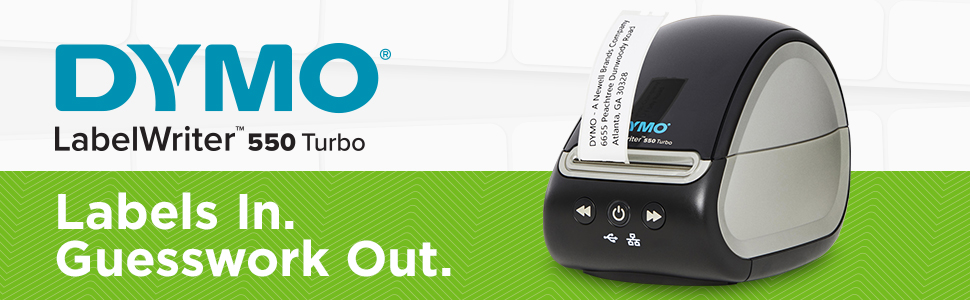
โก Turbocharge your labeling game with DYMOโs fastest, smartest printer yet!
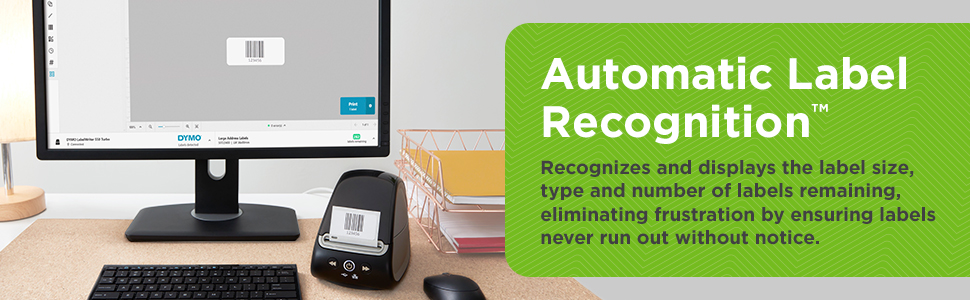
The DYMO LabelWriter 550 Turbo is a high-speed direct thermal label printer delivering up to 90 labels per minute with 300 dpi resolution. Featuring automatic label recognition and versatile USB plus LAN connectivity, it supports multiple label types without ink or toner. Designed for professional office environments, it streamlines labeling tasks with network-ready sharing and efficient, maintenance-free operation.


| ASIN | B08TMG88RP |
| Additional Printer Functions | Print Only |
| B&W Pages per Minute | 3 pages_per_minute |
| Best Sellers Rank | #21,119 in Office Products ( See Top 100 in Office Products ) #62 in Desktop Label Printers |
| Brand | DYMO |
| Built-In Media | 1 |
| Color | Black |
| Color Depth | 24 bpp |
| Compatible Devices | PC |
| Connectivity Technology | Ethernet |
| Control Method | App |
| Customer Reviews | 3.5 out of 5 stars 685 Reviews |
| Display Type | LCD |
| Duplex | Automatic |
| Global Trade Identification Number | 00071701062499, 50071701062494 |
| Hardware Interface | USB |
| Ink Color | Black |
| Item Dimensions D x W x H | 5.5"D x 10.6"W x 6.3"H |
| Item Type Name | LabelWriter 550 |
| Item Weight | 2 pounds |
| Manufacturer | Dymo-CoStar Corp |
| Maximum Copies Per Run | 90 |
| Maximum Copy Resolution Black and White | 300 dots_per_inch |
| Maximum Copy Speed Black and White | 90 pages_per_minute |
| Maximum Media Size | 3 x 5 inch |
| Maximum Print Resolution Black and White | 300 dots_per_inch |
| Maximum Sheet Capacity | 90 |
| Maximum print Resolution Color | 300 dpi x 300 dpi |
| Model Name | LabelWriter 550 Turbo |
| Model Number | 2112553 |
| Model Series | 550 |
| Number of Drivers | 1 |
| Number of Ethernet Ports | 1 |
| Number of Licenses | 1 |
| Number of Trays | 1 |
| Other Special Features of the Product | Network-Ready |
| Output sheet capacity | 90 |
| Paper Size | 2 inches |
| Print media | Labels |
| Printer Connectivity Type | Ethernet |
| Printer Output Type | Monochrome |
| Printer Type | Thermal |
| Printing Technology | Thermal |
| Processor Count | 1 |
| Resolution | 300 x 300 |
| Scanner Type | Portable |
| Series Number | 550 |
| Special Feature | Network-Ready |
| Specific Uses For Product | Office |
| Total USB 2.0 Ports | 1 |
| Total Usb Ports | 1 |
| UPC | 071701062499 |
| Unit Count | 1 Count |
| Warranty Description | 1 |
| Warranty Type | 90 days limited warranty |
M**M
Please read. Must use Dymo LW labels or it won't work
I have 2 450 turbo's and they work fine with generic labels from amazon. This 550 will not work with generic labels. In the manual and under the cover it says to use genuine Dyno LW labels. I ordered LW labels and walla the printer now works.
N**N
Customer Service is horrid
We had this printer for less than a year and it was giving us trouble saying there were no labels in the printer or we weren't using DYMO labels when we were, and it would be a full roll. The first-time customer service e-mailed us what to do to trouble shoot and it worked after the second try. Then a few months later the printer did the same thing, but the trouble shooting would not work. Customer service then told us we had to send in the printer we currently had to get the warranty and would not send us the new one until they processed the current one. I told them we could not go without a printer as my products have to be labeled and my husbands items for his business legally have to be labeled as well. The customer service did not care and kept refusing to send us the new one until they got the broken one. So I had no choice but to get this one sent out. Took a week for them to get it. Within that week I constantly was begging them to send us the new one so we had a printer. One lady told us yes she would overnight one. I got an e-mail the order was made but then I got an e-mail it was cancelled. I called and got the original agent and he said he would create a new order. So when I asked if this one would be overnighted that day I was ignored and ignored and ignored and the man would not give me a straight answer. Then I asked for his supervisor and he avoided answering that as well. They claim they have mine at the top of the list and would process and overnight the new printer as soon as they got my printer. Here I am a day after my printer arrived to them with no tracking number for the new printer and still printerless. This has affected both my husband and my own business. I will never ever but a DYMO product again. I am absolutely disgusted and still have yet to be put in contact with a supervisor. I will be searching for a new address label printer that is anything but DYMO. Absolutely terrible customer service. Also, the fact the printer lasted us only 15 months is worth the 1 star review as well.
U**Y
Great for Library's to use.
I find that this works better than my old one.
J**X
Label Compatibility
These are great printers, and in my business, I have sold many 450 models. A word of advise: if you have any sizable stock of labels for your older models, skip this and use the old ones up. Dymo has done the crappy thing of making sure you have *their* labels installed. Yes, I tested this all ways.. All in all, these are great units, and the *new* label options are not over the top expensive.
M**R
Buy something else or pay extra to be locked into Dymo-branded labels
I've been buying DYMO printers for decades, and they've gotten steadily worse over the years. The 550 Turbo is where I'm getting off the ride. We bought a pair of these, unboxed them, installed them, and discovered they will only print on DYMO-branded label rolls. There's a chip in the roll, and if the printer doesn't like what it sees, you get nothing. Not a warning, not a "we recommend genuine supplies" nag screen โ a hard stop. No third-party rolls, no generics, no bulk stock we already had on hand. Apparently nobody at DYMO watched what happened to Keurig when they tried the same thing with coffee pods. Customers didn't accept it then and I don't accept it now. Locking down a consumable so you can charge whatever you want for it isn't a feature, it's a hostage situation โ and it's a real problem for organizations that buy labels by the case and budget accordingly. Both of ours are going back. If you're shopping, look at Brother or Zebra.
G**Y
The printer itself is fine, it's having to use the overpriced DYMO labels that make it suck
I've had several different DYMO LabelWriter printers over the past few years and loved them all. I needed one for a new location, but to my dismay found that the 450 was discontinued and now the 550 is the current version. Not being 100% diligent in my haste to solve an issue, I purchased one. On the plus side, it works great and I appreciate the software telling me (really guestimating) how many labels are left. Setup was pretty straight forward, although connecting to a Macbook took a bit of work to get the software to recognize the printer but once I did... no issues. On the *VERY* down side... you simply cannot used 3rd party labels with this printer, unlike previous versions. There apparently is now an RFID chip in the roll and if the printer doesn't detect it... no go. So you are forced to purchase DYMO's *way* overpriced labels. (As an afterthought, I'm thinking of maybe buying some 3rd party labels and changing out the spool to see if I can fake it... but that is an obscene amount of extra work just to print so labels). So, if you are okay paying way too much for labels, this may be a good solution for you... I'm going to start looking for a different manufacturer for future purchases.
J**R
You can call it a 450
At work we use LabelWriter 450 Turbos for printing the inventory labels for our Maintenance Management Software. We'd have to pay for an update to the software to get it to recognize the 550 number in the driver, but the cool thing is that if you rename the 550 Turbo to a 450 Turbo in "Devices & Printers," the old MMS will print with it just fine. As far as reliability goes, these things generally do the work. We print thousands of labels with these printers, and most of the time, when they occasionally get into a snit, you can just unplug them and plug them back and they're fine.
T**M
You get what they say you get
Good seller
B**R
Misleading product description
The printer is fine and working but it doesn't match the product description as this is not the Turbo model.
A**A
Excelente no entiendo porque no se distribuye en Mรฉxico como se hacia con la 450 T
Es muy facil de usar y de alta definicion, las etiquetas son propietarias y caras pero funciona casi sola
M**W
Do not support this company.
Dymo are crooks. If you're going to protect the type of labels that can be used, at least offer an alternative to the labels that we use. We print prescription labels with pre-printed warning labels. They are all useless and you can't find compatible pre-printed labels for the 550. Absolute garbage and waste of money. Time to use another company. Their Dymo Connect software is also terrible. Do not buy!
A**F
Great
Purchased 6 for work to replace the older versions. Work great in TS
A**R
Yup it works as advertised
This is a very good printer made by Dymo who have been around for many years. Yes they have changed THIS printer and now you have to use THEIR labels, but it is clearly on the box and in the discription. I dont like it and maybe next model will be different again. I also didnt think MS 365 for a monthy subscription would never fly but look now ... EVERYONE is using it.
Trustpilot
2 weeks ago
1 month ago