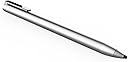
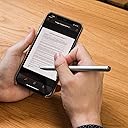
✍️ Elevate your digital note-taking game with the Adonit Dash 4—where precision meets effortless style.
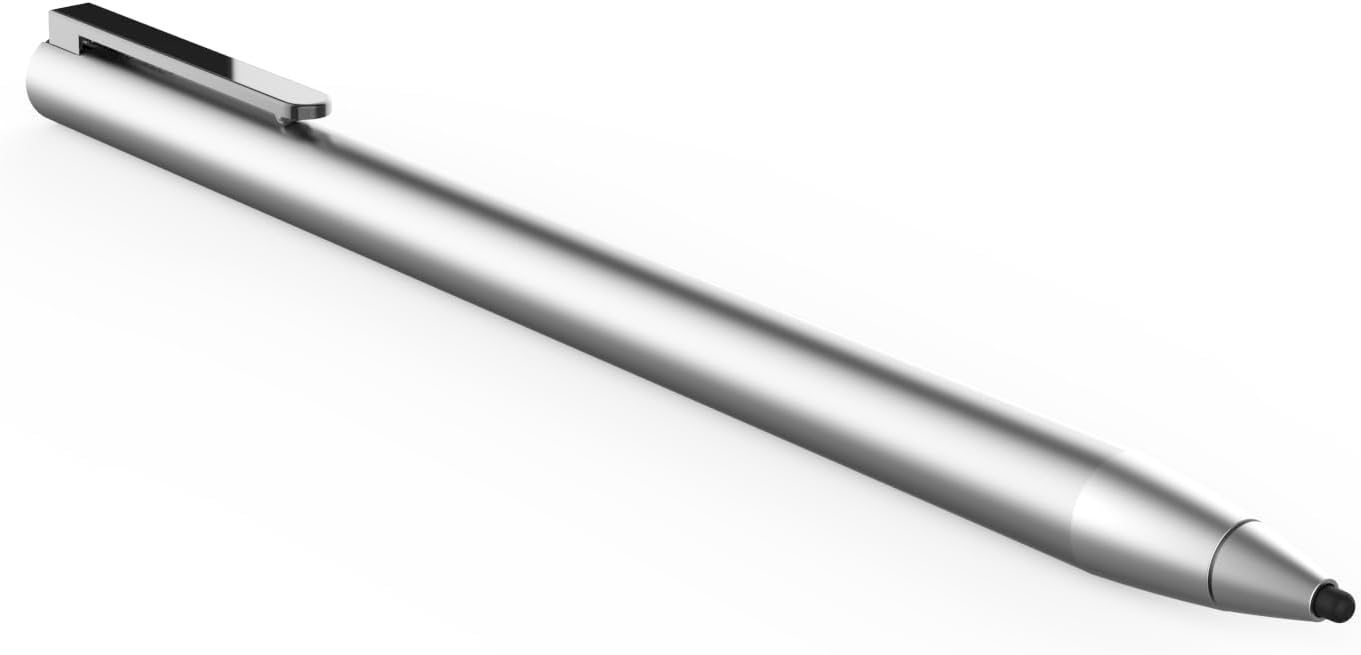
The Adonit Dash 4 is a versatile, dual-mode stylus designed for iPads, iPhones, Android devices, and all touchscreens. Featuring up to 15 hours of battery life, magnetic USB-C charging, and palm rejection technology, it offers a seamless, no-Bluetooth experience for professionals and creatives who demand precision and convenience on the go.


| ASIN | B095YF16G5 |
| Batteries | 1 Lithium Ion batteries required. (included) |
| Best Sellers Rank | #183,579 in Cell Phones & Accessories ( See Top 100 in Cell Phones & Accessories ) #3,595 in Styluses |
| Brand | adonit |
| Color | Matte Silver |
| Customer Reviews | 4.0 4.0 out of 5 stars (366) |
| Date First Available | July 28, 2021 |
| Item Dimensions LxWxH | 7.56 x 2.22 x 2.22 inches |
| Item Weight | 0.5 ounces |
| Item model number | ADJD4B |
| Manufacturer | adonit |
| Product Dimensions | 7.56 x 2.22 x 2.22 inches |
A**.
Love this pen!
This pen is perfect for writing notes or journaling - it’s simple to charge and syncs with my iPad immediately. It has two settings so you can use it on newer iPads or older iPads, androids, and iPhones. Super cool! If you’re an artist, this does not have own pressure so would look elsewhere, but again it’s perfect for writing!
K**Í
Great Stylus for IPhone 15 Pro Max
I liked this stylus for drawing on my iPhone after learning that an open wouldn’t work I tried different styluses before coming to this one. And it’s a noticeable difference compared to the other styluses I used before this one. It’s accurate when it comes to drawing not all this weird lopsided ugly lines the other styluses had for me when I used their stylus pen.
F**L
Works as advertised!
Green mode works very well on my iPhone 16 ProMax and Samsung S24+ the small tip helps get to small spots especially for my old arthritic figures that tend to tremble at times. I'm 80 but still tech savvy!
L**E
Works with iPad Air 2
I searched everywhere for a stylus that works with the iPad Air 2. This is the only one and it works great! My granddaughter is thrilled, now she can draw!
P**R
Buy the Adonit Snap 2 if looking for iPhone stylus
This might be ok with an iPad, but it did not work smooth with the iPhone. The design and slim tip looked nice but it doesn’t grip the phone as smoothly as it should. Especially for the price. Buy the Adonit Snap 2 that has a slightly larger tip, magnetically attaches to the back of the iPhone even with a case on, and takes a selfie with the push of a button.
M**E
No customer support from Adonit...
After 3 months, the stylus just stopped working. Would be connected to device, but would simply not work in any mode. We reset it, cycled the power, even let the battery die, and none of these fixed the problem. We contacted Adonit customer service since the product has a warranty. After they told us to try to do all the reset options again, they ghosted us. It has been over 2 months since we last heard from Adonit customer service. There is no phone number to call, only email address which they will not reply. The warranty will soon run out and they need to replace this defective device. I would not recommend buying any of their products because they will not support you when you need it.
J**R
When it works...
I can't address how this works with Apple products, but on my Lenovo Tab M10 Plus Android Tablet there is some weirdness. First, it take about 30-seconds to "warm-up" in green mode. Before that happens the tablet is non-responsive to the stylus. Second, it has a hard time pulling down the "window shade" at the top of android. I have rotated the tablet to see if it is a possible dead area (it's not). Yes, the charger is an interesting odd design. But for people that complained about it being USB-C, you can't complain if it states it in the description. I have not used it for note taking or drawing, but it better then any of the "disk" style styluses I have used. There is no question that it has enough sensitivity to use with icons or highlighting text. --- Three days later... The stylus does NOT allow me pull down the "window shade" on my tablet, but it does on my phone (OnePlus Nord N200). I have tried both in landscape and prorate orientation, neither works. Also I have noticed that the metal top of the pen is rough and might benefit from a sanding. --- After a week of use I am returning it to Amazon. The stylus does not register well on my tablet screen. I have not been able to use the drop-down notification area either in portrait or landscape modes. Further, I contacted Adonit tech support a week ago and have not heard from them. I was really hoping this would work well (especially for note taking). Perhaps it does with Apple, but for Android its very problematic. --- From tech support, "so our green light on Dash 4 may not work perfectly on it, we are awfully sorry... When did you buy the pen? If your pen is bought recently, you may provide the receipt of your purchase and contact the platform and ask for a refund. --- sigh.
L**M
Love it!
It feels like a regular pen not like the apple pencil where it’s heavy and quite long for my hands. The Adonit Dash 4 is absolutely perfect. In fact I am using it right now on my iphone.
A**E
Super stylet, fonctionne très bien sans aucun soucis sur mon Xiaomi. Je le recommande. À faire attention cependant sur les smartphones avec les bords de l'écran incurvé, le stylet peut vite glisser hors de l'écran si on se rapproche trop des bords.
D**C
What they were thinking with that magnetic charger? I have to buy an USB-C to USB-A adapter or a separate charger just to charge my stylus? No way. Terrible move. Why not just have a port like any other normal stylus and make it cheaper and less resource intensive? I have too much faith in Adonit, but on the other hand, there aren’t that many stylus manufacturers out there with a reputation and/or history…
S**N
After 3 months of use, it won't work. it was a waste of money.
V**Z
No es lo que esperaba. En la descripción del producto y en la web del fabricante dicen que puedes usarlo apoyando la mano en la pantalla, pero no dicen claramente que esta funcionalidad sólo está disponible para los últimos modelos de iPad, los mismos que tienen soporte para el Apple pencil (de 2018 en adelante). Yo me di cuenta al probarlo, no funciona bien si la mano toca. En resumen, he pagado 60 euros por un pen que para mi iPad Air 2 funciona igual que uno de 10 euros, no vale la pena comprarlo a menos que tengas un iPad que soporte Apple pencil
I**I
Sometimes connects and points well. Other times not so much. It’s touch and go. Needs some tweaking i think. Great product but not for the price.
Trustpilot
5 days ago
2 months ago