๐ผ๏ธ Elevate your desktop to a professional art studio with Epsonโs SureColor P700!
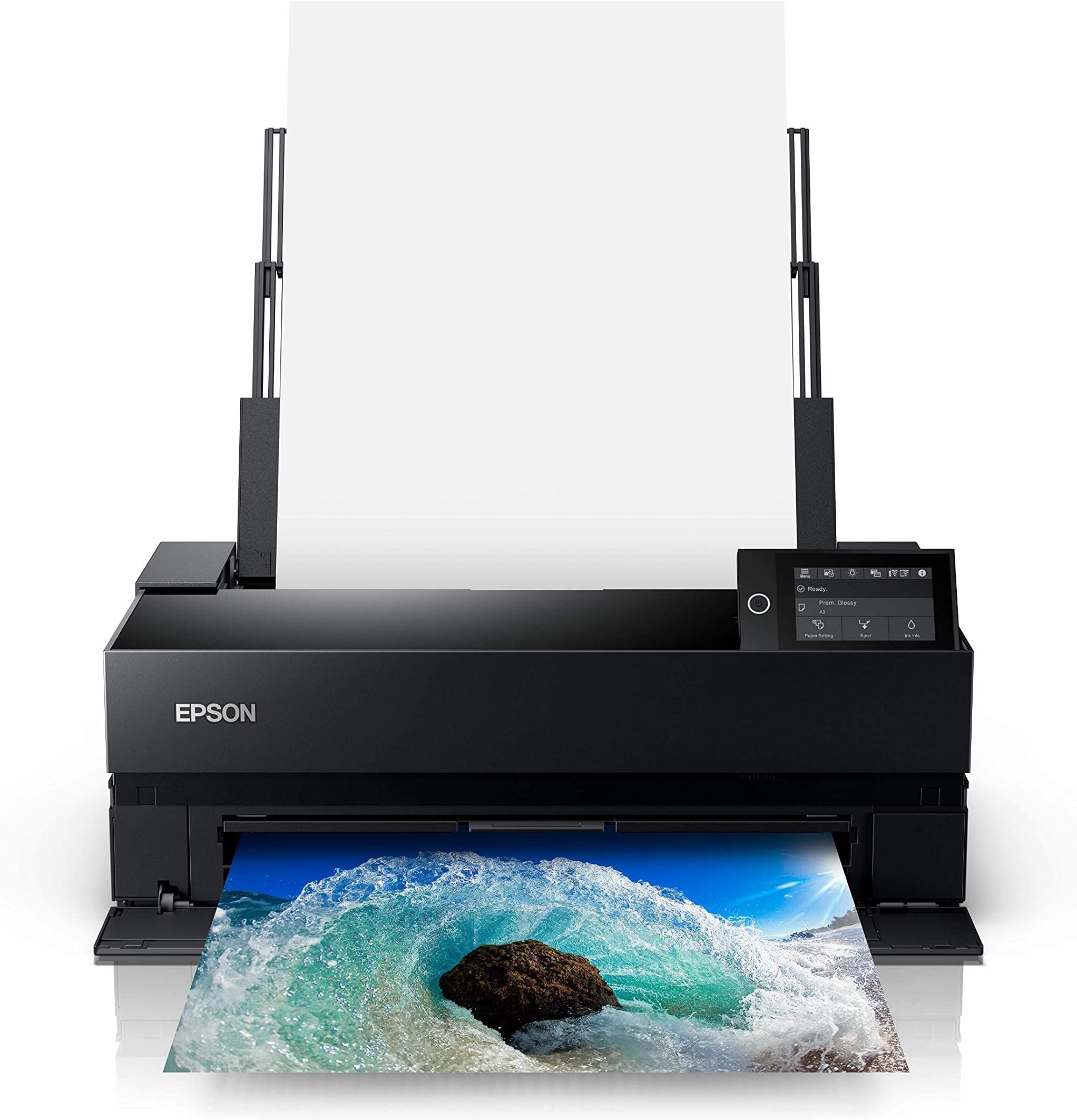
The Epson SureColor P700 is a compact, professional-grade 13-inch printer designed for photographers and creatives seeking exhibition-quality prints. Featuring UltraChrome PRO10 ink with violet for an expanded color gamut, a 10-channel MicroPiezo AMC printhead for precision and speed, and dual black ink nozzles for flawless blacks, it supports wireless printing from iOS devices and handles a variety of premium media types including roll paper. Its 4.3-inch touchscreen and interior LED light streamline operation, making it a top choice for millennial professionals who demand vibrant, accurate prints from the convenience of their desktop.


| ASIN | B0875K6D4H |
| Additional Printer Functions | Scan |
| B&W Pages per Minute | 1 ppm |
| Best Sellers Rank | #94,579 in Computers ( See Top 100 in Computers ) #2,505 in Inkjet Printer Ink Cartridges |
| Brand | Epson |
| Built-In Media | Power Cable, User Manual |
| Color | black |
| Color Depth | 24 bpp |
| Color Pages per Minute | 1 ppm |
| Colour | black |
| Compatible Devices | Laptops, PC, Smartphones |
| Connectivity technology | Ethernet |
| Control Method | Touch |
| Controller Type | iOS |
| Customer Reviews | 3.8 out of 5 stars 261 Reviews |
| Display Type | LED |
| Dual-sided printing | Yes |
| Duplex | Automatic |
| EU Spare Part Availability Duration | 3 Years |
| Global Trade Identification Number | 08715946677996 |
| Hardware Interface | Ethernet |
| Ink Color | Violet, Cyan, Magenta, Yellow, Black |
| Item Dimensions D x W x H | 37.3D x 47.2W x 74.4H centimeters |
| Item Type Name | Epson SureColor P900 17-Inch Printer, Black |
| Item Weight | 35.3 Pounds |
| Manufacturer | Epson |
| Maximum Copy Resolution Black and White | 600 dpi |
| Maximum Copy Resolution Color | 5760 x 1440 dpi |
| Maximum Copy Speed Black and White | 1 ppm |
| Maximum Media Size | 17 inches |
| Maximum Print Resolution Black and White | 5760 x 1440 dpi |
| Maximum Sheet Capacity | 120 |
| Maximum print Resolution Color | 5760 x 1440 dpi dots_per_inch |
| Model Name | P900 |
| Model Number | P900 |
| Model Series | SureColor P-Series |
| Model name | P900 |
| Number of Drivers | 1 |
| Number of Trays | 2 |
| Other Special Features of the Product | Wireless |
| Output sheet capacity | 120 |
| Paper Size | 594 millimeters |
| Power Consumption | 24 Watts |
| Print media | Paper (plain) |
| Printer Connectivity Type | Ethernet |
| Printer Output Type | Color |
| Printer Type | Inkjet |
| Printing technology | Inkjet |
| Processor Count | 1 |
| Resolution | 4800 x 1200 |
| Scanner Type | Flatbed |
| Series Number | 900 |
| Special features | Wireless |
| Specific Uses For Product | professional photography |
| Total USB 3.0 Ports | 2 |
| Total Usb Ports | 2 |
| UPC | 010343954021 |
| Unit Count | 1 Count |
| Wattage | 242 watts |
S**S
Great printer
So far so good. Came with everything properly in place. Ink carts are all half full (as expected) but PLENTY of ink to do several prints! Works good so far. Set up was super easy. I am very happy with this purchase. Hopefully this doesn't die within a month.
A**5
Reliable Printer for Independent Artists and Illustrators
As an independent artist and business owner, getting my own printer was a huge goal of mine, and I'm so glad I took the plunge! The printer is a game-changer for me; I can now produce my own fine art prints in any size up to 16x20". I primarily print on 8x10", 11x14" and 12x16" matte fine art paper, using Premium Matte paper by Durico or Finestra Art. The first printer I ordered did not work, but I called Epson and they immediately sent me a new printer and set up an exchange. I've been printing on my new printer for 3 months, and here is a summary of my experience: The Upsides: -Quick and easy wireless communication with my laptop -Great customer service from Epson -The printer yields gorgeous, rich, and vibrant colors; high color accuracy -Each print takes just a few minutes to create -The Epson Print Layout program is straightforward and easy to use. I open this up every time I want to print something. Once I've selected the size and type of paper, I let the printer choose the colors. I find that this produces a better, brighter color quality than the color profiles listed. -Each print is 25-50% the cost of ordering from a fine art printing business -I've ordered ink once in 3 months -Fits perfectly on the alex drawers from Ikea The cons: -Sometimes the printer takes in a few pages at once instead of one at a time. You must keep an eye on it. -For some, the printer might feel slow -If you accidentally shut your laptop, or if your laptop unexpectedly dies, the printer will stop printing midway and you have to start over -Ink costs are high ($522 to replace all cartridges), so you must factor that into your print costs. I calculated my cost of ink per print using ChatGPT -Epson and Amazon ran out of ink recently, so I had to buy my ink from B&H Photo in NYC -The first printer didn't work, which was stressful -The ink isn't quite as vibrant as my the art prints that I used to order from a fine art printer, but it works well enough for me and my customers.
E**A
Epson p900 es calidad
Exxelente calicad fotografica.
B**Y
The worst printer I have ever used
This web page's description of this printer begins: "Outstanding image quality and color." I have never encountered a marketing claim that is less true than that one. In my opinion, the printer is junk. Fit and finish are shoddy. The construction feels cheap and fragile. The on screen "instructions" are often incomplete and confusing. Ditto for the user manual. The printer devours...and destroys...expensive Epson photo paper. The principal quality issue is that prints are marred by "banding"...long colored bands that span the print at every few inches. I have made every possible adjustment that Epson suggests, and nothing solves the problem. I have had "success" only with Epson matte photo paper, which is so thin I'm not sure how it could be mounted without damage. I'm extremely disappointed that Epson shipped this half-baked printer, as it is not even approximately ready for prime time. Shame on Epson for continuing to sell such a grossly unsatisfactory product!
J**R
The Epson SureColor "P900 is a worthwhile investment.
This is my 2nd Epson SureColor Printer. My previous printer was the P800 which is still working but getting aged. This new P900 is printing beautifully! I have purchased a new set of ink cartridges however I have not started using them yet. If someone says that Epson does not send much ink in the first cartridges, they must not know this printer very well. If the settings are done correctly, the ink will last and give you plenty of great prints before you move on to the next set. There is a learning curve as with any updated printer, but I am very pleased so far.
Trustpilot
1 month ago
1 month ago