Desertcart purchases this item on your behalf and handles shipping, customs, and support to South Africa.
🖼️ Elevate your ID game with flawless prints that demand attention!
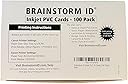
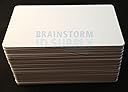
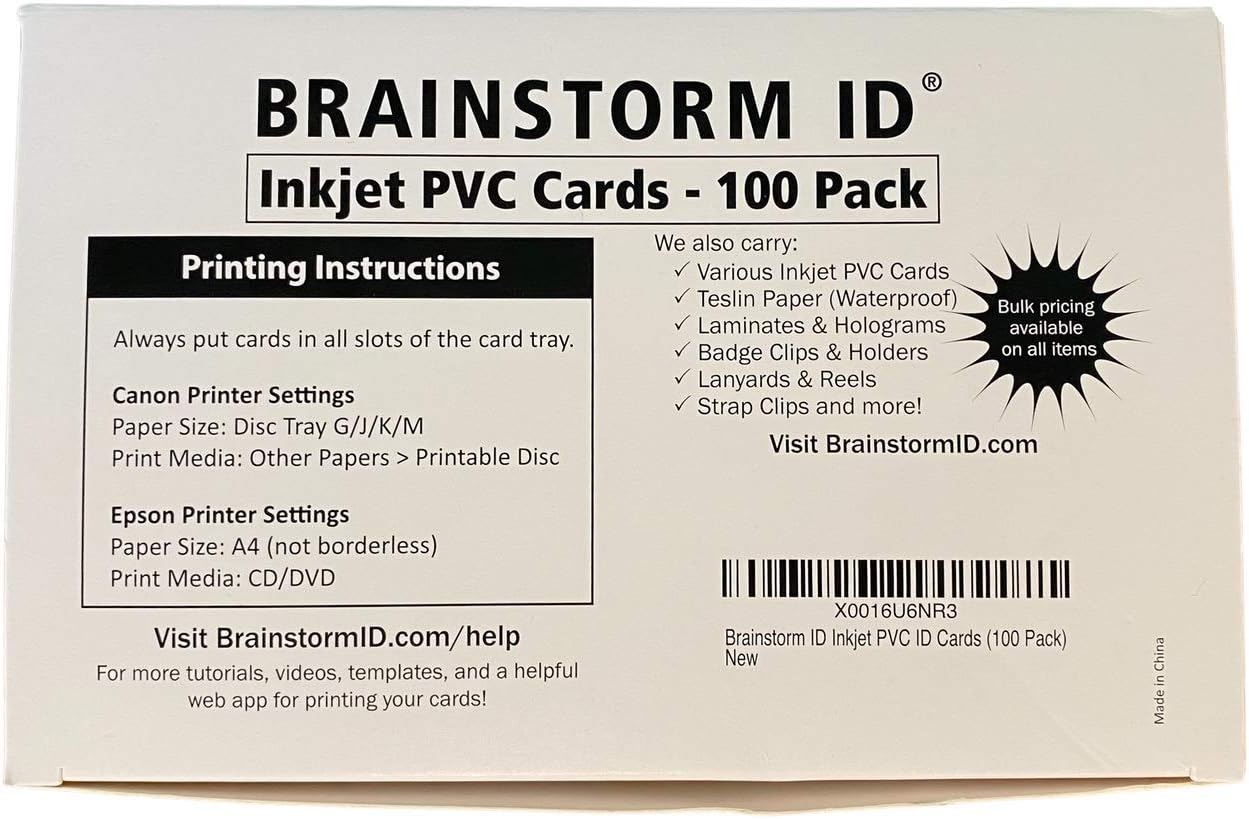
Brainstorm ID Inkjet PVC Cards (100 Pack) are premium 30 mil thick, credit card-sized PVC cards featuring a proprietary ink receptive coating for fast-drying, smudge-proof prints. Designed exclusively for Epson and Canon inkjet printers with compatible trays, these waterproof and scratch-resistant cards support double-sided, edge-to-edge printing, making them ideal for professional-quality IDs, gift cards, and custom projects at a fraction of typical costs.
| ASIN | B01L0WV9Z6 |
| Best Sellers Rank | #40,442 in Office Products ( See Top 100 in Office Products ) #69 in Identification Badges |
| Brand | Brainstorm ID |
| Brand Name | Brainstorm ID |
| Color | white |
| Customer Reviews | 4.5 out of 5 stars 759 Reviews |
| Item Dimensions L x W | 3.38"L x 3.38"W |
| Item Weight | 0.56 kg |
| Manufacturer | Brainstorm ID |
| Material Features | Waterproof |
| Paper Finish | Coated |
| Paper Size | 3.375 x 2.125 inches |
| Paper Weight | 80 |
| Sheet Count | 100 |
| Sheet Size | 3.375 x 2.125 inches |
| UPC | 758576600345 |
| Unit Count | 100 Count |
M**C
Print beautifully and clear
Bright and clear print. I use a Canon TS702a and the multipurpose tray and these work great
T**N
Fan-plastic!
Excellent, excellent, quality! This is the exact same size and thickness of a credit card but you must use the right printer model that supports a special tray that fits this perfectly on. You can also print to the very edge of the card and it'll look perfectly crisp, without any smears! 1 thing I do have a problem with, which might be due to my inexperience or trial errors because this is my first time with the printer and hardware. I bought a Canon TS9120 plus the Brainstorm ID tray to go with it, just so I can print these cards. They provide a template in Word, Photoshop, and some other format but I went with their Photoshop version. I don't have Photoshop but I do have Paint.Net, which I really like and is much easier to use. It was able to open the PSD file from Photoshop but it doesn't end there because it's not exactly ideal to use Paint.Net due to the inability to edit text. Although you can create text with it, it immediately turns into an image so if you want to change it, you'll need to clear the existing and create a new so I only used it to get the layout and instead, used Inkscape, another powerful yet free app to do what I need. I still have to use Paint.Net to get the cutout that I need, for the image side, but I use Inkscape for everything else. If you're interested, let me know and I'll see if there's a way for me to share what I created so you can use it yourself. Anyway, I purchased these because I use Square and needed some custom gift cards that were just too costly at nearly $2 each! And you have to buy a minimum of 250 if you want it slightly cheaper! Unfortunately, Square doesn't accept gift cards from other suppliers, the kinds with a magnetic stripe so you're stuck with using them. I wanted to sell specialized gift cards and at a discounted rate but with the way Square works, you can't exactly do that! You have to load exactly what the amount is on the gift card, so you can't sell your gift cards at a discount, say 50% off. This is why I'm glad I stumbled on these and they're working absolutely great for me! The solution that I came up with was to use a barcode, system, similar to how many of the old fashioned gift cards work. Obviously, I needed a different code for each card and that's where it's important to use Inkscape, where I can easily go back and change each value quickly, for each card. It might be just as easy with a Word document, not sure, but worth the shot. If I had to buy my cards from Square, for just 1 batch, it would cost me more than I spent on the printer plus the tray plus these cards combined so this is totally worth it!
H**R
Work for inkjet
I’ve used these to make badges for teachers and they print out really nice. I will say they tend to be sticky feeling if there is any dampness at all. Even after they have been sitting for awhile. They do hold up well. The print is not going to come off.
N**N
18 cents for a card better than most thermal cards!
These cards are amazing and super vibrant, and you can print pretty tiny barcodes on them with no issues. I have gotten so many lame, blurry thermal PVC cards printed on-site at various places, this system blows them out of the water at a fraction of the price. The only difference between these and thermal PVC (besides the print time) is that they're a little tacky, almost like they have been slightly rubberized. But if you pop them in a plastic ID card holder on a lanyard or a clip, it is impossible to tell the difference. And they are so cheap, if you screw up a print, who cares? In addition to actual company IDs, I print cards for friends just for fun, too, and everyone I've given them too has been impressed. I don't tell them I printed them with a less-than-$100 investment... A few extra tips are in order for those who have not used inkjet PVC before. First, you'll need a Brainstorm tray, which should be around $20. If you don't have a compatible printer, the Canon TS8120 works great, is compatible with the "M" tray, and is pretty cheap at $55 right now. Unless you really need a fancier printer for some reason, there is no point in getting anything more expensive. I'm not an inkjet guy so this printer is exclusively for cards. Second, CALIBRATE! Download the templates and enable the calibration layer, then print and adjust your printable safe zone boundary lines. Save the template and that way you won't have any issues with bad alignment. You can afford blowing 36 cents on properly calibrating your template. Third, do not be afraid of "full bleed" printing. That is the term for printing beyond the boundaries. Make a 2.25" x 3.5" image and center it on the printable area. The edges will print onto the tray itself, but the printer will print right to the edge of the cards, too. Once you (carefully) remove the card (use the holes in the back and poke it out), clean the ink off the edges on the tray with some paper towels, preferably slightly moistened. I use lens cleaning wipes when I'm completely finished just to be safe... just make sure you clean your glasses BEFORE you clean the tray. You could use any moistened towelette of your choice, I just have a giant box of them myself. Fourth, give them a minute or so to dry. I haven't experimented with mushing my fingers all over them fresh out of the printer, but once I remove them a minute or so later, I have not seen any smearing at all. Finally, you may want to use the clearcoat method to eliminate the tacky texture that Christopher A. mentioned in his review. It helped on one card I tried it on, but I use plastic ID card holders anyway, so it's not worth the effort in my case. But the cards really do not "pass" without that coating. I looked for hologram stickers to place on top of the cards, but none I found were big enough, so just stick with the clearcoat. It will also obviously help with durability.
H**H
Produces a sharp image but ink layer can be easily scratched off.
The printable surface on the these cards receives ink well and produces a very sharp print. As advertised, the cards come out of the printer dry and waterproof. The only downside is the coating that receives the ink can actually scratch off pretty easily (taking your printed image with it). For these to last more than a few weeks, I think you will absolutely have to keep the printed cards in a protective sleeve or apply a laminate overlay. Still a great option if you want to produce your own ID badges and such.
L**A
Buena calidad
Un producto bueno y de buena calidad , tal cual como lo esperaba y el vendedor muy puntual
M**S
Excellent quality, they look great after printed!
These are great quality from an amazing company. I was really impressed at how quick they responded to a question that I had. The cards accept ink very well on my Canon ts9520 printer. The MP card tray works perfectly. Have already ordered more products directly from their website. Can't wait to try the matte cards and the 2-up name tag cards! I will say the cards can scratch real easy if you're not careful, but it's PVC so that's expected.
R**.
Didn't work for me
Didn't work for what I need them for. Used them for something else. Still have them to this day.. 3 yrs later
C**M
I McLov(in) it.
I used these to make novelty ID cards and they work great. I've included some pictures so you can see the quality. These are also waterproof and and printable on both sides which is a great addition. I used these with the Canon J Tray from Brainstorm ID.
L**O
Es buen producto
Es buen producto
V**I
Recomendable
Buen producto la única pega es que al encalarlo pusieron una pegatina directamente sobre una tarjeta la cual quedó inservible por lo demás envío muy rápido y buen material
A**F
Parfait
Parfait ! L’objet est arrivé à temps et il est conforme à la description ! Merci.
M**E
Five Stars
Thanks!
Trustpilot
1 month ago
1 month ago