Desertcart purchases this item on your behalf and handles shipping, customs, and support to South Africa.
📡 Cut the cord, not the quality — live TV freedom for the connected generation!
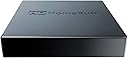
The SiliconDust HDHomeRun Flex Duo (HDFX-2US) is a sleek, dual-ATSC tuner network device that streams live over-the-air HD TV to multiple devices simultaneously via Ethernet. It supports whole-home DVR functionality through USB hard drive connection without subscription fees, and is compatible with a wide range of platforms including Android, AppleTV, Roku, and Windows/Mac. Perfect for cord-cutters seeking professional-grade, multi-room live TV streaming and recording.


| ASIN | B092KM482V |
| AntennaDescription | Television |
| Best Sellers Rank | #7 in External TV Tuners |
| Brand | SiliconDust |
| Built-In Media | HDFX-2US, network cable, power adapter |
| Color | black |
| Compatible Devices | Android, FireTV, AppleTV, Roku, Sony, XBox, iPhone, iPad, Win10/11, Mac |
| Connectivity Technology | Ethernet |
| Connector Type | RJ45 |
| Customer Reviews | 4.2 out of 5 stars 993 Reviews |
| Item Dimensions L x W x H | 7"L x 5"W x 2.2"H |
| Manufacturer | Silicondust USA Inc |
| Mfr Part Number | HDFX-2US |
| Model Number | HDFX-2US |
| Number of Items | 1 |
| Product Dimensions | 7"L x 5"W x 2.2"H |
| Tuner Type | ATSC |
| UPC | 850028206003 850028206058 |
| Unit Count | 1 Count |
| Warranty Description | 2 year warranty |
S**.
Great for whole-home network use!!
Works great with the native iOS and Roku apps, but you will get crashes on both of them when viewing channels where actual RF signal strength or noise is an issue... That being said, it's a great and easy to use device that so far has operated flawlessly when RF signal has not been an underlying issue. I presently use the HDHomeRun tuner device to provide OTA HD streaming to devices and televisions on my home network. The device is located out in my unconditioned barn where the outside roof mounted antenna has a strong signal for all the major network stations I need (mainly for sports). It's connected via underground fiber back in to the home network. (During testing, I actually powered it via PoE with an external adapter while searching for the best location across my property, and it operated without issue by that means as well...) Originally, I did have the same Roku app crash issues mentioned in other reviews, but I was able specifically chase that back to one VHF channel (12.1 at 189.029mhz) with a very high S/N ratio (likely from my outside POE cameras) that would ultimately cause the data stream to be interrupted and crash the native Roku app, but only in that scenario on weak channels. Pointing your web browser to the device provides an intuitive simple interface for configuration and setup. This made signal troubleshooting a breeze by showing strength and s/n readings live for whatever given channel each tuner was parked on. (Handy to look at on your phone while you're making fine antenna adjustments on the rooftop). You can directly access streams via url (for example from VLC) over the network, which will automatically assign an available tuner to whatever channel you're attempting to access. In the end, my production setup has the HDHomeRun fed into TVHeadEnd server that pipes it to Jellyfin (all on the same Linux machine) so OTA TV is available everywhere it's needed. The key here in this setup solves the marginal channel issue for me-- TVHeadEnd service gracefully handles any weak signal issues or interruptions (weather, lightning) before they ever get passed down the line so the video stream never actually crashes. Again, it's my work-around and unique situation that I had fun making work... All that being said, just buy it- you'll be glad you did!
D**.
Super easy to setup and use!
For a long time the wife and I subscribed to LiveTV packages on both YT and Hulu. But we got tired of the price for mainly two shows we watched live: our local ABC news weekend morning show, and Jeopardy. At $90+ a month, we couldn’t justify it. We had an antenna already but wanted something we could DVR, and came across this device. Since I already have a NAS at home, and Plex running on it, it was literally plug and play. Hooked the antenna up to the box, and hardwired to my Nighthawk gigabit switch. Downloaded the app, but didn’t need it except to double-check signal quality. Plex auto-detected the box, and using auto-setup within Plex, it scanned all the channels in about 5-7 minutes and it was off to the races. Plex had downloaded the Live TV Guide for my zip code and I setup my two recordings: Jeopardy at 7PM on weeknights, and weekend local morning news. That was it. A few personal tweaks to Plex and ignored it for a week to see if it would record properly. We run 4x AppleTV’s in our home as our streaming box, and loaded the Plex app on each of them and logged in. Sure enough, in our Plex library were 4 recordings of Jeopardy and 1 morning show (it was a Saturday afternoon). Everything came in perfect. Few hiccups in terms of the quality but there’s a tree right outside the window where my antenna is so I moved it and haven’t had an issue since. Broadcasts are crystal clear, and DVR functionality is amazing when paired with Plex. Otherwise, if you are just watching OTA broadcasts on your TV, save the money. Coupled with a network attached drive capable of running Plex? This device becomes worth it’s weight in gold and then some. The upfront costs are probably about 4-5 months of LiveTV subs, and then it pays for itself. Can’t believe we were spending that much for live TV. And we are in another state across a river from where our local channels being broadcast and it’s perfect image quality. Can’t recommend this enough. Since this has 2 tuners built in you can DVR 2 channels at once, and that’s perfect for our household since we can’t imagine needing to record 4 at once. If you aren’t sure whether you need this, most smart TVs have a tuner built in where you can buy a $15 HD antenna and test your receiving capabilities. If you don’t need DVR or don’t need to stream live OTA to multiple devices, you can skip out on this. Otherwise, a few mouse clicks and you can enjoy live TV OTA and pay once. Good luck! Note: This device MUST be connected via ethernet cable to a router or switch. My current setup is: HomeBox connected to switch, which is connected via ethernet cables throughout home that connect to 3x Google Wifi mesh devices. Two AppleTVs are connected via hardwire, and another two via Wifi. Both stream from the NAS which is connected via dual gigabit ethernet connections to another switch.
S**8
Amazing little piece of equipment (Detaild review with some instructions)
I only give five stars and take my time to write detailed reviews when something is deserving. And you should buy it. In this case, this little piece of tech has far exceeded my expectations. The reason for that is I have a first generation Haupage, and I have never been able to get more than a couple of channels. I've been in the tech world over 40 years, am a Broadband and Network Engineer going back to 2001, and cut the cable about ten years ago. Biggest problem, without paying fees, is real time news on TV. Yea, you can get real time local news streaming (For a fee in our case) or watch it on a computer, but we do prefer having it on TV. There are also some network TV shows my wife likes, streaming they are always a day late. She would like to watch them when they are on. And this device was the ticket. I watched quite a few videos on how to get the best reception with this device. In short, 45 miles away on a single hill with multiple towers, they broadcast 40 channels. As noted I was never able to get more than 2 or 3 even with the most expensive powered antenna. My RV has an integrated raise. Lower antennae and can get 8 from my backyard. After connecting this device, properly, I get all 40 channels crystal clear. I bought this device fully expecting to see it not work and send it back. Nope, definitely keeping it. Here are step by step instructions, I took from multiple videos, on how to get the most channels and best reception. But first a couple of notes. After setup, I will go over some of the features of this little box and the app. You can ignore some of the older review complaints, because as I learned (Again watching videos) there have been more than a few updates and I can verify you do not need a Plex server or anything else. More on that after installation. I have a hardwired house with a network room, server, couple of cabinets etc, so for me I can make it work anywhere in my house. I am not restricted by a modem/router. I will make some notes on that as I go along. 1. Find your broadcast towers. There are multiple websites you can use, I used Channel Masters and two others to get exact location. I found that 40 channels were broadcast from a hill in one city and 3 more were broadcast within range from a different direction. I cannot get those three channels. It doesn't matter because I get all the local and networks on the 40. 2. Download a map compass on a cell phone. I used an app called Compass Maps for Android. You may or may not have to download the map in addition to the compass. I did, works great, going to keep it. That is unless you already know the exact location of your broadcast towers. 3. Locate the window in your house closest to pointing directly at those towers. A couple of notes. * Walls will severely restric reception. * Clear glass is good, this will still work if you have screens, but screens will restrict reception. In a storm window with a screen, I recieve about 15 of the 40 channels available, moved over one window, center, no screen, 40 channels. 4. If you have an amplified antenna, do not use the amplifier. Thread the antennae directly onto the HDHomerun. Amplifiers severely interfere and restrict reception through the tuners and are not needed. And of course if you do not have an amplified antenna, don't buy one for this, not needed. 5. Thats it, for best reception put your antenna in a window facing as close as possible in the direction of your broadcast towers, plug it in to your network or router. Then download the HDHomeRun App on any or all devices. Note that this should be obvious but two tuners means you can only watch on two devices at once. But you can set it up on as many devices as you want, in my case it is set up on nine devices, including multiple big screen TV's, several computers and a couple of cell phones. It works perfectly through all of them. This works through any type of network configuration, wireless router (with jacks), hardwired home network or Powerline Adapters, I have netgear powerline adapters running in a couple of rooms off of my network and tested, works fine, no problem. The App I nearly ignored the app based on old complaints until watching a video that showed the complaints had been addressed. It is not hard to use and has a lot of new functions. (I do not know how the old App was since I have not used it, so I have to take other people's word for it). Once you download and install the app on your Smart TV or streaming device you use your normal remotes as usual. There is no separate remote for this device. You do not have to create an account to use the app, and there are no fees for anything. Once you click on the app you will see: Version (You do have the option to upgrade firmware through your account. I did that) Using ASymch Platform API It searches and then "Found 1 Device" Then device number and HD Homerun" followed by booting to the main screens. Total boot time for my devices is no more than about ten seconds. It will boot to the last screen you were watching, including if you logged out while watching a channel/TV program. Your first screen is your "Live Screen". Pressing theup or down arrows on your remote displays all of your channels and moves up and down through the channels. It may take a couple of seconds to populate all the channels. On the right side, all of your channels, each channel shows what is currently playing on that channel with a screenshot along with channel, 3.4, 3.3 and so forth. On the upper left side of the screen it will show time, Channel and current TV show playgoing. on the very top right of the screen are five icons. Search, favorites (Star you can click to lock that channel/show as a favorite, return to last icon, a newspaper icon that bring up only the news channels, a football icon that brings up only the sports channels, and a movie (film) icon that brings up only movies. Bottom is your fast forward, reqind, pause (You can fast forward, pause and rewind live TV with this app), your SAP, CC, Zoom, full screen and "Discover" Icons. Hitting the Discover Icon takes you to the Discover Page which is a full screen guide of TV shows, movies, sports, news, documentaries etc., you can select any of them, select a time when they will be on and set to record. Note you do not need an account to record, you can attach up to a 2TB drive to this device for recording. Above the full screen guide are four options. Now (Which it will be on automatically), Shows, Movies and Sports and clicking any of them will show only those categories in the guide. Above that are four options. Live, Recorded, Discover and Tasks. Live takes you back to the main page where you can watch whatever is on live TV. Recorded is self explanatory Discover shows you the guide with everything that plays on every channel. Clicking on any show, sports event, or whatever gives you the option to record an entire series or multiple events. Tasks shows whichever tasks you have selected, Record, playback and others while an "Upcoming" shows just that, upcoming tasks. Clicking "Live" at the top of any screen other than the main "Live" screen takes you back to the live TV screen. Note on the top right corner of any screen other than the Live screen is a settings icon. In the settings you can do the following. See account information See devices and device serial number See a list of all available channels and select any number of them to add to favorite channels Set parental controls including adding a Pin Set your Start Page to any channel you want on bootup The guide on the Live page is called the Live TV slice guide (Ill explain further down), you can turn it on or off. Set your speaker configuration. There are multiple surround sound options, Digital Passthrough and others Send Diagnostic Information (On/Off) The very bottom is early access to new features. For me, I am keeping it off because have seen more than one person get a firmware update and brick their device. The Live Slice TV Guide on the "Live Screen". On your remote, you use the up and down arrow buttons to open the guide and right and left arrow buttons to see more information for whichever channel you are watching. Clicking right on your remote arrow key will show you the next 1,2,3,4 and 5 shows coming on, on that particular channel, with a synopsis of the current show and a synopsis of the next five. You can click to see 1 through 5, whatever you want. If you click on any future show, it will give you the option to record that show. Clicking the left arrow button closes the guide to the show you are watching. To clear the screen of the Live Slice Guide, simply click your back button. How satisfied am I with this device. Solid Five Star satisfied. Easy to set up Works great with any type of network Uses basic antenna's, no amplified antenna needed Crystal clear picture Great app with a lot of options Can connect up to a 2TB hard drive. Quick Edit: When I first purchased it recorded without an account. Then it stopped and I had to add an account and purchase the annual subscription. The subscription IIRC is $27 (give or take a few dollars) annually and worth every penny. On the original recordings I really had no control over it and could only delete directly from the drive. Having the account with the DVR service gives me full control and makes the low cost annual fee worth every dime.
T**I
Rock Solid, Economical, 2-Tuner Over-The-Air Local Channel Cord Cutting Gateway Product
This is an impressive but tiny mite! Nice 2 channel (ATSC 1.0) over the air tuner. I finally convinced my other half to cut the cord with this being the piece to overcome the last big issue of what to do about local stations. Step 1 - You just connect it to an antenna via the standard screw on coax connector, plug in an ethernet cable between this and your router or ethernet switch, plug in the power adapter and you're ready for the next step. Step 2 - Download and install the Web App from the HDHomerun website and and follow the prompts to connect and run a channel scan. About as easy as it gets except that this device requires an actual ethernet cable to get on your network instead of WiFi. Once on your network however and your WiFi router will enable it to be accessed by any device on your WiFi network. We live within 19 miles and have line of site to the antenna farm on top of Cheyenne mountain in Colorado Springs. With a $5 mail order 6" tall antenna sitting on an un-screened window sill, we've got 48 stations clear as can be. I know from a neighbor there are many more using a decent antenna from this location, but between this, a Roku and Sling we've cut our monthly cable bill nearly in half. If I get ambitious one day, I might invest $100 in a decent outdoor or attic antenna. Pros - * Easy to set up and then you can pretty much forget it's there once you get used to the slightly different channel tuning method which takes a few days or so. * Tiny and unobtrusive - You can hide this just about anywhere as long as you're within cabling distance to your network router or some other wired connection path to your router. * It's inexpensive compared to your cable bill. If you haven't noticed, you're likely paying about $40 per month of that bill for local TV channel access so payback is fast. * Has a DVR functionality by just plugging in a local storage drive either to it, or by using some other storage device accessible through your network and signing up for their $35/year subscription for the software. * DVR can also be arranged through 3rd party setups or media servers without needing their software or signing up for their subscription. FWIW - I use PlexTV's media server running on my NAS device for my DVR. * There are other options/brands out there, but Silicon Dust, the creators of HDHomerun products have been doing this for nearly 2 decades now and their home and commercial products are rock solid. * Once connected by wired ethernet to your router, everybody else in the house has WiFi access through any video capable device. Cons - * You must use wired ethernet for the connection between the router and the HDHomerun box. Caveat being the wired connection is more reliable than Wifi for this but that also depends on your network setup and WiFi environment. This is a non issue if your antenna connection is near to an open port on your router or a router satellite on a mesh type network. It can also be resolved with a high performance AC Powerline adapter pair and/or a network switch to add more wired ports. I would not recommend using a WiFi extender with an internal wired port, but even that might work in some cases. Bottom line is to plan your install around antenna port location and wired internet port access. * The GUI for tuning and DVR is kinda clunky and lacks some features. If you have a media server on your network (I highly recommend PlexTV running on its own PC or appropriate type of NAS) and you'll have an easier to use and more comprehensive interface with many options to go along with it. Couple that with a Roku streamer and you'll likely have one remote with fewer buttons that gets you everywhere you want to go with respect to TV * This is the basic box - it only has 2 tuners so only 2 channels can be used at one time (IE two TV sets or a TV set and a DVR recording another channel). The 4- channel version is only 50% more so if it's more than two people living on site, consider that. * This is also only ATSC1.0 for over the air (OTA) TV broadcasting which the government has mandated to go away and be replaced by ATSC. It's a government thing, so realistically that's likely a few years or more beyond the current "transition date", by which time this box and accessories will have paid for itself a few times or more. If it really bothers you, you can pay twice as much for a 2+2 tuner version that has 2 tuners for each broadcast standard. I decided it was easier to just start with the current ATSC1.0 devices because a few years from now, who knows what will be available or if something else will change in ATSC3.0 - After all, that's partly what happened to the never released ATSC2.0 standard. Either way, in this price range/class, other products out on the market have a similar limitation and/or workarounds. I knocked off 1 star due to the lack of Wifi for the network input connection and for the Graphical User Interface which is usable, but somewhat limited in functionality. That said, there are ways around both that I glossed over a bit earlier. This is an excellent product all things considered and maybe losing a star adds to the suggestion box for the next generations from Silicon Dust.
I**D
DO NOT BUY!!!!! CHANGED REVIEW. Plug and Play - Excellent Picture Quality
What happens when internet is out or the or SiliconDust service is shutdown or discontinued? YOUR DEVICE BECOMES A USELESS BRICK! WHEN INTERNET IS OUT, THE NETWORK-TUNER CAN'T CONNECT TO HDHOMERUN SERVERS FOR TV GUIDE AND IT CLOSES THE VIEWER APP REFUSING TO FUNCTION LIKE A REGULAR LAN ONLY TV TUNER. HERE IS ANOTHER DEVICE THAT DEPENDS ON INTERNET CONNECTION/CLOUD TO FUNCTION EVEN THOUGH THE ANTENNA AND LAN IS ALL THAT IS NEEDED TO STREAM THROUGH LOCAL NETWORK. THIS IS AN ARTIFICIAL LIMIT AND CAN BE FIXED VIA A SOFTWARE UPDATE BUT THEY PROBABLY WON'T BECAUSE THEY WANT TO RUN A BLACK BOX IN YOUR HOME LAN AND COLLECT TELEMETRY. WILL BE RETURNING. DO NOT BUY. ========================================================== This Network Tuner is outstanding. I have the signal split from antenna to a decent quality TV among top tier model, and to HDhomerun. Performed side by side comparison for some channels where TV pixelates, HDhomerun is broadcasting the same channel clear without artifacts and watching it on a tablet/firestick/laptop/cellphone. The install was super simple, download the app, just plug the cables in and play. HDHomeRUN hits a home run in performance. I was under the impression that it would be doing multicast, meaning multiple devices could watch the same channel without taking up tuner space but that does not seem to be the case. Regardless, it is well worth the price and in my opinion much better performance/value than TABLO even though recording is not included with HDhomerun . Tablo seems to be transcoding the native broadcast to MP4 from MPEG2 in order to reduce network traffic but it slows down, image quality degrades where HDHomeRUN is retaining native broadcast resolution and encoding MPEG-2. Even with my older wifi I'm able to watch it smoothly. Did I mention, it works great with FireTV stick (4k), Fire Tablet, desktop, laptop, and phone,.... It just works!
S**H
More channels than I expected.
We cut the cord a long time ago and we stopped watching anything broadcast because, without cable, we didn't have access to DVR things. Without a DVR, we would have to slog through commercials, and we'd become accustomed to binging things without pause. We honestly didn't miss anything and it was almost like our lives became lighter once we weren't tied to some antiquated idea of "primetime network TV". There were a few good shows that we wanted to watch, but they were usually on Hulu, so it wasn't a big deal. Then, once the networks started feeling the pressure, they started to shun Hulu more and more until there were some shows that you couldn't watch unless you subscribed to one of the big 3 networks overpriced streaming services that were a vain attempt to maintain the old order. Thanks to Amazon Prime, Netflix, and Hulu -- we figured good riddance to networks. But there were still a few shows that we wanted to watch that we knew were broadcast, but we still weren't going to watch them with commercials. Not because the idea of commercials is awful, but because of the time involved. Without commercials, a half-hour show drops to 20 minutes. And you can watch an hour-long show in about 40 minutes. Your don't spend your time watching commercials for things you're never going to buy because of the shotgun approach to advertising that is still pervasive. This little device solves those problems. First, there are 2 tuners on this, so you can record 2 channels at the same time (or watch one while the other is recording). To be clear, this doesn't include a DVR, but if you have a network attached storage device (NAS) for your network, then you can hook this up and have the equivalent of a DVR. There are a few downsides, but mostly trivial to figure out how to "fix". One is that it's not easy to know the time when something will be aired without the old cable-box "schedule" menu. This device has a subscription that you can get for a really low yearly price -- or you can get the same thing for free with a little research and creativity. This model only has 2 tuners, but there are others by the same company that have 4 tuners and ones that have built-in hard-drives that will actually function as a bona fide DVR for OTA broadcasts. The main thing you'll need to get in addition to this box is an antenna. There are lots out there and some are better than others so it pays to do a little research. The other thing you'll need is a working internet connection so that you can get the program guides in order to know when "your show" is going to be aired. By itself, this isn't going to impress anyone because it doesn't do anything that a regular TV can't do. This is basically a special purpose device which you need to combine with other devices to get the full potential. I was really surprised by the sheer number of channels that are still being broadcast. I guess that the great cord-cutting exodus left a void that was filled by very cheap distribution by over-the-air. Most of it is still hot-garbage as it always has been. Infomercials, really bad local access shows made by nearby universities. Tons and tons of local annoying commercials, bad network news shows that seem to somehow still be hanging on with whatever life-support is still keeping them viable. The coolest part that we discovered is . . . wait for it . . . Reruns! About a third of the 45 or so channels that we can receive all contain tons and tons of reruns -- with lots and lots of commercials to be sure, but the reruns are from things that you won't easily find on the streaming services. Like the original Twilight Zone comes on two or three episodes back to back every day. You can probably find it to purchase as a whole series, but it's hard to justify purchasing that when you have so many other shows that you could buy. DVD's are pretty much dying out, too. This is quite a bargain for what it is and for what you get. It's very inexpensive compared to buying a whole TV and with 2 tuners. If you're here looking at this item, then chances are you know what you're looking for already, but if you're just browsing and see this, make sure you know what it is before you buy it. It's not magical by itself, and it isn't going to solve a problem if you're not looking for a solution already. What this does is allow you to expand your current "range" of available options that currently exist and do it without adding yet another paid streaming service to your budget. If you are also here intentionally looking for this kind of device, I'll give you a few answers to the questions you might have. It's one of the best ones that I've found for the price and performance. It works well as a tuner and their paid service works well if you don't want the hassle of DIY for the program guide. Removing the commercials from the "taped" shows works very well with the shows I've tried so far so that even removes the need to fast-forward through commercials. It's fast enough and works great for recording 2 shows at once -- no glitches. I can only confirm that it works well with Synology NAS. I have the 220+ model and it's more than enough. Depending on your goal, this model might not be enough. This is the lowest end in the bunch -- and it's even being replaced soon with a more powerful version. But for the price, this is the best and most compatible one that I've found. I'm sure there are better, but not many that could hit this price point. This has been a great addition to our home-entertainment infrastructure, if you will. If you don't want to spend a ton on the over-the-air part of your entertainment flow, then this is for you. Broadcast TV is still a vast wasteland of raw sewage, but every now and then something worthwhile can be found drifting along that pays off. Overall, highly recommend this and other devices by this brand. It's easy to use, it's very small, and runs surprisingly cool for a device with this much packed in. Five stars.
K**D
Knocks ReCast out of the park!
I've had an Amazon ReCast for several years. It was okay some of the time. It worked part of the time. It was good when it did work. Not great but at least some local OTA channels. I searched for a newer and better unit to install in the likely event the ReCast could not be resuscitated any more. I choose this HDHomeRun Tuner after reading all the reviews including Antenna Man. Bought it last night and it was delivered about 5:15am this morning. The install was totally easy. Form factor is WAY smaller than the heavy, clunky ReCast. Honestly, it took perhaps three minutes to swap the equipment out. Getting it to work took a little effort. You have to under stand your OTA programming appears as an app just like the Netflicks, the Primes, the ESPNs, etc. If you use Fire Stick as your platform controller just get the HomeRun app and that function, your OTA locals, all appear within that app. Perfectly easy, exactly like you're already use to. The sparse instructions included with the HomeRun are not as good as they could be but there was enough to realize you had to find HDHomeRun app via your Fire Stick (like I use). Simply install the app, move it to your "top line" if you want then open it. Bam! All your OTA channels are right there is a familiar grid. Solid. Very happy so far with the HomeRun. We have five TVs and it's running fine on all five at the same time. I made the right choice!!!
M**G
Decent receiver, poor Roku compatibility, laggy channel surfing
Purchased this box for flexibility in placing an indoor antenna and avoiding new coax cable runs. I connected the HDHomeRun to my home Wi-Fi network using a small travel router (https://www.amazon.com/dp/B09N72FMH5?th=1) to bridge the HDHomeRun's ethernet to Wi-Fi. A Roku Premiere+ connected to a TV was the player. The setup worked, but I ended up returning everything for two reasons: reception wasn't any better than with the antenna's original position, and the several second buffering on channel changes made for poor channel surfing. Didn't test the DVR functions which could be a winning use case. The good: - can be connected over WiFi as described above - reception quality comparable to a modern brand-name TV - picture quality is good, up to 1080i depending on the broadcast source - works for OTA out of the box using Plex plus the Plex Roku app, including program guide, with no fees - limited but useful stats available in the HDHomeRun GUI The less good: - native "HD" Roku app displayed the image well but no audio, there are multiple reports of this on the web - no way to specify a fixed IP address for the box from its GUI, a DHCP reservation can be used instead if supported by your network - Roku app will only find the box if it's on the same subnet as the Roku (could be an issue depending on your network setup). Ditto for the "hdhomerun.local" name mentioned in the box's documentation. Good news is that Plex lets you specify the HDHomeRun's IP address if you want the HDHomeRun on a different subnet. The box's GUI can also be reached by IP address. - several seconds of buffering on each channel change
A**R
Good Unit
So far, we are quite pleased with this unit. We've had it working for about a month now. The HDHomeRun unit sits beside our wife router, and is attached to an antenna in the attic. I have a portable USB HDD hard drive attached to the unit by a short USB cable. I thought 500 GB would be plenty, but we go through it pretty quickly over the course of a couple of weeks. It keeps me disciplined to delete stuff we won't go back to, but if I was doing it again, I would get a 1 TB drive. We purchased the annual guide subscription ($35 US) - totally worth it to see what is coming up over the next few weeks and to record what we want. The HDHomeRun app is loaded on each Fire Stick for each TV in the house and on my computer, so live and recorded TV is available to all TVs and computers, and recordings can be managed from any device. It works perfectly - does everything we were hoping for. Our only complaint is that the home screen navigation is a bit clumsy - especially getting between the channel bar and the menu bar with our Fire Stick remote - and the bottom menu is tiny. We got used to it quickly enough and its not a big deal. Overall, it's a great little unit that gets free network TV and let's us skip through commercials on recorded programs. Highly recommend.
M**Z
Unbrauchbar in Deutschland
Gerät ist nicht für das Deutsche Kabelnetz.
H**M
Excelente equipo para ver TV aerea en cualquier parte de la casa
Es un equipo muy confiable y facil de instalar, ademas es muy rapido, tanto en el escaneo de canales como para cambiarlos. Muy estable en su funcionamiento, tiene mas de dos semanas prendido y no ha tenido alguna falla (esta conectado directamente al router). El unico "pero" es que la guia de TV esta mezclada con canales de USA y de Mexico, por ejemplo: El canal Azteca 1 esta bien y aparece su programacion de un dia, pero el canal de Las Estrellas aparece como si fuera uicanal de USA (CW). Funciona perfectamente con AndroidTV y la aplicacion "live channels", y en conjunto con TVheadend puedo tener un DVR. Habia adquirido AirTV, pero fue imposible hacerlo funcionar en Mexico (solo con VPN), pero este Flex_Duo es muy facil de configurar, una excelente compra.
Á**L
Excelente opción para no pagar televisión por cable
A nadie le gusta pagar suscripciónes, y en este momento de la vida, en el gran año 2025, todo el mundo quiere cobrarte dinero: Disney, Netflix, Televisa, TV Azteca; todos. Pero la realidad es que pocas suscripciones valen la pena. ¿La televisión privada? 100% no lo vale. Algunos te dicen que 4K, otros que HD, otros que todos los canales del mundo. La realidad es que, pagar de más por un producto completamente inferior (hablando específicamente de los que ofrecen 4K) a lo que encontramos gratis con una antena en el techo, es un robo. Entra el HDHomeRun. Lo que unos te ofrecen via IPTV a 720p30 con sonido 2.0, recíbelo a través de tu antena aérea a 1080i60 5.1, no sólo en tu tele, en cualquier dispositivo compatible con la aplicación (Lo probé en smartphones, tabletas, laptops, y Smart TVs), y notarás, no sólo mejor resolución, sino mejor calidad de imagen. Un producto que definitivamente no es para todos, pero si como yo, eres de los que se interesan en recibir la mejor calidad de imagen y audio de la televisión abierta, no puedes dejar pasar la oportunidad de adquirir este sintonizador,
L**D
Works great with PLEX server with PLEX Pass, but I wish I had purchased the 4-tuner version
Very easy to setup and use with PLEX server and PLEX Pass, when used with my amplified outdoor antenna signals are strong. As expected, the picture quality is excellent. I can't comment on the HomeRun software as I haven't used it, and don't expect to. The device is tiny, and easy to tuck out of the way. I could add a second unit to get me to a total of 4 tuners, PLEX PASS apparently supports multiple tuners. I live in the Edmonton viewing area, where there are 4 "traditional" network stations (CTV, CBC, Global, and CityTV) plus French CBC, OMNI (multicultural, multilanguage), and YES-TV (Religious) which I don't use. It is surprising how often I would like to use more than 2 tuners at a time, it's probably a weekly occurrence. So consider whether you should order the 4 tuner version of this device. I have been using this 2-tuner device for a bit over 5 months, it has been 100% reliable.
Trustpilot
4 days ago
1 month ago