


Desertcart purchases this item on your behalf and handles shipping, customs, and support to South Africa.
⚡ Power your smart lifestyle with compact convenience!
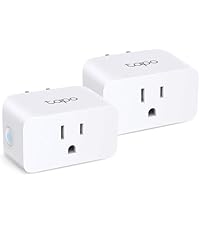
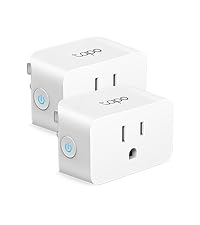
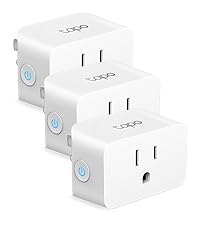
The Kasa Smart Plug Ultra Mini EP10P2 delivers reliable 15A power control through a sleek, space-saving design. Compatible with Alexa, Google Assistant, and Samsung SmartThings, it offers effortless voice control and remote management via the Kasa app. Featuring easy setup on 2.4 GHz Wi-Fi, customizable scheduling, and UL safety certification, this smart plug is trusted by over 6 million users to automate and secure their homes with style and simplicity.




| ASIN | B091FXQQMQ |
| Actuator Type | Hinge Lever |
| Best Sellers Rank | #185 in Tools & Home Improvement ( See Top 100 in Tools & Home Improvement ) #2 in Electrical Outlet Switches |
| Brand | Kasa Smart |
| Brand Name | Kasa Smart |
| Circuit Type | 1-way |
| Color | White |
| Compatible Devices | Amazon Alexa, Google Assistant, Smartphone |
| Connectivity Protocol | Wi-Fi |
| Connector Type | Plug In |
| Contact Material | Copper |
| Contact Type | Normally Open |
| Control Method | Voice |
| Control Type | on/off, scheduling |
| Controller Type | Amazon Alexa, Google Assistant |
| Current Rating | 15 A |
| Customer Reviews | 4.5 out of 5 stars 40,637 Reviews |
| EU Spare Part Availability Duration | 2 years |
| Global Trade Identification Number | 00840030702655 |
| Included Components | (2) Smart Wi-Fi Plug Mini EP10 (1) Quick Start Guide |
| International Protection Rating | IP00 |
| Item Dimensions | 2.36 x 2.03 x 1.5 inches |
| Item Type Name | smart plug |
| Lower Temperature Rating | 32 °F |
| Manufacturer | TP-Link |
| Material Type | Polycarbonate |
| Model | EP10P2 |
| Mounting Type | Plug-In Mount |
| Number of Items | 1 |
| Number of Positions | 2 |
| Operating Voltage | 120 volts_of_alternating_current |
| Operation Mode | Automatic,Automatically,Off |
| Part Number | EP10P2 |
| Specification Met | UL |
| Switch Type | Push Button |
| Terminal | Screw |
| UPC | 008400307026 840030702655 |
| Unit Count | 2 Count |
| Upper Temperature Rating | 104 °F |
| Warranty Description | 2 Year Manufacturer |
| Wattage | 1800 watts |
A**R
Small Smart Plug That Just Works
I bought the Smart Plug to automate a few things around the house, and it's been one of the easiest smart home devices I've ever set up. The installation only took a few minutes, and it connected to my Wi-Fi without any issues. The app is simple to use, and I really like being able to turn devices on and off from anywhere. I’ve also set up schedules, so things like lamps automatically turn on in the evening and off before bedtime, which has been really convenient. Another thing I appreciate is the compact design. It's small enough that it doesn't block the second outlet, which isn't always the case with smart plugs. So far, it's been reliable with no random disconnects or connection problems. It responds quickly to commands, whether I'm using the app or voice control. Overall, this is a great smart plug if you're looking for something easy to set up, dependable, and reasonably priced. I'd definitely buy more for other rooms in my house.
T**Y
Easy, fast setup. Works well.
Pros: Super easy and fast to set up Works well Works with Alexa, Google Home, IFTTT Cons: No Apple Homekit A bit more difficult to set up Google Home than other devices This Kasa smart switch by TP-Link was a pleasure to set up. I had it set up literally in less than 5 minutes, and about as long to link to Alexa and Google Home. The set up instructions are really nothing more than a card telling you to download the Kasa app on your smartphone and adding the switch to the app. The set up is easy. As with most WiFi controlled devices, the device goes into AP mode for configuration and then into device mode for operation. Unlike other devices, and seemingly any that support HomeKit, it simply has you connect to that access point on the phone, then go back to the app. The app connects to the device and scans WiFi. You select the WiFi SSID (network name) you want, enter the password, and done. At this point the switch can be controlled from the app. To add Alexa you select the Works with Kasa option in the app, select Alexa. Then enable in Alexa, and done. Google home is a bit less direct, and a bit more clumsy than other devices, but still pretty easy. You need to go into the Google home app, add a device, search for Kasa, then log into Kasa, then configure. A few more steps, but overall not that bad. It also supports IFTTT, and Samsung Smart home that I didn't set up. It does not support Apple HomeKit. That is probably why it was easy to set up. I really would like to be able to use HomeKit, but almost nothing works well with HomeKit. The whole set up with the code mostly doesn't work, and if it does it then gets disconnected. This brings me to why I bought the Kasa in the first place. I had a WeMo (Belkin) smart switch, the equivalent product to this. I couldn't get it to connect after multiple attempts. I called WeMo support (surprisingly a human on a phone). After well over an hour I was finally able to get the WeMo to connect, then get it to connect to HomeKit, Alexa, and Google home. Great. I had the switch in an easy to access socket to set up. I unplugged it to move to where it needed to be and the WeMo stopped connecting to WiFi. After factory resetting the WeMo I was able to get it to connect back to WiFi, but as soon as it was unplugged and plugged back in, it wouldn't connect again. At this point I just gave up and ordered the Kasa based on other reviews. It was night and day to set up. Similar to the WeMo, I used an easy to access socket to set up, then unplugged it and moved it to the location where the light to be controlled is. With the Kasa, no problem. This is the same location, and the same WiFi network. The Kasa works. The WeMo doesn't. Part of the problem is HomeKit. HomeKit compatible devices use the HomeKit set up on iOS devices. Some devices sort of let you bypass this, with the WeMo being one of those devices. This is how I initially got it to connect with customer service, by connecting directly to the switch. If it fails though HomeKit recognizes the WiFi AP as a connected device for at least 15 minutes. You need to wait 15 minutes to try again. The whole thing is a mess. I really like Apple devices, but HomeKit is just way more trouble than its worth. Ironically, the only device that I've found that works with HomeKit is a Sony Android TV! That TV now controls the light plugged into the Kasa switch with Google Home. Again, the setup on the Kasa was really easy, the way it should be. The competing WeMo was hours of frustration with no results. This was the second WeMo (it was part of a 2-pack like the Kasa), and the first one was also difficult and unreliable. Unless you absolutely can't live without HomeKit, buy this Kasa. The Kasa just works.
R**N
Flawless execution, simple and reliable.
These plugs are reliable. I use one for a lamp at my bedside table to help me wake up in the morning, and in the winter another turns an electric fireplace on 30 minutes before I wake for a comfortable start to my day. I remember having a little frustration with initial set up and connecting to the app, but this was very likely due to my own inaptitude with technology. Once I had the app configured and set the timers, I all but forgot about them. This is how I like my electronics, no updates, no hassle, it just does what it says it does and I don't have to play with it. On really cold days I can turn on the fireplace before I get home with the app.
H**L
Great Smart Plug – Excellent Value for the Price
**Subject:** Great Smart Plug – Excellent Value for the Price ⭐⭐⭐⭐⭐ (5 Stars) So far, I am very happy with this smart plug. The setup was quick and easy, and it has been working reliably from day one. I haven't tested it with Alexa yet, but even without using the voice assistant features, it has been well worth the money. I am currently using it with my entertainment center, and it handles the power load very well without any issues. The compact size is also a plus since it doesn't block other outlets. Overall, this is a great value, performs as expected, and I would definitely recommend it to others looking for a reliable smart plug.
A**N
When it works, it's great; when it doesn't, it's hugely frustrating
I have six of these now and they are very useful even in a small apartment for automating lights, fans, and computer equipment. I live in a small studio. I use these partly to turn off my computer equipment so the LED lights don't make the room bright at night. The smart plugs themselves have their own bright LEDs, though! You can get a separate app (Watt, not Kasa) that lets you disable the LEDs (turning on "night mode"). Occasionally one of these smart plugs is hard to set up, meaning you have to work through the setup sequence a dozen times or more, resetting in between. Of six that I set up, three had this problem. Two eventually worked, but it takes a few minutes to go through the whole sequence, so you can waste an hour or more if you get a challenging one. The last one I tried to set up didn't work even after 40 tries over three days, meaning several hours of wasted effort. I happened to get a rating request from TP-Link while I was working on this. I detailed my frustrations and they helpfully offered to troubleshoot and replace the plug when it was clear that the standard process wasn't working. The process for replacement is that you first exchange several emails with them, where they ask for the serial number and other details. Once they confirm it's not working, they issue an RMA, then ask you to enter the same information you already gave them via email on their website. Then you need to notify them that you've done this, then they send you back to the website to enter your address and choose how to receive the replacement. This entails mailing the non-working plug back to them at your own cost, or choosing the "convenience" option that costs more than just buying two new ones from Amazon. They are very friendly and helpful, but the whole process takes a couple of hours over several days of back-and-forth. It definitely wasn't worth the time or effort for me — much better to just order a new one than waste so much time after already wasting hours on the initial setup. I got sucked into it step-by-step since it wasn't clear at the beginning how complex and time-consuming the return process would be. Bottom line: 1. The standard app should allow you to enable night mode/turn off LEDs (the Watt app does this, so it's definitely possible). 2. Don't bother with their RMA/Return process unless you've bought something expensive — it's a huge waste of time (although as I said they are friendly and reasonably efficient at responding at each of the many milestones in their hugely burdensome process). UPDATE: I let the company know I didn’t want to proceed with the RMA because it was too much of a hassle and they made an “exception” and sent me a return label. So really helpful service overall with a kind of clunky process. SECOND UPDATE: I finally got the replacement and was able to set it up on the first try. Everything is working fine. Again, the company was patient and kind through the whole interaction and eventually helped solve the problem.
J**A
Nice low price.
Worked great! Setup was easy and took very little time.
R**S
Simple Smart Plug That Accidentally Solved a Very Annoying Problem
I originally bought this as a basic smart plug, but it ended up solving a really frustrating problem with our NordicTrack treadmill. The treadmill’s iFit system has a habit of locking up or acting weird almost every day, and manually unplugging and rebooting it constantly was getting old fast. The solution ended up being surprisingly simple: we connected the treadmill through this smart plug and scheduled it to automatically power cycle every morning around 6 AM. Ever since doing that, the treadmill has been far more reliable because it basically gets a fresh reboot before anyone uses it. It honestly feels like the smart plug solved a problem the treadmill manufacturer should have fixed themselves. Setup was straightforward through the Kasa app, and the connection has stayed stable on our Wi-Fi without randomly disconnecting. The scheduling features are easy to use, and the plug itself is compact enough that it doesn’t awkwardly block the other outlet. One thing I especially like is that it turns “dumb fixes” into automatic solutions. Instead of remembering to reboot equipment manually, it just quietly handles it in the background. Overall, this turned out to be way more useful than expected and became one of those little smart-home devices that quietly fixes an everyday annoyance without needing constant attention.
S**Y
works perfectly first try!
This review is for a set of 4 - Kasa Smart Plug Mini 15A, Smart Home Wi-Fi Outlets that work with Alexa. I am so impressed. I have tried various smart lightbulbs etc. only to send them back in frustration because of the brain damage in setting them up, but these little plugs have restored my belief that 'smart' things actually do work! I read the instructions, as I always do, downloaded the Kasa app and plugged these in one at a time, giving each it's own name depending on what I wanted it to control. Viola! Every one of them worked, the first try! Hallelujah! It is so refreshing to just talk to my Alexa and ask for various things to turn on or off and it happens. I have also discovered that when I speak to Alexa I can run through asking it to turn on (or off) all of the objects and they all instantaneously turn on or off, rather than me having to say "Alexa - turn on...whatever.. for each individual thing. That is pretty sweet too, as I am obviously quite lazy. These should be very durable as they are well constructed. They are made with safety in mind and have a light that tells you their status. Control through Alexa is great, I can't say anything for their compatibility for use with other apps as I haven't tried them. I have NOT been able to dim a light that is controlled by this plug, however it could be user error on my part. They are quite boxy, and therefore they do stick out from the wall a bit, so whatever you plug in will also stick out, but that is a small price to pay for the capability they give. My only real complaint is that they control only one thing, but if you are looking for an easy to use smart outlet, I recommend these! Pros: WORKS first try! easy set up smart app is actually smart light on side shows status Cons: a little bulky only controls one thing per plug
S**R
Solid Plug
This plug is fantastic! All of the TP link Casa products have been incredibly easy to set up and work flawlessly. We have this plug on our schedule to control the illuminated sign in front of our house. We were able to set it to turn on at sunset and turn off one hour afterwards
L**R
So easy to setup!
Great little Smart Plug. Not expensive and small enough to allow you to use the second outlet. Download the Kasa Smart app from the App Store or Google Play, plug the Smart Plug into the outlet and follow the step by step instructions. Easy to follow and understand. No codes to enter and no holding your phone up to the Smart Plug. No tech knowledge needed. Using the app to connect the plug to my wifi was super simple, and setting up an automated on/off schedule in the app was a breeze. Even adding the two smart plug devices I purchased to my Google Home to enable voice commands took two minutes. I was using an iHome Smart Plug before getting this one, but it was always disconnecting from my wifi and reconnecting it was a nightmare. I got so fed up with it that I almost threw it out the window. Very happy with this purchase!
E**O
INCREÍBLEMENTE fácil de usar y de reconocer
Te daré mi reseña como Streamer y también te doy consejo útiles. Este enchufe te permite controlar el encendido y apagado desde tu celular o conectarlo con alexa o Google. Yo lo he usado para encender mi 2da PC para streams desde el cel o con alexa, también para luces de jardín y actualmente lo uso para un anillo de luz muy potente y que mis espectadores puedan encenderlo a máxima potencia por unos segundos mientras juego (como una granada cegadora). TAMAÑO: Al ser un enchufe inteligente obviamente debe ser un poco grande por todo lo que lleva dentro, este mide 6cm de largo, 4cm de alto y 3 cm de ancho. La verdad es que sí está un poquito grande así que considera dejarlo en la esquina de tu multicontacto y perder un puerto (yo compré un multicontacto con 4 espacios separados específicamente para estos enchufes) mándame mensaje a cualquiera de mis redes "ElMacmado" para decirte que multicontacto es. RUIDO Sinceramente yo no he escuchado ruido por parte del enchufe ni aun estando en mi habitación en completo silencio escucho ruido, si me llegara a pegar estando en silencio creo que sí sonaría pero vamos... es casi nulo el ruido y no molesta. Lo único que no me gustó es que al encenderlo por desde la app, suena un "click" por parte del enchufe, es normal porque se activa pero suena muy hueco. CONECTIVIDAD llevo como 3 meses con él y nunca se me ha desconfigurado, es increíblemente estable y los widgets en mi celular reaccionan muy rápido. Tengo otros 2 focos inteligente también "Kasa" y los junté en una escena con este enchufe, así que cuando lo presiono se apagan todos en menos de 1 segundo. La única desventaja es que si lo apagas y lo enciendes rápido de nuevo desde la app, tarda unos 3-4 segundo en encender de nuevo (aunque haya sonado que ya encendió), pero si es desde mi PC o LUMIASTREAM esto no pasa. Aunque esto no creo que sea un problema a menos que lo quieras usar como luces de antro (que lo dudo mucho). Es muy fácil de instalar y sí te recomiendo comprarlo. Abajo te dejo un tutorial de cómo funciona. Primero necesitas conectarlo, después bajas la aplicación de "KASA" (es una verde menta), luego inicias sesión y en la parte superior derecha le picas al botón de "+", seleccionas dispositivo y buscas enchufes inteligentes, dale al que dice "Enchufe inteligente Lite/MINI (Wi-Fi)" incluso abajo dice el modelo EP10. En cuanto presiones el botón comenzará a parpadear en azul y naranja, cuando lo reconozca solo sigues los pasos para enlazar con tu wifi y listo.
D**K
Excelentes
Todo lo que sea TP-Link (su marca Kasa y Tapo) son excelentes. La instalación es sumamente fácil, y la integración con Alexa es sencilla. Funcionan muy bien y, en palabras sencillas, su definición es calidad, a un buen costo y que se integra muy bien con todo. 10 de 10.
J**A
Gran calidad, ya compré 2 veces!
Estos enchufes son muy buenos para poder controlar todo de manera inteligente por wifi, he usado los primeros por años y siguen funcionando!
Trustpilot
3 weeks ago
1 day ago