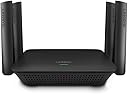
📡 Boost your Wi-Fi, banish dead zones, and stay effortlessly connected!
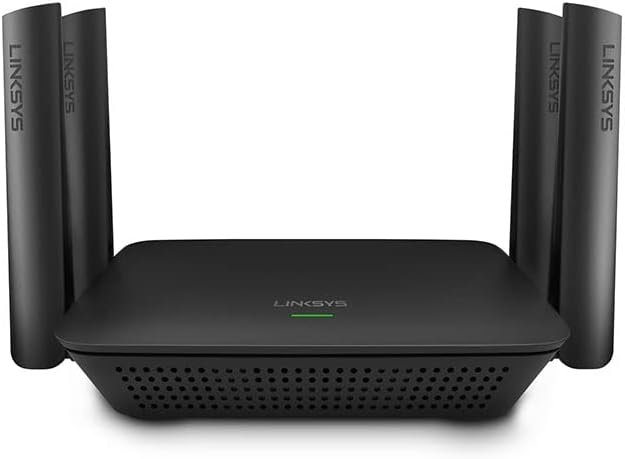
The Linksys RE9000 AC3000 Tri-Band Wi-Fi Extender delivers ultra-fast, reliable wireless coverage by adding a dedicated 5GHz backhaul band, eliminating dead zones across your home. Featuring easy push-button setup, universal router compatibility, and automatic firmware updates, it ensures seamless roaming and secure, high-speed connectivity for streaming, gaming, and smart home devices.
| ASIN | B076ZHXK6J |
| Best Sellers Rank | #60,324 in Computers ( See Top 100 in Computers ) #930 in Routers |
| Brand | Linksys |
| Built-In Media | Linksys Max-Stream Tri-Band AC3000 Wi-Fi Range Extender RE9000, Quick Install Guide, Regulatory Information |
| Color | Black |
| Colour | Black |
| Compatible Devices | Router |
| Connector Type | RJ45 |
| Customer Reviews | 4.1 out of 5 stars 1,558 Reviews |
| Data Transfer Rate | 3000 Megabits Per Second |
| Data transfer rate | 3000 Megabits Per Second |
| Frequency Band Class | Tri-Band |
| Frequency Bands Supported | 2.4 GHz, 5 GHz |
| Frequency band class | Tri-Band |
| Global Trade Identification Number | 00745883742837 |
| Item Dimensions D x W x H | 13.6D x 17W x 4.5H centimeters |
| Item Type Name | Linksys RE9000 Max-Stream AC3000 Tri-Band Wi-Fi Range Extender, AC3000, Black |
| Item Weight | 0.79 Pounds |
| Manufacturer | Linksys |
| Mfr Part Number | RE9000 |
| Model Number | RE9000 |
| Range | 10000.0 |
| Special Features | Tri-Band Technology, Seamless Roaming, Spot Finder Technology |
| Special features | Tri-Band Technology, Seamless Roaming, Spot Finder Technology |
| UPC | 745883742837 |
| Unit Count | 1 Count |
| Wireless Compability | 802.11ac |
| Wireless communication standard | 802.11ac |
Y**A
Precio, calidad y rendimiento
Este repetidor lo compre para expandir la red en una construccion de 4 niveles pero con muchos obstaculos y paredes muy gruesas, a pesar de eso la señal pasa bien, tal vez no excelente pero mantiene su velocidad y ademas tiene la funcion de determinar que frecuencia es la mas adecuada para tu smarthphone, tablet, pc, etc
S**Y
Linksys AC3000 works surpisingly well in our home
We purchased the Linksys AC3000 in an attempt to achieve reliable, stable wi-fi from the router located in the downstairs northernmost corner of our two-story 3,400 sf L-shaped home (yes, I know, worst location ever) to an upstairs family room television located in the furthest opposite corner from the router. The AC3000 replaced an older Linksys router previously set up as an access point and located in the upstairs front middle of the house at the top of an open staircase. Over the years we tried various devices to get a decent signal to that family room. So, we were somewhat skeptical the AC3000 would alleviate the constant buffering when streaming to the upstairs television, or the unreliable and weak signal other devices suffered in that room due to distance. Happily for us, it works perfectly. The most surprising thing is that downstairs bedrooms and bathrooms located in the back "L" also now receive strong, reliable wi-fi signal from the AC3000. Surprising because every downstairs wall, exterior and interior, is concrete block with 1950’s hand applied plaster which previously rendered the wi-fi signal non-existent in all but one bedroom, and even that was weak and unreliable. The one small frustration in setting up the AC3000 occurred when attempting to use the WPS button for easy setup. As it turned out, our Apple 3TB Time Capsule router doesn't allow for WPS setup. Once we reset the AC3000 (via the reset button) and then used the web page option, it was a quick and easy setup. Overall, we’re thrilled that we now have wi-fi throughout the entire house and finally feel confident we can cut the cable cord.
R**N
A Sweet Wi-Fi Signal Boost
Have an odd shaped 3,500 SF ranch finished up and mostly finished down. Have a Linksys EA9500 main router. There are too many walls/obstructions between the centrally mounted router and family room and bedroom ends of the house. Bought a Linksys RE9000/AC3000 and set it up as an access point with an ethernet cable for one end of the house. Set it up with a non-networked computer and gave it the same name as the main router network to avoid having multiple networks. When setup was finished, hooked the RE9000 to the main network and recycled the main network and the unit came to life. Setup and instructions are a tad wonky in my opinion, but forgiving and not too bad. I have one network name and one can walk from one end of the house to the other without any loss of connection or signal. On a hard wire, I get 800 down and 40 up. In the wi-fi in the family room with the RE, I now get 450-600 down and 40 up, which seems pretty acceptable. I was so pleased with the results I bought a 2nd unit from Amazon for the other end of the house and now get It gets about 400-550 down pretty much everywhere in the bedroom area, but signal is going through a few more walls. Setting these up as access points probably gives much better coverage than setting them up as repeaters. From what I have read, repeater style extenders need to be kept close enough to the router's signal envelope edge to get a good connection and then part of the extender's wi-fi signal is consumed by back-hauling data between thee extender and the router. The access point approach avoids this issue. Anyway, the LInksys RE9000's are decent units and they seem to be trouble free. I'm a Happy Camper.
A**R
Excelente producto
Lo utilicé como extender cableado, utiliza el mismo nombre de la red original y en automático los dispositivos móviles que se conectan escogen el 2.4 o 5 GHz. Excelente.
D**A
Aumenta la potencia de señal
Mejora importantemente la señal y a buena distancia
Trustpilot
2 months ago
2 weeks ago