Buy anything from 5,000+ international stores. One checkout price. No surprise fees. Join 2M+ shoppers on Desertcart.
Desertcart purchases this item on your behalf and handles shipping, customs, and support to South Africa.
๐ Power your productivity with the ultimate portable SSD experience!
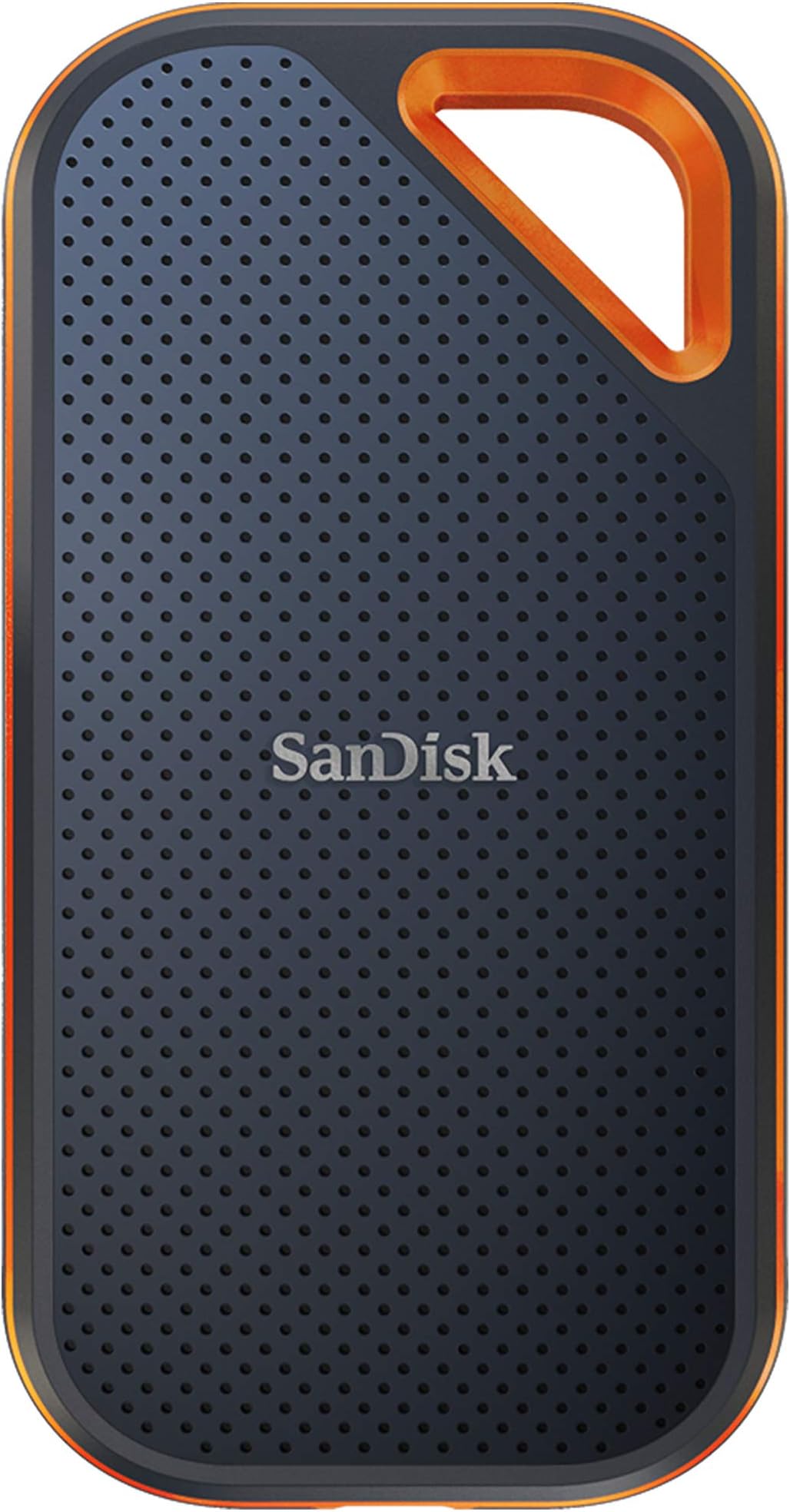
The SanDisk 4TB Extreme PRO Portable SSD delivers professional-grade NVMe performance with up to 2000MB/s read/write speeds, housed in a rugged IP65-rated aluminum chassis that resists water, dust, and drops. Equipped with USB 3.2 Gen 2x2 connectivity and bundled with versatile cables, it ensures blazing-fast, reliable storage for demanding workflows. Backed by a 5-year warranty and smart file management via the SanDisk Memory Zone app, this SSD is engineered for millennial pros who demand speed, durability, and seamless compatibility on the go.


| ASIN | B08RX3343D |
| Additional Features | External, Portable, Shock Resistant, Vibration Resistant |
| Best Sellers Rank | #4 in External Solid State Drives |
| Brand | Sandisk |
| Built-In Media | Saftey and Warranty Guide, USB-C to USB-A Cable, USB-C to USB-C Cable |
| Cache Memory Installed Size | 4 |
| Color | Black |
| Compatible Devices | Desktop, Laptop, Smartphone, Tablet |
| Connectivity Technology | USB |
| Customer Package Type | Standard Shipping Box with Cushioning |
| Customer Reviews | 4.5 out of 5 stars 16,633 Reviews |
| Digital Storage Capacity | 4 TB |
| Enclosure Material | Information Not Available |
| Form Factor | Portable |
| Global Trade Identification Number | 00619659184735 |
| Hard Disk Description | Solid State Drive |
| Hard Disk Form Factor | 2.5 Inches |
| Hard Disk Interface | USB 3.0 |
| Hard-Drive Size | 4 TB |
| Hardware Connectivity | USB 3.2 Gen 2ร2 |
| Hardware Platform | Mac, PC |
| Installation Type | External Hard Drive |
| Item Dimensions L x W x Thickness | 4.36"L x 2.28"W x 0.41"Th |
| Item Type Name | External SSD |
| Item Weight | 78 Grams |
| Manufacturer | Sandisk Technologies, Inc. |
| Media Speed | 2000 |
| Mfr Part Number | SDSSDE81-4T00-G25 |
| Model Name | SanDisk Extreme PRO Portable SSD |
| Model Number | SDSSDE81-4T00-G25 |
| Number of Items | 1 |
| Read Speed | 2000 Megabytes Per Second |
| Special Feature | External, Portable, Shock Resistant, Vibration Resistant |
| Specific Uses For Product | business, personal |
| UPC | 619659184735 |
| Warranty Description | 5-year limited manufacturer warranty |
E**T
An absolute must if you require true sustained large capacity speeds
TL;DR: This drive personally verified capable of large, sustained reads for hours if needed and had no problem transferring 500GB+ of data (both read and write) without slowing down at all. If you're tired of external SSDs that slow down due to cache outs and/or overheating, this drive will take care of those issues. ------- I've gone through several Samsung and Crucial external SSDs and one common thing is they all "cache out" sooner than later or even overheat and transfer speeds quickly plummet (sub 50-75MB/sec in some instances) when you're doing large (>100GB) transfers or if you're using the drive as an attached active media for real time use like using a replicated database or photo editing. If the job ends up R/W > 75-100GB+ I will always see drive slow downs consistently on those Samsung and Crucial models. They are good for small, quick transfers especially sub 25GB but anything remotely large and sustained and the slowdown happens. After doing a lot of research and reading along with personal recommendation from some fellow developers and editors, I gave the SanDisk 2TB Extreme PRO (you know it's serious when "PRO" is all in caps) a try. It is very compact and nicely built. Excellent external texture with even a corner clip hole. It comes with both USB-A and USB-C USB 3.2 2x2 cables and is ready for data transfers up to 2000MB/s. So how did it fair? I plugged it into my 1000MB/s rated USB-C port to backup over 500GB of data in one sitting and sat there and watched it transfer the entire set of data with zero slowdowns sometimes peaking OVER 1000MB/sec on large contiguous data asset transfers. This is a first among the pile of external drives I've used over the last 10 years. When it came time to copy the information back, the sustained speeds were still there during the entire transfer. I used it even to run some games for testing and it had no problems for Steam or Blizzard games albeit for normal use I use internal storage. I also did a couple of dev projects externally and it worked absolutely fantastic. As with most external drives, it does get warm during heavy use but nothing that is worrisome. I was able to pick up and hold the drive no problem. I tested it on both Windows 10 and 11 and Windows 11 is slightly slower than Windows 10 in data transfers under the same conditions but still peaked over 900MB/sec. It isn't the Sandisk's fault but the OS. Overall, I can't recommend this drive highly enough. It fixed all the issues I had grown used to accepting with my previous Samsung and Crucial models with expected slowdowns (it wasn't an issue of "if" but "when") and 2TB is spacious enough for now. If I end up needing more capacity I will pick up the 4TB version if needed but as for the 2TB model specifically? Highly recommended. 5/5
M**D
Specs are probably true (read below)
OK, so I read many of the reviews of this drive, and I believe that people who are saying this doesn't give them the speeds that it's rated at, may not be testing it correctly. There are MANY factors that go into properly testing the speed of an HD ... OS file buffering/caching being a HUGE one. The drive that I bought, SDSSDE81-1T00-G25 - SanDisk 1TB Extreme PRO Portable SSD - Up to 2000MB/s, boasts speeds up to 2000MB/s (read/write). If you plug this drive into your computer and you use the blue USB 3.0 cable, you will not get the maximum speed out of this device because the max speed for USB 3.0 is 625MB/s. If your computer happens to truly have a USB 3.2 Gen 2x2 port, and you have a cable that supports that, then you could theoretically get the max speed out of this drive. Next, if your computer has a USB-C port, is it truly a USB 3.1 or better (or a Thunderbolt) port, or just a USB-C 3.0 port. Finally you have all of the OS file buffering stuff to deal with. Once you plug this drive in, you'll need to make sure you've set your OS's file buffering/caching to it's highest performance settings. Even with that, testing may not reveal the correct speeds because your OS may not buffer enough of the files being transferred to accurately test the read/write speeds of the drive. Another area for potential speed (and max file size) issues is the file system. You'll most likely want to format (keep) this SanDisk external SSD with exFAT (what it comes formatted in) unless you're going to use it 100% exclusively with your own computer (exFAT is readable/writeable in most OSes). If that's the case, it might be faster performing in your OS's native file system format, but that's not a for sure thing. It'll depend on the size and number of files that you're planning on using it to read/write. Several large files compared to thousands of small files makes a difference in performance too (you may want to look into this further yourself if it is a concern to you). I have a WIndows PC. After doing the stuff I mentioned above, when I do a large file transfer to the drive, it starts out at 1.7GB/s and then begins to drop to a steady 915MB/s or so. This reflects close to the drive's specs at the start, but Windows file buffering doesn't cache enough of the file to get a continual accurate reading, hence the speed drop in write speed. In testing out the read speed, I was only able to get around 700MB/s, but that is because I am copying a file from a super fast HD (this Sandisk drive) to a much slower HD (my internal PC HD), so it can't transfer any faster than this. I also tested reading and writing just from this Sandisk drive and got around the same 700MB/s, however, this is not a fair nor accurate test, because the same drive is doing the reading AND the writing. Finally, I ran the Blackmagic Disk Speed Test that everyone else seems to be using to test drive speeds, and got only 915MB/s read and write speeds. We know this is not accurate since I got 1.73GB/s in my own testing. So all of this to say that I believe this drive is probably fully capable of its advertised speeds, but you will likely not see speeds that fast due to OS limitations, other drive limitations, hardware limitations (your cable and/or port), etc. I'm happy with it because it averages about 1sec/GB throughput, and for files that Windows can buffer completely, I'm getting much closer to the spec's speeds. Hopefully all of this info. is helpful. Just remember, you get the best possible speed out of this drive by connecting it to a true Thunderbolt 3 port on your computer and by setting your OS's caching/buffering settings to maximize the performance (even a USB-C 3.1 or better port will get you the best speed out of this drive).
R**E
Impressive Speed and size!
I recently bought the SanDisk 4TB Extreme PRO Portable SSD, and I must say, I am thoroughly impressed with its performance. This compact and powerful storage device has proven to be a game-changer in terms of speed, form factor, and reliability, especially for film productions. Let's start with speed. The SanDisk Extreme PRO SSD lives up to its name and delivers mind-bogglingly fast transfer rates. I was amazed at how quickly I could move large files, such as high-resolution videos and RAW images. With read speeds of up to 2000MB/s and write speeds of up to 2000MB/s, this SSD ensures that my workflow remains smooth and efficient. It significantly reduces the time spent waiting for file transfers to complete, allowing me to focus on my creative work. Another standout feature of the SanDisk Extreme PRO SSD is its super small form factor. Despite its immense storage capacity of 4TB, it remains incredibly compact and lightweight. This makes it extremely portable and convenient for on-the-go professionals like myself. Whether I'm shooting on location or traveling between sets, this SSD easily fits into my bag or pocket without adding any significant bulk. The reliability of the SanDisk Extreme PRO SSD is also worth mentioning. I have never experienced any data loss or corruption while using this drive. SanDisk is renowned for its high-quality storage solutions, and this SSD is no exception. Its rugged design, shock resistance, and durable construction make it ideal for the demanding environment of film productions. I have full confidence in the safety and security of my data when using this device. In conclusion, the SanDisk 4TB Extreme PRO Portable SSD is a must-have tool for filmmakers and professionals who require fast and reliable storage. Its exceptional speed, compact form factor, and robust design make it a top choice for anyone working with large media files. The performance of this SSD, with its incredible read and write speeds of up to 2000MB/s, has exceeded my expectations, and I can confidently say that I have never had such fast transfers in my filmmaking career. I highly recommend the SanDisk Extreme PRO SSD to anyone seeking a high-performance storage solution for their creative endeavors.
M**E
Portable, durable and fast - but watch out for the 4TB model
Doesn't get much more portable than these, unless stooping to a thumb drive; even has a hole to put it on a keychain. Used to use thumb drives, but these SSDs are much faster. After deleting included software (some sort of security stuff, perhaps for password protection), was left with 1.8TB, which seems about right for a 2TB drive (somehow, that's just how the math works with these things). Put it through its paces backing up a TB worth of PC data and copying over some stuff from thumb drives (all at the same time) and it never broke a sweat or had any problem. It gets warm when really busy, but cools right back down. I often leave it connected all day. At under $300, don't imagine I'll ever go back to thumb drives. Fingers crossed that it will last, but it seems very durable, supposedly able to withstand water, dust, drops, etc. Not going to test any of those claims. :) UPDATE: I never had a problem leaving the 2TB model plugged in to the PC for weeks on end, but the 4TB model (have tried a few of them) periodically stops reading and Windows 10 complains that the device is "not ready". Have tried USB 3.0, 2.0 with A connectors, with and without a hub. The only "fix" I've found for this issue is to unplug it and put it back, which sucks. :(
A**D
BRICKED SSD After 6 Months. MacOS users out of luck.
My experience is a breach of trust in the WD brand. I'm a macOS user working with large files for photography and videography. I've been a WD customer since the first My Passport and My Book HDDs. I bought the 4TB Extreme PRO V2 because I enjoyed using the 2TB Extreme V2. I figured the faster R/W speed and storage space would mean an even better user experience. Right? Wrong. After only six months of storing over 2TB of data, my system no longer recognized the disk. The only actions my system allowed me to take were to either Eject, Initialize or Ignore the disk. None of these were optimal. Yet the hurdles to hunting for a solution frustrated me even more. That's when I learned about the firmware issue from WD's response to another reviewer's comments. The device impact checker confirmed my disk "may have been impacted." Discovering that my only options were to use a PC to download and install the firmware update or contact customer support infuriated me. WD must not value its macOS customers for it not to offer an easy way for us to update the firmware. We are Mac users for a reason. Instead of having it done the easy way, I get a complicated set of instructions to download and install a third-party program called RescuePRO Deluxe. Now here's where I got super angry with this experience. Customer support told me that though the program might be able to preview in evaluation mode, I would need to pay for it to back them up to my local hard disk. In other words, the customer MUST PAY for WD's negligence to address this issue before they shipped these drives. On top of that, I learned that if this program failed to retrieve my files, my last line of defense was to pay for third-party hardware data recovery. I think WD should pay for this, not the customer they failed. At the very least, WD should replace my bricked SSD with a working one and include shipping costs. I ran RescuePRO Deluxe overnight and returned to find that it could not produce a preview of any recoverable files. Not one byte of my more than 2TB of data was retrievable. Incredible. I cannot recover my files and am too cash-strapped to pay for hardware data recovery. I can't believe I spent $400 for a bricked SSD. This event prompted me to write this review to steer others clear of this debacle and look elsewhere for portable storage solutions.
W**.
Small, fast, and massive storage
This is a fantastic, quick, and durable little solid state external drive with massive storage.
A**A
Great for backups
I use this for backups on my MAC / great little item, fast, no problems, easy to setup and use. While this is a 2TB, I do have a 1TB I use for other items. Durable, lightweight, great quality. Would buy again when needed.
A**R
Only worried about bad reviews of previous customers complaining data loss and disk unreadable
Although I had read bad reviews about this product about data loss and crashing but I still chose it because I have friends using same product for a while now and works well as it stands so finally decided to give it a try. Donโt know yet how it will serve me since I just unboxed it. So as it stands Iโm gonna give it 4 stars Ease of installation: Very easy to install. Came formatting ExFAT compatible with my iPad Portable: Very portable. Little bit longer than a credit card Compatibility: Havenโt texted range of compatibility but works great with my iPad Pro Security: Came with files to establish encryption but unfortunately encrypted disk doesnโt work on the iPad. Not readable on iPad when encrypted Performance: Great performance as it stands. Heats on high duty transfers. Another red flag is that itโs a piece of power eating accessory. Consumes iPad battery faster when connected Weight: Weighs just as it should. Feel good quality
A**A
Prฤdkoลฤ mniejsza niลผ opisywana
Przetestowana prฤdkoลฤ to 1012 MB/s odczyt, 1019 MB/s zapis, a wiฤc prawie 2 razy mniej niลผ w specyfikacji. Sprawdzone na oryginalnym kablu i innym 40GB/s. Wersje Extreme, sporo taลsza, ma niewiele mniejszฤ prฤdkoลฤ (777 i 958), bliลผszฤ podawanej w opisie.
I**R
Very fast
Haven't had many chances to test the capabilities of the SSD, but, so far its performance is quite impressive. Turning on its encryption was also straightforward. I heard many news in the past if its data integrity issues but I hope SanDisk has fixed it and it wouldn't happen down the road.
N**S
Highly recommend
So small and convenient. I bought the Monterey color as well and it is similar transfer speed. Just Wow! For both of them. It's super fast and the perfect size. I'm using it as an external drive, I truly like the size..wanted alot of space..just excellent for what I need to store. I would recommend. Thanks Seller Amazon!
A**N
Wow super snelle schijf.
Wow super snelle schijf. Ik ben er erg blij mee met sandisk op mijn Mac air
M**I
H D
Muito bom ๐
Trustpilot
1 month ago
3 days ago