
Desertcart purchases this item on your behalf and handles shipping, customs, and support to South Africa.
🚀 Upgrade your rig, dominate your day.
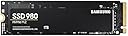
The Samsung 980 SSD 1TB leverages PCIe 3.0 x4 NVMe technology to deliver blazing sequential read speeds up to 3,500MB/s. Its M.2 2280 form factor fits seamlessly into desktops and laptops, making it ideal for gamers, professionals, and mainstream users seeking high-capacity, reliable storage with advanced features like Intelligent TurboWrite and hardware encryption—all backed by a 5-year warranty.


| ASIN | B08TJ2649W |
| Best Sellers Rank | #27,678 in Computers & Accessories ( See Top 100 in Computers & Accessories ) #134 in Internal Solid State Drives |
| Box Contents | Solid state drive, Quick guide |
| Brand | Samsung |
| Brand Name | Samsung |
| Cache Memory Installed Size | 160 |
| Color | Black |
| Compatible Devices | Desktop, Laptop |
| Compatible Video Game Console Models | Sony PlayStation 5 |
| Connectivity Technology | PCIe |
| Customer Reviews | 4.6 out of 5 stars 24,994 Reviews |
| Data Transfer Rate | 3500 Megabits Per Second |
| Digital Storage Capacity | 1000 GB |
| Form Factor | M2 |
| Global Trade Identification Number | 08806090572210 |
| Hard Disk Form Factor | 2280 Inches |
| Hard Disk Interface | PCIE x 4 |
| Hard Disk Type | Solid State Hard Drive |
| Hard-Drive Size | 1 TB |
| Hardware Connectivity | PCI Express 3.0 |
| Hardware Platform | PC |
| Importer Contact Information | Samsung Electronics Pvt.Ltd., 6th Floor, DLF Centre, Sansad Marg, New Delhi-110001 |
| Installation Type | Internal Hard Drive |
| Item Dimensions L x W x Thickness | 8L x 2.2W x 0.2Th Centimeters |
| Item Type Name | Internal SSD |
| Item Weight | 8 Grams |
| Manufacturer | Samsung, Samsung Electronics Co., Ltd. Semiconductor Business Test & Package Center, #158 Baebang-Ro Baebang-Eup, Asan-city Chungcheongnam-Do, 31489 Republic of Korea |
| Manufacturer Contact Information | Samsung Electronics Co., Ltd. Semiconductor Business Test & Package Center, #158 Baebang-Ro Baebang-Eup, Asan-city Chungcheongnam-Do, 31489 Republic of Korea |
| Manufacturer Part Number | MZ-V8V1T0BW |
| Media Speed | 3000, 3500 |
| Model Name | 980 |
| Model Number | MZ-V8V1T0BW |
| Network Connectivity Technology | PCIe |
| Number of Items | 1 |
| Packer Contact Information | Samsung Electronics Co., Ltd. Semiconductor Business Test & Package Center, #158 Baebang-Ro Baebang-Eup, Asan-city Chungcheongnam-Do, 31489 Republic of Korea |
| Product Features | Hardware Encryption |
| Read Speed | 3500 Megabytes Per Second |
| Special Feature | Hardware Encryption |
| Specific Uses For Product | Business, Gaming, Multimedia |
| Unit Count | 1 Count |
| Warranty Description | 5 year manufacturer |
V**A
Fast, reliable and worth it
I have purchased the Samsung 980 SSD and installed it in the laptop . The difference in performance was immediate-boot times and lighting fast , applications load almost instantly, and overall responsiveness has improved significantly.
N**R
full review
this is currently the best ssd in the market right now when i first received it,i check its made in korea,and packing was good how to install 1.i own a dell 3501 laptop,i opened it,you can clearly see m.2 port 2.remove battery connector,then turn on tha laptop,it will remove any charge present in laptop 3.push your m.2 ssd gently at 30 degree angle,note it ,nvme ssd always goes at 30 degree otherwise you will destroy your m.2 pin 4.just tight your screw and close the cover first things you should do you wouldn't see nvme ssd when you boot ,you have to initialise it,just open disk partition,it will automatically ask to initialise the new drive 1.boot using old deive 2.download samsung magician 3.check if its genuine or not,and check performance note - you have to remove old drive before installing windows on ssd otherwise you wouldn't see this ssd in bios boot order ,when booted up , restart pc and go to bios,and set ssd as your boot drive ((dell users dont have to remove old drive ,you can simply disable hdd in bios)) after using 1 month ,my experience 1.this is the best ssd currently right now 2.your boot time decrease significantly 3.most apps open instantly like chrome ,forefox ,its wouldn't even need 1 sec ,as soon as you click ,it will open 4.i own 250 gb model,so read and write speed is 2600/1300 mbps,i gets 2400 mbps and 1200 mbps write speed 5.nvme drive tends to runs hot under idle condition temperature around 38 degree ,but as soon as you put load it will goes upto 63 degree,dont worry this normal,this ssd can run perfectly under 70 degrees,and its has builtin throttling ,so if temperature goes beyond ,it will throttle down itself this ssd warms up and cool down rapidly experience about samsung magician 1.its a good software ,you should installed it ,if firmware is old,then upgrade it 2.you can track how much data you have written 3.under performance tab ,i recommends using power saving mode ,it will allow ssd to sleep to conserve power,dont worry you wouldn't notice anything,because under full power mode , temperature rise by 4-5 degree however if gonna gaming ,then full power mode should be on ,as underthis you will gain 100% increase in 4k random write speed which is most important because ehile gaming their will thousand of small files need to be written but under normal circumstances you wouldn't need it but its your choice my final thought best ssd ,if you don't have money problem then atleast go with 500 gb model ,it will give 300 tbw , double the amount of tbw 250 gm model offers and if you gonna use just for normal work then 250 gb model is more than enough i have written 2000 gb in 1 month,at this rate i gonna get 6 years before this ssd unusable,and that amount is used because i did extensively stress test install windows few times , because i got 7 days replacement so i wanted to be sure about performance, otherwise in normal conditions,you never gonna able to use full tbw if you gonna gaming go with 500 or 1 tb model , because todays games uses heavy data dont worry if your ssd survive 1 week then it will run many years,ssd has online time of using of 1.5 million hours(15 lakh hours),so after installing just check if its genuine and use heavily for 1 week ,try to fail that drive ,and if it passes then forget about anything,it will last longer than you thought thanks for reading my review
V**A
Buy this SSD only if you have or going to purchase thermal pads.
Bought samsung 980 SSD (500gb) for acer predator helios (ph315-51 i5 8th gen 1050ti) . # Installation: --> Easily Installed on helios 300. --> Applied thermal pads on SSD. --> Updated firmware. --> Successfully cloned windows OS using macrium reflect. --> Dual booted with ubuntu. # Booting Time. --> Both operating system boot under 7 seconds. # Benchmarking. --> After cloning windows and dual booting with ubuntu i started benchmarking in both operating systems. --> Benchmarking test in WINDOWS (CrystalDiskMark) i got around 3000 mb/s read speed and got around 2000 mb/s write speed. --> Benchmarking test in UBUNTU (Kdiskmark) i got bit lower numbers compared to windows. # Thermals. --> This SSD have 3 temperature sensors in it as mentioned in images. --> During Benchmarking test in ubuntu i have observed that max temperature of one of the sensor touched 76 degree even after applying thermal pads on it and rest other 2 sensors touched around 54 degrees as mentioned in uploaded images. (have also uploaded temperature graph of all 3 sensors after completing benchmarking test). --> I have also observed that samsung magician software and crystaldiskinfo read temperature from different sensors hence you will going find different temperature on both the softwares. Conclusion: Overall installation is pretty easy. Good Performance. If you are going to use this SSD for gaming or for heavy file transfer purpose then I highly recommend to apply thermal pads on it.
J**E
Boot time reduced from 15mins to 18 secs. Works fantastic. Easy to install and use.
It is easy to install. I bought this for my laptop, Asus vivobook 15, before I had Toshiba HDD which was very slow FYI. It took around 15 minutes to boot and when windows update starts laptop totally lags and not able to use anymore. After installing SSD, the boot time is 17 seconds. The packaging is good. Value for money I would say. System is not heating like before it is good. This is my initial review. Let me use it for some more time and give you a better review. (P.S they don't provide the screw to lock your SSD, you have to arrange it)
R**H
Budget Upgrade
Ultimate superfast, only used to imagine purchasing this item. My dream came true with SBI debit card discount and the price came down to my reach. with ignorance i purchased SATA based SSD earlier with less capacity whereas this SSD is a high quality SSD used in Apple Devices. Now my very old ASUS A320MK motherboard functions with good improvement as i replaced the processor 2200G with 3400G and replaced WD120GB SSD (SATA not NVME) with this Samsung SSD. Added some Corsair Vengeance 8GB more.
A**9
Faster Than You Think
Samsung’s 980 is an inexpensive M.2 SSD that lacks DRAM, but it packs the company’s fastest flash yet. Samsung’s 980 is a very fast DRAM-less M.2 NVMe SSD that runs both cool and efficiently. For those penny pinchers on the hunt for a solid PCIe 3.0 x4 M.2 NVMe SSD, Samsung’s 980 is a good choice. - Pros + Competitive performance + Large, fast-recovering dynamic SLC cache + Attractive design + AES 256-bit hardware encryption + Software package + 980 Pro-like endurance and 5-year warranty - Cons - Slow write speeds after the SLC cache fills The Samsung 980 non-Pro was announced end of March 2021 and made waves because it is a DRAM-less SSD, a design choice usually reserved for value drives without maximum performance, yet Samsung picked the "980" name, which is used on their flagship "980 Pro." Under the hood, the Samsung 980 in today's review uses a relatively new controller called "Pablo," or S4LR033—a 4-channel PCIe Gen 3 controller design we've seen on some external Samsung SSDs before. The flash chips are 128-layer 3D TLC, same as on the Samsung 980 Pro. As mentioned before, a DRAM chip is not present, which is a cost-optimization measure, but has the drawback that random write performance is reduced.
A**A
Just buy it, don't think twice...
So, I got my hands on the Samsung SSD 980, and let me tell you, it's a game-changer! The speed on this thing is insane, like, blink-and-you'll-miss-it fast. Booting up my system feels like teleportation to the future or something. Plus, the installation was a piece of cake. Slapped it into my rig, and boom, ready to rock. And with Samsung's reputation for reliability, I'm not losing sleep over my precious data. If you're in the market for a new SSD that'll turbocharge your setup, the Samsung SSD 980 is where it's at. Trust me, you won't be disappointed!
P**R
Good
Original but box damaged
S**N
Herşey denildiği gibi
Süper hızlı gönderi, 24 saat olmadan elime ulaştı, sorunsuz ürün denildiği gibi. Ürün ise on numara sıfır sıkıntı.
A**I
Samsung 980 500 GB PCIe 3.0 (up to 3500mbs) NVMe M.2 Internal Solid State Drive (SSD) (MZ-V8V500BW)
Good
T**Y
Very nice SSD found at a great discount!!
I’ve had always used Samsung SSDs on all my laptops and PCs since always due to its reliability, performance and speed. Was looking to upgrade the original 128GB SSD on my Dell XPS 9350 and found this SSD at a great discount. The original SSD gave only a read/write speed of 450/138 MB/s. Once I upgraded to the 980 it hiked to 1700 MB/s read and 1200MB/s write. Which is big boost and quite noticeable. Though this less than advertised I believe it’s due to my systems limitations. Since all my other Samsung SSDs like 970 EVO, 980 Pro etc run at their full rated speeds. Overall a highly recommended SSD!!
S**E
Samsung 980 1TB PCIe 3.0: Un Año Después, Sigue Sorprendiendo
Después de un año usando el Samsung 980 1TB PCIe 3.0, puedo decir que este SSD sigue impresionando. Desde el primer día se notó la mejora en el rendimiento de mi PC, y después de un uso constante durante un año, sigue funcionando igual de rápido y sin problemas, lo que demuestra que es una inversión que vale cada centavo. Rendimiento y Velocidad Desde que lo instalé, la diferencia fue abismal. Los tiempos de carga se redujeron drásticamente, tanto al iniciar el sistema operativo como al abrir aplicaciones pesadas como juegos y programas de edición. Este SSD alcanza velocidades de lectura y escritura secuenciales de hasta 3,500 MB/s y 3,000 MB/s respectivamente, lo que se nota especialmente en tareas de transferencia de archivos grandes y en el rendimiento general del sistema. Lo sorprendente es que, después de un año de uso intensivo, sigue funcionando igual de rápido. No he notado ningún tipo de degradación en el rendimiento, lo que es impresionante considerando que lo uso para todo, desde gaming hasta edición de video y diseño gráfico. Fiabilidad y Durabilidad La durabilidad es otro aspecto donde el Samsung 980 brilla. A lo largo de este año, he sometido el SSD a bastantes horas de uso diario, y no ha dado señales de desgaste o errores. Samsung ofrece una garantía limitada de 5 años, lo que añade tranquilidad, pero honestamente, con lo bien que ha funcionado hasta ahora, parece que va a durar mucho más. Además, cuenta con la tecnología de control térmico de Samsung, que mantiene las temperaturas bajo control incluso bajo carga pesada, evitando problemas de sobrecalentamiento que podrían comprometer el rendimiento a largo plazo. Facilidad de Instalación y Software La instalación fue sencilla; al ser un M.2, solo necesitas conectarlo a la placa base y listo. Samsung también ofrece el software Magician, que facilita la gestión del SSD, permitiendo monitorear el estado del disco, realizar actualizaciones de firmware y optimizar el rendimiento con solo un par de clics. El software es intuitivo y muy útil para mantener el SSD en perfecto estado. Relación Calidad-Precio Si bien no es el SSD más barato del mercado, la relación calidad-precio es excelente considerando la fiabilidad y el rendimiento que ofrece. Después de un año, sigue siendo una inversión que vale la pena para cualquiera que quiera mejorar su PC, ya sea para trabajo o entretenimiento. La estabilidad y la velocidad se mantienen impecables, lo que justifica el precio. Conclusión Después de un año con el Samsung 980 1TB PCIe 3.0, sigo recomendándolo sin dudarlo. Su rendimiento sigue siendo espectacular, y no muestra signos de envejecimiento. Es perfecto para quienes buscan velocidad, durabilidad y una experiencia sin complicaciones. Si necesitas un SSD fiable y rápido para mejorar tu PC, el Samsung 980 es una opción difícil de superar incluso después de un uso prolongado.
Ö**Ş
İyi
1 yıldır kullanıyorum okuma yazma hızları yeterli fakat eğer bütçeniz el veriyorsa kesinlikle 7000/6000 hızlarında bir m.2 SSD almanızı tavsiye ederim
Trustpilot
2 weeks ago
1 month ago