🖥️ Elevate your workspace with sleek style and smooth visuals — don’t just work, impress.
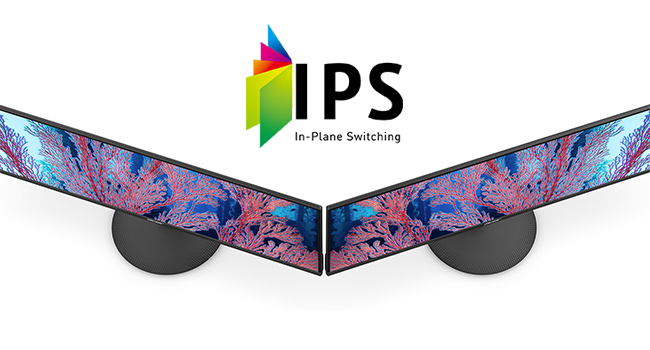
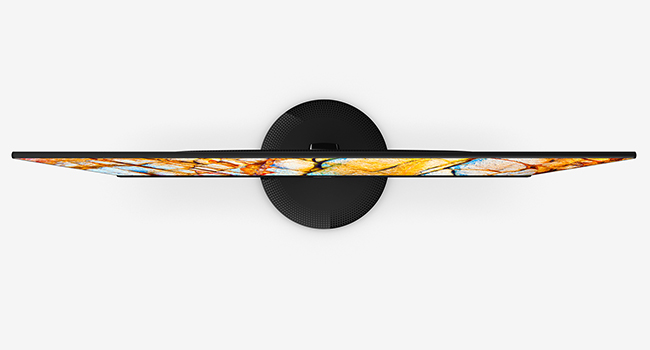
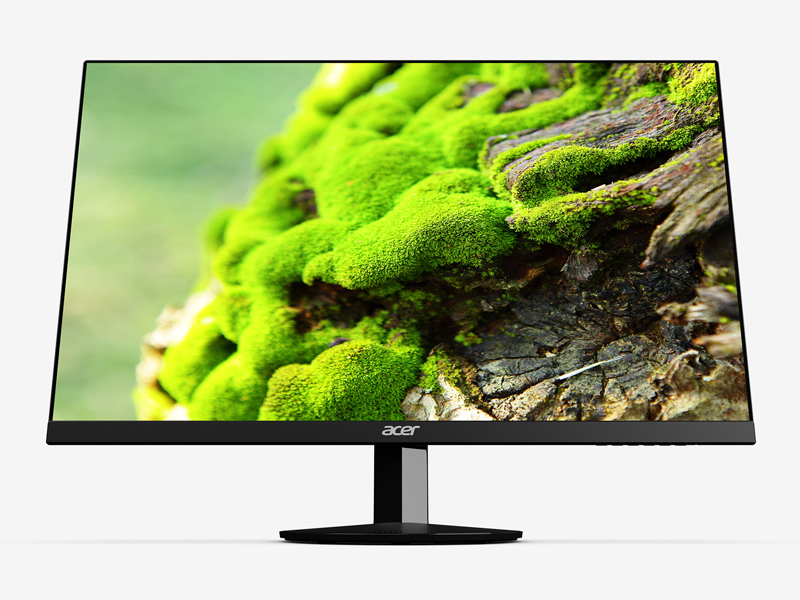
The Acer SB220Q bi is a 21.5-inch Full HD (1920x1080) IPS monitor featuring an ultra-thin zero-frame design, 75Hz refresh rate, and 4ms response time. Equipped with HDMI and VGA ports plus Radeon FreeSync technology, it delivers vibrant colors and smooth performance ideal for business, personal use, and casual gaming. Its slim profile and wide viewing angles make it a stylish, versatile addition to any professional setup.


| Adaptive Sync | FreeSync |
| Additional Features | Frameless |
| Asin | B07CVL2D2S |
| Aspect Ratio | 16:9 |
| Best Sellers Rank | #70,483 in Computers (See Top 100 in Computers) #1,884 in Computer Monitors |
| Brand | Acer |
| Brightness | 200 |
| Color | IPS 75Hz |
| Color Gamut | 0.72 |
| Compatible Devices | Devices with HDMI or VGA ports |
| Connectivity Technology | HDMI, VGA |
| Contrast Ratio | 2000:1 |
| Customer Reviews | 4.6 4.6 out of 5 stars (41,130) 4.6 out of 5 stars |
| Display Resolution Maximum | 1920 x 1080 |
| Display Technology | IPS |
| Display Type | ips |
| Global Trade Identification Number | 00191114774571 |
| Hardware Connectivity | HDMI, VGA |
| Has Color Screen | Yes |
| Included Components | Display, Stand, VGA Cable |
| Is Electric | Yes |
| Item Dimensions D X W X H | 21.1D x 49.8W x 38.4H centimeters |
| Item Type Name | Acer 21.5 Inch Full HD (1920 x 1080) IPS Ultra-Thin Zero Frame Computer Monitor (HDMI & VGA Port), SB220Q bi |
| Item Weight | 5.6 Pounds |
| Manufacturer | Acer Computer |
| Model Name | SB220Q bi |
| Model Number | SB220Q bi |
| Mounting Type | Wall Mount |
| Native Resolution | 1920x1080 |
| Number Of Component Outputs | 1 |
| Picture Quality Enhancement Technology | Adaptive Sync (FreeSync) |
| Power Consumption | 25 Watts |
| Processor Count | 1 |
| Refresh Rate | 75 Hz |
| Resolution | FHD 1080p |
| Response Time | 4 Milliseconds |
| Screen Finish | Glossy |
| Screen Size | 21.5 Inches |
| Shape | Flat |
| Specific Uses For Product | business, personal |
| Total Number Of Hdmi Ports | 1 |
| Upc | 191114774571 |
| Viewing Angle | 178 Degrees |
| Voltage | 110 |
User
Increíble y barato
Compré este monitor por el simple hecho de que era un 1080p 75hz de Acer. Me sorprendió que estas características estuviese a sólo 1,700mxn. No esperaba mucho de él, pero en estos tres meses me dio una gran sorpresa.El monitor es increíblemente liviano y delgado. La fuente de poder es externa, lo que ahorra costos y ayuda a su estética general.Cumple con todo, el full HD, los 75hz, y es IPS ( no he probado el FreeSYNC, no uso AMD)Pros:+Es muy ligero, facilita mucho la limpieza del escritorio y el transporte.+Costo/beneficio, es de los mejores que puedes encontrar, superando a monitores 1080p60hz+Tiene varios perfiles personalizables y puedes alternar entre ellos fácilmente.+Tiene unos 30 grados de inclinación para mejor visualizaciónCons:-La base es de un plástico ligero y barato. Aunque para el peso del monitor, no necesita más.-Por default tiene un filtro verde muy molesto. Pero Se arregla en 10 minutos corrigiendo el color.-Los botones los tiene en la parte inferior, Cuesta algo de trabajo moverse en el menú a ciegas, y el botón de apagado es igual a todos los demás botones.-Tiene unos bordes negros que hacen parecer que no está dando la resolución total, pero te acostumbras fácilmente.Recomiendo ampliamente este monitor 100%.
User
Great monitor on a budget
This monitor is great for anyone looking for a high-resolution and fast refresh rate monitor at a low cost. I've used it for work and gaming, and it's held up wonderfully. The menu lets you adjust the settings to your preferences, but I find the stock settings are just about perfect. At its lowest settings the dim light is great for reading documents in low-light environments. At its brightest, I can fully open the window behind me on a sunny day, and clearly see the screen. All in all, great and reliable monitor.
User
Great Budget Monitor!
This review is for the SB220Q series (1920x1080) 75Hz monitor variant. At a $90 price point as of July 2020, all of the praise this monitor has gotten and continues to get is pretty well deserved. Right out of the box the factory calibration is pretty awful as with most TVs and monitors (I’ll never understand why that is), but Acer’s built-in menu gives you a wide range of control to tweak the image quality to your liking. Here are some of the most noticeable Pros & Cons after using this monitor daily for the past three weeks:PROS:- The colors can be very vibrant and the sharpness makes everything nice and crisp both up close and from a distance without going overboard. Although the spec sheet does not specify the exact Adobe or sRGB color gamut range, it does have a stated 72% NTSC coverage (keep in mind that the NTSC color gamut has the highest level of color reproduction), which would imply that it should have close to 100% sRGB coverage. This is pretty standard for most sub $200 monitors (note: the unit that TechSpot tested came in at around 93% of sRGB coverage mostly losing detail in the green range so your unit’s reproduction may vary). The 6-bits + FRC (equal to 8-bits) color depth is also an industry standard for entry level monitors and is completely fine for casual use.- This montior’s “100,000,000:1” Dynamic Contrast Ratio (DCR) (non-standardized measure of contrast for videos) definitely seems to outperform my other slightly more expensive budget IPS monitors (the HP VH240a and ViewSonic VS2412-H) that only have 20,000,000:1 and 50,000,000:1 contrast ratios respectively. However, note that it still has an industry standard 1000:1 Static Contrast Ratio (measure for non-moving images) which isn’t great but is perfectly acceptable for casual viewing since only the highest tiered ($400+) IPS panels exceed that point with 1,500:1 being the maximum native contrast typically achievable with an IPS.~ A quick side note about that “100,000,000:1” DCR number: there is no industry standard methodology for this particular measurement so the number itself is mostly useless marketing fluff. But as I noted, compared to the two other monitors with the same industry standard SCR, this monitor did seem to outperform them both in that area.- Its 102 PPI pixel density actually makes a subtle difference in image quality when viewing up close compared to my 24 inch 1080p monitors that have a 92 PPI. Text seems to be a bit smoother in comparison. This is purely an advantage of having the smaller 21.5 inch screen.- The Color Adjustment Menu allows you to adjust both the RGB and CMY gains, bias, hues, and saturation levels to get a better color balance.- The Picture Menu lets you adjust the screen’s brightness, contrast, gamma, and blackness (“black boost”) levels while also providing a ‘blue light’, ‘adaptive constrast’ (ACM), and a ‘Super Sharpness’ on/off switch.- The Game Menu has FreeSync (for AMD GPUs) and Overdrive optionsCONS:- The bezels are a bit thicker than I woud’ve liked (they’re about 1 cm on the top, left, and right sides) making the frameless design nothing more than a gimmick.- The top-down viewing angle is noticeably darker compared to looking at the screen head on.- Despite having a good DCR of 100M:1, the blacks are still a bit too bright for watching anything with heavy dark scenes since the display itself does not have any HDR capabilities with high contrast control zones aka local dimming (to be fair, this is completely expected at this $90 price point and is only being mentioned as reference for those that may be thinking of using this monitor to watch TV/movies).- The Picture Menu’s ‘Super Sharpness’ option is just an on/off switch; it does not give you a more granular adjustment control over the amount of sharpness to apply.- Even with all of the image quality adjustment options available in the settings, the whites remain on the slightly warmer side of the color temperature chart. It’s not that noticeable when viewing on this monitor alone, but the difference can be seen if you have another slightly cooler display adjacent to it. This is most likely just an issue with my particular unit since other reviews have noted their unit had a more neutral or “near perfect” white temp.- It only has a paltry 15° degree back tilt compared to most other budget monitors being able to tilt closer to 30° degrees (this is super nitpicky as compromises are to be expected at a sub $100 price point).- The Power button is completely indistinguishable from the rest of the menu buttons (both in shape and spacing).Overall, if you’re looking for a nice quality budget monitor to look at spreadsheets, word documents, and do some internet browsing or even some light casual gaming, then this is a great choice. If you are a competitive gamer, photographer, professional editor, or a content creator then you’ll obviously need to invest in a higher spec monitor.
User
Un monitor excelente, mejor que la mayoría por el precio
Al principio estaba buscando una pantalla con muy buena relación calidad-precio y esta me llamó más la atención, los colores y nitidez son de lo mejor por ese precio, venía un un monitor de 19 pulgadas de solo 900p y el cambio se nota una montón, quizá haya mejores pero por este precio lo dudo, es más de lo que esperaba, la calidad de colores y contraste están bastante bien.Los ángulos se visión son muy buenos, cubren todos mis ángulos y a menos que seas muy quisquilloso no notarás un mal ángulo.Es muy fino, me impresionó al sacarlo de la caja, de lado se ve espectacular, el menú es muy intuitivo y fácil de usar.Trae un cable VGA por si lo requieres, lo cuál no está mal y tiene FreeSync y casi ninguno por el precio lo tiene.No soy un experto en las pantallas, pero hey, si buscas un monitor para editar, obviamente no vas a encontrar nada útil por este precio, no le pidas peras al olmo.
User
It's now JAN 1 2025 I bought this JAN 1 2021
EDIT: LOVE IT. The size for the price is great, although at some point when I need to replace I might just get a little bigger although this size is fine. NO PROBLEMS with it and I use it A LOT._________________________________________________________________First, NOT a gamer, and to put mildly, NOT into tech...at all. I'm turning 70 and haven't had to deal much with changing out monitors or desktops in some time. I just turn it on and expect it to work. I'm saying that so you can tell set up was so easy.My old monitor, that was inches smaller than the 21.5 (I got it over a decade ago) had been used over 11 years and was a floor model when I bought it! It was great, but could tell it's days were numbered.I stream movies, email, stuff like that. Just wanted a simple, inexpensive, but decent monitor and my very Tech nephew (he is in charge of tech for a company) recommended this one for what I wanted to pay.PICTURE QUALITY/CLARITY - For what I use for, GREAT. I can't speak to how it would be for gamers. Great for streaming movies.PRICE: It was on sale when I got it so it was a total of about 90 bucks with tax (I have Prime free ship)SET UP - OK the manual I found worthless. Yes, I can just follow the cables, but this monitor was a tad different than my old one. My nephew, in three sentences, over the phone, told me exactly what to do and it was super easy. I DID find it easier to put this monitor in my lap, do the plug ins, put the stand on, and then move to my desk where I connected to my computer rather than try to set it up on my computer table. This monitor is SO much thinner than my last one.I waited to write this review til I had it at least a couple weeks and, so far, very happy. If anything changes, I will DEFINITELY edit!BOTTOMLINE: Would get again.
Trustpilot
2 weeks ago
2 days ago