


Desertcart purchases this item on your behalf and handles shipping, customs, and support to South Africa.
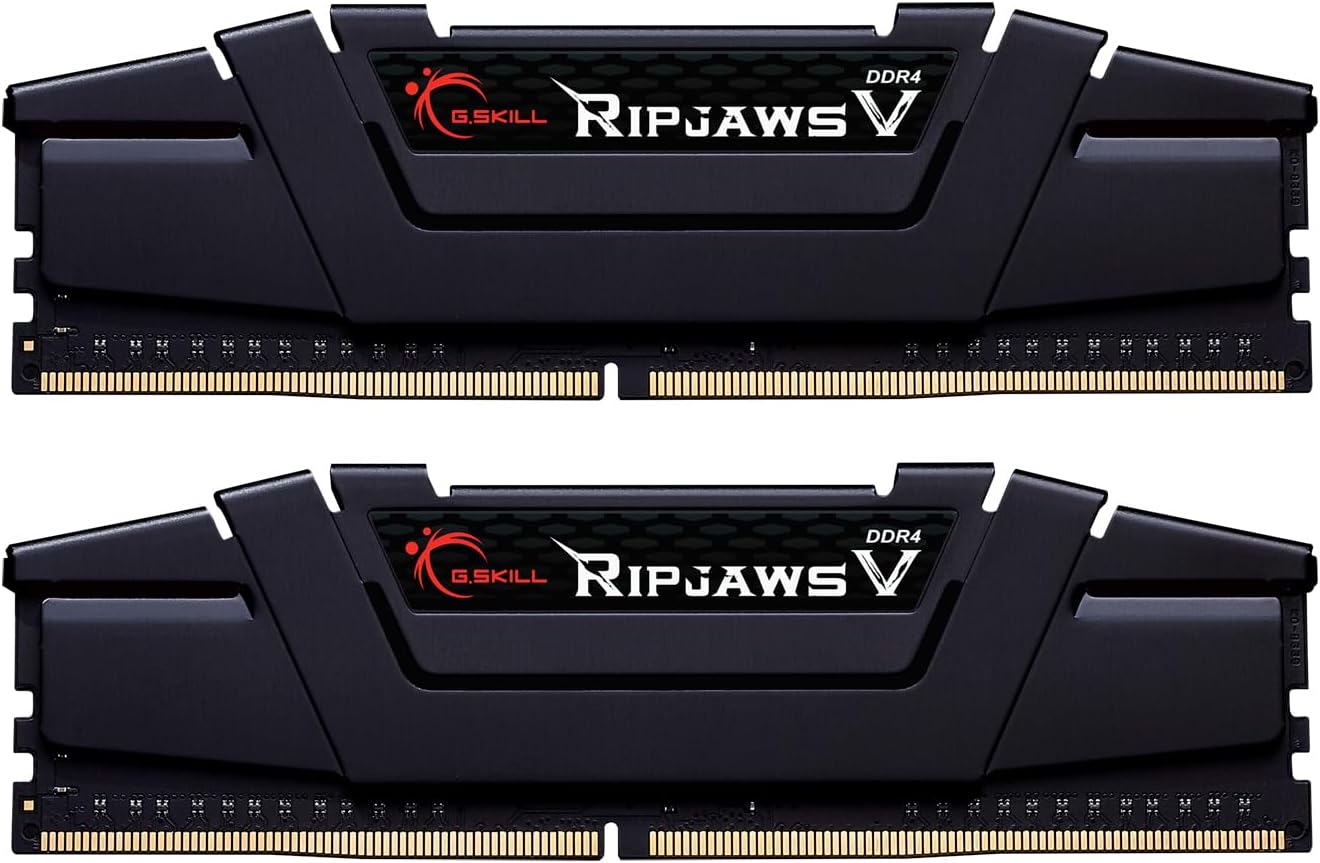
🚀 RipJaws V: Power your productivity and play with speed that won’t quit!
The G.Skill RipJaws V Series 16GB (2x8GB) DDR4-3600 CL16 desktop memory kit delivers high-performance, low-latency RAM optimized for AMD Ryzen 3000/X570 and Intel Z390+ platforms. Featuring dual channel architecture, XMP 2.0 support, and efficient 1.35V operation, it’s designed for gamers and professionals seeking reliable, fast, and stable system memory.


| ASIN | B07X8DVDZZ |
| Additional Features | Lightweight |
| Best Sellers Rank | #96,600 in Computers ( See Top 100 in Computers ) #706 in Computer Memory |
| Brand | G.SKILL |
| Column Address Strobe Latency | 16 |
| Compatible Devices | Desktop |
| Compatible devices | Desktop |
| Computer memory size | 16 GB |
| Customer Reviews | 4.8 out of 5 stars 3,129 Reviews |
| Data Transfer Rate | 3600 MHz |
| Form Factor | DIMM |
| Manufacturer | G.SKILL |
| Memory Form Factor | UDIMM |
| Memory Generation | DDR4 |
| Memory Speed | 3600 MT/s |
| Memory speed | 3600 MT/s |
| Mfr Part Number | F4-3600C16D-16GVKC |
| Model Name | F4-3600C16D-16GVKC |
| Model Number | F4-3600C16D-16GVKC |
| Number of Pins | 288 |
| RAM Memory Technology | DDR4 |
| RAM Size | 16 GB |
| Ram memory technology | DDR4 |
| Special features | Lightweight |
| UPC | 848354033608 |
| Voltage | 1.35 Volts |
D**E
Good price for value
Quick delivery, easy installation, product as described (make sure to turn on xmp and set your speeds in bios)
K**.
Meets expectations
Good item. Does what it needs to do. Nothing more to say
J**.
Great upgrade for ram.
I previously had 16gb (2x8gb) sticks of 2666 ram. I bought them when they cost $160. 3200mhz or faster ram was $230+ for some cheap never heard of brands. So this upgrade was a steal at $75. I wasn't sure if going from 2666 to 3600mhz ram was going to be worth it. I have a Ryzen 2600 and an asrock x370 motherboard. I know the 2600 doesn't officially support 3600mhz ram but figured I'd try it and worst case scenario I would down clock it to 3200mhz and still get an upgrade. Yes, I did try to overclock my ram and was only able to get to 2800 and that wasn't much of a difference so I just ran it at the 2666 speed to not have to worry about it dying. I mostly play vr with my oculus rift on my pc. I sometimes play pc games but usually they are exclusives for pc and not on Xbox or PS4. I have noticed less stuttering on games (games are ran on high/ultra settings or/and supersampled). And all the reviews I read on performance increase in games and was expecting an increase from 2 to 15 frames. Which is a really good jump fro something below $100. Video cards you usually have to spent a little more to get that when comparing one card to the next higher model. My oculus rift runs at 90hz per eye so I'm not sure how many frames dropped would let me see this. I imagine it depends on each person. But this ram works perfectly. I have not tried to overclock it. I usually wait till I hit the urge to upgrade again. Then overclock what I have to wait for either lower prices or the next version of gpu/cpu to come out.
S**N
Nice RAM if the price is right
I bought this pair of DDR4 RAM modules in June 2021 for £81.67 with free shipping. This review is based on about 1 month of use. Thaiphoon Burner App reports this as Hynix D-die 1Rx8 single rank which may or may/not mean anything to you. G.Skill didn’t use any RGB in its construction and they rock the all black solid feeling heatsink that I like a lot. Overall, I am happy with my purchase but I am the kinda person who loves to fiddle with settings and experiment a lot. I have a lot of experience building my own PCs but I am not a professional by any stretch of the imagination. Your experience will depend on your hardware. For new builds, installing and running this RAM should be easy. The Ripjaw 3600MHz CL16 (F4-3600C16D-16GVKC) memory DIMMs was a much needed upgrade from my aging (and cheap) RAM at 2400MHz with timing 16-16-16-39 1.20v. I have put this upgrade off for a while now but I’m glad I finally got it. This RAM, which is not only faster with lower latencies, has twice the capacity of my old RAM from 8Gb to 16GB. To be honest, what I really want to upgrade is the graphics card but with prices like they are…well it’s a non-starter. Placing the modules in my motherboards A2 and B2 slots (as indicated in the MB manual) is important for using any RAM in dual channel mode. Fortunately it booted successfully first time except BIOs detected my RAM at 2400MHz (or 2133 I forget now but certainly) not 3600MHz. This is fine and I expected this. I also expected this RAM to not reach 3600MHz with my current processor – a first gen Ryzen (the R7 1700) and yes I plan to replace the processor to a 5000 series Ryzen soon. I hope. So this RAM is future proofing my system. After some fiddling in BIOs and a whole lot of stability testing, I finally settled on 3200MHz 16-16-17-28 at the recommended DRAM voltage of 1.35v. In windows, I ran stability tests for 2hrs with these settings and got zero errors. I should probably let it run overnight but meh. I’m going to go through all this again when I upgrade my CPU anyway. Note that I tried hard to get CL less than 16 but couldn’t achieve it. During testing, I noticed a weird Twrrd auto setting with channel A and B at different values. Never seen this before but setting this manually wasn’t an issue. Not sure what to make of it (see pic). As an experiment, I managed to get my Ryzen 1700 system to boot at 3600MHz RAM speeds with relaxed timings but oh boy did it not like it. I tried upping the voltage and changing other settings but I kept getting RAM errors with random crashes occurring. Oh well. Someone with more experience than me might have stabilised it at 3600MHz (i feel like it’s really close) but I’m happy with 3200Mhz for now. I have no doubt that this will be stable at 3600MHz with a newer processor. Summary I wouldn’t recommend this for a person that is new to RAM speeds and timings unless all your hardware supports 3600MHz (in which case a couple of clicks in BIOs with DOCP/XMP and wham you’re at the RAMs designed specs). In my case, 3200MHz was relatively easy to set but required a personal touch to get the timings right. I suspect this RAM is aimed for higher frequencies rather than lower timings for those willing to overclock but for the price I think it is good value. As of this writing 3600MHz Cl14 RAM is better but quite a lot more expensive. This is a mid point RAM kit with G.Skill and other branded 3600MHz Cl18 (or worse kits) only slightly cheaper. So good value. In games there isn’t much of a change in average FPS but it does seem to improve the lows. Game play seems smoother and I haven’t even reached the recommended 3600MHz yet due to hardware restrictions. Then again I’m probably GPU bottlenecked as I’m using an old Nvidia GTX 1060 3GB card. Your mileage may vary with this RAM but I highly recommend it. Hope you enjoyed the review.
H**Y
ThumbsUp
Great product
Trustpilot
4 days ago
2 months ago