


๐ Elevate Your Work Game!
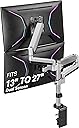
The AVLTPower AVLT-Power Dual Monitor Stacking Mount is a robust and versatile solution for enhancing your workspace. Designed to accommodate screens from 13" to 27" and support up to 17.6 lbs each, this mount features gas spring arms for effortless height adjustment and ergonomic positioning. With a compact base and multiple mounting options, it maximizes desk space while promoting a healthier work posture. Backed by a 3-year warranty and lifetime tech support, it's the perfect addition for any professional looking to boost productivity.


| ASIN | B07DVVLPTM |
| Best Sellers Rank | #102,026 in Computers ( See Top 100 in Computers ) #696 in Computer Monitor Arms |
| Brand | AVLT |
| Color | 27 Inch |
| Colour | 27 Inch |
| Compatible Devices | Desktops |
| Compatible devices | Desktops |
| Customer Reviews | 4.2 out of 5 stars 216 Reviews |
| EU Spare Part Availability Duration | 3 Years |
| Enclosure Material | Aluminum |
| Item Weight | 11.75 Pounds |
| Manufacturer | AVLT |
| Material | Aluminum |
| Maximum Tilt Angle | 35 Degrees |
| Maximum-Supported Screen Size | 27 Inches |
| Mfr Part Number | AVLT-DM07-1 |
| Minimum-Supported Screen Size | 13 Inches |
| Model Number | AVLT-DM07-1 |
| Mounting Type | Tabletop Mount |
| Mounting type | Tabletop Mount |
| Movement Type | Articulating, Tilt |
| Movement type | Articulating , Tilt |
| Number of Items | 1 |
| Number of Packs | 2 |
| Unit Count | 2 Count |
| Warranty Description | BNO |
F**S
Pole too short for 27in screen
The item is not bad but i don't recommend it for 2 27" screen since it only leave 1/2 inch between my desk and my bottom screen because the pole is way too short for them. I would recommend for 24 and less.
M**H
Favorite part about my setup
I have 3 monitors and I wanted to have my two side monitors be stacked on top of each other, with both laying horizontally. I think most other stands out there can only show the two monitors side by side, one vertical and one horizontal, but not both stacked on top of each other. This stand is a bit pricer compared to others but since it had the range and functionality I needed, I'm glad I splurged. The arms are easy to maneuver and you can even tilt the monitors a bit to get the perfect angle. This stand is sturdy and I haven't had any issues over the year I've been using it to hold up my monitors.
J**N
Must buy if your not stacking two 27โ monitors
Only buy this mount if your stacking a UltraWide 34โ with 27โ and lower. Two 27โ monitors will not stacked or they will overlap each other. Other than that I highly recommend even for the money this thing will cover all sizes. Iโm using a 34โ UltraWide curved monitor and a 27โ curved monitor. And thatโs as high as I can get the 27โ, I know itโs cutting it close but it definitely got the job done. Just know the mount is extremely flexible, at first it was all over my desk then I realized I can just put the bottom arm behind the spine that way the monitors isnโt all over my desk. More space for my and it works flawlessly. Thatโs a tip btw so keep that in mind
F**E
Perfect for stacked arrangement
I was looking for a solution to stack my two 27" monitors with the lower one angled up touching my desk, and the other one directly above it resting on it. This monitor arm allowed me to do that. It does take some fiddling with the arm angles to get it just right. I did adjust the arm tension, but without the top monitor resting on the bottom monitor, it won't hold the top monitor suspended. It may require more tightening of the tension bolt, but something to be aware of. My monitors are a bit older and probably heavier than most modern monitors. Update: After additional adjusting of the tension, the arms can indeed hold my monitors suspended in the air.
J**N
A terrific monitor mount; read as many 4 star reviews as you can; lots of tips there.
Packaged well with reasonably clear instructions. Was worth taking the time to take everything out of packaging and lay it out while reviewing instructions. I am hugely glad I followed that recommendations. That said, this is really easy to put together. One can install with an included clamp; or install through a hole in the desktop (grommet hole might work if it is in the right spot). The warning about cutting the bands holding the arms together sounded really dire. I did follow it; and I've no regrets. But I think I could have simply used one of my handy clamps and done it all myself. There is spring tension, but way less than the labeling lead me to believe. Take your time with layout. It'll pay you dividends later. I mounted a pair of 22" monitors which still affords me a lot of wiggle room to adjust. All this said, I am loving it! I stacked my monitors for that application. After a bit of fiddling with Win10 display settings I got everything set up well to mouse between the two. Being able to tilt the upper monitor is FANTASTIC. While monitors generally tend to stay in place once they've been set up; it is nice to be able to adjust. I have a second system with a pair of 27" monitors. I think if I can cut a deal with the seller to accept return if it doesn't work out; I might be inclined to redo my office system with stacked monitors. But I'm going to give it a couple weeks with the one setup before I decide. Bottom line, if you read the included instructions; give yourself some time to think through install options; you'll be able to get this set up in about an hour (after think time).
Trustpilot
4 days ago
1 week ago