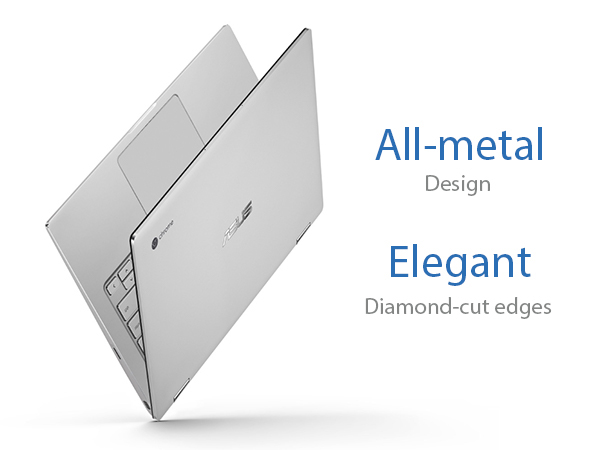
๐ Flip Your Productivity Into High Gear!
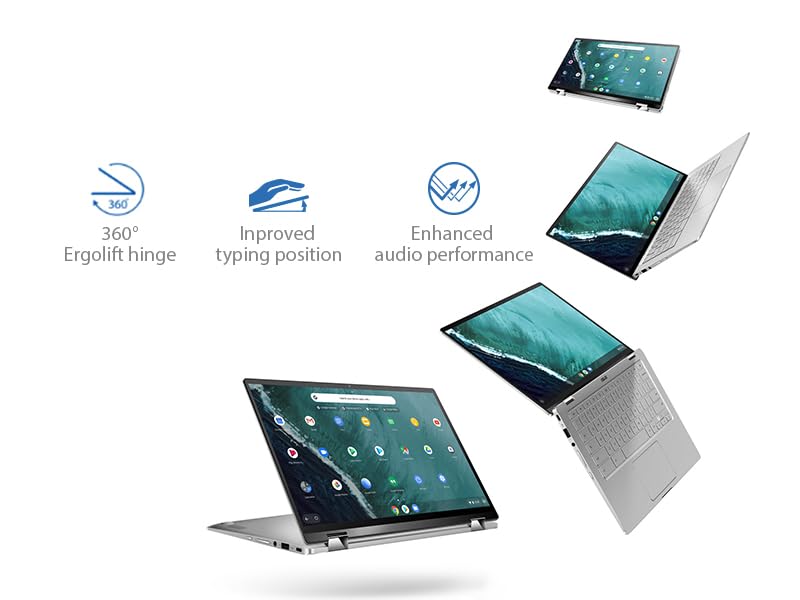
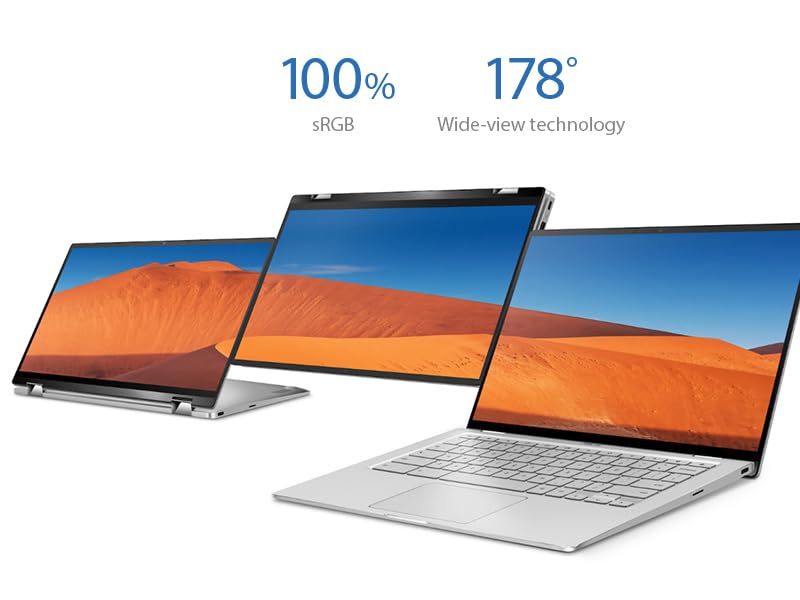
The ASUS Chromebook Flip C434 is a premium 14-inch Full HD touchscreen laptop featuring a 4-way NanoEdge display with ultra-thin bezels, powered by an Intel Core m3-8100Y processor and 4GB RAM. Its all-metal body weighs just 3 pounds and includes a 360-degree hinge for versatile use modes. With a backlit keyboard, dual USB-C ports, and up to 10 hours of battery life, itโs designed for professionals seeking a stylish, portable, and efficient Chrome OS device that keeps pace with demanding multitasking and modern workflows.


| ASIN | B07Q2RB6BY |
| Audio Output Type | Headphone/Microphone Combo Jack |
| Audio Recording | No |
| Audio features | Basic built-in speaker and headphone/microphone combo jack |
| Automatic Backup Software Included | 1-Year Free Google 100GB Cloud Storage |
| Available M2 Slot Count | 1 |
| Battery Cell Type | Lithium Ion |
| Battery Life | 10 Hours |
| Biometric Security Feature | Fingerprint Recognition |
| Bluetooth Version | 4 |
| Bluetooth support? | Yes |
| Brand | ASUS |
| Built-In Media | C434TA-DSM4T Chromebook Laptop, Power Adapter & Cord, User Guide, Warranty Card |
| CPU Codename | Amber Lake-Y |
| CPU L3 Cache | 4 MB |
| CPU Model Generation | 8th Generation |
| CPU Model Number | Core M3-8100y |
| CPU Model Speed Maximum | 3.4 GHz |
| CPU model | Core M Family |
| Cache Memory Installed Size | 4 |
| Camera Description | Front |
| Cellular Technology | 4G |
| Color | Silver |
| Colour | Silver |
| Compatible Devices | Keyboard |
| Connectivity Technology | USB |
| Control Method | Touch |
| Customer Reviews | 4.1 out of 5 stars 1,611 Reviews |
| Display Maximum Resolution | 1920 x 1080 |
| Display Resolution Maximum | 1920x1080 Pixels |
| Display Technology | LCD |
| Display Type | FHD |
| Form Factor | Chromebook |
| Global Trade Identification Number | 00192876215647 |
| Graphics Card Ram | 1 GB |
| Graphics Coprocessor | Intel HD Graphics 615 |
| Graphics Description | Integrated |
| Graphics Ram Type | Shared |
| Hard Disk Description | solid_state_drive |
| Hard Disk Interface | Solid State |
| Hard Disk Rotational Speed | 10000 RPM |
| Hard disk size | 64 GB |
| Hard-Drive Size | 64 GB |
| Hardware Interface | USB |
| Has Color Screen | Yes |
| Human-Interface Input | Touchscreen |
| Item Dimensions L x W x Thickness | 32L x 20.8W x 1.8Th centimeters |
| Item Type Name | Chromebook Flip |
| Item Weight | 2.9 Pounds |
| Keyboard Description | Premium flagship keyboard |
| Keyboard Layout | QWERTY |
| Lithium-Battery Energy Content | 48 Watt Hours |
| Manufacturer | Asus |
| Maximum Display Brightness | 300 Nit |
| Memory Clock Speed | 1 GHz |
| Memory Slots Available | 1 |
| Memory Speed | 1 MHz |
| Memory Storage Capacity | 4 GB |
| Mfr Part Number | C434TA-DSM4T |
| Microphone Form Factor | Boundary |
| Model Name | ASUS Chromebook Flip C434 |
| Model Number | C434TA-DSM4T |
| Model Series | Flip |
| Model Year | 2019 |
| Model name | ASUS Chromebook Flip C434 |
| Native Resolution | 1920 x 1080 pixels |
| Notebook Pointing Device Description | Touchpad |
| Number Of Cells | 3 |
| Number of Drivers | 1 |
| Number of Items | 1 |
| Number of Packs | 1 |
| Number of Ports | 6 |
| Operating System | Chrome OS |
| Operating System Family | ChromeOS |
| Optical Storage Device | No Optical Drive |
| Other Special Features of the Product | Backlit Kb |
| Power Device | AC adapter |
| Processor Brand | Intel |
| Processor Count | 2 |
| Processor Series | Core M Family |
| Processor Speed | 3.4 GHz |
| RAM Memory Installed | 4 GB |
| RAM Memory Slot Total Count | 1 |
| RAM Memory Technology | DDR3 |
| RAM Size | 4 GB |
| RAM Type | DDR3 SDRAM |
| Ram Memory Maximum Size | 4 GB |
| Resolution | 1080p |
| Screen Size | 14 Inches |
| Screen size | 14 Inches |
| Series Number | 434 |
| Speaker Description | Basic built-in speaker |
| Specific Uses For Product | Business, Multimedia, Personal |
| Supported Monitor Maximum Quantity | 1 |
| Total PCIe Ports | 5 |
| Total Usb Ports | 3 |
| Touch Screen Type | capacitive |
| Touchpad Feature | Touch |
| UPC | 192876215647 |
| Unit Count | 1 Count |
| Video Output | USB-C |
| Video Processor | Intel |
| Voltage | 7.7 Volts |
| Webcam Capability | Yes |
| Wireless Compability | 802.11b/n/ac |
| Wireless Technology | Bluetooth |
A**R
After 4 tries finally found the right Chromebook
My Acer 14 that I bought in January 2016 finally had an issue with the power port that I didn't chose to resolve although I loved the computer. It introduced me to Chrome OS and was a rugged, inexpensive computer with great battery life. My first replacement was an Acer Spin 713 that was a sleek, rugged Chromebook. I had to return this because of an issue with the sound. When I listened to Spotify, audio would break up and make popping sounds when I was using the browser on a different page. Since I am always listening to music when I work this was a deal breaker. Next I tried a HP Chromebook, 2-in-1, 14C-CA0053DX. Tried to resolve 2 out of the box issues with HP support. Bluetooth randomly disconnecting and 3 finger gesture only working some of the time. Customer support could not resolve these issues and said I would have to send it in for repair. I returned it instead. Now I decided to save some money and go with a basic Acer 14 inch Chromebook. There weren't any issues with the computer but it just didn't have the build quality of my 2016 Acer 14 and so I returned it. Finally I purchased the Asus Chromebook Flip C434 and after about a month using this Chromebook have to say I love it! It has great build quality and a beautiful touch screen display. The only fault is that the backlit keyboard is a little weird and I have to turn it off or on depending on the room lighting because it can be difficult to see the characters. A very minor issue for me and the only negative I can find so far. For $419 that I spent on this Chromebook I got a lot.
D**D
Nice machine, worth the price
Have had this now for a few weeks and hasn't disappointed! Once the initial charge was done that took 3hrs as recommended it was ready to use, no extra set up required. Couple minor issues-no number keypad, and its smaller size takes some getting use to the keyboard. Battery lasts me about 3 days, very light user, don't play games or stream music so that may vary with the usage. It starts up quick as well as opening webpages. Touch pad is very sensitive, however, I like using a mouse so purchased one; do use both. Had some difficulty setting up to print though, unless you have a cloud ready printer that will pick up automatically it still is possible. I found some helpful videos and use our current laptop as a printer server, very easy to set up. Overall very happy with it.
M**4
No power adapter for outside US
I purchased this laptop through Amazon Australia, and it shipped from the US with a US power adapter, which is useless in Australia. This should be on the listing somewhere to state that it is a US power adapter only, or there should be an adapter included with the unit.
R**Y
Very Good, not great
This is a very solid and well built chromebook, the screen is great and the keyborad travel is also very good and feels great to type on, having said it's not without its issues. 1: the USB-C on the right side stopped working after 2 mothns, ASUS customer service in Canada is atrocious, I will have to send it do the US for Warranty repair and be without the unit for up to a month, also, I have to pay for shipping and shiupping labels, I might just pay the $90 for a local repair 2: The track pad is not glass and thefore not great, it just seems unreponsive sometimes or not sensitve enough it's ok but not up to par. 3: The micro SD card sticks out too much when inserted and often gets inadverntley dismounted and I get a warning notification. You learn to be careful with it.
D**G
I use it as my daily driver
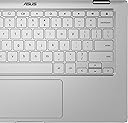
I have had this chromebook for three weeks now, and I have used it on a constant daily basis of about 8-10 hours per day. I am impressed by the build quality and usability. I haven't had a chromebook for a long time. I had an original Samsung Chromebook for a couple years, and back then Chrome OS was still edgy enough to not always be able to fill my needs as a student and teacher, but it was enough to get by until I got home to my desktop. Since getting this Asus c434, however, my desktop has been collecting dust. I work two teaching jobs and attend school, so I am constantly on the computer planning lessons, reading, typing documents, doing research, or just streaming Netflix or Hulu at home. Screen: I love that it is compact and light, but still packs a 14" touchscreen. I use the multi-position screen either when I'm using it like a tablet, or I'll fold the screen back and use my own bluetooth keyboard and mouse. The hinge is tight and holds the screen in any position very nicely. The colors are good, and movies are clear and crisp. The touch panel works smoothly, and I find myself using my fingers almost as often as my mouse. Also, I often plug in an additional screen while I'm teaching or working, and I haven't had any issues with that at all. It just does everything automatically, and the processor doesn't get bogged down at all. Keyboard: I read dozens of reviews before purchasing this one, and the top negative comment was about the keyboard backlight making it difficult to see the letters sometimes. This is true, but the easy fix is to simply turn down the backlight when there is a lot of ambient light. Otherwise the typing is smooth. I don't love chiclet keyboards in general, but this one is not bad, even when I've typed a few pages on it. Battery: I have gone a full ten hours on this thing while just using browser tabs and typing or viewing. However, there are certain apps, like one game I enjoy playing, that drain the battery more. Even if I play that for an hour or two, I can still get 6 or 7 hours of use without a problem. Usually I just charge it once at night and then carry it with me throughout the day without needing a recharge. OS: Chrome is smooth and fast, and if like me you mostly use web-based applications like Google office, Office 365, Canvas, Blackboard, etc., then this is perfect. I also love that now Chrome can run a lot of Android apps. I run a lot of the same apps that my Google Pixel phone can run, including some games. In addition, it can now run Linux at the same time as Chrome with the simple click of a button in the settings. I installed a couple of Linux apps just to test it out, and it's pretty cool, like GIMP or LibreOffice. My only gripe with the Linux is that I can't copy and paste between the Linux apps and the Chrome/Android apps. The Intel CoreM processor seems to handle everything like a champ, whether it's having open 20 tabs with 2 screens, or playing an intense Android game. Oh, and I haven't had any issues with the Wi-Fi or Bluetooth so far. Downsides: Overall, this computer fits my needs almost perfectly. Perhaps the only glaring con I will mention is the speakers. They're really not very loud. Even at full blast it can be difficult to hear in a room with a moderate noise level. Luckily I don't need this feature very often. TL;DR: I highly recommend this Chromebook to power users of Chrome. It's features and build quality are well worth the higher price.
Trustpilot
1 week ago
3 weeks ago