


Desertcart purchases this item on your behalf and handles shipping, customs, and support to South Africa.
🖊️ Elevate your digital workspace with precision and style — don’t just keep up, lead the pack!
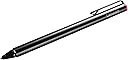
The Lenovo Active Pen GX80K32882 is a high-precision stylus designed for Lenovo Yoga and Miix touchscreen laptops. Featuring 2048 levels of pressure sensitivity and palm rejection technology, it ensures natural and accurate input. Powered by a single AAAA battery (included), it offers two side buttons for quick app access, a sleek metal body, and comes with a USB pen holder plus three replacement tips for extended use. Compatible across multiple Lenovo models and OS-independent, it’s the perfect tool for professionals seeking enhanced productivity and creative freedom.
| Are Batteries Included | Yes |
| Are Batteries Required | Yes |
| Asin | B01AZC3HF2 |
| Battery Description | Alkaline |
| Best Sellers Rank | #27,307 in Mobile Phones & Communication Products (See Top 100 in Mobile Phones & Communication Products) #636 in Mobile Phone Stylus Pens |
| Brand | Lenovo |
| Built In Media | Pen. Pen Holder, 3 replacement tips |
| Color | Black |
| Compatible Devices | Lenovo Yoga 900S-12ISK, Miix 700-12ISK, 510-12IKB, 510-12ISK, 720-12IKB |
| Compatible Tablet Computer Models | Lenovo ThinkPad X1 |
| Customer Reviews | 4.3 4.3 out of 5 stars (6,035) 4.3 out of 5 stars |
| Enclosure Material | Metal |
| Global Trade Identification Number | 00889955072474 |
| Item Dimensions | 14 x 0.9 x 0.1 centimeters |
| Item Part Number | GX80K32882 |
| Item Weight | 0.04 Pounds |
| Manufacturer | Lenovo Direct |
| Mfr Part Number | GX80K32882 |
| Model Number | GX80K32882 |
| Number Of Batteries | 1 AAA batteries required. (included) |
| Number Of Packs | 1 |
| Pressure Sensitivity | 2048 Levels |
| Unit Count | 1 Count |
| Upc | 889955072474 |
User
Works Well but delivery is bad
Works very well and genuine productThe only issue which i am disappointed is that i paid extra to have it delivered the next but amazon didn’t even calling them several times they were not able to help i speak to 4 customer service then other promised to be delivered by 8pm i wait until 9pm in office no one came! By far ramzi (customer sevice) did his best to help me out on my delivery the rest 3 customer service terrible they hang up on me and the other one told it cannot be delivered and i ask i paid extra amount after that hand up!
User
Great pen! Worked with my Flex 5 laptop with no setup.
The battery last for so long. It is sensitive and responsive. With a mere touch to the laptop screen, it turns on and works immediately.
User
Nah he works fine
It’s good nothing to discuss
User
Great Pick
It serves it's purpose. I can now use my laptop as a whiteboard when teaching my cousins from overseas.
User
Amazing product and great quality
User
Not working
It is old model does not work with new Lenovo chromebooks
User
Great
There is really nothing bad about it
User
Ok
Ok
User
Easy Peasy
This pen was already connected to my laptop once it was set up out of the box. I picked it up and it was recognized right away with the lenovo flex 6. You can customize the app that it opens (with my pre-installed software) and it has a nice weight to it. The USB storage acts as a holder both vertically and horizontally, and the pressure sensitivity is a nice option.Additionally, it seems to be quite true to what you're actually doing in terms of gestures, and accurately replicates your movement through sketch. I'm new to digital pens, so this is a great experience right out of the gate!
User
Excelente uso
éste lápiz digital vino perfecto para mi yoga 7 series, muy buen precio, producto de calidad y gran funcionalidad.
User
Been using it non stop!
Great device, very intuitive! Ergonomic, great to hold and quite natural in the hand, which I was surprised about! Easy to set up and to use, was able to begin drawing away in seconds. Love the fact that the pen can be customized so that the buttons serve the functions the user requires, although this does depend on the software or application as I downloaded a drawing app that doesn't respect my button choices but it seems to work perfectly well with the rest of my computer. The included Wacom application enabled me to set up the pen's pressure sensitivity quickly and made the overall calibration process very swift and easy. The app is also quite helpful as it lets me see how much battery is left on the pen. Found the USB holder rather helpful as it keeps the pen close, and being able to place the pen in 2 different positions depending on what I might be doing with it at the time was equally handy. Palm rejection is a treat and greatly appreciated, although sometimes you need to hover the pen slightly above the screen before you start using it so that your computer registers the device and therefore disables its normal touchscreen function. Although I appreciate the battery being included, wished Lenovo had come up with a rechargeable option. I use a Lenovo 720
User
Artist's stake: Wacom's pens failed so I tried this and it's great.
Ok, I'll start with the pen review before diving into my frustration with Wacom.The pen is really solid, I got it for $30 and it's really nice to work with on my Lenovo Yoga 730 2-in-1. The pen has a hard, smooth tip which I prefer for working digitally, lets the pen slide nicely instead of having friction. I included work in progress pic, (fanart of Alex Ahad's Octavia) where I started, inked, colored and started shading with this pen only and I've been very happy with the performance. There's no disconnects, no weird bugs, I can easily and consistently ink with no issues.The activation force is also very low so it starts drawing when the pen touches the glass.For $30? I'm VERY happy with this pen.Biggest complaint I have is that they give you a pen stand that is honestly a headscratcher. It ..plugs into your USB port and you can slide it in the side or put it in the top. This just seems like it'd damage the USB port of anything were to bop it the right way. Maybe that's just me. It comes with 3 replacement nibs and a tool to remove them, very good.There is a second version to this pen which- I saw reviews say has a rubberized tip, so maybe that's for you but I don't like adding artificial friction to my art. It's supposed to have more pressure range but honestly 2k is more than fine for me. Though, the box for the pen claims this one can do upto 4000 levels depending on your laptop. How do you tell that? No idea.On to my frustration with wacom:I got 2 pens from wacom, a $100 pen, Bamboo Ink which was pretty good, my problem was it felt like you had to activate it by pressing it, it didn't start drawing till you felt a very slight give and it just did not feel natural or good. It made it hard to get things right. For $100? That's incredibly disappointing.The Bamboo Ink Smart Stylus was $50 and it wrote just about as good as this pen, however it took me 3 attempts to get one that wasn't defective and yes I tried it on another laptop- of a person it ALSO took 3 pens to get one that worked (also it died in 3 months so, great QC Wacom. Wacom's pens also are buggy as heck.If you rotate your display and the display changes? The Wacom pens will both require you to restart the art software OR the laptop, and neither work with Miracast (wireless display adapter). If you turn it on? It'll be a good 2 inches to the side of where you draw. Which is annoying because it's a good way to put some video or references on a TV while you work.The lenovo pen which, I believe is wacom based tech, works with miracast on and I've not had a single disconnect problem or any accuracy problems even when letting the screen rotate. I ran it through anything I could think of and I'm happily drawing away in Clip Studio Paint the entire time.Get the wacom driver from the windows store and it'll work perfectly with this pen. I didn't have to do any set up at all besides that, put the pen to glass and it was drawing.The wacom pens are going to be tossed in a drawer as back ups at best but this lenovo pen I'm happy to use as a tool for art.Hopefully this helps someone because I know how Wacom gets talked up but I've honestly switched off their stuff since I, and my friends and so on have had enough problems for their excessively expensive devices to be avoided.Uh, ending rant here.
User
Perfeita
Caneta perfeita para o Lenovo Ideapad.Basta tocar na tela e ela se comunica com o notebook. As configurações são super intuitivas também.Ah, vi que alguns falaram sobre a pilha AAAA… a minha veio com a pilha, pontas extras e suporte.
Trustpilot
2 days ago
2 weeks ago