

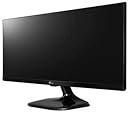



25UM58-P
Product ID: 24741998
Details
- Aspect Ratio21:9
- BrandLG
- Resolution2K DCI 1080p
- Screen Size25 Inches
- Screen Surface Descriptionsmooth
⚡5ms fast response time
🎨99%+ sRGB color accuracy
🖥️25" UltraWide 21:9 IPS display
Buy anything from 5,000+ international stores. One checkout price. No surprise fees. Join 2M+ shoppers on Desertcart.
Desertcart purchases this item on your behalf and handles shipping, customs, and support to South Africa.
🚀 Elevate your screen game with LG’s UltraWide powerhouse!
The LG 25UM58 is a 25-inch UltraWide 21:9 IPS monitor featuring a sharp 2560x1080 resolution, over 99% sRGB color accuracy, and a fast 5ms response time. Designed for professionals and gamers alike, it offers advanced multitasking with Screen Split 2.0 and Game Mode, all in a sleek, space-saving form factor that supports wall mounting.


| ASIN | B01BV1XB2K |
| Best Sellers Rank | #485,780 in Electronics ( See Top 100 in Electronics ) #9,352 in Computer Monitors |
| Brand | LG |
| Color | Black |
| Customer Reviews | 4.5 4.5 out of 5 stars (5,259) |
| Date First Available | February 1, 2016 |
| Is Discontinued By Manufacturer | No |
| Item Dimensions LxWxH | 7.4 x 24 x 15.1 inches |
| Item Weight | 8.8 pounds |
| Item model number | 25UM58-P.AEK |
| Manufacturer | LG Electronics |
| Max Screen Resolution | 2560 x 1080 Pixels |
| Number of Processors | 1 |
| Product Dimensions | 7.4 x 24 x 15.1 inches |
| Screen Resolution | 2560 x 1080 pixels |
| Series | 25UM58-P |
| Standing screen display size | 25 Inches |
| Voltage | 240 Volts |
B**.
Don't look any further... This is it! (Apple Enthusiast)
This is it! Don't look any further... I will save you the time, money, and frustrations. I was coming from owning a 2009 21.5" iMac. Due to some financial situations, I had to sell that iMac and start using my windows laptop. The idea was to have a docking station at home so that I could work hours on the laptop. However, coming from a sharp, crisp, and colorful Apple Display, and trying to find something suitable in a budget was not an easy task... I tried all the best sellers in Amazon: The resolution of the iMac was of 1080p at 21.5".. so, I tried... HP 22cwa (21.5") 1080p IPS (two as dual display) HP 22er (21.5) 1080p IPS (two as dual display) Both of these monitors provided washed colors, greys as blacks, pixelated text, and no color accuracy (two monitors were never the same). Decided I didn't want two monitors, specially if one of them would never be the same as the other... So, I tried: HP 27er 1080p IPS LG 32" 1080p IPS Monitor 32MA68HY It's all about Distance/Resolution with these. My desk is too slim, so anything bigger then 24" it's just too big. Again, despite the positive reviews, the HP 27er Colors were off. Blacks were Greys, and everything appeared to be washed. Some corner bleeding as well. Design was great, but picture quality was.. meh.. and pixelated. I was loosing hope in finding a decent monitor for under $200. I knew I had to step up the resolution, but 4K was too much. I searched in Amazon for a 2K monitor, and this beauty came up. Judging by the ratio of base to screen that is pictured, it looks like they pictured the 29" model. I got the 25" model, and I couldn't be happier. Text is shard, colors are great thanks to the over 99% sRGB. This is an Apple quality screen. Not surprised, since LG makes a lot of Apple Screens. But this size, resolution, and distance from my face, make it the best monitor out there. Under $200 and a Ultra Wide IPS Display. It really is a great value.
D**N
This is definitely the best monitor Ive ever bought
I dont know where I should start from! This is definitely the best monitor Ive ever bought! The Ultrawide is AMAZING! screen split option is awesome! Colours are sharp and great for gaming/office work/Movies, you name it! The only downside for this is it cant be tilted up or down/left or right! But the good thing is YOU CAN MOUNT THIS BEAST UP! Yeah it has four screws on the back if you want to mount it on the wall or mounting device! Coming from 21' view sonic ill never go back for 16:9 monitors again! Ultrawide is the new black! Haha! -------------------------- Now for gaming! This screen is amazing! Everything looks nice and sharp! Youll enjoy gaming like never before! Some games does not support 2560x1080 resolution so youll have to play with "Black Borders" but you can always tweak game system files to get 2560x1080 resolution! Thats what I did for Dota2! Just google it and youll find step by step guides! Overall this monitor is amazing for gaming! 9/10 ------------------------- Everyday Tasks/Office use! Well look no further this is the best purchase for your office! Split screen makes your life easier trust me! Multi-tasking on this is ridiculously easy! Reading emails/reports is perfect! 10/10 ------------------------- Students!! Well since am studying for my CFA exam and I use The CFA videos to study, this rig makes my studying sessions easier and more enjoyable! You can watch your lectures/Videos on this while you have your PDF book opend and ready! Thanks to split screen of-course! 10/10 ----------------------------- Movies! Since most movies come in ultrawide resolutions youll have no problems what so ever! Just sit back and enjoy your movie with this amazing rich coloured monitor! 10/10 -------------------------- Design/Features! This screen looks amazing! The joystick under thr screen is easy , you'll have no problems going through the settings! As Ive stated earlier Splitscreen on this is amazig! The module I have got 2HDMI ports and 1 VGA + Audio Jack! Screen cant be tilted Up/down Left/right! BUT you can mount this on a wall! But since this cant be tilted am giving it 9/10 ------------------------ Overall this monitor is amazing great for everything! I recommend it! Well earned 5stars LG!
T**D
Nice piece of Glass!
TLDR: If the price is good, and the resolution is good buy it. It's a fantastic piece of HD glass in a box. You'll need speakers, but monitor speakers usually suck. I read the reviews on this device and have wanted it for awhile. The price went upwards past $250 with the shortages. The price dropped to $150 and I got one! It's sitting next to an older 23" Samsung monitor, and I've just about have them synced. Type in windows looks a little fuzzier on the Samsung. On the Mac Samsung looks great, but LG is super sharp! the 23" monitor is taller than the LG, perhaps the next size up would be worth the money. I think I still need 2 monitors but if I get another LG I may stack them (and flip the one on the top. I'll then have 21:18, almost square. I have it connected to my corporate spyware laden Lenovo work computer, and my M1 Mac mini, running Montery. It was totally plug and play on the Mac. EXTRA SOFTWARE NOT NEEDED, colors were pretty accurate (I have a colorimeter, and calibrated it after receipt). The Windows 10 machine needed a little "Jiggle the handle" to make it work correctly. LG control joystick is a thing of genius. (note to LG DON'T CHANGE IT). It is stupid simple to navigate the menus. If I mess up I am angry at myself, not the stupid setup. I don't know yet if I need the software, I downloaded the manual, I'll read it later.
I**U
Right, I am going to start off by telling you that I wanted a monitor as I got way too fed up with the bad-coloured built-in laptop monitor I currently have - though, excellent laptop. First of all - Packaging - Felt quite strong - I carried it with one hand from the delivery location (as my current address does not have the facility of leaving the parcels safe somewhere. - Insides of the box - the panel was very well protected and all the other bits that came with it (driver, quick start guide, HDMI cable) were easily openable Moving on the product itself: - It came very well wrapped in plastic foils all-round so you will not have any unpleasant unboxing surprises. - The first impression for the build quality was very strong and I love it! :X (old Yahoo! Messenger emoticon for love) Mounting: - Easy-peasy, even though you will leave some fingerprints on the stand, foot & monitor (inherent) IMPORTANT BIT: INSTALL THE PROVIDED DRIVER & OnScreen SOFTWARE - if you don't have an optical drive/DVD reader/blu-ray ready, the necessary files can be downloaded from LG website quite easily (make sure you click them, not Middle-Click them) Build quality: - Truly solid, for the price, you cannot get anything better Image quality: - I find it very pleasing and not overly-processed or overly-saturated - I MUST SAY it's the first time I truly enjoy using a monitor - Natural Colours, has its own colour profile if you want to experiment and so on; - The ultra-wide experience cannot be replaced by a 4K (which I think it's an overkill for the normal user, such as myself) OSD & Navigation; - The single button for everything placed under the 'chin' is a brilliant idea as you do not have to guess which button you press - it's 5-directional (left, right, backwards, forwards, push) and it offers you quick access to the OSD menu; - The possibility of having the OSD also as a piece of software - to me it's a big bonus! Connectivity: - 2 HDMI ports should be absolutely sufficient for most of the PC setups (I really do not see the point in going crazy about having only HDMI when it's such a spread connector) - HDMI jack is a good bonus, hence I connected one of my Sharkk Boombox Buddy speakers to it and placed on the stand as you can see in the pictures attached (I have not charged them in almost 1 MONTH now) Overall, AMAZING VALUE FOR MONEY!!! It gave my laptop a new life as I was getting tired of using such a lowsy display with almost no contrast and very low brightness.
F**P
I needed a second monitor to work on my graduate research from home, and ultrawide was the go-to for productivity with two more side-to-side windows within the same screen. This one was* affordable and served me well. My pros and cons after 1.5 years using it: - WORK: perfect aspect ratio for multi-window workflows; *as a second monitor* the screen size and resolution is enough for two side-to-side applications and still have enough real-estate on each to be productive, but probably too cramped to do so as a main monitor (I would totally go two regular 1080p or one 1440p ultrawide for an effective main monitor side-to-side workflow); this is also the PERFECT size and resolution for a vertical coding monitor (with a 3rd party vesa mount). - PHOTOGRAPHY: Good colour accuracy but poor brightness (as an amateur photographer I doublecheck my edits on my phone, and while this monitor nails the colour accuracy out-of-the-box, you can't really edit on it since even at brightest setting the picture still looks like @20% brightness on the iPhone). - GAMING: Good ultrawide 1080p 60Hz** performance for the cost, just not bright enough if your room receives direct sunlight. - Good build quality. * It was (past tense) affordable, because between APR 2021 and OCT 2022 the price went up by a whopping 48%. At the price it is now, just bite the bullet and go for a 34-inch 144Hz ultrawide 1440p panel at just 2x the price of this one (on sale and not IPS, but still) ** 60Hz because it DOES NOT support 75Hz at its native resolution. I searched around because the only refresh rate available in Windows is 60Hz, and apparently you can only reach 75Hz if you downscale the resolution... yeah... eyeroll. Hope this helps.
S**S
I'd held off from buying a monitor as most manufacturers in India play their customers for fools- 768p (HD) monitors of 19+" sizes at the same prices where international customers get FHD, and FHD at those prices where international customers get QHD and above. I had done some high school maths on monitor dimensions and deduced that the best balance between monitor size and text sharpness was when I have 1080p at the height of a 16:9l 17" monitor. I tried out a couple of Zebronics monitors before this. They were very light and I was very impressed with their after-sale service. But the viewing angles were horrible. Eye strain during the lock-down forced me to consider this one. My main considerations were: 1- Brand: yet to own an LG product which I was not happy with (mobiles excluded) 2- Size: Because of the 21:9 aspect ratio, this 25" monitor is only as high as a 17" monitor of the normal 16:9 ratio. 3- Pixel pitch: 1080p in the height of a normal 17" monitor should give text that is acceptably sharp. I read newspapers and magazines online; and work on large documents and spreadsheets- so text clarity was a big thing for me. 4- Price: this one is the cheapest you can get for this quality of display (~17" FHD at ₹ 12,000) My experience: 1- Price: 3 STAR. The LG site price is ₹ 12,100, and I got this for around 2k higher. Maybe it was because of the cost of shipping, or extra demand after lockdown. Cost was high, but I guess that is acceptable now because of he risks of local shopping. 2- product Quality: 4 STAR. A big difference compared to Zebronics, but still not quite what LG used to give. The sides of the panels are delicate and the monitor needs to be held in a certain way to avoid accidental damage. This is mentioned in the small manual. Do read it carefully. 3- Connectivity: 5 STAR: 2 HDMI, 1 Headphone and 1 Power (single brick 3 Pin, like an Asus Laptop Charger) 4- Image Quality: Good brightness and contrast. Colour hue is not bluish like most laptops. It is slightly brown and fairly easy on the eye. Screen is matte so no reflections. No bright indicators in the front. 5- Text Quality: 4 STAR: Text is sharp as can be for this pixel pitch. Much better than FHD monitors, but not as good as Acer FHD laptop screens. Text rendition is a mix of the display quality and the adjustments in Windows ClearType and Display Gamma. Even after extensive adjustment, it is okay. But lacks the contrast needed for hours of comfortable viewing. Hue is very good. 6- Display Aspect: 5 STAR: The 21:9 aspect is a revelation. The 1080p, small size (17" type height) and extra width mean that you can easily view 2 windows at side by side. 7- Mounting: 5 STAR: I mounted it on an existing AmazonBasics Monitor Mount. Mounts and balances like a charm. Just at eye level. VERDICT: Priced higher than MRP, but is the best you can get (and use) at this price. Buy it without thinking, you will not regret it. Those who are in the productive field (office use, number crunching, multi-tasking) will find it a boon.
C**N
El monitor es un gran articulo, permite observar varias pantallas al mismo tiempo, descargando el software de la pagina de LG es posible configurar las pantallas que puedes ver en el monitor, puedes trabajar con documentos de texto o power point, al tiempo que miras algún video de internet o de la computadora, la calidad de la imagen es bastante aceptable, tiene conexiones para Lap Top, PC, Playstation, los graficos de videojuegos se disfrutan grandemente, es fácil de armar y configurar, simplemente, es un articulo absolutamente recomendable, además, por el precio es una gran oferta y Amazon es una plataforma confiable en sus entregas
A**R
Just realized that this item does not have repair and warranty via Amazon. I have lost my money. Product is not working within 5 months of use. Does not even switch-on.
Trustpilot
1 month ago
1 month ago