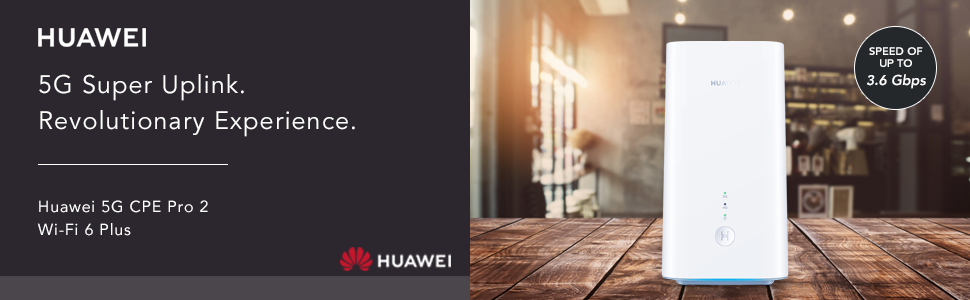
⚡ Future-Proof Your Home Network with Huawei 5G CPE Pro 2 — Speed, Coverage & Style in One!
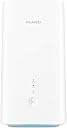
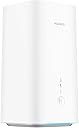
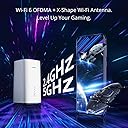
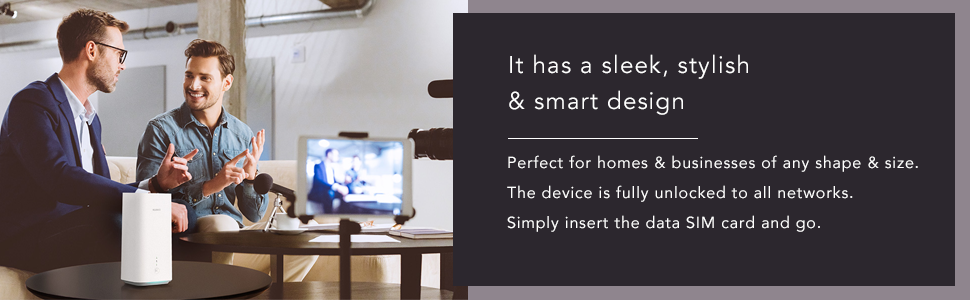
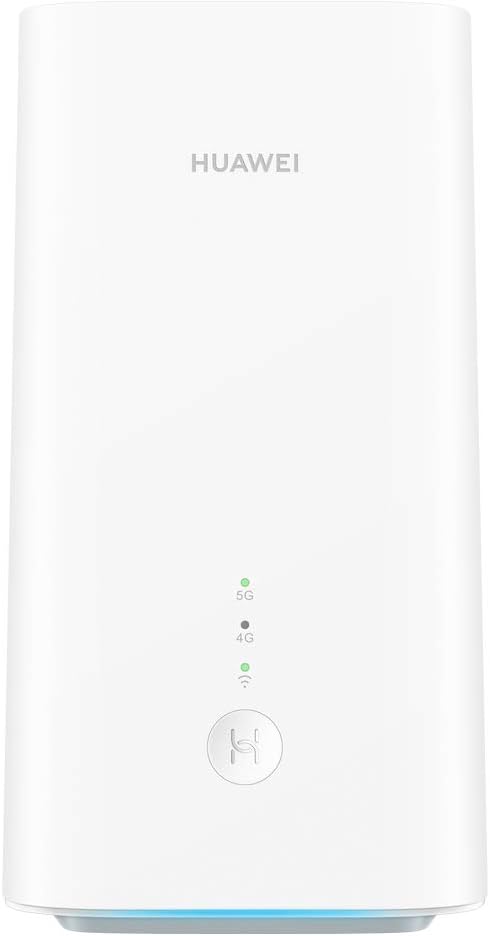
The Huawei 5G CPE Pro 2 is a cutting-edge dual-band Wi-Fi 6 Plus router powered by the Balong 5000 chipset, delivering theoretical 5G download speeds up to 3.6 Gbps. Designed for medium to large homes and offices, it supports up to 64 devices simultaneously with enhanced coverage that extends 30% further than typical routers. Its innovative X-Shape Wi-Fi antenna ensures stable connections even during intense gaming sessions, while a silent cooling fan maintains quiet operation. With a sleek, compact design and 2-year warranty, it’s the ultimate smart home router for professionals demanding ultra-fast, reliable connectivity.


| ASIN | B08L6L777Z |
| Antenna Location | Business, Gaming, Home |
| Antenna Type | Internal |
| Best Sellers Rank | 76,771 in Computers & Accessories ( See Top 100 in Computers & Accessories ) 164 in Mobile Broadband Devices |
| Box Contents | 1x Ethernt Cable, 1x Huawei 5G CPE Pro 2 (White), 1x Power Supply, 1x Quick Start Guide, 1x Warranty Card |
| Brand | HUAWEI |
| Brand Name | HUAWEI |
| Colour | White |
| Compatible Devices | Laptop, Personal Computer, Smart Television, Smartphone, Tablet |
| Compatible devices | Laptop, Personal Computer, Smart Television, Smartphone, Tablet |
| Connectivity Protocol | Wi-Fi |
| Connectivity Technology | Ethernet, Wi-Fi |
| Control Method | Touch |
| Controller Type | App Control |
| Coverage | 30% more spaces with evenly distributed signals |
| Customer Reviews | 4.0 out of 5 stars 228 Reviews |
| Data Transfer Rate | 250 Megabits Per Second |
| EU Spare Part Availability Duration | 2 Years |
| Frequency | 160 MHz |
| Frequency Band Class | Dual-Band |
| Frequency band class | Dual-Band |
| Has Internet Connectivity | Yes |
| Has Security Updates | No |
| Is Modem Compatible | Yes |
| Item Dimensions L x W x H | 9L x 9.7W x 17.8H centimetres |
| Item Type Name | Wireless Router |
| Item Weight | 600 Grams |
| LAN Port Bandwidth | 1000 Mbps |
| Manufacturer | Huawei |
| Manufacturer Part Number | H122-373 |
| Maximum Upstream Data Transfer Rate | 1600 Megabits Per Second |
| Model Name | H122-373 |
| Model Number | H122-373 |
| Model name | H122-373 |
| Number of Antennas | 2 |
| Number of Items | 1 |
| Number of Ports | 3 |
| Operating System | RouterOS |
| Other Special Features of the Product | Balong 5000 Chipset; Supports 11 5G Frequency Bands; Silent Cooling Fan; Wi-Fi 6; X-Shape Wi-Fi Antenna; |
| RAM Memory Installed | 2 GB |
| Router Firewall Security Level | High |
| Router Network Type | 5G |
| Security Protocol | WPA2, WPA3 |
| Special feature | Balong 5000 Chipset; Supports 11 5G Frequency Bands; Silent Cooling Fan; Wi-Fi 6; X-Shape Wi-Fi Antenna; Special feature Balong 5000 Chipset; Supports 11 5G Frequency Bands; Silent Cooling Fan; Wi-Fi 6; X-Shape Wi-Fi Antenna; See more |
| Unit Count | 1.0 count |
| Wi-Fi Generation | Wi-Fi 5 |
| Wireless Compability | 802.11a, 802.11ac, 802.11b, 802.11g, 802.11n |
| Wireless communication standard | 802.11a, 802.11ac, 802.11b, 802.11g, 802.11n |
B**H
CPE Pro 2 improves on the original and a great Home Broadband solution, especially in a rural spot!
I live in a rural area, where fibre broadband cannot get better than 25Mbps download speed, with upload of around 5Mbps - just about going out of date in terms of what's required (for WFH, gaming, 4K streaming etc). I wanted something better, with the arrival of a next-gen games console and the desire to download 50gb games. I decided to invest in a 5G Home Broadband plan directly with a leading UK network, and they sent me the original CPE Pro. It was good, great in fact, but when I found out this had already been released and I'd gotten old tech for £70 a month (18 month contract) and £100 up front, I was not particularly happy! So I cancelled that contract whilst I could and bought this, along with a 5G Unlimited SIM only plan (the Home Broadband was capped at 1TB, but this SIM only deal is truly uncapped with no fair usage policy, so even better!). I now pay only £33 a month, although the up front cost was £379 instead of £100. Over the 18 month period that will save me £369 and I have the latest tech and truly unlimited data! Not to mention my chosen music streaming service included as a benefit, saving me a further £180 over 18 months. Anyway, the device itself. The Huawei CPE Pro 2, is fantastic. The original was fantastic, but this smaller model boosts performance by more than 10%, in both upload and download speed. I'm not actually in a 5G area just yet, so I'm using a 4G signal, which as I sit here at my desk RIGHT NEXT TO the CPE Pro 2 and run a speed test on my iPhone 12 Pro (same network, 5G enabled SIM also on 4G signal), I get 3.1Mbps download and 5.0Mbps upload speed, with a ping of 61ms. The CPE Pro 2, delivers 100Mbps+ download and 10Mbps upload with a ping of 20ms. Perfect for handling everything I intend to throw at it. I've been using this set up for a couple of months now, and spent a week with the CPE Pro 2 instead of the original CPE Pro. That was giving me around 80Mbps download at the top end, with an average download of 6-8Mbps. This just shows the latest hardware is much better. It's also smaller and also silent. This model has a fan inside but I can't hear it for trying. It does not have the input for an external antenna, which the CPE Pro did, but that's no problem given the better performance it delivers. All of my testing has been via WiFi and not ethernet - I'm saving that for my console but just expect a more consistent performance. In addition, I use 4x Huawei Q2 Pro, and 1x Huawei Q2 Pro Satellite devices to create a mesh network around the house. This means I now get almost the same signal as the main router gives me, at both ends of the house, throughout upstairs and in the garden. This additional hardware was SO simply to set up and covers what were previously significant blackspots, with almost no loss of strength. The Huawei Smart Home app for iOS is great too, allows you to keep an eye on how your network is doing, how it's being used and good diagnostic tools. It's also really simple to set up guest WiFi and have parental control over individual devices if you need it. This set up handles 3 of us working from home, 4K streaming on the TV, 4x Amazon Echo devices, a number of iPads/iPhones and also games consoles - many simultaneously. It really is a very capable set up, all driven by the CPE Pro 2 bringing in a strong signal in the first place. Worth every penny, and certainly worth testing even if you think your 4G signal by phone is not great, as you can see, I get 20x the speed my phone can achieve - most likely owing to the device being a dedicated one for converting mobile signal to WiFi, and larger than the iPhone. The CPE Pro 2 is really light too. I'm really looking forward to the day it catches 5G signal as that gets closer, currently 150m up the road!
D**D
Great Device For Future Proofing
Updated to this from the first version the CPE Pro, and my signal strength has doubled, data speeds are the same though which is fine. I've had a few Huawei 4G routers and the strange thing about them is the WiFi never seems to be strong on any of them, this one included. Not a problem for me as It's a small property but worth bearing in mind if you have a large area to cover. I tried an external antenna with my first CPE Pro, but it made no difference at all, so wasn't bothered with the CPE Pro 2 having no external antenna sockets. Also worth noting, it doesn't support 3G either which didn't worry me as 3G in my area is virtually unusable anyway. Anyway, just love the smaller size and wanted to have the latest version My 4G speeds are no different than they were using the CPE Pro in case anyone was wondering. Hopefully one day soon I will see the 5G light actually lit. One can always dream. Lol It's been connected non stop since I put my sim in, with my normal speeds that vary between 50-140 down and 30 up, that will do me fine for now. Happy Days. Be it 4G only for now!
F**D
Warning: does not play well with enterprise network infrastructure
I got this Huawei CPE Pro 2 5G to use with a Three (UK) 5G unlimited data plan as a backup for my unreliable Vodafone/BT Openreach VDSL fixed broadband connection. Unlike Three's pathetic 4G LTE, their 5G is outstanding where I live, with over 400Mbps down and 30 Mbps up, vs. 40 Mbps down and 10 up on VDSL, albeit with slightly higher latency of 12ms vs. under 8ms. The CPE Pro 2, unlike the CPE Pro, does not have CMA ports to plug your own antenna. 5G is extremely sensitive to placement, just 20 centimeters in my window are the difference between 30 and 12 Mbps up and 12ms vs 20ms latency. This means having the option for better antennas can make a huge difference, and it's disappointing Huawei took this out. I run a Ubiquiti UniFi switch and AP network, so I have zero interest in the Huawei's built-in WiFi. I've had bad experiences with a previous 4G LTE router (Netgear LB1121) that did weird things with unsolicited ARP that would cause it to disable the rest of the network, so I put the Huawei in a VLAN, but even then it was still able to take portions of my network down, those using Devolo Magic2 LAN powerline bridges. It turns out the Huawei spews Spanning Tree Protocol (STP) packets that force reconfiguration of the network. Perhaps they were trying to be "helpful" in a misconfigured consumer network, but the end result is that even in a VPN this is unusable. My solution was to plug it into the Ethernet port of an OpenBSD router to isolate it. I was going to do that to establish a WireGuard VPN tunnel anyway to get around Three's Carrier Grade NAT. It's possible the Huawei doesn't play these tricks in Bridge Mode, but I haven't tried that yet. Apart from that, the Huawei is a fast wireless router that offers a respite from the sad state of the UK''s abysmal fixed broadband infrastructure. Just keep in mind you don't have much control over the routing features and it does some really weird stuff that doesn't play nice outside consumer network setups.
V**R
Great 5G router, horrible Wifi router
I got the Huawei 5G CPE Pro 2 router because I couldn't get decent broadband at my new place. I paired it with a EE data only sim that had the best 5G coverage in my area. Please note: This router does NOT have a port of an external antenna and there is no way to boost the signal with an external antenna. Setting up the device was easy, just insert the sim and turn the router on. I was getting about 150mbps up and 50mbps down with a latency of about 17 ms over WiFi, very good! However over a short period of time the speed would drop dramatically to 2mbps up and 4mbps down. Restarting the router will fix the issue but again over a short period of time the speed would drop again. The problem seems to be with the Wifi and not the 5G reception, doing the test again over ethernet I had a much better and consistent speeds over. For my application I have switched off the Wifi of the router and I run ethernet to my separate Asus routers with Ai Mesh. I cant recommend this to anyone who is planning to use this router unless they have their own separate Wifi router.
J**N
Does not recognize SIM cards
We first bought this router model in the spring of 2021, and it provided good wifi for two and a half years, although the router setup page did sometimes pop up randomly in the browser. Then, on December 1, 2023, our router stopped working. It was clearly the router that was at fault because nothing had changed -- the same SIM was still in place. When I took our SMARTY SIM out of the router and put it in my phone, my phone recognized the SIM instantly and had seamless service. When I put the SMARTY SIM back in the router, the router said it did not have a SIM and prompted me to insert one. I tried the same thing with an EE SIM, and it was the same story (SIM works fine in my phone but is not recognised by the Huawei router). No number of restarts or factory resets had any effect. On December 10, 2023, I bought the same router again, since it is still the highest-rated and top-recommended 5G router. It was the same story with the brand-new router: it failed to recognise any SIM. The Huawei support number supplied by Amazon does not work, and the Amazon support were clueless and dropped the line after 10 minutes. Possibly a faulty software update has bricked all Huawei routers; possibly it is planned obsolescence. In either case, I would strongly recommend against purchasing this model.
N**N
Excellent router
For the past 2 years I had been using a 4G router supplied by Three, which was giving me download speeds of up to 60 to 70 mbps. These speeds were way better than what I used to get with BT fibre so I was happy but I decided to try a better router to see whether there would be an improvement in the speeds I would get. I decided to go with this router because my current one is also manufactured by Huawei and so I am familiar with the interface when setting the SSID/Password and other parameters. Setting up this device is a breeze (like all 4G or 5G routers). All you need is to insert the nano sim and plug the router into a power socket (comes with a UK plug) - that's all you need to do to get up and running. If you want to change the preinstalled SSID and PW, you will need to connect your PC/Laptop via an ethernet cable and enter the device's web address into your browser - all quite straightforward. I then decided to check the download speed and was amazed that I got 400 mbps so tested again, with similar results - totally unexpected and very pleasantly surprising. I have been using the device for a day so it's early days but so far everything is great. Even at busy times (evening) I was getting a download speed to well over 300. Keep in mind that I have a 4G sim and not 5G. All in all, I am very happy with this device and would recommend it to anyone who wants faster speeds.
A**S
4x speed improvement, much more stable signal!
Well they say a picture says a thousand words, my speed has quadrupled, my ping is lower, the signal is much more stable AND no more packet loss! Yes the upload is slower but will gladly make that trade-off every day of the week. I'm not even in an 'official' 5g network area but right on the outskirts (on the Three network). Don't have any WiFi 6 devices to comment on the new WiFi standard which promises to be pretty impressive, but picked up some Cat7 ethernet cable and was up and running a few minutes after unboxing the router. Simply pop in your 5g SIM card, make a note of the password etc on the base of your router, power it up and plug in your ethernet cable if you're using one. All in all over the moon! Edit: Has been a couple of days and the signal just keeps getting better - have seen speeds of 150Mbps. Downloading games and streaming is just night and day different from my old 4G router. Amazed.
M**C
Great improvement with the Wi-Fi 6
I had been using the Huawei 5G CPE Pro for about 7 months before upgrading to the "Huawei 5G CPE Pro 2" for the main reason being that it supported WiFi 6. For those that don't know, WiFi is a massive update and improvement over the past generations. I won't go on about it as the review would be too long, but I'd recommend anyone with a small business or working from home to seriously look into WiFi 6 and setting it up correctly. Now onto the actual device. The speeds I got were fantastic, when plugged into Hyperoptic connection at my friend's place we were able to setup a WiFi network which allowed my mobile phone to have a download speed of 900mbps, the fastest I had ever seen my phone achieve. But of course the main reason I got this was for the use of 5G. Thankfully my location in SE1 , London is covered well by Three. PLEASE NOTE, that speeds will obviously vary if your ISP doesn't have great coverage in your area. For me I average about 10ms ping, 450mbps download and about 100mbps upload (I've attached a screen shot of a test I've just done) My phone which is also on a Three contract doesn't come nearly close to that speed by itself (about 280mbps download) which while still fast, just shows how well this router works.
T**E
Funkar sådär
Efter att testat det mesta stängde jag av brandväggen och dess filter och nu funkar den bra..... ______________________________________________________________________________________________________ Så buggig....när jag surfar så 10-20 ggr om dan så blir det nån microlåsning och sidan jag ska till dröjer...(5-20sec) Allt annat funkar (5G, fart och sånt) Har kontaktat Huawei och fått hemskt dålig service.
A**I
راوتر رائع
رائع جدا
Z**D
التأكد من مطابقة المنتج
وصلني منتج يختلف عن المطلوب
Trustpilot
1 month ago
3 weeks ago