

Desertcart purchases this item on your behalf and handles shipping, customs, and support to South Africa.
🚀 Unlock lightning-fast storage with sleek simplicity!
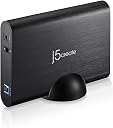
The j5create JEE351 is a 3.5-inch SATA to USB 3.0 external hard drive enclosure that delivers up to 5 Gbps transfer speeds. Featuring a premium aluminum build and tool-free installation, it supports drives up to 6TB and is compatible with Windows, Mac, and Linux. Ideal for professionals needing reliable, high-capacity external storage with hassle-free setup.


| ASIN | B00R5Z9J9Q |
| Best Sellers Rank | #1,453 in Enclosures |
| Brand | j5create |
| Color | Black |
| Compatible Devices | Laptop |
| Connectivity Technology | SATA, USB |
| Customer Reviews | 3.5 out of 5 stars 57 Reviews |
| Data Transfer Rate | 5 gigabits_per_second |
| Enclosure Material | Aluminum |
| Global Trade Identification Number | 00847626000928 |
| Hard Disk Form Factor | 3.5 inches |
| Hardware Interface | USB |
| Hardware Platform | Windows |
| Item Weight | 298 g |
| Manufacturer | j5create |
| Material | Aluminum |
| Memory Storage Capacity | 6 TB |
| Mfr Part Number | JEE351 |
| Model Number | JEE351 |
| Number of Items | 1 |
| Supported Devices Quantity | 1 |
| UPC | 804067315394 847626000928 808112999324 |
M**N
So far, easy to install, and works just like a pricy one would
I took a little bit of a risk with this one because at time of purchase it had only two reviews. And only two and a half stars between them. I mainly took the risk because I wanted a very cheap USB 3.0 enclosure to run my home media off of 24/7 and plug it into my router which supports a external HDD via USB 3.0. The main concern with this item according the reviews was a lack of documentation or drivers. I think that's absurd, because anybody who is going to take a bare hard drive out of a computer or even have one sitting around probably knows how to slide it in the right socket and hook up a cable or two. upon receiving the item, i discovered the "lack of documentation" was in fact not an issue at all, not because I didn't need instructions, but because it DID come with a two paged sheet describing literally everything you needed to do to unscrew the enclosure, put in a bare hard drive, and hook it up via USB. So Its possible the two people that previously bought it never received that paper, but I cant say for sure. This is made from a medium quality aluminum round casing, not too fancy, and not too blocky. the plastic part which holds the hard drive and "slides" out is made of a pretty flimsy plastic, but once its in and screwed securely it matters very little. Sliding in the Hard drive was very easy, and the four little plastic tabs needed just a little wiggling to get the hard drive to sit all the way down and let the tabs slip into the Hard drives screw holes (Note: Make sure any screws are out of the hard drive on the sides and bottom before installing into the enclosure). I unscrewed the little screw at the bottom to slide the plastic middle out and install the HDD, and screwed it back in and placed it on the included round base, plugged in power and USB to router, set it on the shelf, and that's it! I'm writing this hours after installing it, and I have mounted the Network drive successfully (using an ASUS AC router that has USB ports for this type of thing) and was able to access the files quickly and transferred stuff just like it was installed directly to the computer. So far, its a "hook it up and go" type of product. It DOES the job, and no more expensive enclosure would do any better for this type of project that I can tell SO FAR. That's the thing that will reduce any stars it gets, if it starts to stutter and fail over time, or intermittently freeze up. This will be a pretty rough test, as it holds all media for an entire house where everybody stores their music, movies, downloaded pictures all on one central drive so it can be streamed effectively anywhere it needs to go. Its quite the stress test on this little guy, so I will update as necessary if there's anything beyond it just working the way it should tucked up nicely on a shelf! Thanks J5Create for making a super cheap little enclosure to fit the bill so far, and I hope it holds up beyond my expectations for how much I spent!
S**I
Missing Power Adapter on Multiple Returns
I have received and returned multiple units where they are missing the 12v 2a power adapter, the drive will not work without it. The outer box says it should be included. I've also reached out to j5create support directly and they were not helpful. The actual enclosure works fine if you have a power adapter. It has a nice metal housing and a plastic insert tray that makes it easy to insert a drive without any tools but holds it securely. Had no issues with mac and linux recognizing the drive. Edit: After working with their support more, I'm lowering to 1 star, they were truly infuriating to deal with. Every message with them felt like it was starting over. Ultimately they offered to send me a new one directly but had to ship the current one back at my expense. Ignore the paper card saying STOP!! do not return to the store you purchase, contact j5create to make it right. After dealing with them for weeks, they really do not care.
M**N
Works well once you provide an AC adapter.
I've ordered these j5create enclosures in the past. They arrived with AC adapters. From what customer reviews I've seen, one should no longer expect current versions to ship with an adapter (12V 2A barrel plug). My orders last month did not include the AC adapter. It doesn't work without the adapter. I contacted j5create support and was immediately sent an AC adapter. J5create tech support was very good and responsive. Tech support gets 5 stars. The lack of an AC adapter is the reason for the three stars. Also, mounting screws are not needed as this enclosure relies on plastic "nubs" that fit the holes in a standard drive frame. You flex the enclosure during installation or removal. This suggests to me that the enclosure is designed for desktop, rather than mobile, installations. The connectors and activity face the rear of the enclosure. No special drivers are required. Overall, I am pleased with the performance of this model enclosure.
D**S
Excelllent for the price
Pretty sturdy case overall. Nice and lightweight. Though after you install the drive in the case, the case will be upside down. Not a big deal to me as both sides look totally identical. Only difference is the usb 3.0 port will be upside down. If you use it in the included drive holder then its perfect either way. Quite fast transfers for usb 2.0 and 3.0. Only catch is if you plan to use for different drives then it might not be the best case as the instructions recommend for a one time use only. I would recommend this enclosure if you are looking for a cheap quick alternative for your 3.5" desktop hard drive. Included is the 3.5" drive enclosure, a vertical drive holder, a power adapter, and a USB 3.0 cord. The USB cord is very short (like 3 feet or less) so make sure you are near a plugin. Works perfect for my needs.
R**S
Missing plug
I don’t know if the product works there was no 12v plug with the device. Very disappointing
O**R
I’d try not to run the disk upside down
Works well after careful disk insertion but if you don’t use the vertical mount stand you should set the case flat on its back with the text reading upside down. Disks often wear poorly when they are running upside down. Oddly the text you see on end of tray leads to wrong idea of which way is up. I wrote “Turn Me Over” on the bottom side of case. Case is rugged seeming metal. One limitation is that the disk is held in place by plastic pins molded into the tray that holds the disk. Two pins on each side pointing in toward center of disk and one on bottom at each side pointing up at the flat side of the disk. Six pins total. To get the disk into the case you need to kind of stretch the sides of the tray a little to let the pins catch the holes on each side of disk. UPDATE: I’ve bought several of these now and really like them. Combining one of these with a new Hitachi Ultrastar 2TB disk (from Frys in a HGST box, not bulk) makes what I believe will be a long-lived reliable external drive. They also tell you not to ever remove the disk from the case. Surely that is because you will likely break off some of the side pins or do even more tray damage. Uses the big USB 3 connector I much prefer to the delicate USB 3 micro. As to USB 3 performance, it took 2.5 times longer over USB-2 to read the same folder of small files totaling 4 GB.
J**R
Good enclosure, you may need to make minor modifications to make drive fit.
Seems sturdy enough upon opening the box. Has 6 little plastic pins (2 on each side for the screw holes in the drive and 2 on the bottom (presumably for minimizing drive vibration)). I had to remove the 2 pins on the bottom so my drive would fit, but once they were gone it fit the drive like a glove. So you may have to remove those 2 pins to fit the drive in the tray and slide it all into the aluminum housing. Otherwise, works well, quite stable and even knowing what I know now, would still buy again. Good enclosure at a good price.
K**S
It broke my hard drive
Very difficult to install the hard drive. There isn't smooth brackets for the drive to slide into, instead you have to shove it in. When I attempted to remove the drive I couldn't, it was wedged stuck. I applied more force and heard a quick "crack". The enclosure broke the SATA pins sheer off. So now I'm stuck with a broken hard drive that I'll have to get repaired and an enclosure that I don't trust. Spend just a little extra $ to get something that actually works. ------ I've also reached out to their customer service and have heard nothing back.
Trustpilot
5 days ago
1 month ago