

Desertcart purchases this item on your behalf and handles shipping, customs, and support to South Africa.
🎶 Turn your dusty tapes into digital gold—because your memories deserve a comeback!
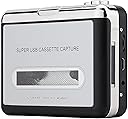
The Reshow Cassette Tape Player is a portable, USB-powered device that converts standard audio cassettes into MP3 files compatible with laptops, PCs, and modern audio players. Weighing just 100g with a sleek silver design, it supports 3.5mm headphone jacks and comes with all necessary software and cables for easy, high-quality digital transfers. Perfect for millennials seeking to preserve nostalgic audio with crystal-clear sound and modern convenience.


| ASIN | B018WBUJBS |
| Audio Output Mode | Stereo |
| Best Sellers Rank | #8,099 in Electronics ( See Top 100 in Electronics ) #14 in Portable Cassette Players & Recorders |
| Brand | Reshow |
| Brand Name | Reshow |
| Compatible Devices | Personal Computer, Laptop, MP3 Player, Earphone, Smartphone |
| Customer Reviews | 3.8 out of 5 stars 10,829 Reviews |
| Interface | USB |
| Interface Type | USB |
| Item Weight | 100 g |
| Manufacturer | Reshow |
| Material | Rubber |
| Material Type | Rubber |
| Maximum Supply Voltage | 5 volts_of_direct_current |
| Model | R-CP18S |
| Number of Items | 1 |
| Part Number | 1 |
| UPC | 750803024597 782890069946 782890070065 860002089232 |
| Unit Count | 1 Count |
| Warranty Description | 1 Year |
R**N
A Nostalgic Lifesaver That Brings Old Tapes Back to Life
The Reshow Cassette Tape Player is a fantastic little device that does exactly what it promises. I had a box of old mixtapes and recordings from years ago, and this converter gave me an easy way to preserve them digitally. Setup was simple, and the included software worked well with my laptop. Within minutes, I was transferring audio from cassette to MP3 format without any hassle. The sound quality is surprisingly good for such a compact unit. It captures the warmth and character of analog recordings while giving you the convenience of digital playback. I was able to convert everything to a format compatible with my iPod and smartphone, which made it easy to enjoy those memories on the go. Build quality is solid, and the silver finish gives it a sleek, retro look. It’s lightweight and portable, so I can take it anywhere or store it easily when not in use. Whether you're archiving old voice recordings, music, or personal tapes, this player makes the process smooth and reliable. If you have cherished cassette tapes and want to preserve them for the future, the Reshow Cassette Tape Player is a smart and affordable solution. It’s a great blend of nostalgia and modern convenience, and I couldn’t be happier with the results
J**7
So far so good, not that bad for the most part!
Ok so let me say that I’ve been looking for a simple cassette player for a while and I then see this one pop up being a bestseller and thought, well it looks like a clean enough design and seems to work well enough I’ll give it a try. Before buying this player I noticed many reviews focused on the quality and effort needed to use the transfer function from cassette to MP3, and becasuse of this I’ve read many reviews mentioning of dating software and issues with the transfer quality and in some cases the player itself, and well in my case I wanted a cassette player to just play cassettes and after nearly a week of use so far so good, for starters I wasn’t expecting much based on the description and reviews but it’s not all that bad, the quality isn’t actually that bad but you do notice from time to time a buzzing or hum while playing a cassette at lower volume or when rewinding or fast forwarding very occasionally I may even hear it skip a very small part of the song but it’s not often, overall the quality of the sound is ok and maybe even great at times, depending on the headphones there’s definitely some bass and the music sounds mostly clear I tried the player with a few cassette that in some cases a tape may not play as good as it should as I’ve recently bought some new and used cassette some of which may have not been cleaned yet. When first playing cassettes it sounded like there was a bit of sound distortion or even a bit of a slow down while playing and I at first used the older and not as new cassettes and after that I tried a cassette I recently bought new still with the shrink wrap that sounded quite a bit better definitely more clear and less distorted with seemingly no slowdown (I’ve been using batteries during play) as I’ve jumped from one tape to another it can be a bit mixed here and there with quality but overall mostly usable and a pretty solid listening experience. Secondly I will move into the design of the cassette player itself, overall nothing special has a bit of an 80’s look and a bit of weight to it but not much more that make it feel high quality, mostly cheap plastic with a fake metal design but it works as mentioned as it should for the most part. As for the transfer capability I’m not sure as I’ve yet to try it and don’t intend to as I just want to listen to cassette tapes once and a while. To wrap this whole thing up I got to say I’m mostly pleased descent sound quality 3.8/5 and design 4/5 it’s what I of course expected from the price and it sounds good and like I mentioned even great at times but not much more than that, not sure about the battery life but don’t expect more than maybe a few hours of use. For the future I’d like to see a newer unit made with better materials and better playback quality and an FM/AM radio feature, maybe priced in the ballpark of $35-50. If you need a cassette player get this one but if you must get something better maybe you’d be better of waiting for something better in the future or get a used Walkman (be ready to save up and make sure it works well) for all other people this is sufficient enough and sounds just a bit better overall than expected. (But please don’t use the included headphones there awful)
G**S
Has some quirks, but there are work arounds. Still a good product
I am on my 3rd device. I like the way that it works with Audacity, so I keep using it. My first machine, after 7 months, stopped record the 2nd side. It would record side 1, auto-reverse, but then wouldn't pick up side 2. So, I was able to get a refund from Amazon (less a $5 restocking fee). The second machine lasted less than 3 months and then just died. Wouldn't run either attached to the computer OR with batteries. To the machine's credit, I have done hundreds of cassettes as I am digitizing the audio library of a non-profit organization. I also want to respond to Ellen Denham's review and the problem with the 9996 invalid device Error. I did not have this problem with my first machine, but did with the second and now the 3rd. There is a workaround where you can continue to use Audacity if you prefer to use that format. After I open and record a tape, then export, and then try to start another recording, is when I get the error. Workaround #1: Select Transport/Rescan Audio Device and the start your new recording. Shouldn't have to do that, but it takes a second and works every time for me. Workaround #2: Close out Audacity completely and reopen. I have only done this a few times, but it seems to work too. I usually just use #1. I still like this machine, and with the refunds keep using it. Hopefully this one will last longer as I only have a few more cassettes to do. I still recommend this product, just don't overuse it like I did (and be sure to clean occasionally) and with the workarounds being so minor, it is still worth it. I came back to add this. There have been a number of reviews/questions which mention a hissing issue. I would suggest trying the noise reduction feature. First highlight a few seconds of the audio where there is no sound (I use the part at the beginning of the tape, or usually the middle where the tape is turning over), then select Effect/Noise Reduction/Get Noise Profile. There are 3 adjustment things to use but not know how to use them, I just leave all three in the middle and it is fine. After getting noise profile, then select the entire track, then Effect/Noise reduction again, but this time select OK at the bottom. This pretty much deletes the hissing.
N**C
Low-Quality Product That Requires Cable Replacement After One Recording Session
USB connectivity requires a mini-B connection to the cassette. The manufacturer cable lasted for a 45-minute recording session (one side of a cassette tape) and went dead. Audacity software and PC error messages state that the device can no longer be found. Troubleshooting leads to the cheap cable. To continue converting cassettes to MP3 will require additional cost to complete the task. Recording capability requires large disc size if you are copying an entire cassette using Audacity. The sound quality is okay. It's not the greatest. Battery life is okay. It is very light weight, which is concerning because the device is cheaply made. I believe once the device falls and hits the ground, it will shatter. As for the price paid, it is not worth close to $30. This is a white label device, meaning a factory mass produces this cassette converter and sells to multiple retailers, who will then place their labels on it. This one is labeled as Reshow. If you can find a retailer that sells the exact same cassette at a cheaper price, purchase it. There is no set, reputable brand for this cassette. I was going to give this device a two-star rating, but the cable needs to be replaced after one session. Spending more money to get an already cheap product to work was not my intention. My advice is to save your money and find another alternative to convert your cassettes to MP3s.
D**I
Great product for value!
I was skeptical based on reviews read prior to purchasing. However, I was pleasantly surprised by the ease of use and quality of the cassette converter. The device comes with a USB connector and headphones. The only downside is that the headphones are a really cheap quality, but that didn't make a difference to me as I don't plan to use them. The instruction book comes with steps for using PC or MAC for converting. Directions were simple and easy to follow. Battery life is dependent on batteries or USB plug in. You can use this device for either listening or converting to digital format. Converting to digital format is a lengthy process as you have to listen to the entirety of the song when creating the digital file. The overall functionality of this device is great! I was able to convert a cassette from 1982 and the sound quality wasn't too bad! I recommend this product.
G**S
Reshow cassette player...hmmm...
This one is a bit of a puzzle to me. Hookup was real easy, and I found everything, so what can I do with this and what can I not do. It appears that a fully updated Windows 10 computer will work alongside with the Audacity program (latest updates installed). The device works as advertised. I hooked it up to my current Windows 11 computer, but, given the software just doesn't play well, is definitely a head turner. Audacity is the recommended software to use by Reshow, but alas, no go. I suspect that this is more of a driver issue, not a hardware issue. It would just be better if they had some other alternative software that might work with it, so that you can hit the ground running...
P**Y
It does work well!
At first, the reviews seemed mixed, but I had no choice, since I needed to convert or save some old 1980s cassette tapes into digital format before the magnetic tapes wear out, and there were few other products on the market (and definitely not in the stores nearby). Given the price, I took the chance. At first, when the product arrived, it looked daunting, since I'm not tech savvy at all, but in minutes I figured out how to connect the devices and to start recording and saving to the computer and to external drives. I copied nearly 4 hours of old casette tapes to *.WAV files. Now it is easier to play, stop, and replay the content. Essentially, install the Audacity DVD (and use an external DVD drive if, like me, you don't have a DVD drive on your laptop). Next connect the recorder to your laptop using the USB cable. And plug in the headphone so that you don't have to hear 2 volumes: one from the tape and the other from the laptop. All audio sounds goes from the recorder directly to the laptop if (for the microphone option), you use the USB option. Therefore, if you make a lot of noise at your desk, none of the sounds will be capture in the WAV file. By controlling the volume on the recorder, you directly influence the loudness of the recording. [If you're stuck, there are manuals for Audacity and the Recorder that you can google. I only needed to read more about how to edit.] Just follow the directions to record, stop, and export the recording to a WAV file. Then afterwards, you can reimport the audio file to edit or delete dead sounds (silence and thus waste of audio space) by again following the directions (what I do is: I use the Zoom In button to see where the dead silence is -- namely when you see a horizontal line in the graph -- then use the | symbol to shade (left click) the area of the recording to be deleted and the click on the scissors icon, and then export to a new file or replace the old file). Close the existing recording so that if you want to capture or copy a new recording, the previous one isn't included. That's it. Take a chance on the product. It's inexpensive (low risk), but in exchange, you get to save the content of the old casette tapes -- if you really need them. In my case, the old casette tapes contained not music but information (documentary dialogue). Save the information digitally, since as you know, it won't wear out, like old magnetic tapes.
S**S
Don't make the mistake I did buying this.
Two stars because this can work, and if you're careful, you may be able to get OK recordings. But the audio quality is terrible. There is a hiss when recording. At first I figured yeah, that's just because I have 30 year old tapes. No, the hiss is there even when it is playing *with no tape in the unit*. The tapes I have are not great audio anyway, so I was almost willing to put up with the hiss. But that's not all. There is a constant clicking in the playback. It changes based on how the unit is being held, so if you're careful, you can put it in a position where it almost goes away. For one channel anyway. So if you're playing mono tapes (which I was), this works. Next, it may or may not actually play a given tape. Some of the tapes I've tried work. Some, it will not play from the beginning. It just keeps trying to change direction. If I fast forward halfway through, it'll play them starting from the middle, but then that doesn't really help if you actually want to record the whole tape, no? If there was some way to override the auto-direction switch, maybe it could work, but alas there's no way to do that. Contrary to what the description says, the "loop" switch does not play just one side. I suppose it's possible I got a defective unit, but I highly doubt it. For $30 I wasn't expecting much and this still managed to vastly underwhelm.
V**A
Odtwarzacz
Działa.
P**I
Ottimo acquisto
Dovevo tramutare tante vecchie audiocassette per me di grande valore in quanto avevo registrazioni di miei parenti che purtoppo ora non ci sono più, (cose vecchie di 30/40 anni che rischiavo di perdere per sempre in quanto i vecchi nastri non durano in eterno) in file mp3 sul computer per poi poterne disporre a mio piacimento. Devo dire che ero scettico che un apparecchio del genere e alla modica cifra di una ventina di euro potesse risolvermi tutto...e invece. Premetto che il registratore mi è arrivato nei tempi giusti ma senza dischetto del programma (si chiama "audacity) che bisogna installare ma che non è un problema in quanto lo si scarica facilmente dall'indirizzo che c'è scritto nella scatola. Altro piccolo problema è che le istruzioni erano solo in inglese, e per quanto facile sia usarlo se non mi fossi aiutato seguendo dei tutorial in rete avrei fatto un pò fatica. In pratica si connette il registratore al computer tramite il cavo in dotazione, si mette una audiocassetta e si spinge play, ovviamente dopo avere aperto il programmino nel quale poi basta spingere il cerchietto rosso (REC). Finita la registrazione si spinge stop nel programma del computer quindi in alto a sx in "file" si apre l' opzione "esporta file audio" e qui si può mettere il formato che si vuole, io ho scelto mp3 e si decide dove archiviarlo, più semplice eseguirlo che spiegarlo. Quando aprirete il pacco non vi spaventate per la non eccelsa qualità dei materiali, sembra un giocattolo e i tasti danno l'impressione di non avere una lunga durata ma l'apparecchio fa il suo dovere in maniera dignitosa e con poca spesa conserverete per sempre vecchie canzoni e vecchi ricordi.
星**一
あの時感じたことを思い出したいなら・・・。
47年前の文化祭と、41年前の米国旅行時のFM放送を残しておきたくてかいました。手軽につなげられるのがとてもよかったと感じています。まあ生きてるうちだけどね。
D**I
Kaset kaydı için CD drive yok ve nasıl kayıt yapılacak bilmiyorum
Kasete kayıt için Türkçe dil seçeneği yok Drive CD yok Kayıt yapmak için yardım istiyorum
A**E
Tolles Gerät
Sieht richtig chic aus und es kommen schon kindheitserinnerungen wieder hoch, wenn man alte Musikaufnahmen doch noch mal hören kann :)
Trustpilot
4 days ago
3 weeks ago