Buy anything from 5,000+ international stores. One checkout price. No surprise fees. Join 2M+ shoppers on Desertcart.
Desertcart purchases this item on your behalf and handles shipping, customs, and support to South Africa.
🚀 Elevate your workspace with instant, powerful Wi-Fi—because your network should work as hard as you do.
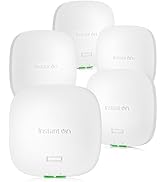
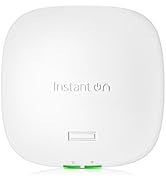
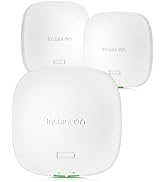
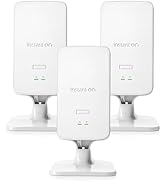
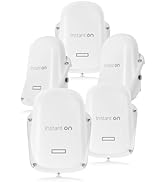
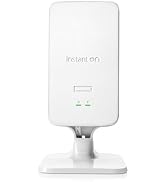
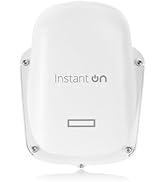
The HPE Networking Instant On AP22 is a Wi-Fi 6 certified indoor access point designed for small and growing businesses. It delivers up to 1200 Mbps dual-band speeds with 2x2:2 MIMO, supports easy app-based setup and management without subscriptions, and offers flexible powering options via PoE or local adapter. Featuring Smart Mesh technology for seamless network expansion and enterprise-grade WPA2/WPA3 security, the AP22 ensures reliable, scalable, and secure wireless connectivity tailored for modern professional environments.


| ASIN | B08FBMCY31 |
| Antenna Location | Indoor |
| Antenna Type | Internal |
| Best Sellers Rank | #43 in Computer Networking Wireless Access Points |
| Brand | Hewlett Packard Enterprise |
| Built-In Media | Wireless Access Router |
| Compatible Devices | Wi-Fi Enabled |
| Connectivity Protocol | Wi-Fi |
| Connectivity Technology | Wi-Fi |
| Control Method | App |
| Coverage | Long Range |
| Customer Reviews | 4.4 out of 5 stars 159 Reviews |
| Data Transfer Rate | 1200 Megabits Per Second |
| Frequency | 5.00 |
| Frequency Band Class | Dual-Band |
| Is Modem Compatible | No |
| Item Dimensions L x W x H | 6.3"L x 6.3"W x 1.5"H |
| Item Weight | 1.1 Pounds |
| LAN Port Bandwidth | 10/100 megabits per second |
| Manufacturer | Aruba a Hewlett Packard Enterprise company |
| Maximum Upstream Data Transfer Rate | 1201 Megabits Per Second |
| Mfr Part Number | R4W01A |
| Model Name | Power Adapter Not Included |
| Model Number | Power Adapter Not Included |
| Number of Ports | 2 |
| Operating System | ArubaOS |
| Other Special Features of the Product | Access Point Mode |
| Security Protocol | WPA2-Enterprise, WPA3-Enterprise |
| Special Feature | Access Point Mode |
| UPC | 190017445380 |
| Voltage | 12 Volts |
| Warranty Description | Manufacturer |
| Wireless Communication Standard | 802.11ax |
| Wireless Compability | 802.11ax |
M**N
Great add to a home network for signal strength!
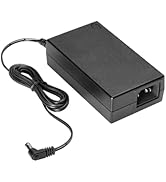
Easy app based set up for non-technical folks makes this a great add to a home network. Easier to set up than TP-Link’s access point. I use POE, but included adapter allows AC power option as well. Signal strength is great and allows for monitoring of web traffic.
A**S
Easy to setup and upgrade
The Aruba InstantOn AP22 deserves every bit of its 5-star rating. The installation was an absolute breeze – straightforward and hassle-free. The scalability of this device is remarkable, making it an ideal choice for growing networks. What truly sets it apart is the user-friendly mobile app – a game-changer for managing the network effortlessly. The intuitive interface simplifies configuration and monitoring, enhancing overall user experience. The AP22 consistently delivers strong and reliable Wi-Fi signals, ensuring seamless connectivity. Aruba has truly nailed it with this product, combining top-notch performance with user-friendly features. Highly recommended for anyone seeking a reliable and easy-to-manage wireless solution!
M**H
Works great
Easy to set up cheaper than the alternatives can set up multiple SS IDs and you can control band with managed by iCloud app
@**A
Good upgrade after 4 years on another system.
These took quite a bit of experimentation to get up and running, but the end result is what I was looking for. I have it currently as the access points wired to a 1930 Aruba POE switch which is going to SB8200 Surboard modem. I had to upgrade everything from the modem to the AP to take advantage of the higher speed Spectrum service plan that I was changed to. My existing Unifi Security Gateway to Netgear switches and Ubiquiti APs were having speeds capped at about 130 mbps for some unexplained reason. After several attempts to figure out the Aruba setup, I finally got it all up and running. The AP22 is easy to manage and seems like an unlimited amount of SSIDs can be created and managed (the Unifi max was 4 SSIDs). The WiFi speeds are showing what my Spectrum service is providing (near 500 mbps). I have 3 AP22s setup on a 9000 sq ft property and covering is excellent inside the structures and good outside around the open areas of the property. It was a bit of an expensive equipment upgrade just to take advantage of the higher speed service I was now supposed to be getting considering I already had an expensive Ubiquiti network that was working fine at with the previous 100 mbps service levels. Hopefully this setup lasts more than 4 years. The one thing that I am not fully happy with is the look of the AP because it doesn't blend in to the ceiling like the Ubiquiti APs do. They are pretty ugly for a home setup. Also the LED on the AP only has on or off settings, no dim/bright. So if you turn it off so the LED doesn't distract like in a bedroom, there is no visual indication to look at to see if it is working.
B**Y
Good Access Point For My Home
We live in a large 2 story house with multiple wireless devices including TV's, Tablets, Phones, Laptops, IOT Stuff, and the list goes on. Most days there are 20+ devices connected to wifi. This AP handles it with no issues. It also makes setting up a guest network a breeze. I am going to get one of the switches to fully utilize Aruba management interface. I will say it has some range limitations however not much less than the prior unit from another vendor. Some people are complaining about this AP but I cant see why. I will probably get a second unit for the back of my house to get better coverage, especially in the back yard.
D**I
Good 'n' easy to use li'l boogers
Give them an internet connection and PoE and they're happy. Easy to set up, easy to administer, completely cloud-based -- I have 3 of these covering the house. Just *DO* bear in mind that they're directional. You won't get much of a signal BEHIND them, so be sure they're pointed where you want the signal to go (think of the broadcast as a dome and you'll be good). Though you'll connect at up to 1.2gbps, I've never gotten more than 700mbps through 'em, but that's nothing to cough at, of course. Steel and brick are obstacles for all wireless, and these are not exceptions. You can use pretty much any PoE injector, but a Netgear GS305P ( https://www.amazon.com/gp/product/B08LHL1Q2Z/ ) will run four of them without issue.
C**S
Not Ready for Prime Time
Unlike the switches, there is no local management option on the AP22. Additionally, it has to be connected directly to the internet for the initial setup. This made my initial setup very difficult due to the network architecture. If I could have used the instant on app to connect directly to the access point during initial setup rather than having to connect it to the internet to configure it through the app setup would have been a lot smoother. The instant on line shows potential but until additional firmware features are added it just isn't ready for Prime time.
S**S
Excellent home/small business AP
Straight forwards and easy to setup for home users with some tech skills. Cloud interface dumbs down the equipment, so for the IT savvy, it can be frustrating. AP works well although the band steering is bad. When walking away from AP, it transitions correctly from 5Ghz down to 2,4Ghz; however, walking back remains on 2.4Ghz. Must be firmware related as the pro gear (3XX and 5XX) series do not suffer from this. The AP-22 is hundreds of times better than typical home oriented 'junk'. I highly recommend it for a novice-skilled user and above.
A**O
No es posible usarlo en México.
Me gustó el tamaño, es pequeño. Sin embargo, no pude usarlo porque vienen bloqueados por país, busque en Internet si había solución, pero desafortunadamente no se puede arreglar. Comprare uno en México para poder usarlo. Me hubiera gustado que me avisaran qué había restricción antes de perder el tiempo.
Trustpilot
4 days ago
1 week ago