Desertcart purchases this item on your behalf and handles shipping, customs, and support to South Africa.
⚡ Power up your savings with smart energy insights!
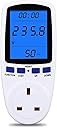
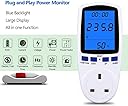
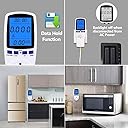
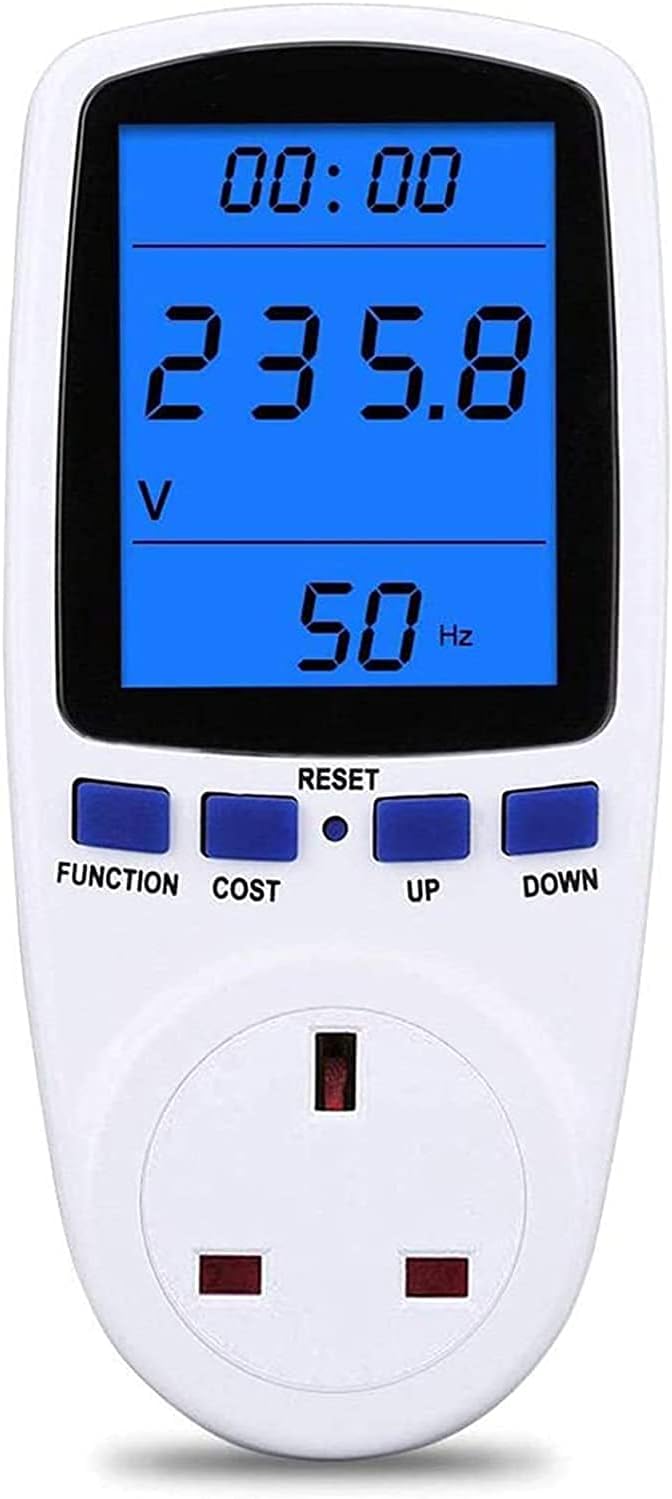
The MECHEER Power Meter Plug is a cutting-edge energy monitor designed for UK sockets, offering precise measurement of voltage, current, power, frequency, and cost. Featuring a large backlit LCD with a 180° viewing angle, smart overload alerts, automatic data retention, and easy reset functionality, it empowers professionals to optimize energy consumption and reduce bills effortlessly.


| ASIN | B085S7Q1T4 |
| Best Sellers Rank | 54,894 in DIY & Tools ( See Top 100 in DIY & Tools ) 16 in Power Monitors |
| Brand | MECHEER |
| Colour | black |
| Compatible Devices | Any device that can be plugged into a standard 3-pin UK socket |
| Country Of Origin | China |
| Customer Reviews | 4.3 out of 5 stars 2,531 Reviews |
| Included Components | 1x Power Meter 1x User Manual 1x Reset Tool |
| Item Dimensions | 7 x 7 x 16 centimetres |
| Item dimensions L x W x H | 7 x 7 x 16 centimetres |
| Manufacturer | MECHEER |
| Manufacturer Part Number | JK-PM01-UK |
| Maximum Operating Voltage | 250 Volts |
| Measurement Type | Electrical |
| Min. Operating voltage | 230 Volts (AC) |
| Minimum Operating Voltage | 230 Volts (AC) |
| Model Number | JK-PM01-UK |
| Number of Items | 1 |
| Power Source | Corded Electric |
| Power source | Corded Electric |
| Specification Met | EN 61010-1, UKCA |
| Style | Modern |
| Style Name | Modern |
| UPC | 743829258749 |
| Unit Count | 1.0 count |
G**E
I can read it from a wide angle range. Very helpful tool.
1. It showed me that the TAPO P110 smart plugs I use to shut everything off (eg all the computer gear at night) are not super accurate. EG, Testing a fridge over 24 days, TAPO 23.7kw. The Blue beast, 24.7Kw (TAPO 1.06 Kw out) TAPO plugs use only a few watts and are Wi-Fi linked to an APP on my mobile phone. The APP has just been updated and seems to be more accurate now, and you can add your Kw/£ unit. However there have been some changes to how it displays readings which are taking some getting used to. 2. BLUE You CAN reset the values, by pressing FUNC and UP together for a few seconds. Rather than fiddling with the 'reset' tiny button. Partway through test now, so cannot double check, but I think it keeps price, clears rest. If not, adding price again is no big thing. 3. Bit of a pain that you have to press FUNC to get it to light up, which shifts it to the next page, then you have to cycle through the pages again to get to 'Using NOW' which includes, top, 'run time' (which is the amount of time the item has been using more than 2 watts, ie actual working hours total.) Using Watts 'now', middle, and at bottom, COST 'up to NOW'. You learn fast this page, is right after the page with HI written at the bottom. 4. I can read the screen, sat on top of the counter, even when it is in 'dark' mode with the backlight off. So I stopped having to cycle through all to get the backlight on. 5. Right now, I am testing two fridge/freezers at the same time. A on a TAPO, B on BLUE. Fridge A is old, old, and built into a kitchen as an undercounter fridge freezer, H86,W54,D60. Ave 0.9 Kw a day. My first set of tests on fridge A alone was with a TAPO AND the BLUE. Running the 2 fridge comparison A has just a TAPO (updated APP) on, and the BLUE is on the B, other fridge. Part of the reason A is using so much, apart from being old and inefficient, is that it is jammed in there with no ventilation. It is in effect, heating itself, in a box then having to cool itself back down. The pump peaks at 100w on start up, down to 71w just before it shuts off and it cycles for an hour at a time. Then has a rest, while it soaks in all the boxed in heat, for a bit over an hour... Then off we go again. 24 hour test, runtime 11 hours. Temp varies between 7.4c and 2,6c during this insanity. NOW, I only know about the runtime and pump peak specifics because the TAPO smart plug (Updated APP) gave me that info as a graph (past 24 hours, Power). I had to work out runtime from APP, (APP not clear on this, whereas Blue is specific). BLUE will tell you it peaks(HI)at something like 1560W, because it is so sensitive and for a split second that is the load watts to get the pump to start, but it doesn't really help in this situation. But BLUE will give you a very accurate runtime, from start, to NOW. Not, each day and when, which the APP will. So the best way to use the BLUE is run an appliance for an hour, or, a day (24hours, eg 3pm to 3pm). Or you can just plug something in and see what it uses and take your shoes and socks off and do some maths. 6. Fridge B, Running on just BLUE, this fridge (16 year old, Whirlpool, class A before the codes changed) I dug out of storage. Stood on the kitchen in free air. Uses ave 0.35 Kw a day. Peaks (I had to watch for this when I heard it turn on) 69w and tails to 51w just before it shuts off. Runtime (accurate from BLUE), 6 hours a day. Temp max 5.8c, Min 3.9c. SO the question becomes, (and if you read this far, thank you) is the Blue Beast worth having? ABSOLUTELY! You can very quickly find out what an item, or set of on the same 4way, appliance uses, right at that moment or over a period of time. And for a fridge, or washing machine < 60'C, 2h40m, 1.44Kw, 48p at 33p/unit> (as long as you can get to the plug and plug it in) you can gather enough data to decide to rip out an old built in fridge and put the 16 year old one in instead.... and save £80 a year.
P**S
Honest review not written by AI
This has worked exactly as expected with no issues. It’s easy to plug in, simple to read, and gives clear, useful information straight away. The display is bright and easy to see from different angles, which helps more than I expected. I’ve been using it to keep an eye on power usage and it’s done exactly that. No fuss, no problems and I'm happy with it.
S**K
Easy to use, doing a good job and keenly priced
I have only had the meter for a week or so. We bought it to replace a much older unit (different model and manufacturer) that had mysteriously become very inaccurate. Everything so far has been quite pleasingly simple. The massive advantage over the old device is that this meter will integrate the power reading over a period of time to give total energy consumed in kWh. The old meter would only give current power consumption. If the equipment under test has fluctuating demand (e.g. anything with a temperature controlled heater or pump), it is very difficult to get a good idea of energy usage without this feature. I have compared the voltage reading against an accurate digital voltmeter and get agreement with 0.5%. I cannot be sure the current range is as accurate, because I could only compare it with a current clamp working at the lower end of its range, but the readings were consistent so I have no reason to doubt the plug-in meter. I do find it strange that nowhere on the unit is there any mention of the manufacturer or model number, although there is a label giving the electrical specifications. The instructions are very brief, as mentioned elsewhere, but then they'll get lost anyway! It is obvious how to operate (except I have not used the cost function. I am perfectly capable of multiplying the kWh buy the charge rate using a calculator). The most important point to remember ( I will probably write it on the unit) is that you can clear the readings and restart the timer by holding don the "FUNCTION" and "UP" buttons for a few seconds. For us it is really useful that we can clear the readings without having to interrupt power to the equipment for which we were measuring the power consumption. I have not had any need to press the "RESET" button yet. The price was very keen and it's doing a really good job for us so far. I have no reason not to give it 5 stars
A**.
Saved me £60 or so quid STRAIGHT OFF THE BAT !...
Great 'next day delivery' from Amazon Prime - ( thanks Amazon ! ) - and 'did what it says on the tin' ( at least for me and my needs it did ! ). I was wondering whether my desktop had sufficient power to run all the upgrades I'd made to it over the years. While running certain graphics intensive software I had begun to start thinking about upgrading the PSU ( power supply unit ) ? I also use the old desktop to go flying sometimes with my rig for X-Plane software ( TM joystick, pedals, throttle, Airbus throttle ). And I thought it was time to upgrade the PC's PSU...but - did I need to ? NO ! A resounding NO ! Erroneously I thought all the upgrades must be pushing the current PSU 'to the limit' ! But...there's still more room to use more power intensive software if I want, according to the power meter wattage I'm using ! And from the looks of it...I could easily upgrade the graphics card again if I want to, and still use my current PSU without 'stressing/bottle-necking' my desktop ! But here's the 'kicker'...if I hadn't parted with just a few quid for this power meter...( and seen someone 'in the know' on Youtube, showing how to measure my PC wattage use at full power )...I would have parted with about £70 or-so quid for a needless PSU upgrade ! Take away the low cost of this power meter from what the new PSU would have cost...and I've ACTUALLY SAVED MYSELF about £60 or-so quid, by checking the overall maximum PC wattage use, with this power meter first ! ( ALL POWER TO ME ! See what I did there...? Ha ha !...) Great delivery from Amazon Prime. 5 Stars !
J**O
Great little item and great value
Measures the power consumption accurately for whatever is plugged in. Unlike what some reviewers have said, when unplugging it, the cumulative readings (cost and kWh) ARE retained. I like the fact that you can turn off the display if you do not want it to stay on for the 10 minutes, 1 hour, 2 hour settings that you select. It seems very accurate. Measuring as small a power draw as 0.5W is a good feature. Many other plugs do not measure so low. The user interface and 'button press' logic are sensible and not complicated at all. Although I reset the overload setting to 2900W as it says you should do this, it is not needed. The plug works and displays at least 4000W (I have my kettle and toaster in the same plug that used in this product). Have now bought a second one. And now a third for my freezer. Addendum: The display is unreadable (black) unless the backlight is turned on. This was not an issue for me as I can turn it on when I need to read it. And if you need to see it without pressing a button then there is a 24 hour on backlight option. But the instructions and website picture are misleading on this function. Addendum 2: There is one (maybe more than one) item available in a double pack which look identical and are cheaper. BUT they are not the same. I ordered a pair but returned them. Differences spotted are: You cannot adjust the maximum power amount from 3680kW. Display stays on for 15 seconds and you cannot adjust this time, nor turn the display off before the 15 seconds expires. Resetting requires pushing the reset button, but no reset tool is provided. The reset also resets the cost per unit, wheresas the item being reviewed only reses the cost and power to date and the high/low power settings. The buttons are spongey and pressing them does not always work. But if price is key then this cheaper alternative is not too much of a downgrade.
K**D
Set up
The energy seams to work ok. Easy to set up and use.
G**E
Plug-in power meter. Tracks watts, kWh, cost. Backlit, safe, easy to use
This plug-in monitor is built for tracking individual appliance usage—ideal for spotting energy hogs like heaters, kettles, or gaming setups. You plug it into the wall, then plug your device into the monitor. It shows real-time power draw, total energy used (kWh), and even cost estimates if you input your tariff. The LCD backlight makes it easy to read in low light, and the 180° screen tilt helps visibility from different angles. It stores usage data even after unplugging, which is handy for multi-day tracking. The overload alert kicks in if a device exceeds safe limits—solid for safety. ✅ Pros Accurate readings—tracks watts, amps, volts, and kWh Backlit display—easy to read in dim areas Cost tracking—input your tariff for £ estimates Memory retention—keeps data after unplugging Overload warning—adds safety for high-draw gear 2-pack value—monitor multiple devices at once ⚠️ Cons No app or smart features—manual tracking only Not suitable for hardwired appliances—plug-in only Limited to 13A devices—not for heavy-duty site gear No export function—can’t log data externally Slight learning curve—requires setup for cost tracking 🧍♂️ Personal Verdict Used this to monitor a heater and fridge—gave clear readings, helped spot energy spikes, and confirmed which gear was draining the most. For under £20, it’s a proper tool for cutting waste and keeping tabs on power-hungry kit.
H**A
Only keeps data while plugged in to socket that’s ‘on’. Loses data when power interrupted.
I bought this product to find out how much electricity a plug in electric radiator was using, and therefore how much it was costing to run. This energy meter is made in China. The instructions are pretty dire - you just have to feel your way, experiment, pressing different buttons until you have your price per kWh stored. My British Gas bill states the price per kWh is 17.345p. So when you program it in you will have to decide whether to put 0.17 or 0.18. Only 2 decimal points available. The backlit display comes on as soon as you plug the meter into a switched on socket. It doesn’t go off after ‘30 secs’ as stated in the instructions, it is more like 15-18 mins (I am timing it for this review, but it varies). There are 7 functions - allowing you to toggle through to find out eg how many minutes/hours the appliance has been on for, how many kWh used, what voltage is coming through, what the current is (no idea why I’d want to know that, but someone might), what is the minimum wattage being used, and the maximum wattage being used, finally just the cumulative time and the price/cost of the power used. BEWARE - if you turn the socket off or remove the meter from the socket (perhaps because bending down to read it is annoying), you will lose your data. It says that data is stored, but that is not what I’ve found. Also, you can only use an appliance with a maximum wattage of 1600 or is it 2900 or 3680kWh. I have seen conflicting information on the internet and in the instructions. There is an overload alarm apparently, but I’ve not seen that in action. All in all for the price it will give you some idea of how much juice your appliance is using. For me, I wanted to measure the cost of running the appliance over a period of a couple of weeks. I don’t think it’s going to be very reliable at doing that. And if I accidentally turn the socket off I will lose all my data. You could just measure the KWh used over a period of a minute (Or an hour), and then put the appliance on another timer that allowed it to be on for a certain amount of time, eg 5 hours per day for a radiator in my case. Once you know roughly how much it is costing per hour, you can calculate how much it cost over a week. The instructions for this product need a serious overhaul by a native English speaker to really make any sense. Also, amend the 30sec cut off for the LED display, which is wrong. The worst is the fact that you lose your data when the meter is disconnected from power (eg I might want to move the radiator from one room to another). That is my main bug bear with this item.
J**T
Nice product
Excellent product of the highest quality
M**L
Meter works well, but build quality not great.
Meter appears to work well, but the build quality isn't great. Removing the thin clear film from the display seemed to almost pull the display out of the casing.
Trustpilot
3 days ago
1 month ago