🚀 Elevate Your Experience with the Dragon Touch X10!
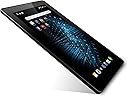
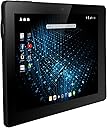
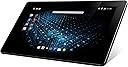
The Dragon Touch X10 is a powerful 10.6 inch Android tablet featuring an Octa-Core CPU, 16GB storage, and a vibrant IPS display. With enhanced connectivity options, dual cameras, and access to Google Play, it’s designed for both productivity and entertainment. Plus, enjoy reliable customer support and regular updates.


| ASIN | B018AAL1PY |
| Age Range Description | Adult |
| Aspect Ratio | Unknown |
| Battery Capacity | 7200 milliamp_hours |
| Battery Power | 26.64 watt-hours |
| Brand | Dragon Touch |
| CPU Model Speed Maximum | 2 GHz |
| Camera Description | Front, Rear |
| Cellular Technology | 4G |
| Color | Black |
| Compatible Devices | External Display, Keyboard, Mouse |
| Connectivity Technology | HDMI, USB |
| Customer Reviews | 3.7 out of 5 stars 3,537 Reviews |
| Display Refresh Rate in Hertz | 60 |
| Display Resolution Maximum | 1366 x 768 |
| Display Type | LCD |
| Flash Memory Supported Size Maximum | 16 GB |
| Front Photo Sensor Resolution | 2 mp |
| Generation | 1st Generation |
| Global Trade Identification Number | 00819847014459 |
| Graphics Coprocessor | PowerVR |
| Graphics Description | Integrated |
| Hard-Drive Size | 16 GB |
| Hardware Interface | HDMI |
| Human-Interface Input | Touchscreen |
| Included Components | 1 x Tablet |
| Item Weight | 900 g |
| Lithium-Battery Energy Content | 26.64 watt-hours |
| Manufacturer | Monoprice |
| Memory Slots Available | 1 |
| Memory Storage Capacity | 16 GB |
| Mfr Part Number | X10-LOLP |
| Model Name | Galaxy Tab E lite |
| Model Number | X10-LOLP |
| Native Resolution | 1366 x 768 pixels |
| Number of Items | 1 |
| Number of Packs | 1 |
| Number of Rear Facing Cameras | 1 |
| Operating System | Android 5.1 Lollipop |
| Operating System Family | Android |
| Other Special Features of the Product | Mini HDMI Port |
| Photo Sensor Resolution | 5 mp |
| Processor Brand | Allwinner |
| Processor Description | ARM Octa-core |
| Processor Speed | 2 GHz |
| RAM Memory Installed | 1 GB |
| RAM Size | 1 GB |
| Rear Facing Camera Photo Sensor Resolution | 5 mp |
| Screen Size | 10.6 inches |
| Size | 10 Inch |
| Specific Uses For Product | personal |
| Style Name | Minimalist |
| Total Usb Ports | 1 |
| UPC | 819847014459 |
| Unit Count | 1 Count |
| Video Capture Resolution | HD 720p |
| Video Processor | PowerVR |
| Warranty Type | Extended |
| Wireless Compability | 802.11bgn |
| Wireless Technology | Bluetooth, Wi-Fi |
M**I
Great Wifi Streaming With a Beautiful Screen and an Unbeatable Price
I have had my X10 for three weeks now and am quite happy with it. I was looking for a tablet with the right size, screen resolution, and screen ratio for watching movies and videos. I was also looking for good performance and a very low price. I also wanted a tablet that was available thru Amazon Prime in case of problems. The Dragon Touch X10 is the best tablet I could find that met these criteria. I primarily bought the X10 for watching videos and movies when I use the elliptical trainers at my gym. I got it for myself as an enticement to spend more time on the cardio machines. The plan has worked; because, I am able to get totally immersed in movies and videos on the X10. The HD 1366 x 768 (720p) resolution and longer screen (1.778 screen ratio) of the Dragon Touch are very nice. the IPS screen looks very good even under the bright lights of my gym. Brightness and contrast ratios are also much better than I expected for such an inexpensive tablet. Having Amazon Prime, it is has been great for viewing Prime movies and videos. YouTube videos also look fine. The streaming performance has been fantastic and steady. I have rarely had videos or movies freeze or stutter , so WIFI performance has been excellent too. Setup of the Dragon Touch X10 was relatively quick and straight forward. During setup, I was able to use Google backup to "restore" all of my Apps from my phone (running Android 4.4.2) onto the tablet. It then took some time for the apps to update themselves to the Android 5.1.1 Lollipop of the X10. I had read that Lolipop stuttered more than Kitkat (Android 4.4.2). I also read that Lollipop uses more RAM than Kitkat. Accordingly, I found that apps were slow to start, would hesitate, and stuttered. However, once an app loads the performance improves and things like radar images and pictures load quickly over wifi. Meanwhile, I went into Developer Options and set the limit on Background Processes to four. I also set all three of the Animation settings to "off" too. App performance is better after the adjustments and the tablet is snappier overall. Meanwhile, I have emailed Tablet Express Support about the possibility of downgrading my X10 to Android 4.4 by booting into recovery mode and applying the image "X10-HT-PW-V1-AL-4.4-20151104" via the USB Tool downloaded from their website. The X10's low power ALLWinner A83T 8-core CPU does seem to be quite a lite battery sipper which seems to be a fair trade off for the CPU's less than stellar performance. I suspect this tablet would perform much better with 2GB RAM. Ultimately, the X10 may need to be Rooted and played with to maximize its potential, but that can wait for at least 30 days when its return window closes. I have also ripped Blu-ray movies into H.264 .MP4 1366 x 768, 29.97fps format trying various BitRates (5,000-10,000) using Pavtube Video Converter Ultimate 4.8.6.6. All the ripped movies have played fine from my micro-SD card in the Dragon Touch. However, movies ripped at 7,000, 8,000, & 10,000 BitRates play and look the best on the X10. This tablet really excels at video playback. The tablet's speakers are rather weak, but I use some inexpensive Bluetooth Earbuds which have great sound with with plenty of deep bass YINENN-U Bluetooth 4.1 Sports In-Ear Wireless Stereo Headset With Mic And Magnetic For Smartphones & Tablets-Black . The Bluetooth connection is strong and clear, and the tablet paired quickly and easily with my earbuds. The sound is so clear that I am able to hear all the subtle sound effects in movies. Some noise/hiss becomes apparent if I'm more than six feet from the X10; however, that could be the earbuds and not the tablet. The rear 5MP camera takes reasonably good looking pictures, and the front 2MP is good enough for Skyping. However, I currently don't see myself using these features very often. Still they are nice to have and are better than the cameras, if any, found on other tablets in this price range. I purchased a PU Leather Case for my Dragon Touch X10: MoKo Dragon Touch X10 Case - Slim Folding Cover Case for Dragon Touch X10 10.6" Inch Octa Core Android Tablet, BLACK . the case is nice and does not block the front camera like some do. I also installed a 64 GB micro-SD Card which the tablet recognized and mounted immediately: Silicon Power 64GB up to 85MB/s MicroSDXC UHS-1 Class10, Elite Flash Memory Card with Adaptor (SP064GBSTXBU1V20SP) Meanwhile, I also bought a tempered glass screen protector to see if it would fit the X10: EXMAX® Microsoft Surface Pro 2 Tempered Glass Screen Protector 0.3mm 2.5D 9H Hardness Round Edge Screen Film Cover for Microsoft Surface Pro 2 10.6" - Shatterproof / Anti-Scratch / Anti-Fingerprint / Oil-Resistant I removed the plastic screen protector that came pre-installed on the tablet. Next, I installed the tempered glass screen protector and its dimensions fit even the cutout for the camera. However, applying it revealed something about the X10's construction. A small line of bubbles all the way around the visible screen could not be eliminated after applying the glass. So, I removed the tempered glass and used a razor to lift a corner of the unit's black-bordered "glass"... Turns out the X10 has a plastic screen over a smaller IPS Glass display Panel inside. Consequently, installing a perfectly flat tempered glass screen protector over the X10's screen had revealed a very slight unevenness inherent in the tablets screen. I have left the tempered glass screen protector on the device, as I don't see the line of air around the screen. And, I like the feel and responsiveness of the glass compared to plastic screen protectors. The fact that the X10 has a plastic screen does not take away from the quality of the tablet. In fact, it probably makes the X10 less prone to breakage from falls or flexing, and it keeps the weight of the tablet down. Importantly, one should be sure to use the X10 with a screen protector; because its plastic screen can be more easily scratched. Overall, I am very happy with the Dragon Touch X10. It does exactly what I was looking for it to do (watching movies & videos) and all at an unbeatable price. Plus, the Dragon Touch comes with a 1 year us warranty, and Tablet Express has in the US and has a good website.
T**N
BUYERS - PASS THIS BY. WHAT LOOKS GOOD, ISN'T ALWAYS (Note: For every bad review, they makers resend "their" previous review)
Sure, it's fun when you first open it up, and my kid insisted on having it, because "everyone else was getting that one," but no one tells you the inherent problems between ANYTHING Android and certain Internet hosting and/or WIFI hotspots. INot to mention how much this company acts like one of the "big boys" when it's a small fish swimming in a pool of bigger knock-off products with a better warranty and better tech/customer service- most of the time. If you're using this device and it works, great. Otherwise, here's hoping your internet host is NOT TIME WARNER CABLE, which I just signed up for, and will be leaving next month. Either way, Dragon Touch and TWC is a really bad pairing, and Google creating an app only makes it worse. Here are the facts: - To set up Dragon Touch, you need to get connected to WIFI. If you can't connect to WIFI, you ain't getting set up, okay? - Sure, go find a hotspot to set up. Hopefully, when you get home, it'll be okay...as long as you're not a Time Warner Cable customer. - Time Warner Cable, Dragon Touch and Google have it all figured out. Rather than tell the customer about the potential problems from the beginning, they show you the shiny and dazzling with the great price, and a few "planted" verified buyers. Then you get to spend most of your time scouring the internet to find out why you can't get any information on the problem. By the time I got the Google app, I was ready to toss this tablet like the defective frisbee it's becoming from glitches and errors. Keeping in mind that my rant is about Dragon Touch tablet in the TWC world (why either are allowed to be in business is beyond me), but if and when WIFI issues crop up with the rest of the hosting companies, hopefully, you'll either be still have time to get a refund/replacement, or you'll have paid for the insurance that I promise you is not worth it for this item. Look, I've got a laptops with Amazon's insurance backing it up (UTrade, whatever it's called), and it's worth it, but the price of this tablet is going to drop like a rock from the 100th floor of the Empire State Building. Follow the numbers: 1. Something goes wrong with the tablet. 2. You call, they send you a RMA (don't lose your amazon or dragon touch box!) 3. Depending on where you live, it could take two - three weeks to get it back. 4. You got it back. 5. Don't lose your paperwork. You'll be doing this again in about a month. 6. Repeat. You got a year's insurance with these guys, so the whole idea of paying extra on an item that is guaranteed to be a problem, is bad enough. So let's compound it with this reality: Another poorly made upgraded version will appear on the shelves before you get that tablet back, and it'll either cost the same, driving down this "beauty" to 1/2 the price (which will be 1/2 what you paid for insurance), or you'll be walking past Walmart one day and you'll see another brand that actually does equal to - or likely more - than this tablet, for 60.00. Keep the money for that 2yr plan to buy another tablet, because you're gonna have to - trust me. Last week, I spoke with a guy who bought a knock off tablet from Panasonic, and the guy said he bought one for his son two years ago, and it they've had no issues, which is why he was buying one for himself. AT WALMART. Where he can take directly back to the store, get another one, or a refund, or buy 5.00 for insurance which will guarantee a replacement. Kinda makes you think that sometimes driving to store, beats the heck out of that 2-day prime shipping, right? 'm not even endorsing Panasonic. I'm just saying that the state of tablets today is officially equal to that of the "VIC 20" in terms of quality and performance. Yeah, initially VIC 20 rocked my world as it did some of yours, but once the cost of making them dropped to the price of a Tonka toy, you realize that it never was much more than a toy in the first place. Such is the Dragon Touch. If I had to do it again, I'd make my high school kid buy a Fisher--Price tablet. At least Fisher-Price answers their phones, they have people who's job it is to answer questions, and BONUS! They even guarantee their stuff is safe to put in your mouth! Here's the fun part: I have an android phone. Google/TWC connected to that so fast it made my head swim, but the app won't recognize the tablet, so what does that tell you? Exactly. But wait! There's more!! 1 - Dragon Touch accepts no phone calls. Only email. 2 - Dragon Touch says they will contact you within 24 hours (I've been waiting three days, but that's probably my fault. I should have asked them to tell me what time dimension they operate in, and how many second hands could be found on the face of their clock...or do they simply walk around their offices 'sensing' whether a customer should be contacted? 3 - Dragon Touch has a website, but it's about as informative as a newly installed Wordpress template. Bottom line: For god's sake, before buying this BRICK, go to the search engines and YOUTUBE, type the name Dragon Touch followed by: Reviews Updates Problems/glitches with What does/doesn't work with Android and why Customer satisfaction rate for first time buyers, technical support, driver updates (if applicable), Number of people who have chosen to BURN THE TABLET after repeated attempts at getting minimum customer service. GO TO YOUTUBE AND TYPE IN THE NAME OF THE TABLET AND YOUR HOSTING SERVICE. The reviews on search engines and youtube are stunning. Simply stunning. Also, in some areas --well populated places where almost everything works -- these tablets recognize signals,...badly. Of course, all this depends on -Which servic-e you're with, - Whether you're using other android devices, - Even if you're not - Whether you're sitting on your router/modem during install - Whether you're at least close enough to reset it repeatedly during other activities - Whether you have your very own tower in your backyard - Moon Phases Look, I don't care how humble their beginnings were. Good service is good service, and as angry as I get when having to deal with techs from HP, Dell, Apple, there's a part of me that recognizes what happens when corps get so big that they lose sight of the consumer base. I understand it, but I hate it. All I'm saying is, Tablet Express, Dragon Touch, Akaso, have not reached a level of quality or service, where a consumer should have to wait for a return call that never comes. And most certainly, you'd think from their "Tale" of building a budget tablet for the good of the world, they'd want to be known for their personal touch approach with a public already fed up with poor customer service. In the meantime, if you do what I suggested (check search engines, youtube, etc), you'll learn alot about these "knock-offs" and if nothing else, should you decide to get it, you'll treat it the same way you treat most low-end purchases from any Best Buy or Walmart - like an item with the same longevity as that lovely VIC 20 you saw at that garage sale two summers ago.
P**A
Good Tablet for the money
I work as a POS Support Tech for a small chain of family-owned stores. About one week a month I'm assigned to the after hours calls rotation and needed a device that would allow me to remotely connect to my office PC or one of the retail locations. We use SonicWall's Mobile Connect to connect to the VPN and then use Microsoft's Remote Desktop Connection(RDC) to gain desktop access. Both of these have mobile apps for Android that work well on my Samsung Galaxy S5, but it's just too difficult to troubleshoot a problem on my smartphone screen. When I'm at home, I just use my laptop, but I didn't want to lug it around if I leave the house so an Android tablet sounded like the perfect solution. I wasn't being reimbursed for this expense, so I had to find something that was reliable yet inexpensive. I'm happy to report that the Dragon Touch X10 fits the bill. Keep in mind that this review is based on my need to only use RDC and not play games, stream video, etc. The SonicWall and RDC apps worked just as well on the Dragon Touch as they do on my Galaxy S5 so double thumbs up there. I did watch a YouTube video as well as an episode of Food Network's Chopped via Netflix and the video quality was excellent. As other reviewers have noted, the audio from the Dragon's speakers suck. However, the audio was fine when I used my earbuds. In regards to earbuds, I found my earbuds with built-in mic did not work without backing the plug a third of the way out of the earphone jack, but with standard earbuds (no mic) they worked fine fully inserted. I didn't have a second pair of earbuds with built-in mic to try, so I don't know whether to blame the tablet or the earbuds. My Dragon came loaded with Android 5.1.1 and limited apps, which is a good thing. I've already downloaded several apps from the Play Store without any difficulty. The Processor is an UltraOcta-A83. When I first logged onto my Gmail account, Google identified the tablet as SonyEricsson Xperia X10 if that means anything to you. I know that was a cell phone model at one time. If you need a tablet with a good camera, keep looking. Both the front and rear cameras on this model are horrible. The quality reminds me of the first flip phones that came with cameras. It's really a shame because despite the tablet's audio speakers it's the only negative I have. I do want to note that my tablet came with a screen protector already installed, which I didn't expect. Unfortunately, whoever applied it failed to take the time to remove all the dust and there are a couple of bubbles under the film. Fortunately, they're out of my normal viewing area so I'm not going to bother with it. One of the tablet's plastic corners was separating, but I was able to simply snap it back into position and it's been fine ever since. More attention to quality control would have avoided both of these issues. I've charged the unit twice with the included AC adapter without any issues and the battery accepted a full charge. I don't use it for very long periods of time, so I'm not sure how long the battery would last under a constant drain. I can tell you that the first charge held for a full week with daily "peeks" to check email and do some web surfing. Speaking of web surfing, I have no idea which web browser is installed but it's not one of the branded ones. It works fine, so I don't plan on downloading something else. Based on my use so far, I can fully recommend the Dragon Touch X10, I would have given 5 stars if there had been more attention to quality control before shipping. ***UPDATE 4/27/2016*** The tablet is still going strong for my remote connection purposes. I've connected to my office PC from home using both Microsoft RDC and Google Remote Desktop without any issues. In viewing websites, I've noticed large pictures on some sites are pixelated and I'm not sure if it's because I'm on a site not designed for mobile devices or if it's how the tablet handles these images. Changing the tablet's orientation has no effect. YouTube videos look fine and I mentioned earlier that Netflix videos look good. I recently downloaded a copy of Interstellar from my Vudu library using the Vudu app onto the tablet and the playback was excellent. As for using earbuds or headphones, I did confirm that if the earbuds\headphones have a built-in mic you have to back the plug out slightly to hear any audio. I just use a set without the mic. As for charging, I've had no issues using the wall charger and the tablet does support charging via it's micro USB port but it's VERY slow.
G**.
Great balance of price and performance...clean and responsive
This tablet is an excellent balance of price and performance. I initially bought one of these for my son to use with his music...rather than carry books and flip pages, there are apps now that will store, display, and scroll the music and words. When initially setting it up, I was impressed by several things. 1) It comes with a squeaky-clean installation of Android (5.1 currently). Rather than starting out loaded with apps that you don't need or want, which fill up the memory and slow things down, you can get precisely the ones you want through Google's play store, in addition to Amazon's if you prefer. 2) It is very responsive, downloading apps that were 30-40 MB in just a few seconds, and completing the installation in just a very few more. I had to check my notifications because they installed so quickly that I thought something went wrong. While I was initially concerned about the 1GB memory, it has not seemed to be a limitation at all, everything runs well. 3) The full-size USB port is great...you can plug in any flash drive and copy files, or play movies, music, whatever, as well as using the micro SD card slot. While you can easily plug it into the computer and manage or transfer files (unlike an ipad), flash drives are very quick and convenient...need some files to take with you on a trip? Just put them on the flash drive, or multiple flash drives, and you don't even have to connect the tablet to the computer...very simple and quick. 4) The HDMI out is also a nice feature. While there are cables that will connect to HDMI via the micro-USB port on phones and tablets, it can be finicky, where a solid HDMI to HDMI cable always works. 5) The supreme test...the new HVECx265 codec for compressing movies lets you store a full 720p or 1080p movie using not much more than a GB of storage; BUT, it takes a lot of processor power to be able to decode and run the movies smoothly. Many PC's, even dual core, simply don't have the power to play x265 files. So I loaded one on a flash drive, plugged it in to the tablet, connected my bluetooth headphones, started up MX player (free or pay, your choice), and it plays smoothly and perfectly. This is no small accomplishment, and it means that a cheap 64 GB micro-SD card will hold a ton of movies, TV shows, along with, of course, streaming Netflix and Amazon Prime etc. with no problem. 6) Finally, their customer service. A few days after buying my son's tablet, someone sat on it and cracked the screen, both the glass and the LCD. Thinking it was a total loss, I contacted Tablet Express support for an estimate or confirmation that it was a loss. The next day, on a Sunday(!), I got a response, and within a few emails I had a very reasonable repair estimate and authorization. We got it back a week or so later, and it was in like-new condition, working perfectly. As far as negatives, there's really not much. The door for the micro-SD is a little flimsy, but unless you swap cards all the time, it's not likely to be a problem. Some might be disappointed to see such a bare collection of apps on their new tablet, but that's actually a good thing, just takes a little time to get the ones you really do want, rather than having it loaded down with stuff you never use and can't uninstall. Larger tablets tend to be more fragile, so I do think a bit of extra care is needed in seeing that they're not dropped, sat-on, elbowed, etc., but should the worst happen and you get a cracked screen, they are repairable and at a reasonable cost...just contact Tablet Express. Smaller, 7" tablets may be a better choice for kids or those who don't need a large screen, and are more likely to survive a hard drop or getting sat on.
Y**A
Budget tablet and it shows
So, I was somewhat hooked on the hype I saw on many reviews over here and Youtube and decided to give it a shot. I will not go through in depth specs cuz you can see that anywhere you look for info on this tablet, instead I will give you my insights as an user and some heads up on this device with its negative and positive points so you can be aware of what are getting. -While keeping in mind the price that you are paying for this, don't expect high end $600+ tablet quality. -The tablet design is very dull. Its your average blocky tablet, nothing fancy. It has a nice rubber(ish) texture in the backpanel thats good for grip. -Overall construction materials are ok, as I said, nothing fancy but it does not feel too cheap. -The screen comes with a pre applied protector that it does feel cheap and somewhat sticky. -Mine came with the 5.1 Lollipop update already installed which is great. -So far I have my doubts about the Octa core processor. The performance and overall fluidity of the touch screen is somewhat lazy and it tends to sttuter a lot. And believe me... this is the tablet with only some apps installed and running FB, Firefox and Youtube on the background. -The screen on the lower brightness levels has this strange flickering effect that is more notorious when you have a white background. I tried changing several settings but gave it a rest cuz I thought I was going to have a seizure. -Speakers are crap. Get ready to take out your external speakers. -The cameras... oh my God... They do suck. So this is like 10 years ago quality. You are not going to be using them for mid quality pictures.. believe me. On the other hand: -Screen resolution and overall picture quality is very very good. If you are using this for your common browsing, youtubing, netflixing bla bla, you wont be desappointed. -For gaming is also very responsive, of course, if you dont try to abuse it with the latest high end games. -It feels light and comfortable on the hands. -Size is really good. -Available connectivity ports are a plus. So in conclusion: Let me tell you this: If you already have a nice phone and a laptop, honestly, I don't see the need to get this thing, unless you travel a lot and like to pack light, so this device is perfect for you. Another thing to have in consideration is that, Android although is very versatile, I would prefer a Windows based tablet as I already have a good Android phone. Don't get me wrong people, Im not bashing the product, just highlightning some of the aspects of this tablet, again, as a user. Do I like the tablet? yes I do. Do I recommend it? It really depends on what you need. And if you're ok with my points above and need a good quality budget tablet. This is for you. Cheers
A**R
Great tablet for price
I am not an electronic savvy individual, so I was a tad worried that I may have issues using this tablet. I usually use a kindle but because of how they changed some services, I decided on a tablet. The first positive aspect of this tablet is how fast it was delivered. I ordered this late Thanksgiving night and received it at noon Saturday. Second positive thing is how easy and fast the initial setup was. Also, my tablet was fully charged. What I personally like about the tablet so far is how easy it is to use it. The keyboard is large and easy to use. My husband had another tablet and the keyboard was so tiny you would hit the wrong keys. However, I do wish the space bar was a tad bigger. I also like the clarity of the screen and the size of the tablet. I have not had this long, so I will update the comment after using it. I know one complaint was battery life but just going through it for a few hours there really was not a huge drain. Over all I am happy with my tablet, and my husband is even thinking about getting one. (He is a typical "computer guy" and is very knowledgeable in this area) Update: okay, so I have had it for about a week. I have little bubbles near the edge of the screen. Very tiny, and no there was never any water near it. The battery life is okay, I can read my college books, and watched a show on it (about 4 hours and it was down to 56%). I think it depends on the app and if you have your screen brightness up. (I turned mine down) All I would advise is to get a screen protector! Mine has tiny scratches on it and I treat this tablet very well. Good tablet for price, minus the weird bubbles.
J**D
You'll Want To Love It
UPDATE: Tried to log onto my wireless network this evening, and after multiple attempts discovered the MAC address had changed! That's a huge negative indicator. MAC Addresses should be hard coded to the hardware, the fact that the MAC address changes makes the whole device suspect. I WOULD NOT RECOMMEND OR REPURCHASE KNOWING THIS! The Dragon Touch X10 is a real bargain considering its price point. The screen is excellent, and it's processing power makes it very responsive. Battery life is also exceptional. While an excellent tablet at $129, it has some shortfalls. First and foremost, it comes loaded with Android Lollipop 5.1.1. While I'm comfortable utilizing modern technology, the issue's with the OS are baffling. Simple things, like the utilization of an SD card are difficult. I realize 5.1.1 doesn't allow you to store APP's on the SD card, but using the SD card at all is hard. The problem is compounded by the smaller than advertised internal memory. This tablet is sold as having 16GB's of internal storage, mine is showing 12.27 GB's, with about 2GB's being utilized by the OS. That wouldn't be a big deal if I could leverage the SD card, but that's just not working for me. The image gallery isn't working correctly either. It took me forever to add a few photo's as a test, but I have yet to successfully create another folder, such as Family Photo's or Graphics, the option to add a folder just isn't there (I have 4 android phones available in the house, and I have no issue creating additional folders in any of them). To the tablets credit, there isn't any real bloatware preloaded, which is great. The speakers are terrible, if you hope to get anything approaching something you can actually hear you'll want to look elsewhere, but I'm sure the engineers expected the user to employ headphones so that's not a huge deal. Also of note, the WiFi is limited to 2.4GHZ, the tablet can't see my 5GHZ signal, which surprised me, but that's not a deal killer for me. Overall from a hardware perspective this tablet is really good, borderline exceptional, minus the WiFi and speakers, but the Android 5.1.1 ruins it somehow. You'll want to love it, but I just can't get there.
H**J
UPDATE: Shoddy camera, terrible sound... but everything else is still okay
I bought this tablet because my laptop was starting to go, and it's too pricey right now to get a new one. I just wanted a stand-in to get basic work done. It worked right out of the box with the battery almost at full charge. This is important because my things have to be shipped twice - first to my American address, then to my country, and finally to a courier where I pick it up. So the fact that it had almost full charge after that much transportation is impressive. The packaging was nice, and the tablet easy to start up. After some introductory info, I was greeted with a mostly blank screen, save for some essential apps at the bottom. I was instantly thrilled. I HATE junk apps, and ALL the apps on the tablet take up less than half of the screen. Very practical and much appreciated. The camera is shoddy. That's the honest truth. There's no flash, and the camera itself takes very dark and grainy photos. My Samsung Note 3 totally thrashes it in that department. Display is clear and crisp, despite not being able to do 1080p (again, my Note 3 takes the prize). But the colours are nice. With the Smart Colour tech and bigger screen, it's a great tool to watch videos. Wifi works seamlessly. Apps are easy to install and perform well. Speakers need work - you HAVE to plug in headphones to get any sort of decent volume. But, when you can hear it, the sound is clear and true. Very nice to hold. A bit heavy - but this is my first tablet so maybe that's just my inexperience talking. It worked for about four hours right out of the box, and still has just under half the charge left. That battery life can't be beat. All in all, I'm glad I got this. It's a STEAL for both size and performance, and it should meet the needs of anyone looking for good quality at a bargain price. EDIT: Screen smudges. VERY easily. Buy the screen protector and put it on BEFORE you use the tablet - you'll save yourself some trouble. UPDATE - Three Weeks Later: My bad. It CAN do 1080p. And as I've said before - the sound volume is terrible. Sometimes even WITH headphones. Looking into some Bluetooth speakers now. Everything else still works well: my smudgy screen hasn't cracked and no system problems. I recently carried it with me on vacation and it worked perfectly. I don't use it to do much: email, videos and some document editing. I don't know how it would stand up to heavier use, but for me it's a good speed (a bit slower than my Note 3 though). My wireless mouse and Bluetooth keyboard work fine with it. Still a good tablet for a steal of a price. No regrets.
P**O
tablet Dragon Touch X10 10.6 inch Octa Core Tablet, Android 5.1 Lollipop, 1GB RAM 16GB Nand Flash, IPS Display 1366x768,
Amazon ha superato se stessa consegnandolo addirittura in anticipo. Confezionato in elegante e robusta scatola, ecco il tablet che aspettavo. Assai leggero, forse perché lo schermo non è di vetro, sottile ed elegante. Appare all'uso abbastanza agile e non smetterà di sorprendevi piacevolmente, scoprendo che possiede funzionalità inaspettate. Si collega al Computer con il cavetto allegato, ma solo con Windows o Mac. Linux non è in grado di interagire salvo che per caricare la batteria. In questo modo possiamo spostare avanti e indietro file e creare/cancellare cartelle. Ha un vano per MicroSD, dove possiamo archiviare filmati o testi, o anche spostare APP che consumano RAM. Ha una inusuale presa USB completa, in cui posiamo inserire una chiavetta USB da cui, per esempio, possiamo tranquillamente eseguire filmati. La dotazione manualistica la ho trovata minimalista, come pure il sito della casa madre[...]. Armatevi di lente di ingrandimento perché il manuale (soltanto in inglese) è piccolo quanto due carte di credito, e scritto con caratteri microscopici e con figure difficilmente leggibili. Viste le dimensioni ragguardevoli del tablet e della confezione, mi sarei aspettato un User Manual di dimensioni un pò maggiori. Per il resto mi è sembrato un ottimo apparecchio versatile e dotato di una gestione WIFI molto buona. P.S.: Aggiornamento ultim'ora .. dopo sole quattro ricariche, l'alimentatore originale ha cessato di vivere e poiché non ho tempo di restituire il prodotto ed attendere la sostituzione, mi sono comperato un alimentatore più serio.
J**R
Buena tablet a buen precio
Una buena tablet comprada en mi caso en una oferta por 83 euros. Una versión actualizada de un modelo anterior. Ahora el precio es superior. Una buena resolución 1366x768. Version 5.1 de android y memoria suficiente para tareas básicas. La navegación se hace fluida. Videos a 720p se ven perfectamente. La configuración inicial ha sido fácil. Buena autonomia de bateria. Viene bien empaquetada y con un manual en inglés suficientemente informativo. En resumen creo que ha sido una buena compra. ------------------------ A nice tablet at a nice price A nice tablet I bought for 83 euros in a sale. An updated version of a previous model. Now at a higher price. Good resolution 1366x768. 5.1 android version. Enough memory for basic tasks. Fluid browsing. 720p videos flow perfectly well too. Initial setup without a flaw. Good battery life. Good packaging and with a manual in good English. I think it has been a good buy.
J**E
Regular equipo
Es un tablet regular comparado con otras. Lo que me gusto es sus entradas para conectarse. Un puerto Mini HDMI un puerto USB. Pero lo que no me gusto es el tamaño de la pantalla es una forma rectangular y es muy grande para sus10 pulgadas. Deberían hacerla más cuadrada y estética. También tiene problemas de encendido. Hay momentos en que se bloquea.
X**N
Sehr gutes Tablet für wenig Geld
Ich habe schon lange nach einem günstigen Tablet ohne viel Bloatware und unnötigen kram gesucht und bin beim Dragon Touch X 10 fündig geworden. Zunächst einmal kommt das Tablet mit einer Schutzfolie auf dem Display und der Akku ist voll geladen. Das installierte Betriebssystem ist Android 5.1.1. in einer fast komplett unveränderten Version. Das heißt keine Bloatware oder unnötigen Hersteller mist, den man einfach nicht braucht. Der Hersteller Tablett Express hat soweit ich sehen konnte lediglich das Over the Air Update entfernt und einen Film sowie Hintergründe hinzugefügt. Was ich völlig in Ordnung finde. Ohne diesen ganzen unnötigen kram hält der Akku sehr lange durch. Beim Youtube gucken, spielen oder auch nach langen Standby Zeiten verliert der Akku wenig Prozente. Ich muss das sagen das hat mich am meisten überrascht bei diesem Tablett. Der Bootloader des Tabletts ist entsperrt und so kann man sich von der Herstellerseite die Updates laden. Das Tablett ist also sehr Root freundlich. Das Display löst in HD Ready auf und ist glaube ich aktuell in dieser Preisklasse damit einmalig. Außerdem hat das Display für diese Preisklasse eine sehr gute Helligkeit und eine sehr gute Blickwinkelstabilität. Ebenfalls Positiv ist die Gaming Performance. Asphalt 8 läuft auf den maximal Einstellungen flüssig und Dead Trigger 2 läuft auf mittleren Einstellungen flüssig. Fazit: Ich gebe dem Tablett 5 Sterne, weil es in Sachen Preis/Leistung voll überzeugt in dieser Klasse. Wenn der Hersteller das Tablett jetzt noch auf Android 6.0.1 updatet, dann wäre das das I Tüpfelchen.
G**N
Excellent value for money.
This was a birthday present for my wife she found it so easy to set up wifi and her other accounts. The picture quality is very good and being android base like her phone she has no problem using the apps. The camera looks very good although its early days yet I do not envisage her having any issues with it. You tube on it is good also but not yet tried any games so can't comment on the performance. All in all we both would recommend this tab both for its price and its capabilities. It seems to be well made, not heavy and easy to navigate through the different screens. As another review stated having the screen protector already in place is great, no air bubbles like you tend to get when fitting it yourself.
Trustpilot
3 weeks ago
5 days ago