Desertcart purchases this item on your behalf and handles shipping, customs, and support to South Africa.
🌍 Stay connected anywhere, anytime — your pocket-sized global WiFi powerhouse!
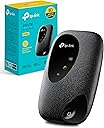
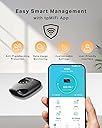
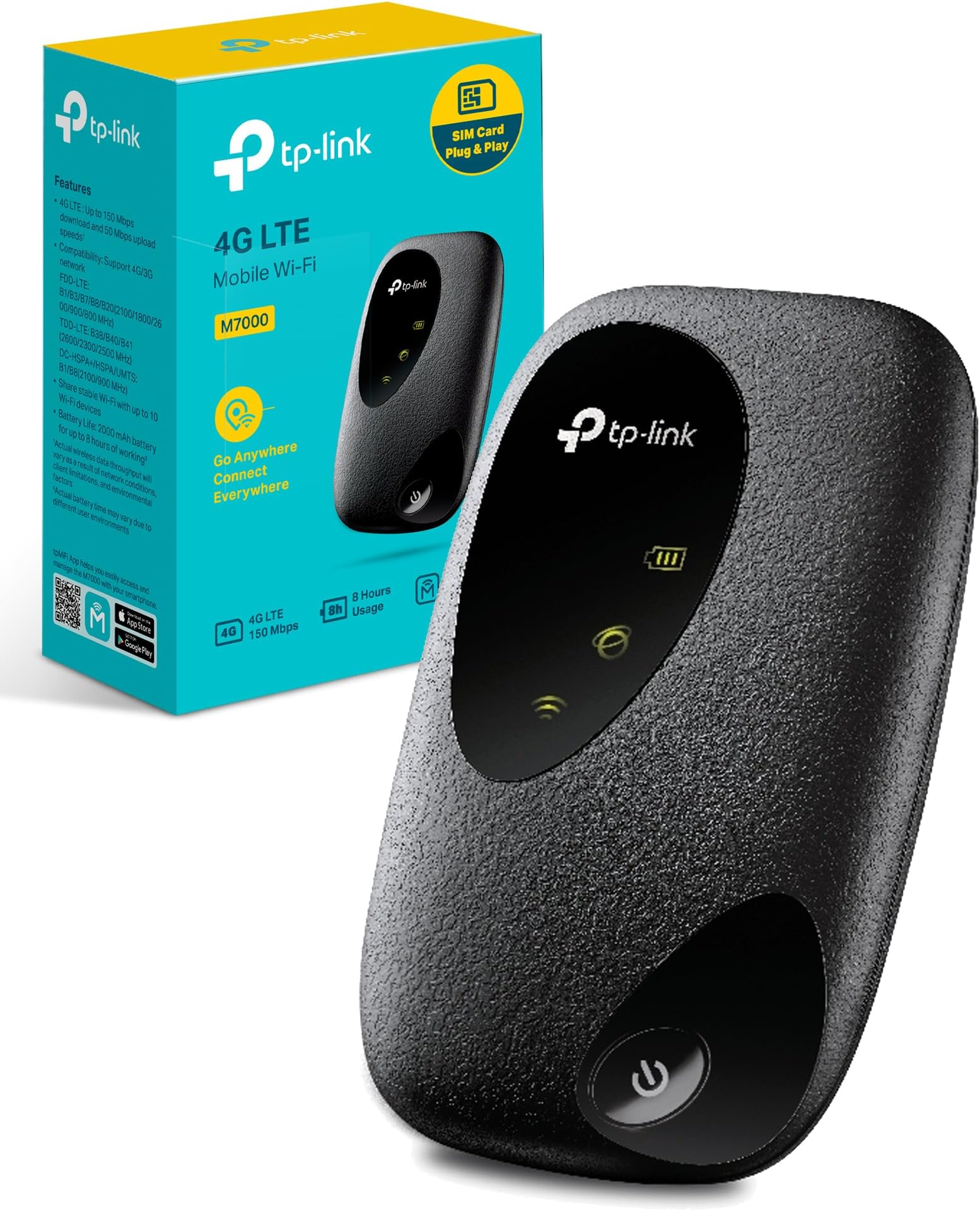
The TP-Link M7000 is a compact, portable 4G LTE Cat4 router that creates a fast WiFi hotspot supporting up to 10 devices simultaneously. With speeds up to 300 Mbps and a powerful 2000 mAh battery offering 8 hours of continuous use, it’s designed for seamless global connectivity (excluding USA and Japan). Its user-friendly app enables easy data management, making it ideal for professionals and travelers seeking reliable internet on the move.


| ASIN | B089ZFZK5L |
| Antenna Location | Travel |
| Antenna Type | Internal |
| Best Sellers Rank | 1,396 in Computers & Accessories ( See Top 100 in Computers & Accessories ) 3 in Mobile Broadband Devices |
| Box Contents | Mobile Wi-Fi M7000|0. |
| Brand | TP-Link |
| Brand Name | TP-Link |
| Colour | M7000 |
| Compatible Devices | Personal computer, laptop, tablet, smartphone, game console |
| Compatible devices | Personal computer, laptop, tablet, smartphone, game console |
| Connectivity Protocol | Wi-Fi, LTE |
| Connectivity Technology | LTE, Wi-Fi |
| Control Method | App |
| Controller Type | App Control |
| Country of Origin | China |
| Coverage | Global (depending on network provider) |
| Customer Reviews | 4.0 out of 5 stars 4,257 Reviews |
| Data Transfer Rate | 300 Megabits Per Second |
| Frequency | 2.4 GHz |
| Frequency Band Class | Single-Band |
| Frequency band class | Single-Band |
| Has Internet Connectivity | Yes |
| Is Modem Compatible | Yes |
| Item Dimensions L x W x H | 5.7L x 2W x 9.4H centimetres |
| Item Weight | 160 Grams |
| LAN Port Bandwidth | 300 megabits_per_second |
| Manufacturer | TP-Link |
| Manufacturer Part Number | M7000 |
| Maximum Upstream Data Transfer Rate | 150 Megabits Per Second |
| Model Name | M7000 |
| Model Number | M7000 |
| Model name | M7000 |
| Number of Antennas | 1 |
| Number of Ports | 1 |
| Operating System | RouterOS |
| Other Special Features of the Product | Portable |
| Product Warranty | 3 Year manufacturer |
| Router Network Type | wireless |
| Security Protocol | WPA, WPA2 |
| Special feature | Portable |
| Unit Count | 1.0 count |
| Wi-Fi Generation | Wi-Fi 4 |
| Wireless Compability | 802.11b, 802.11g, 802.11n |
| Wireless communication standard | 802.11b, 802.11g, 802.11n |
A**A
Works brilliantly and very very easy to connect
This is fabulous and compact , fits in my pocket so far so good, AI suggested this product , it was very easy to connect inserted my data sim and scanned a QR code and it connected first time, I connected another device with the password, perfect, taking it on holiday with me, the speed was great it didn’t drop out while listening to music in the car, there is an app but I didn’t use it , I can’t believe it was so simple having returned 2 non branded ones which are not compatible and said they were .
M**E
Wi-fi connection for on the go (or where there's no broadband but you can get a mobile signal)
This gizmo gives you a wi-fi network connection running off a 4G mobile signal that you can then connect your devices (phone, tablet, laptop...) to. If you've ever put your phone into hotspot mode to share it's internet connection with other devices, this is doing exactly that. I've used this as an on-the-go hotspot for wi-fi connections with multiple devices when travelling. Pop in a cheap SIM with plenty of data on it (Lebara works a treat). Plonk it on the dashboard of your car (hook it to a car USB port if you can to keep it charged - I find the battery life is fine, but I like to keep it continually juiced). Kids all entertained in the back on various tablets doing their thing whilst we travel. Great stuff. I've also used it to power a Blink CCTV system at a property where there was no internet connection (but 4G signal was available). Had no issues - able to hop onto the Blink app and monitor the cameras without a problem. If you get a good mobile signal, you'd be hard pushed to find any fault with this and it could easily be a cost effective replacement for a more expensive 'net connection solution. If I had to pick a fault with it, it's a bit fiddly to get the SIM seated (if you've got fat fingers like me), and it's hard to tell from the three green LEDs on it that represent battery, 4G signal and resulting wi-fi availability just what's going on if you ever power it off/reset it ("Oh, they're all on. Oh wait, they've gone off. Now that one's on. It's off. All on? OK. Try now?") - but that's just me being impatient. After powering on, give it a moment to get it's bearings! Recommended.
A**H
Used with security cameras - but there is a problem.
I bought this item to provide a Wi-Fi signal to monitor a remote empty property with a couple of battery powered cameras. The area receives a 4G signal which works with the unit. I set up the TP-Link with a 6Gb SIM card and a permanently connected USB power supply. With the Wi-Fi range set "medium" I located the cameras within about 30 feet of the unit. The setup is working well after testing for a month although the 6Gb data allowance ran out after 15 days due to my frequent live viewing of the cameras. I recorded a speed of 2Mbs from the TP-Link which is lower than I expected but was enough to run the cameras. As yet, I haven't tried to improve the speed or test it further. I have not tested the TP-Link's battery life, so cannot comment on this. In summary, the TP-Link fulfils the purpose for which I purchased it and will no doubt be useful in other Wi-Fi lacking environments. Here is an update after several months use.........On three occasions now the WiFi has dropped out unexpectedly after working normally and continuously for about 3 weeks at a time. This means my security cameras are not accessible from my remote location. This is annoying and frustrating because to rectify the issue I need to manually switch the MiFi unit on /off to reconnect and get a WiFi signal back. It is a 265 mile round trip to do this! I followed advice on the TP-Link website and changed a setting from 3G/4G to 4G only, but this has not solved the issue. If anyone can advise me of another fix, that would be most welcome. Would another MiFi or 4G Router unit with remote access be a more suitable alternative? Please let me have your thoughts.
K**I
Do not recommend
Would give 0 stars if I could. Terrible product. Can’t get reliable internet. Used multiple sims/mobile networks to no avail. Can’t even load basic emails. Have now had to revert back to old device (which is 5 years old) and is better than this. Would not recommend.
N**N
Tp link m7450, great product
Good peice of kit, I've been using in hotels around the country where the wifi is naff and in my campervan to watch Netflix and phone use, works very well. Fairly decent speeds, occasional drop out but not for long. Haven't used in remote areas yet but will update when I have. Good for the price
G**O
Good but with niggles
Seems like good piece of kit. Couple of niggles tho sim carrier lid is difficult to click into place. It’s frustrating and could’ve been better designed. And it seems device closes down if charging. Correct me if I’m wrong
D**J
Decent quality product
Easy set up instructions came with product, signal strength very good and no issues encountered so far regarding speed / streaming. Fair priced product for a little gem.
K**0
Good wee device
Bought this as a friend’s kid was in a hospital ward for several weeks where her mum and dad’s mobile network had a terrible 4G reception (so when she tried to play her online games on her tablet via their hotspot it didn’t work). We tried from my network when I was in visiting and it worked great so I got her a data SIM for my network and bought this device to put the SIM in (as opposed to her dad having to change his phone contact to my network). It worked really well. You just insert the sim and turn it on and then connect to it like you would your home WiFi (username and password are are provided). Meant she could play Roblox and other games which made the whole hospital experience a lot less stressful for her parents. Couldn’t comment on range, but certainly would well from up to 4 or 5 metres away no problem. Battery lasts well and can be powered from mains or a power bank. Really easy to set up and fits in the palm of your hand. Would recommend.
Y**N
7650
Ürün açıklamalarında 7650 olduğu yazıyor. Satın aldım ve 7650 gönderildi. İlan başlığı hatalı. Sorunsuz bir cihaz. Şarjı çok rahat 10 saati aşıyor.
E**E
Durable
Very powerful
T**R
Très bien pour le prix
La limitation principale est la vitesse en 4g et le manque de fonctionnalité (reboot automatique à heures fixes, par exemple) mais en dehors de cela, marche très bien. Fonctionne en modem usb aussi !
D**A
Excellent product
But Battery is heating and Good product 👌👍
R**É
Velocità in download
Risponde perfettamente alle mie aspettative, cioè avere un router che mi consente a prezzo minore di essere indipendenti dei tre gestori maggiori nazionali. Costo = quello Amazon d'acquisto TP-Link una tantum + gestore telefonico acquisto SIM 10,99 una tantum + forfait mensile 50 GB Eur 7,99 (uso soltanto il telefono mobile con un telefonino; ho disdetto la linea fissa). Ho calcolato che equilibrerò i costi una tantum in 5 mesi rispetto alle offerte dei tre gestori maggiori nazionali; dopo sarò in postivo. Testato visione di un film Amazon Prime su TV con Smart Hub = perfetto (con Hotspot del telefonino la visione si interrompe abbastanza velocemente = necessario il 600 MBps del TP-Link (L''uso in hotspot del telefonino consuma molto batteria / la sostituzione della batteria sul TP-link quando sarà necessario non pone problemi, allora che è costosa sul telefonino per un risultato incerto). Uso il TP-Link come router fisso a casa (l'uso per spostamento non mi interessa). Ovviamente la performance dipende del segnale telefonico, che nel mio caso è di 3 a 4 barre su 4. Installazione senza problemi, dopo aver neutralizzato il PIN della SIM inserita nel TP-Link per evitare la richiesta del PIN. Il controllo dei MB usati e del numero di apparecchi collegati è utile; nel mio caso ho cinque apparecchi collegati quasi sempre, la TV in smart hub, due telefonini, un iPad e un PC.
Trustpilot
3 days ago
1 month ago