Buy anything from 5,000+ international stores. One checkout price. No surprise fees. Join 2M+ shoppers on Desertcart.
Desertcart purchases this item on your behalf and handles shipping, customs, and support to South Africa.
🎯 One adapter to rule all screens — never miss a connection again!
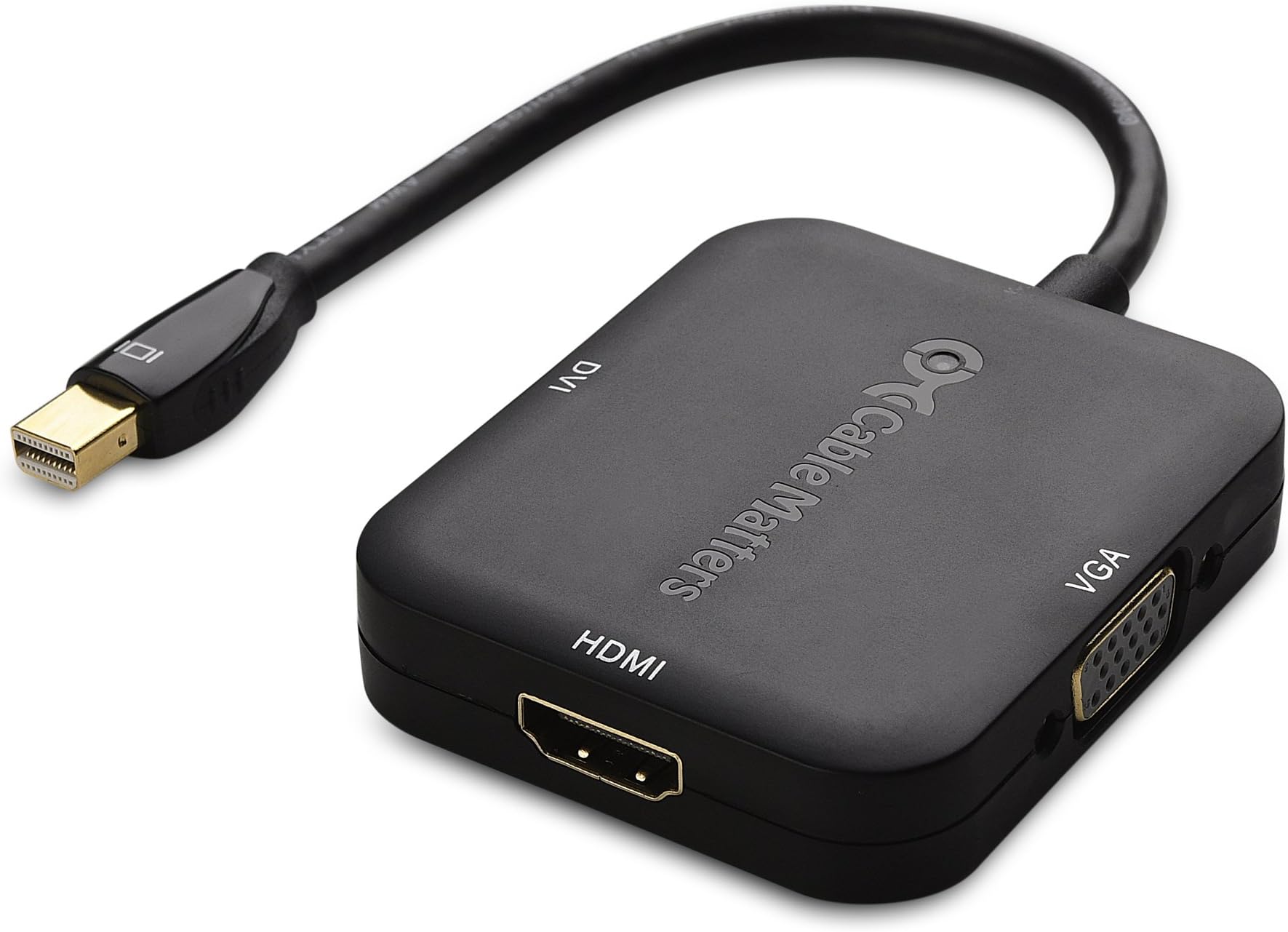
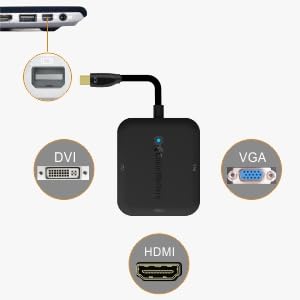
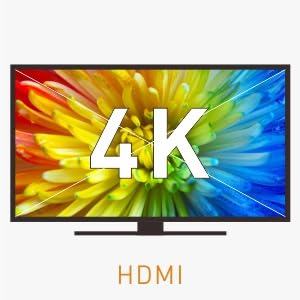
The Cable Matters Mini DisplayPort to HDMI/DVI/VGA adapter is a versatile, lightweight 3-in-1 solution designed for professionals who demand seamless connectivity across multiple display types. Supporting up to 4K resolution with audio pass-through on HDMI, it features gold-plated connectors for durability and broad compatibility with popular laptops and tablets, making it the perfect travel companion for managers and tech-savvy millennials.


| ASIN | B00ESM3ISM |
| Best Sellers Rank | #282 in DVI-HDMI Adapters |
| Brand | Cable Matters |
| Color | Black |
| Compatible Devices | PC |
| Connector Type | DVI, HDMI, VGA |
| Current Rating | 1 Amps |
| Customer Reviews | 4.4 out of 5 stars 1,358 Reviews |
| Finish | Hdmi,Projector |
| Global Trade Identification Number | 00081159808402 |
| Item Dimensions | 9 x 5.4 x 0.6 inches |
| Item Weight | 68 Grams |
| Item dimensions L x W x H | 9 x 5.4 x 0.6 inches |
| Manufacturer | Cable Matters |
| Mfr Part Number | FBA_101020BLACK |
| Model Number | 101020-BLACK |
| Number of Items | 1 |
| Number of Ports | 1 |
| Package Quantity | 1 |
| Power Plug Type | No Plug |
| Smart Home Compatibility | Not Smart Home Compatible |
| Specific Uses For Product | personal |
| UPC | 081159808402 |
| Unit Count | 1.0 Count |
| Warranty Type | Limited |
M**V
Replaces 2-3 Dongles and Works Perfectly
Like many with a current MacBook, I am (correction - WAS) carrying around 2-4 dongles for connecting my peripherals while on the road. This one little box, thankfully, consolidated three of them into one. I like the ability to drive any type of display from the one unit and so far, it has worked with everything I have thrown at it. I have not noticed any issues with timing, flickering, or any other anomalies with this gizmo. I've tried it with HMDI (HDTVs), DVI monitors, and DVI and VGA projectors of varying brands. It worked great with all of them. It is light, well built, and although the plastic seems like it might be slightly more fragile than the Apple equivalents, it is more than sturdy enough and feels quite solid. The screw downs are all recessed (a nice touch) and the connections are all gold plated (at least they look gold plated). The cable length is just right, and the connector itself fits perfectly. The cable itself is heavily molded and doesn't seem as fragile as other similar dongles, so it should stand up to years of abuse. The device is relatively small but obviously the box end is larger than a single DVI or VGA adapter, and measures about twice the length of an Apple DVI dongle and about 70-80% the length of most of my 3rd party dongles. On the other hand, it is thinner than my other dongles which helps in the bag. The weight comes in at 51g, compared to 32g for a single Apple DVI adapter, and 72g for a single 3rd party DVI adapter. Considering you'd need three separate adapters, you could be reducing your carry weight by over 4-fold. I highly recommend this for any road warrior, or even a desktop jockey with a multitude of connections or monitors.
L**K
Great add-on item for my laptop travel bag
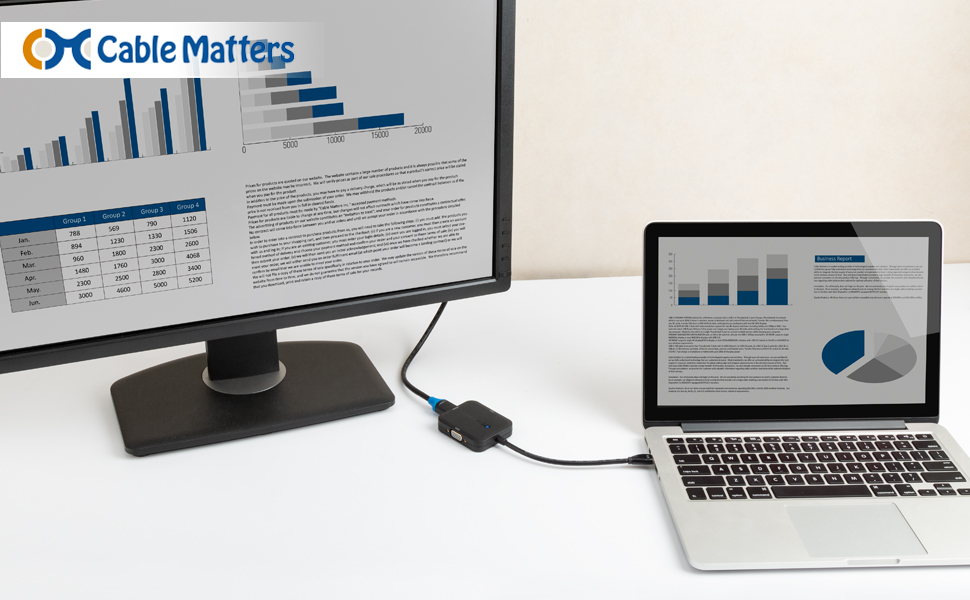
I use an MS Surface for work, with a docking station. I have it all setup in my office, cables ran all nice and neat, but recently had to travel to a remote site for tech support and did not want to take apart my office setup just to bring my docking station with me for a small job. I made due with the monitor screen, but really which I could have plugged into a spare monitor on the remote site. Looking at the various Microsoft branded doodads for the surface, I felt I didn't want to spend that much for something that would seldom to be used. I considered buying a miniDisplay-to-HDMI cable, but felt that would restrict my ability to plug into monitors with different display ports. Quick search on Amazon lead me to this Cables Matters 3-in-1 adapter, which not only gave me the HDMI port I was looking for, but also VGA and DVI as well. This is better suited for the type of work I do, since I never know what kind of monitors will be available to be at the various remote sites I support, and for the price (less than $20) it was a far more affordable solution than purchasing another docking station for the laptop (+$100). I've also used Cable Matters cables/products in the past and trust their workmanship and reliability. Compared to other third-party cable manufactures, their products always works right out of the bag/box, something I can't say for other vendors who sell similar items for less on Amazon.
I**C
This is a good device, but I have doubts about its durability
I needed an adaptor to plug into my MINI display port, and be able to connect my computer to VGA since the school I'm at only has VGA ports available. This adaptor did the job really well, and I had no problems whatsoever. The only reason why this is 4 stars is because it looks like it will have an easier time falling apart, especially the cable. Other than that, I would say if you need an adaptor, go for this one!
S**N
A must have for Apple Video Management!!
This unit is Awesome! Hooked it up to my MacBook Air and it worked fine with a DVI cable. Coupled this with an Apple Bluetooth keyboard and track pad and it is unbeatable. I've been using it for about 3 weeks now and no problems. Far more cost effective than buying the Apple Store items at the much higher prices. This is a winner. SEE THIS!!! Well, here I am 5 weeks later and the DisplayPort stopped working. What a disappointment it is. It was working so great and just died. So I am going to return it and get another and hope it last longer (much longer). I've read reviews on the display adaptors from Apple and many of them complain of product failure in a short period of time. At least these are cheaper than Apple store.
S**D
Works very well with two minor solvable issues
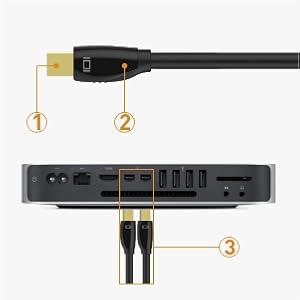
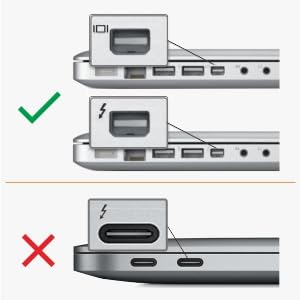
PROS: Handles DVI, HDMI, VGA well; Mac had no problem recognizing the type and resolution of the monitor CONS: Thunderbolt connection a little finicky in that I need to make sure it's pushed in and perpendicular to connector DETAILS: I have a new 2015 mac book pro with only 1 HDMI and 2 Thunderbolt ports. I have multiple monitors as well as travel often. I need both the VGA and DVI ports. I'm able to use the monitor at my desk (VGA through an iogear KVM) and my workbench (DVI). I've had only two minor problems. The first is that the Display Port cable catches when inserting before completely seated. In this position, the monitor works but all the model and resolution metadata isn't communicated, meaning the mac uses the base resolution only. After I discovered that I only had to firmly push the cable further into the Display Port, the model and resolution were recognized by the mac. The second is that the cable can seat not perpendicular, leading to the same problem as not seating properly. After figuring these out, I've had no further problems and am completely satisfied.
R**G
It works great on the MB Pro but does not work at ...
I bought two of these for my MB Pro and my MB Air. It works great on the MB Pro but does not work at all on the Air which is surprising in that it is newer than the Pro. The Pro is 2014 and the Air is 2015 model. When I plug it into the Air the screen goes black and a message comes up and the computer locks up. I have tried connecting it several times with the same results. When you disconnect the dongle it unfreezes. Weird. I'm not sure if it is because it is an Air or probably the greater issue is because of the piece of crap Yosemite OS that is the most unstable OS I have every worked with. I teach professionally on the road constantly and have loved the MAC for this. However, when I upgraded my wife's MB Air to the Yosemite, it freezes up all the time, shuts down, freezes in the middle of presentations and video clips. If I could figure out how to get Yosemite off it I would. I think I'm stuck. Anyway, regarding this connector I would give it 5 stars connected to the MBP and 0 stars for the MBAir
E**Y
Makes an old amplified VGA connection to LCD projector work on my computer when otherwise I couldn't connect directly
In our larger classrooms, the LCD projectors are way in back (clasroom for 150-200), and the only laptop connector at the front is a VGA. My computer has a VGA connector (that normally works just fine connecting to VGA) but in this room, a large fraction of laptops won't see the projector when trying to use that VGA. (I suspect that the VGA amplifier/splitter that they have in that room must not be up to spec). Anyway, this connector seems to be able to handle that non-up-to-spec VGA so that I can use my computer's thunderbolt connection instead and finally be able to use my laptop in that room. In addition - I also have used it as thunderbolt to hdmi, and it works fine with my computer. In addition - I also have used it as thunderbold to hdmi to a netgear Push2TV NETGEAR Push2TV Wireless Display HDMI Adapter with Miracast (PTV3000) Certified for use with Kindle Fire HDX screen cast box to be able to do screen casting from tablet in the classroom. (We have all these 'smart' classrooms, but they haven't been updated in many years).
R**9
Good for home and travel
Pros: Lightweight Easy to pack Durable Cord Solid tight connections Cons: None so far Tried out all ports, VGA, HMDI and DVI all work smoothly and without a problem. On constant use, 6+ hours, the unit is barely warm to the touch. Requires no power source and comes with a clear plastic cap to put back on the DisplayPort tip to keep dirt out, though the output ports don't, but not an issue. Side note, the ports used for HDMI, VGA and DVI outputs can NOT but used as inputs ports. The device you want to watch your entertainment off of MUST have a mini display port (Have not tried it on an adapter for other ports, might work or might not). If you are curious, ask in the Q & A section, someone might have an answer!
J**6
Why cary 3 adapters?
I purchased 7 of these through my work account this week. I work with a team of software developers, all of whom have Mac Book Pros. We have a mix of TVs in our various meeting rooms, some with VGA, some with HDMI, and some with DVI, and it makes life difficult when you have a handful of different adapters. By purchasing these Cable Matters Mini DisplayPort adapters, we hoped to have our team carry only one adapter from meeting to meeting. 3 days in and so far so good. The box portion feels high quality and strong, and the cable is well attached and flexible. The adapter makes a perfect connection with my Mac and functions exactly as expected. I get a crisp, clean image from my DVI monitor at my desk, and even if I jostle the adapter it doesn't flicker (Something I can not say about other adapters I have tried). Im quite comfortable carrying this around, and impressed by the price and quality. For an inexpensive product, it does exactly what it says it will do, and has the quality to ensure it will keep doing exactly that over time.
A**D
So far so good. Works like a dream on my macbook air ...
Does what it claims to do. The price is a bit steep in my opinion. Have used the VGA and HDMI out ports, haven't tried the DVI port. So far so good. Works like a dream on my macbook air 13 inch. I do not have to carry three cables now.
T**H
Parfait
Je m'en sers régulièrement avec ma Surface Pro, et cela fonctionne sans problèmes. Très pratique lors de présentations. Présence de HDMI, DVI et VGA.
Z**P
MacBookPro用に買いました
MacBookProをBootcampでWindows7パソコンとして使用する際に、外部モニタも使いたくなるのでこれを買いました。 HDMIポートで自宅のテレビに出力させてみましたが、表示はされたもののちょっとイマイチな感じでした。ちなみにこのアダプタのせいではないと思います。 PC側で周波数とか設定を変えるとちょいマシになりました。 MacOS時にAppleTVを使ってテレビに出力させる方がこのアダプタを使うより簡単なんですが、微妙にディレイがあるので、そういう意味ではこのアダプタの方がいいかもしれません。 VGA出力に関しては全く問題なしでした(Windows7での使用)。 DVIポートについては未確認です。 USBポートを使わないで済むので、Mac用として非常に良いと思います。
M**1
Finally, a screen for my surface pro
A great little product that's enabling me to connect to a screen. Only concern is how long it might last as heard the cables are a bit flimsy, however so far so good (2 months use).
Trustpilot
3 weeks ago
4 days ago