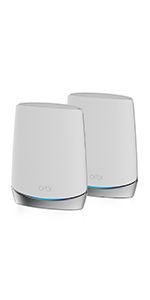
🚀 Elevate your home network to pro-level speed and security—because buffering is so last decade.
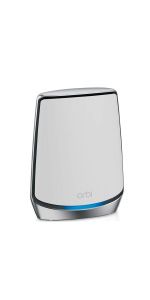
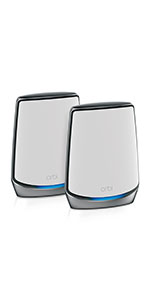
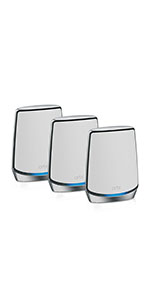
The NETGEAR Orbi AX6000 (RBK853) is a premium tri-band mesh WiFi 6 system delivering up to 7,500 sq.ft. coverage and supporting 100+ devices. It offers ultrafast AX6000 gigabit speeds, multi-gigabit Ethernet ports, and advanced security powered by Bitdefender. Compatible with any ISP up to 2.5Gbps, it sets up quickly via the Orbi app and ensures seamless roaming and stable connections throughout large homes or offices.


| ASIN | B081SF349N |
| Antenna Location | Home |
| Antenna Type | Internal |
| Best Sellers Rank | 10,014 in Computers & Accessories ( See Top 100 in Computers & Accessories ) 35 in Whole Home & Mesh Wi-Fi Systems |
| Box Contents | Router and 2 satellites |
| Brand | NETGEAR |
| Brand Name | NETGEAR |
| Colour | Grey |
| Compatible Devices | Smartphone, Tablet, Personal Computer |
| Compatible devices | Smartphone, Tablet, Personal Computer |
| Connectivity Protocol | Wi-Fi, Ethernet |
| Connectivity Range | 12500 Square Feet |
| Connectivity Technology | Ethernet, Wi-Fi |
| Control Method | App |
| Controller Type | Amazon Alexa |
| Coverage | 525 m² |
| Customer Reviews | 4.3 out of 5 stars 1,346 Reviews |
| Data Transfer Rate | 6000 Megabits Per Second |
| Frequency | 2200 MHz |
| Frequency Band Class | Tri-Band |
| Frequency band class | Tri-Band |
| Global Trade Identification Number | 00606449146059 |
| Has Internet Connectivity | Yes |
| Has Security Updates | Yes |
| Is Modem Compatible | Yes |
| Item Dimensions L x W x H | 23.1L x 18.3W x 7.1H centimetres |
| Item Type Name | Wireless Routers |
| Item Weight | 3.9 Kilograms |
| LAN Port Bandwidth | 6 gigabits_per_second |
| Manufacturer | NETGEAR |
| Manufacturer Part Number | 606449146059 |
| Maximum Upstream Data Transfer Rate | 2500 Megabits Per Second |
| Model Name | Orbi AX6000 |
| Model Number | AX6000 |
| Model name | Orbi AX6000 |
| Number of Antennas | 3 |
| Number of Items | 1 |
| Number of Packs | 1 |
| Number of Ports | 48 |
| Operating System | RouterOS |
| Other Special Features of the Product | Access Point Mode, Remote Access |
| Product Warranty | 2 years |
| RAM Memory Installed | 16 GB |
| Router Firewall Security Level | True |
| Router Network Type | hybrid |
| Security Protocol | WPS |
| Special feature | Access Point Mode, Remote Access |
| UPC | 606449146059 |
| Unit Count | 1.0 count |
| Voltage | 220 Volts |
| Wi-Fi Generation | Wi-Fi 6 |
| Wireless Compability | 802.11a, 802.11ac, 802.11ax, 802.11b, 802.11g |
| Wireless communication standard | 802.11a, 802.11ac, 802.11ax, 802.11b, 802.11g |
R**T
Great penetration
After moving into a new house a few months ago I struggled to get any WiFi signal in some parts of the house. The house is old with thick walls and the WiFi signal from the old router simply wasn't strong enough to get through. After a lot of investigation it became clear the Netgear Orbi 6 system was consistently rated as the best solution currently available to address my issue. The only things that made me pause before buying were some reports of difficulties with setup and others of issues with interrupted content on streaming services. The setup was very easy. After downloading the app and following the simple instructions the router and two satellites were up and running in no time. There is now an excellent signal throughout the whole house and download speeds are brilliant. The streaming issues mentioned in some other reviews have also not materialised. Both Amazon Prime and Netflix steam 4k content simultaneously on multiple devices without so much as a hiccup. To be fair the price wasn't cheap, but you get what you pay for. The product is everything I hoped it would be and I'm totally satisfied with the decision to go with Orbi 6.
M**N
This is not a headache to set up
Please read the entire review for important info. I've used Netgear routers for many years now and decided on an upgrade of my netgear router as I now have full fibre (fttp) I began by reading the reviews and found there are quite a few reviewers complaining how difficult it was to set up and unreliable weak signal and so on. I was quite suprised by the many reported issues especially setting up the router as my netgear products have always been very good. I chose to ignore the negative reviews based on my own positive previous experience with netgear routers and network switches and purchased this orbi6 router with 1 satellite though expected to have to use the web portal if i should run into difficulty. This was not the case. Having unboxed it and downloaded the app. I followed the very clear step by step istallation instructions using the app. Turning off the power to the modem and powering on again. Plugging in my new equipment and continuing the step by step instructions. You will reach a point on the app where it will state it is unable to connect to the internet and then select advanced option. (This is because it requires a username and password. Read on) You have two options of type of service. Mine is fibre so i selected PPPoE. You are then asked to type in a username and password. This is normal because most service providers require a username and password to connect and this is not the one that is on your new router so don't type that in.. i'm with bt and their username is [email protected] and their password is BT. This is a universal password for bt and applies to any router over standard copper internet and fibre optic internet. Type that in and shortly after it will connect to the internet and update your driver hardware to the latest version. It is that simple.. you are now connected completely at this point. if you are with any other service provider just google thier internet access username and password. Just remember not to rush and read each step on the app and don't type in incorrect information. You should probably take 15 to 20 mins tops to do this. About the orbi6 router.. it is extremely effecient and stable with a reliable strong wifi signal. I'm on 950mbs down load and 110mbs upload and boy is it quick. Remember though... you won't get that speed to any single device as it shares the speed between all connected devices and shares it intelligently so wave goodbye to buffering and drop outs. This is a piece of kit to marvel at. I highly recommend this router and satellite
B**N
Expensive but necessary for Gigabit Internet - not without faults; especially painful with Sky
-- Summary -- If you want the fastest possible WIFI mesh system available as of Q1-21, Orbi AX6000 is your best bet and will help max out your connection - but it is let down by a poor app/UI, limited parental controls and the integration with Sky Q. -- Details -- I've been using a 3x node google WIFI mesh system in my home for the last few years and while this was OK for my needs a recent change last year to Gigabit Internet (Vodafone) really showed the limitations of that system. The google WIFI would only vary between 10-30Mbps in my lounge on a mesh node and when I was in the same room as the master node my iPhone 12 Pro would get around 350-400Mbps. After lots of research into various devices (Velop, Deco, Eero, Etc.) I settled on Orbi AX6000 2 Node system which I think is an at the top of end of the market in terms of price (I just couldnt justify the 3 node system at nearly £1000). -- Setup -- Setup of the Orbi is extremely straight forward especially if you use the same SSID and PW - all my devices connected automatically no issue. Plugged the master Orbi directly into my ISP Router (that was set to modem only mode with WIFI disabled). -- Application -- The application on the iOS is extremely limited and not as advanced as the Google WIFI. If you want to have detailed tracking of bandwidth by device, QoS etc. this really isn't the up to it. It also comes with a Security service that has many features but is a chargeable service (after a 3 month trial) - so renders that pointless. --Speed-- This is without a doubt the main selling point of the Orbi which is the speed. I was dubious on how fast it would be (given that my office/Orbi is in my garage with an external wall) and my lounge is the other side of the house. However, I can say I'm blown away by the speed this can handle over my gigabit connection. Office (Orbi Master) -> iPhone 12 Pro - 650Mbps - 700Mbps Down. Lounge (Orbi Slave) -> iPhone 12 Pro - 550Mbps - 650Mbps Down Master Bedroom (Orbi Slave) -> iPhone 12 Pro - 350Mbps - 450Mbps Down -- Orbi & Sky Q -- This is one my complaint of the Orbi and that is the way that this solution co-exists with Sky Q (they both share the same WIFI Channel and Mhz band) and both operate as their own mesh systems. Orbi has a limited number of channels available to use on the 5Ghz band. I've read many reviews (Amazon) stating that people have managed to get these two systems to co-exist in peace. This couldn't be further from the truth for me - I can only assume that for everyone depending on the interference and the eco system of devices they have, everyone experiences different results. After searching countless forum posts on Netgear and Sky, I've yet to come up with a STABLE system that allows my Sky Q box, Sky Q mini boxes and Orbi to all place nicely without needing to be reset on a weekly basis.
N**A
100% recommend this Mesh System!!!!
I am thrilled with my NETGEAR Orbi Mesh WiFi System (RBK852) and wanted to share a detailed review of my experience. After using it for over a month, I can confidently say that it has been a game-changer for my home network. One of the standout features for me is the consistent and reliable connection. Not a single drop in the network has occurred since I installed the Orbi system. This reliability is crucial, especially when you're working from home, and interruptions can be quite frustrating. In terms of performance, I upgraded to Virgin Gigabit broadband, and the Orbi system has seamlessly handled the increased speed. Even when conducting Speedtests from the furthest room in my standard three-bedroom house in the UK, the WiFi 6 Mesh Router and satellite extender have consistently delivered impressive speeds (see pic). This is a noticeable improvement compared to my previous TP-Link setup. Speaking of the setup, I opted for the two-piece system – one connected to my Virgin modem and the satellite strategically placed at the furthest point of my house. This configuration has provided excellent coverage throughout, eliminating any dead zones. It's worth noting that I work alongside two others who are also working from home, and we've experienced no issues with simultaneous internet usage. I appreciate the scalability of the Orbi system. While my current setup suits my three-bedroom house, I can see how additional satellites might be necessary for larger homes. The flexibility to expand based on your specific needs is a great feature. Overall, the NETGEAR Orbi Mesh WiFi System has exceeded my expectations. If you're in a similar situation, dealing with multiple users working from home and seeking a reliable, high-performance WiFi solution, I highly recommend the Orbi system. It has proven to be a worthy investment, providing not only seamless connectivity but also peace of mind.
M**N
Best on the market
I upgraded my home broadband to FTTP on a 500MB/sec package as both me and my wife work from home and we have a teenage son who is very in to his tech and streams movies and game content. The broadband company provided a router that was the same as they give for their standard broadband package - and couldn't cope with the speed nor give enough coverages for my 5 bed house. They then sent wifi discs, also not designed for the speed so whilst I got the wifi coverage, I simply got guaranteed slow speeds. I then invested in a mesh system with a different brand (not Netgear) and I had to spend over 10 hours with their tech support just to try and get it to work as a mesh, but again I only got max 50% of my max speed and their tech team never got the issues resolved. They even left me with it not working, without turning up to planned support call sessions, for nearly two months. I then did what I should have done in the first place and bought the Orbi. Wonderful, wonderful, wonderful. Worked straight out of the box, looks cool, and runs blisteringly fast across all my devices. I get 450MB/sec wirelessly in my study and no less than 250MB/sec across my whole house and that is with just using 2 out of the 3 nodes (both of which are based downstairs). Downstairs nothing runs slower than 300MB/Sec. They look good, they are unobtrusive and run like a dream. They even support guest Wi-Fi which is great, something the first mesh I bought did not offer. So - yes expensive. You probably only need the two node set-up in most standard houses in the UK - but if you live in anything larger than 5000sq ft then just bite the bullet and get the 3 node system. It's not about the price, it's about the value and the fact I did not have to have a single call with any tech support teams and my time is way much more important to me than the few hundred pounds. If you are sitting on the fence - just go with the Orbi!
L**D
Not Great
Upgraded from ZYxel multi X which have been flawless, but wanted WiFi 6 and increased security from net gear armour all easy to setup Virgin home Hub 4 in modem mode great thruput from my 1gif Virgin internet very fast WiFi and good coverage, very expensive though, there are other version now out from net gear but after reading about them they have some reduced features so don’t think you’ve bought old stock this is still the prime one from net gear the armour stuff is very good and comes with unlimited Bitdefender licences yes it does cost extra but for what you’d spend on virus software this is a no brainier UPDATE...... after many months of using there are a few issues with the devices, firstly iPhones seem to weirdly just stop displaying webpages and only turning phone wifi off and on again fixes it, i thought it was my Iphone 12 but does it on most Apple devices. secondly DNS implementation is Rubbish, it uses some special proxy inside the Unit which on some occasions doesn't display a page again, lots on the Internet about this, i have replaced my DNS with CloudFlare and Googles which is slightly better but still no way as good as my Old Zyxel which i will go back to shortly. Personally WIFI 6 is yes faster but not worth the Investment over normal. I wouldn't recommend after having the Zyxel Multi X setup which for 2 years was Bulletproof this is very poor. UPDATE reduced to one star do not buy these major DNS and WIFI drops 14 pages on NETGEAR site on the issue NETGEAR only allow 90 days support then want to charge you to diagnose and RMA the devices are not faulty hardware it’s shoddy firmware. I switched them off went back to Zyxel Multi X and all my issues have gone.....buy something else you’ve been warned.UPDATE 2 finally found a replacement Ubiquiti AMPLIFI Alien expensive but it works flawlessly in Nethear defence I think they may have patched it now I’ve yet to test but honestly for the cost I’d expect a good device do t risk your money look elsewhere.
M**.
Stunning piece of Technology
Installing the Orbi means my Client no longer wants to fire me - it’s literally saved my job. Working from home during Lockdown for 12 months now - alongside 2 teens homeschooling and a Mac user wife has been an utter nightmare. BT fibre 75Mb at the hub location , degrades to less than 20Mb on the top floor of a 4 storey townhouse. Dropped Teams calls and busy PM periods losing the connection entirely - meant I was about to be fired. Simply couldn’t do my job properly. I tried everything - new external line; new socket, new BT Hub, Wi-Fi extenders, upgraded powerlines, x2 5G home hubs (Vfone no connection/EE completely unstable.) Then I read about the Orbi. Yes it’s massively expensive and completely overpriced, but I’ve billed that to my Client and it’s saved my job. Installed in 5mins, worked first time. Devices roam cleverly from the main router to the satellite as you move around the house. And now on the top floor I get the exact same WiFi speed as when sat right on top of the main router. WiFi6 is completely amazing and rock solid. I am utterly impressed. Wired devices just as stable, but not really needed as the WiFi is as stable as any Ethernet connection I’ve experienced. No issues with dual-band roaming - 10yr old printer happy at 2.5, new iPhones living their best lives on 5Ghz. My single best purchase of Lockdown (and I’ve been buying so much that Amazon wrote to me asking if I was actually a business!) Do NOT hesitate to buy this kit - it will change your life, as it has mine.
S**N
Brilliant! A strong, fast and stable connection everywhere
I’ve been looking to upgrade my Apple Airport Apple Extreme network for a number of years but I hadn’t found a good enough replacement router until now. I’ve tried various but they’ve all suffered from weak signals, unstable networks or sudden drops in speed. I also needed a router that would work with nearly 100 home WiFi devices; Alexa, Hue lighting (60 bulbs), Sonos, Tado smart heating, Symphony outdoor lighting, smart TV’s, Xboxes etc. I’d read the setup for the Orbi was complex but it proved to be very simple using the App; unplug the old router, connect the Ethernet cable (with internet), power on, use same network name and password and everything worked and found the network. I also have one Orbi satellite which together provides enough coverage for a large 5 bed home. Since upgrading my router everything is running faster, when I tell Alexa to turn off my outdoor lights it’s almost instantaneous rather than taking 30 seconds. I can stream 4K to all the TVs (and FireSticks) over WiFi and hold Zoom, WhatsApp and FaceTime calls without any difficulty. The App provides a reliable speed-checker and plenty of configurable security options. Both routers also have plenty of spare Ethernet sockets on the back to connect devices directly if needed. The only thing that took me time to realise was that when it’s all working there are no lights on the router which is different to most I’ve used which glow green or blue. I thought at first I had turned it off! All in all a very satisfied customer.
A**S
CALIDAD DEL PRODUCTO
Sistema Wifi Mesh - Netgear adquirido desde AMAZON para una vivienda, compra rápida, según lo esperado, equipo nuevo, he colocado el satelite en una punta del vivienda y el router junto a la entrada de la fibra , configuración rápida según instrucciones del proveedor y funcionamiento rápido sin cortes, transparente, en una red de fibra de 1GB ofrece velocidades por WIFI en mi móvil (iphone 14pro max) de 500 Mbps de subida y bajada, habiendo más dispositivos conectados a la red, escuchando música y viendo una serie online, sin cortes, muy contento, recomiendo la compra.
K**G
Magnífica cobertura wifi
Es un producto fantástico. No es barato, pero la cobertura de la señal wifi que ofrece el equipo de router más dos satélites en un espacio de dos plantas con unos 700 metros cuadrados por cada planta es increíble. La configuración no es tan simple como se anuncia, pero el producto merece la pena, desde luego. La señal wifi es robusta, fiable y potente tanto en 2.4 GHz y 5 GHz.
M**R
Great product
Excellent product and easy to install
A**S
Netgear
Fungerar utmärkt
B**E
The best mesh system
I switched from Asus Zenwifi to this Netgear set. All my problems were over. No more outages, no more disconnects on the backhaul. You can’t adjust as many parameters as with Asus, but who cares. Relax and forget that it’s there. A very happy customer.
Trustpilot
3 weeks ago
2 days ago