Desertcart purchases this item on your behalf and handles shipping, customs, and support to South Africa.
๐ Boost Your Signal, Own Your Space!
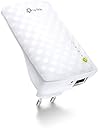
The TP-Link RE220 WiFi Extender delivers reliable dual-band AC750 speeds up to 750Mbps, expanding your wireless coverage up to 50 feet. Featuring a compact wall-plug design and an Ethernet port, it supports wired and wireless devices alike. With a simple two-step setup via the TP-Link Tether app, it ensures seamless compatibility and stable connections for up to 32 devicesโperfect for modern homes craving uninterrupted connectivity.


| ASIN | B07ZWBBPQN |
| Best Sellers Rank | 321 in Computers & Accessories ( See Top 100 in Computers & Accessories ) 4 in Network Repeaters |
| Box Contents | AC750 Wi-Fi Range Extender RE220, Quick Installation Guide |
| Brand | TP-Link |
| Brand Name | TP-Link |
| Colour | White |
| Compatible Devices | all WiFi devices |
| Connector Type | RJ45 |
| Country of Origin | China |
| Customer Reviews | 4.2 out of 5 stars 38,590 Reviews |
| Data Transfer Rate | 750 Megabits Per Second |
| Data transfer rate | 750 Megabits Per Second |
| Frequency | 60 Hz |
| Frequency Band Class | Dual-Band |
| Frequency Bands Supported | 2.4 GHz, 5 GHz |
| Frequency band class | Dual-Band |
| Item Dimensions D x W x H | 6.6D x 11W x 7.6H centimetres |
| Item Weight | 200 Grams |
| Manufacturer | TP-Link |
| Manufacturer Part Number | RE220 |
| Model Number | RE220 |
| Product Warranty | 3 Years |
| Range | 50 feet |
| Special Features | WiFi Mesh |
| Special feature | WiFi Mesh |
| Unit Count | 1.0 count |
| Wireless Compability | 802.11bgn |
| Wireless communication standard | 802.11bgn |
I**A
Still working perfectly after years
I've had this Wi-Fi extender since 2019, and it still works perfectly. It was easy to set up and gives me a strong and stable Wi-Fi signal throughout my home. I'm very happy with it and would definitely recommend it.
D**E
Perfectly did what I needed it to do with simple setup and resonable price.
This is a great extender. I fitted mine in an upstairs bedroom with the router downstairs at opposite side of house. The signal is picked up and boosted to full on all my devices. It even helps you identify the best place for it. Online access to the managment of the extender is just like a router and with some usefull features like white and black listing devices. you can also use the app to quickly check in on the stats of the extender. Mesh and single RJ-45 access is fabulous. Shame virgin media dont supply good mesh enabled routers! nevertheless the connection from router to extender is almost seemless. I will say sometimes it gets a little warm to touch and ive had to reset it with on/off at the plug a few times but i think this is typle of networking devices, especially at this price point. connecting it was easy with the WSP button. Dont forget to check the manual for default codes if needed. If I could have added any feature it would be the ability to twist the device around when plugged in. I assume this will benefit many users where plug space and angle is a bit awkward. I was happy with my purchse and usage.
S**U
Brilliant product.
I love how simple this product is to use, I've had other products before and it's, add a pin, have near the router, other daft things to extend your WiFi. Not with this product, its easy to set up and very powerful, I use mine in the wood shed I have on my property, with my old exstenders, if power goes down I'd have to go through all the kuffuful above. Not with this product. Power goes down, it turns off, reconnect power to outhouse and this product somehow remembers how to configure. It's brilliant. Worth the money.
M**K
Perfect for travel, gaming and eliminating WIFI dead zones
This has been perfect for eliminating WIFI dead zones. I am a renter with a gaming PC and have been travelling a lot, living in multiple houses, this is a must have if you are worried about poor WIFI connections. It is very easy to set-up and the speeds are very fast. It has great stability and is very easy to reset with the small pin. The tether app by TP-link gives plenty of other functionality options for the device too. Definitely recommend
A**T
Was great - then bricked by firmware update.
Was really pleased with this when I bought it to replace an older Wavlink one which was a bit temperamental and a pain to keep trying to pair with my router with the WPS. This TP-Link one not only looks much nicer, with no visible antennae sticking out, but it was easy to pair with the router and set up, without having to fiddle with WPS buttons, and it immediately created its own network with the same name as my main Wifi network, with "_EXT" on the end, as you would expect, meaning that all my smart devices connected to my old one were happy to connect to this one too. It's good that it has an app, too, which gives useful monitoring and functions of this Wifi extender. However, a Firmware update a couple of weeks ago bricked it and it would no longer work. Immediately following the FW update, it lost its '_EXT' network and when trying to re-pair it to my router, it would only create its network with the same name as my main network, without the _EXT suffix. Every time. I tried re-adding the suffix within the app, which said it had done it but actually hadn't, and I even connected the extender to my computer via ethernet, to use its web-interface (very slow and clunky), and again, it appeared to let me add the _EXT suffix but it was never actually added. Many multiple attempts to reset (via the app and also with a paperclip in the reset hole) and reconfigure failed to create a network with an _EXT suffix, and it would only use the exact same name as the main Wifi, every time. More frustratingly, when going through this prodecure, it wants to connect to its new _EXT network to complete the process, but every time, this extended network was unavailable, and watching the Wifi names on another phone, I could see that the _EXT network this device created was only visible for a couple of seconds before disappearing again, meaning that it could never complete the setup, no matter how many times I reset it and tried again. The Amazon 30-day returns window was closed and it just told me to contact TP-Link to resolve. An excruciating call to TP-Link was mainly just the operator there telling me that it's up to Amazon to replace or refund it and wouldn't accept that this wasn't possible, without a lot of argument and me emailing her a screenshot of the Amazon page telling me that. She also kept trying to explain how to do a reset etc, and wouldn't really listen when I tried to explain that I had tried everything many many times with no joy. After sending her proof-of-purchase and other info she wanted, she eventually agreed to start a returns process. However, I then managed to call Amazon (not easy!) and explained the problem, and the representative there was very helpful and agreed to do a return/refund despite being outside the 30 days, and she even added a ยฃ5 credit to my account for the inconvenience, which was nice. So, I would say this Wifi Extender device is a very good choice, but if it's working, don't let it do a FW update!!
J**K
Excellent Product - Easy to Install
AC 750 purchased to replace 8 year old Devolo Powerline Wi-fi extender which ceased working (original cost over ยฃ100). A Wi-fi extender is required as we live in a large house with the router situated at the front of the building, meaning most of the first floor does not receive a signal from the router. Our broadband provider is BT, supplying fibre to the premises at 50Mbps download, which we find more than adequate, using a BT home hub router. Speed checking, we get between 50 & 55 Mbps at the router. When linked wirelessly through the Devolo Powerline, the speed used to drop by half, but was still useable. Connection was simple. It took longer to read the instructions than it did to set up. I used the WPS method - I placed the AC 750 in a power socket adjacent to the router, turned it on, pressed the WPS button on the router, then pressed the WPS button on the AC 750 and within seconds they had linked. As my router and the AC 750 are dual band, I repeated the WPS process and the second band linked (there is an indicator light for each band). Using my iPhone I located the wireless network, which uses the same SSID as the router but with _Ext at the end, entered the same password as I use for the router and I was connected. I then relocated the AC 750 to the landing, approx 20 - 25 metres from the router, where it immediately reconnected showing a strong link with the router. Checked all the rooms upstairs, a further 20 plus metres from AC 750. Maximum signal strength indicated. Speed test, 50 - 55 Mbps, no loss of speed at all. The cost of this unit is ยฃ19.50, which is extremely good value, plus free next day delivery. It looks quite good too. My router is not Mesh compatible (although the AC 750 is), so I have to manually switch networks if using wireless upstairs, but that is a very minor inconvenience. Highly recommended.
R**S
Easy setup and reliable, but disappointing coverage improvement
First the good news: It was easy to setup - the WPS button worked first time on 2.8 and 5Ghz. The extender works fine. When I connect to it, it stays connected and it works. No problem. The web-based setup is easy too. I found the instruction leaflet to be perfectly adequate if you are reasonably tech savvy. However, I am not all that impressed by the range, or the improvement in coverage it gives. It is disappointing in two ways: first in the distance you can move it from the wifi router, and second in the extended range it gives. For context: I have an old stone-built cottage, and a brick-built garage block about 10 feet from the house. 1) It will only connect reliably (solid blue ring LED) when no more than about ten feet from my wifi router. Any further and the blue ring turns red, indicating a weak signal. 2) I was hoping that it would boost the range enough to get a good wifi signal out in my workshop and garage block, but I can only connect to it when I am in the very closest part of the workshop. We are not talking long distances here. Conclusion The device works reliably and connects easily, but I don't get anything remotely close to the "10,000 sq feet extra coverage" it says on the box. The caveat "up to" has never been more true. I had far better coverage all over the garage block from a cheapo Chinese extender, but that one was completely unreliable - kept dropping out, overheating and was hard to connect. I hoped that paying a bit more I would get a better service. Maybe I have to pay a LOT more? I will experiment further with placement of the device in the hope that I can make it useful.
K**R
Seem,s to do it,s job.
At the moment seems to be doing it,s job,clear instruction,s,10 mins to set up.
S**D
schuko
nicht fรผr deutsche steckdose
J**H
Solid Device well worth the pricd
Solid WiFi Extender that does the job. This is a medium tier device since it can only broadcast upto 300 Mbps on 2.4Ghz and 433 Mbps on 5Ghz frequency bands. With that said, set up was easy with the Tether app. It can be used as a WiFi repeater/extender or as an Access Point (ethenet to WiFi). I've tried both and tested the speeds and it's solid. Great for larger homes.
B**A
Fast and in good condition
This extended the wifi reach to an otherwise weakly connected upper floor. I no longer have signals drop - it has been great for meetings and classes.
P**E
Incredible quality and value
This little gadget is a game changer. Very powerful, sorted by nonexistent WiFi in two areas and even extends to the garden. I really thought I'd have to spend far more. The app is very user friendly too.
M**M
Good quality
This item works well but it came with the wrong electrical pin set-up, which proved problematic!
Trustpilot
3 weeks ago
2 weeks ago