๐ Stay safe, stay smart โ the future of home protection is here!
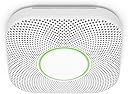
Google Nest Protect is a battery-operated smoke and carbon monoxide detector featuring a Split-Spectrum Sensor for fast and slow fire detection, voice alerts specifying the hazard location, and smartphone notifications for peace of mind on the go. With a 10-year sensor lifespan, self-testing batteries, and app-controlled silence and testing, it seamlessly integrates into your smart home ecosystem while providing proactive, user-friendly safety.


| Alarm | Audible |
| Asin | B00XV1RCRY |
| Best Sellers Rank | #150,648 in Tools & Home Improvement (See Top 100 in Tools & Home Improvement) #73 in Smoke & Carbon Monoxide Alarms |
| Brand | |
| Built In Media | "Six long-life batteries (Energizerยฎ Ultimate Lithium โL91โ AA) |
| Color | White |
| Compatible Devices | Smartphone, Tablet |
| Customer Reviews | 4.4 4.4 out of 5 stars (7,516) 4.4 out of 5 stars |
| Enclosure Material | Plastic,Stainless Steel |
| Global Trade Identification Number | 00854448003679 |
| Item Dimensions D X W X H | 1.5"D x 5.3"W x 5.3"H |
| Item Type Name | Google Nest Protect, 2nd Generation, White, Battery |
| Item Weight | 16 ounces |
| Manufacturer | Google Nest |
| Mfr Part Number | S3000BWES |
| Model Number | A11 |
| Number Of Items | 1 |
| Power Source | Battery Powered |
| Product Style | Battery |
| Sensor Type | Split-Spectrum Sensor |
| Unit Count | 1 Count |
| Upc | 854448003679 |
| Upper Temperature Rating | 100 ยฐF |
User
Easy installation, absolutely SPECTACULAR user interface!
A year ago, I purchased a first generation Nest protect (battery only), but didn't install it because one of its features was disabled by the company (waving to silence alarms) and all the detectors in my home were integrated by a/c current. Two weeks ago, just as we were preparing for a trip away, the smoke alarm near the entry way began chirping and beeping (two different sounds). We were able to silence the chirp with a new 9 volt battery, but the only thing that would stop the beeping was to turn off the power to the a/c circuit to which it was connected. Even totally removing the malfunctioning unit didn't silence the beeps!Descriptions of our dilemma provided us no clues, but eventually, we contacted telephone support for the unit's manufacturer. A REAL LIVE PERSON with concern and humor answered, listened to me describe our problem, then responded, "honey, the ceiling can't beep! Do you have a CO monitor close by?" We did. She then told us that the beeping was the "end-of-life" signal coming from the CO monitor plugged in at ground level 10 feet away. Sure enough, unplugging it silenced the beeping. Then she told us that our other CO alarms and all of our smoke detectors were well beyond their intended lifespan (all manufactured in 1992) and all of them must be removed, even though they all displayed their "AOK" green LEDs and passed their aural tests). (We purchased this home 2 years ago, paid several hundred dollars for a home inspection, and nothing in the inspector's report mentioned that our detectors were beyond their expected usable lifetime).Clearly, we needed protection that gave us more feedback about their normal and abnormal performance. Extraordinarily satisfied with our Nest thermostat, I decided to purchase Nest Protects for the rest of the house. I installed the 1st generation unit to replace the one I'd already removed. To do so, I needed to drill some holes into the ceiling because the holes for its mounting plate didn't line up with the junction box in the ceiling, and two of them required a power drill in order to penetrate the 2 x 4 ceiling framing. We left on our short trip knowing that we had at least one working device and several more to install when we returned home. When we returned, we unpacked the new, a/c powered units, lined them all up within 20 feet of the 1st generation battery operated unit, and began the ID/registration process. The thought that's gone in to the user interface for this device immediately became obvious, when a quick routine of scanning the code on the back of each device led to prompt addition of it to our existing network of Nest thermostat and an increasing number of registered Nest Protects. Physical installation went just as quickly, as did an initial "checkup" initiated from my iPhone.I did spend a few minutes reading the manual, and learned that 10 years from now, when units require replacement, they'll alert me both verbally when I'm in their proximity, and by sending me emails that they're in need of replacement! Another plus: the thermostat in our 2 story home is located in a small blind corridor where it cannot "see" traffic through the rest of the home. Consequently, when we're asleep at night, our Nest Thermostat decides we're away, and the temperature drops to the "auto away" setting during the night. We save big on our power bills but it gets a bit cool in the house! Now, with the Nest Protects "talking" to the thermostat, we awake to more comfortable temperatures.I have only two concerns about these devices. One is that, in a very large home, the "checkup" testing of individual devices may overlap others in time. That's not a problem in our relatively small 2 story house, but in a large home the overlaps could make it difficult for one person to confirm that all the units are working. Even that's not a real issue, because the units test THEMSELVES when we're not present and send us email confirmation that they're all functioning.The other concern is that these products were born in the minds of people who worked at Apple, who clearly learned their lessons well while there. They are attractive, communicate clearly to their owners, and guide their owners with an outstanding user interface. Unfortunately, the company has been purchased by Google, and it's entirely possible that the business goals of these two no-longer-friendly companies will deprecated their future as anchors of a "connected home" where "works with Google" will mean "won't work with Apple."
User
Great smoke/CO detector, beware amazon inventory age
The Nest Protect smoke detectors are great. They warn you before they alarm, giving kids and pets time to clear the area before loud noises and parents time to silence the alarm or deal with the issue. We've experienced far fewer false alarms from our kitchen Nest Protect than the (much cheaper) first alert it replaced. The smart app features are handy if you travel or are out of the house often. I love the Protects and since my older house is not wired having the Protects linked by wifi/bluetooth is a major safety factor for me. I'm replacing expiring detectors in my basement and second floor with Protects and feel like it's worth the extra cost.The major caveat is the age of the Protect you are sent. Be very aware that the inventory Amazon has may be old. I bought two Protects from Woot for $30 off MSRP (amazon subsidiary) and both were manufactured in 2018. This means they are 6 years old and only have 4 years of service life left. Almost all CO detectors have the 10 year lifespan limitation. Google disables the Protect after the replace by day. You get an audible โNEST PROTECT HAS EXPIRED. REPLACE IT NOW.โ message. Given that I can buy Protects locally for MSRP and that they were made in the last year or so, I should get 8-9 years of life from a $150 Protect. So a Nest Protect with only 4 years of active life is only worth $60-$70, far less than what woot/amazon was selling these old stock units for. It may be worth buying locally so you can return them easily if you get given very old stock. That is what I'm going to do after returning these.
User
Gives me peace of mind
We had a scary incident where our toaster oven caught fire in the middle of the night. Our old smoke alarm did not go off. We got very lucky because I am a light sleeper and woke up and smelled something funny. The kitchen was full of smoke but the fire was still contained inside the toaster oven. We used the extinguisher to put it out. Turns out the smoke alarm was dead (probably just due to being so old) and I kick myself for never testing it like I'm supposed to.I immediately started researching smoke alarms and was intrigued by the Nest Protect due to it being a "smart" alarm and had an app that would notify me on my phone. It also tests itself regularly to ensure everything is working which is great for those of us that forget to. I have 3 dogs that are often home alone and I started thinking if there is a fire or carbon monoxide alarm, I won't know if I'm not home. After reading lots of reviews, I decided to try it out. Installation and app set up took less than 5 minutes. Today, my son was making bacon in the kitchen. I was at work and we were actually texting as I got a notification of an emergency, smoke detected. As I got that notification my son texted me that he set off the alarm. This means that the notification came immediately to my phone. I was able to silence it on my phone since I knew it wasn't a true fire. Then as you can see in the pictures, it tells me the smoke is clearing. The peace of mind I get from this makes it worth every penny. If you are contemplating purchasing it, just do it. Highly recommend!
User
Google Nest Protect, important info
The Google Nest Protect built-in microphone stopped working after 4 years causing tests to fail since it could't verify the alarm sound is working. Google support helped me resolve the problem with a factory reset.
User
Improperly engineered. Won't work with any actual 1.5V AA batteries. Marketing is dis-informative
TLDRBasically Google/Nest made some kind of big mistake on the design and they found a higher voltage AA battery that bumps the voltage up high enough to make it function.They say you need these special batteries because other batteries will drain too fast which isnโt really honest. AA battery standards are to operate in the range of 1.65v to 1.2v. The batteries the recommend start at 1.8v.When my batteries died they still had 1.65v. So any battery that starts at less than that this smoke alarm will read as dead and needing to be replaced even if it is fully charged.So yeah you need a battery like the one they recommend or something that starts at 1.8v or more just to get any life out of it.Also save your โdeadโ batteries and use them in other devices because they still have what would normally be considered a full charge. Throw them in another device and they should still last longer than a brand new typical battery.Google has you throwing away perfectly good expensive batteries just because their engineering department completely failed to properly design the product.Full review and rant because Google get your S together!It is rare I can be bothered to write a review for something and there has to be pretty good reason for me to do so.This Nest smoke detector has got to be one of the worst stains on Googleโs deteriorating reputation in their history. Even worse than their line of mediocre earbuds that they sell at a premium price.Being an Android user it is convenient to get pulled into the Google ecosystem. We have Nest thermostats, Pixel phones, and somewhat regrettably two generations of Pixel Buds.I decided it would be worth spending a little extra on a Google Smoke alarm that presumably would tie right into Google home right?Right?Wrong.Found out after the purchase that the alarm can only be accessed through the nest app and cannot be tied into Google Home in any way. Canโt see it on the app, let alone interact with it. Other household members wonโt get alarm notifications through home, etc.The main thing inspiring me to write this is the battery issue which I now understand better and am primarily pissed because of how dis informative and misleading their marketing is. Of course this is just common practice for companies. Why be honest and have informed consumers when you can spin things to try to protect your companies reputation?We have had our S3000BWES for 9 months now. 9 months of wondering why we spent so much on such an annoying device.I will admit the big button on the face that can easily silence it when it is going off is a nice feature and even more valuable since it goes off if you are boiling water for spaghetti or taking a shower with the bathroom door open. This is with itโs steam false alarm mode or whatever it is called enabled.But back to the battery issue.So Googleโs marketing in many places using different wording says things along the lines ofโBoth battery and wired Protect require Energizer Ultimate Lithium AA (L91) batteries.Donโt use rechargeable or alkaline batteries. If you do, they will quickly drain and will need to be replaced soon after installing them.โNow it does make sense if this device is a high draw device that lasts say 9 months on 3000 mah lithium batteries you probably donโt want to throw in your old worn out 1000 mah nicad rechargeable batteries because you will be replacing them all the time and your smoke alarm might just die while you are at work.Being the tree hugging environmentalist I am I have good modern rechargeable batteries. Both Ni-MH with 2800 MAH and an acceptable 1.45v fully charged and 2400MAH lithium that put out a solid 1.5v fully charged. When deciding to order the Nest I figure if I have to replace the batteries twice as often so be it but in reality these should last almost as long. This warning they give must be exaggerated to get you to buy the safest, longest lasting option right?So yesterday morning while I am sleeping the smoke alarm starts beeping loud and like once a minute. Not like old smoke alarms that just go off every once in a while. This thing is so persistent that I got out of bed, ripped out the batteries, and went back to sleep which is definitely safer than having a smoke alarm with low batteries right?You might think a company that specialized in โsmartโ devices might have say a notification on your phone that the batteries are getting low. Then maybe start with a quiet and rare beep, then ramping up slowly as it gets more urgent. But no it is the most annoying and constant low battery warning I have ever seen in a smoke detector.So I replace the batteries with freshly charged 2400 MAH lithium rechargeables. The other batteries lasted 9 months. If these last 3 Iโll be happy. Heck if I have to replace them once a month whatever.3 hours later the smoke alarm starts beeping a low battery alert again.So I start digging and I find out that the Energizer L91 batteries have a higher than typical starting voltage of something like 1.8 volts. After a little more digging I realize that Google designed the alarm around 5V presumably to tie into USB standards.They could have engineered it to run on 1.5v x 4 in series to get 6 volts but no instead from info I can find they designed it to run on x3 in series which at 1.5v only hits 4.5v and at 1.2 which is typically considered the low end for a AA is 3.6v.Now many electronics can run a wide range like say 3.6v to 6v to have good safety margin so not being able to do this seems like a failure to spec acceptable components for the design. But as mentioned above they could have just run x4 in series and if necessary just stepped voltage down. But again that shouldnโt be necessary because electronics are designed with headroom.AA batteries have standards and any AA device should be designed to operate with a battery ranging from around 1.65v to 1.2 v. And apparently with a little high end headroom for batteries like the Energizer. Any AA powered device that canโt operate on 1.2v is just bad engineering and a failed design. Google effed up somehow and found these batteries as a band-aid.I tested the โdeadโ L91 batteries I took out of the smoke detector and they are still at 1.65V. They still have more charge and more life than a typical AA battery. I can put these in some other device and get a whole other life out of them. If you do get one of these smoke detectors save your old dead batteries and run them in other devices because they are still practically new.With that said why buy this smoke alarm? It doesnโt tie into Google home. There is very little functionality through the Nest app. It is expensive. It needs expensive batteries that need to be replaced all the time because of the high power draw to connect to wifi even though you canโt do much with it. You will get notifications if the alarm goes off but plenty of other newer smart smoke detectors can do that as well.It really seems like Google is just coasting on brand recognition and people wanting to stay in an ecosystem even if that ecosystem kind of sucks.The only positive thing I can say about this smoke detector is the big easy to bop button on the front. Every other aspect has just been frustrating, annoying, and disappointing.I did just figure out however that the USB port on the back (I wondered why it was there) does actually power the device so Iโm going to set it up to use that as a primary power source and see how the rechargeables hold up hopefully just acting as a backup.I wish Google would start making some effort again. They are a horrible corporation but so are the alternative options. It would be nice if I could stay in their product ecosystem and not constantly regret it. It would be nice if customer service, technical support, etc, were easily accessible.Reality is however that next time I go to buy earbuds, a smoke alarm, maybe even a phone I will be much more actively looking at alternative options and this smoke alarm has been a big push in that direction.
User
Reliable Safety with Smart Features
The Google Nest Protect is an excellent smoke and carbon monoxide detector. Setup was quick and easy, and the app integration gives me peace of mind, even when Iโm away from home. I like how it speaks clearly to tell you what and where the issue is, rather than just beeping. The night light feature is a nice bonus, and battery life has been solid so far.โ Pros:Easy installation and setupClear voice alerts with locationApp notifications when youโre awaySleek, modern designNight light feature adds convenienceโ Cons:A bit pricier than standard detectorsBottom Line:A top-tier smoke and CO detector that combines safety, convenience, and smart technology into one dependable device.
User
Intuitive and advanced but could present some technical challenges
As noted by others my detector was much older than I would have preferred. This simply means the Protect has lost some of its useful life already. The documentation states up to 10 years of life but you would need to be standing/waiting at the end of the production line to achieve that.However the Nest Protect is not entirely alone in that regard. Many others are also "aged" by the time of purchase. One big difference is that the Google Nest Protect will cease to operate, stop functioning at the 10 year mark from the manufacture date.So depending on your luck or detective work you may not get the full 10 years. If you order online then it's a gamble on how old it will be. Even large online retailers, including Google, can have older inventory. If you can find one that you physically can get your hands on then you can always Google how to interpret the date code on the outside of the box. This may gain you a few months, maybe even several months of 'newerness'.Given the age uncertainty you are still getting many years of exceptional operation with advanced features. I have yet to have a false alarm after several years. Yes the batteries are likely to need replaced but that is usually all that needs to be done outside of some minor TLC etc... I appreciate several of the features from the Protect's routine self checks to the path light. The device's interconnection communication and mobile notifications are critical in my opinion. We may still be missing Google Home integration but the Nest app works to get the job done for now. And from what I have been able to deduce is that the information circulating about Nest Secure going away and causing Protects to stop working in April will have no impact on the Nest app Nest Protect operation.As with many advanced internet and intra connected smart devices there will always be tech challenges that can come up. These Nest Protects can span the gamut from minor tech annoyances to hair pulling throw it in the trash challenges. It does not mean it will happen to everyone but some unique circumstances can be frustrating. Tip-if during any app connection/installation processes something will just not work try an alternative approach by using an iOS device if an Android device fails or vice versa. Not everyone can do that of course but worth a try if you can.Although a more expensive initial investment these Protects do offer a step up level of performance. No one can ever go wrong installing detection regardless of cost.
User
Great product! Just need to follow directions closely.
This Smoke/Co detector has a very modern look. Love the pathway light that comes on in the hallway at night. It's just bright enough to light my way, the light brightness is also adjustable. Only took 5 to 8 minutes to connect it to the Nest App and screw it in to the wall.As far as mounting, it's no longer a problem (as with the 1st generation) to level the square detector since once it's on the mounting plate you have a lot of play to move the detector in a circular motion to a level position with it staying securely on the wall.So I have seen complaints about people having trouble installing these Nest Protects especially multiple. This actually isn't a problem if done right. The Nest App walks you right through it. The biggest tip is don't mount it on the wall until you register it with the Nest App. And the set up is done. The reason for this is that one of the first things you are asked to do in the Nest App is to take a picture of the QR code ( square bar code) on the back of the device. You need to do this even before you pull the tab out for the batteries.The App then leads you through entering your Wifi password etc. another issue for some people. You need to make sure you have a 2.4ghz band of your router up and running. The Nest protect won't connect to the 5ghz band. If you have a dual band router like I have( runs both 2.4 and 5ghz) the Nest Protect should seek out and connect to the 2.4ghz automatically.The next issue people seem to be having is connecting a second or subsequent Nest Protects, especially if they add them at a later time. The reason this is a problem for some is because every Nest Protect installed after the 1st one has to be very close to the original ( just during setup) the reason for this is that the 2nd Nest and the 1st. one talk during the install process. The 1st Nest Protect copies over all the Wifi password info to the 2nd one so you don't have to do enter it all over again. So your phone that is running the Nest App, the original Nest Protect ( 1st one installed) and the second one you are trying to install should all be with in a couple feet of each other as well as in range of your wifi until the install process is done.If you install like above it installs flawlessly. Once the second Nest connect is installed it will then be linked to the Internet and to all other Nest protects previously installed. The nice thing about this is that if a Nest Protect goes off across the house they all will go off and identify which one has the fire near it. Pretty cool.Hope all this info helps.
User
Highly recommend
Works well. There is a google nest app that you download and will send you alerts if any smoke or fire is detected. Itโs a great peace of mind when you arenโt at home. Highly recommend.
User
Amazing!
Love this smoke alarm. Extremely straight forward set up. I use it for a kitchen space that is in a separate building from the house. It offers huge peace of mind while I'm away, that everything is OK!
User
Good product
I like the Nest Protect and I have them in my house. I bought this one for my detached garage. Wifi range is good. Never looses connection. Incidents will broadcast to all of the units on the same wifi
User
Peace of mind
For the sake of the dogs, I wanted to upgrade the old school detectors so that I could be notified immediately by app if there was a fire. They were easy to setup and work well, I particularly enjoy the nightlight effect.One thing is to be careful when the batteries die, which unfortunately happened suddenly only months after purchase...there was no app warning about the batteries getting low, and when removing them from the device, they were incredibly hot to the touch.
User
Comforting to have
It's comforting to know I'll be alerted if anything happens when I'm not home. It does self-checks, alerts when the batteries need to be changed, and acts as an automatic night light for those middle-of-the-night bathroom trips. I bought a second one for the basement. Apparently they can be synced up and if one alarms, they'll both alarm.
Trustpilot
2 weeks ago
1 month ago